
1. Уводзіны
This manual provides detailed instructions for the Donner DEK-630 61-Key Electronic Keyboard. Please read this manual thoroughly before using the instrument to ensure proper operation and to maximize your musical experience. The DEK-630 is designed for beginners and music enthusiasts, featuring lighted keys, various tones and rhythms, and learning modes to support your musical journey.

Image 1.1: The Donner DEK-630 61-Key Electronic Keyboard Set, including the keyboard, Z-stand, and bench.
2. Што ў скрынцы
Праверце наяўнасць усіх кампанентаў у камплекце:
- Donner DEK-630 Electric Keyboard
- Z-shaped Stand
- Лаўка для фартэпіяна
- Музычны адпачынак
- Note Stickers
- Адаптар сілкавання
- Інструкцыя па эксплуатацыі (гэты дакумент)
3. Настройка
3.1 Assembling the Z-shaped Stand
- Unfold the main frame of the Z-stand.
- Attach the horizontal support bars to the vertical frames using the provided screws and knobs. Ensure they are securely tightened.
- Adjust the height of the stand to your preferred playing position using the adjustment knobs.
Video 3.1: Official Donner Music video demonstrating the assembly of the DEK-630 keyboard stand.
3.2 Assembling the Piano Bench
- Unfold the legs of the piano bench.
- Ensure all locking mechanisms are engaged for stability.
3.3 Placing the Keyboard and Music Rest
- Carefully place the DEK-630 keyboard onto the assembled Z-stand. Ensure it is stable and centered.
- Устаўце пюпітр у прызначаныя для гэтага пазы на верхняй панэлі клавіятуры.

Image 3.1: The Donner DEK-630 keyboard fully set up with the Z-stand and piano bench.
3.4 Падключэнне харчавання
- Connect the provided power adapter to the DC 12V input jack (8) on the rear panel of the keyboard.
- Падключыце адаптар сілкавання да стандартнай электрычнай разеткі.

Image 3.2: Close-up of the DEK-630's rear panel, highlighting the power adapter input and other connectivity options.
4. Інструкцыя па эксплуатацыі
4.1 Уключэнне/выключэнне сілкавання
Націсніце УЛАДА button located on the control panel to turn the keyboard on or off. The LCD display will illuminate upon power-on.
4.2 ВК-дысплей большview
The LCD display provides visual feedback on the current tone, rhythm, tempo, and learning mode status. Use the navigation buttons to browse through options.

Image 4.1: The DEK-630's LCD display, showing active settings for tones, rhythms, and learning modes.
4.3 Tone Selection (300 Tones)
To select a tone:
- Націсніце ТОН кнопка.
- Use the number pad or the +/- buttons to select from 300 available tones. The selected tone number and name will appear on the LCD.
4.4 Rhythm Selection (256 Rhythms)
To select a rhythm:
- Націсніце РЫТМ кнопка.
- Use the number pad or the +/- buttons to select from 256 available rhythms.
- Прэса ПУСК/СТОП каб пачаць або скончыць прайграванне рытму.
4.5 Demo Songs (40 Songs)
The keyboard includes 40 demo songs for listening and practice.
- Націсніце ДЭМА-ПЕСНЯ кнопка.
- Выкарыстоўвайце +/- buttons to cycle through the demo songs.
- Прэса ГУЛЬНЯ to start the selected demo song.
4.6 Learning Modes
The DEK-630 offers built-in learning modes to assist beginners, including lighted keys, auto-chord, and metronome functions.
- Падсвечаныя клавішы: Keys illuminate to guide you during learning exercises.
- Auto-Chord: Automatically plays chords based on single key presses, simplifying accompaniment.
- Метраном: Provides a steady beat to help develop rhythm and timing. Activate by pressing the МЕТРАНОМ кнопка.

Image 4.2: A user's hands playing the DEK-630, demonstrating the lighted key feature for learning.
4.7 Запіс і прайграванне
To record your performance:
- Націсніце ЗАПІС button. The REC indicator will light up.
- Play your desired melody.
- Прэса ГУЛЬНЯ to stop recording and listen to your recorded performance.
4.8 Dual Keyboard / Split Functions
- Dual Keyboard: Allows two different voices to be layered and played simultaneously.
- Функцыя падзелу: Divides the keyboard into two sections, each with its own tone, allowing two different instruments to be played at once. Refer to the full manual for detailed activation steps.
4.9 Рэгулятар гучнасці
Адрэгулюйце агульную гучнасць з дапамогай ГАЛОЎНЫ ОБ'ём knob or buttons on the control panel.
4.10 Варыянты падключэння
The DEK-630 offers various ports for expanded functionality:
- Sustain Pedal Jack (1): Connect an optional sustain pedal for expressive playing.
- MIDI Port (2): Connect to computers or other MIDI devices for music production and learning software.
- USB-порт (3): For USB MIDI connectivity.
- Audio Input Line (4): Connect external audio sources (e.g., MP3 player) to play along.
- Output (L/R) (5): Падключэнне да знешняга amplifiers or mixing consoles.
- Mic Jack (6): Connect a microphone for vocal accompaniment.
- Раз'ём для навушнікаў (7): Connect headphones for private practice. Headphones need to be purchased separately.
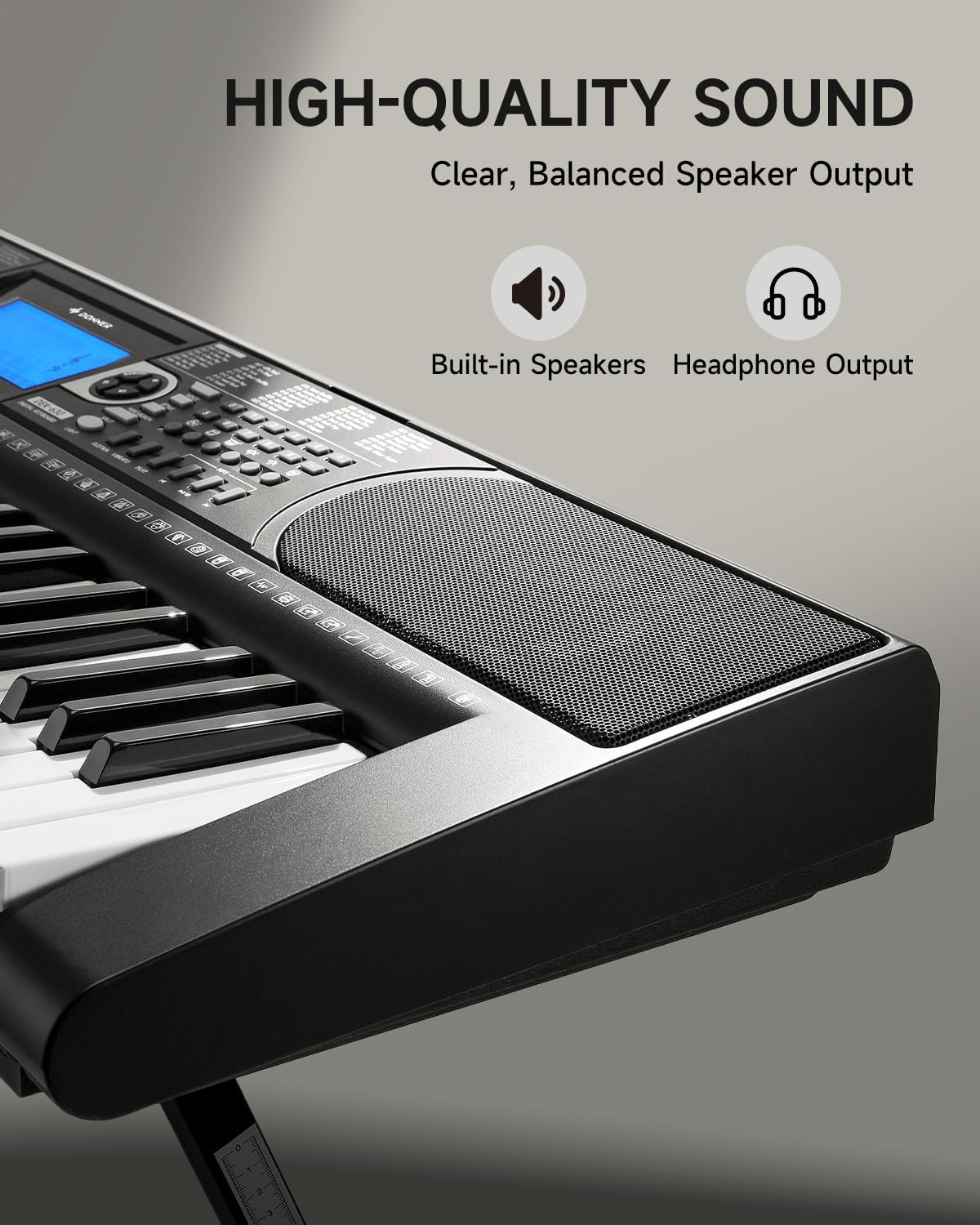
Image 4.3: The DEK-630's built-in speaker and headphone output for versatile sound options.
5. Тэхнічнае абслугоўванне
5.1 Ачыстка
- Wipe the keyboard and stand with a soft, dry cloth.
- Для ўстойлівых забруджванняў выкарыстоўвайце злёгку damp тканінай, а затым старанна высушыце.
- Avoid using abrasive cleaners, solvents, or waxes, as these can damage the finish.
5.2 Захоўванне
- Захоўвайце клавіятуру ў прахалодным, сухім месцы, удалечыні ад прамых сонечных прамянёў і экстрэмальных тэмператур.
- Калі прылада захоўваецца працяглы час, адключыце адаптар сілкавання.
6. Выпраўленне непаладак
| праблема | Магчымая прычына | Рашэнне |
|---|---|---|
| Няма гуку |
|
|
| Клавішы не адказваюць |
|
|
| ВК-дысплей пусты |
|
|
7. Тэхнічныя характарыстыкі
- мадэль: ДЭК-630
- Колькасць клавіш: 61
- Тоны: 300
- Рытмы: 256
- Дэманстрацыйныя песні: 40
- Асаблівасці: Built-In Speaker, Lighted Keys, Portable, LCD Display, Learning Modes (Auto-Chord, Metronome)
- Падключэнне: USB MIDI, Audio Input, Output (L/R), Mic Jack, Headphone Jack, Sustain Pedal Jack
- Магутнасць: Адаптар сілкавання пастаяннага току 12 В
- Dimensions (Keyboard without stand): 37.80 х 11.81 х 3.54 цалі (96 х 30 х 9 см)
- Уключаныя кампаненты: Electric Keyboard, Z-shaped Stand, Piano Bench, Music Rest, Note Stickers
8. Гарантыя і падтрымка
8.1 Інфармацыя аб гарантыі
The Donner DEK-630 Electronic Keyboard comes with a Гарантыя 2 год from the date of purchase. This warranty covers manufacturing defects and malfunctions under normal use. Please retain your proof of purchase for warranty claims. The warranty does not cover damage caused by misuse, accidents, unauthorized modifications, or normal wear and tear.
8.2 Падтрымка кліентаў
For technical assistance, troubleshooting, or warranty inquiries, please contact Donner customer support. Visit the official Donner webсайт для кантактнай інфармацыі і дадатковых рэсурсаў.
Афіцыйны прадстаўнік Донера Webсайт: www.donnerdeal.com