
Уводзіны
Дзякуй за пакупкуasing the coioc S18-2 Portable Bluetooth Speaker. This speaker delivers 30W of powerful stereo sound with dual bass drivers, offering up to 30 hours of playtime. It features TWS pairing for an immersive audio experience, dynamic RGB lighting, and IPX7 waterproofing, making it suitable for various environments. This manual provides detailed instructions for setup, operation, maintenance, and troubleshooting to ensure optimal performance.

Image: The coioc S18-2 Portable Bluetooth Speaker, showcasinяго элегантны дызайн і партатыўны форм-фактар.
Што ў скрынцы
Калі ласка, праверце змесціва пакета пасля распакавання:
- coioc S18-2 Bluetooth Speaker (x1)
- Кабель AUX (x1)
- Зарадны кабель Type-C (x1)
- Кіраўніцтва карыстальніка (x1)

Image: The speaker, its packaging, and all included accessories: AUX cable, Type-C charging cable, and user manual.
Прадукт скончаныview і элементы кіравання
Азнаёмцеся з кнопкамі і партамі дынаміка для аптымальнага выкарыстання.

Image: A detailed diagram illustrating the smart button controls on the speaker, showing functions for power, lighting, volume, track control, EQ, and TWS pairing.
Функцыі кнопак:
- Кнопка харчавання: Націсніце і ўтрымлівайце на працягу 2 секунд, каб уключыць/выключыць харчаванне.
- Светлавая кнопка: Press once to cycle through RGB lighting modes. Press three times to turn off lights.
- Паменшыць гучнасць: Press once to decrease volume. Press and hold for 2 seconds for previous track.
- Павялічыць гучнасць: Press once to increase volume. Press and hold for 2 seconds for next track.
- Кнопка эквалайзера: Press once to switch EQ modes (Normal/Vocal).
- Кнопка TWS: Press twice to initiate TWS pairing.
- Кнопка прайгравання/паўзы: Націсніце адзін раз, каб прайграць/прыпыніць музыку.
- Кнопка выкліку: Press once to Answer/End a call. Press and hold for 2 seconds to Reject a call.
Video Demonstration of Controls and Lights:
Video: A short demonstration showing how to operate the speaker's buttons, including changing RGB light modes and adjusting volume.
Настройка
1. Зарадка дынаміка
Before first use, fully charge the speaker. Connect the provided Type-C charging cable to the speaker's charging port and a USB power adapter (not included). The LED battery indicator will show the charging progress from 1% to 100%. A full charge provides up to 30 hours of playtime (at 30% volume with lights off).
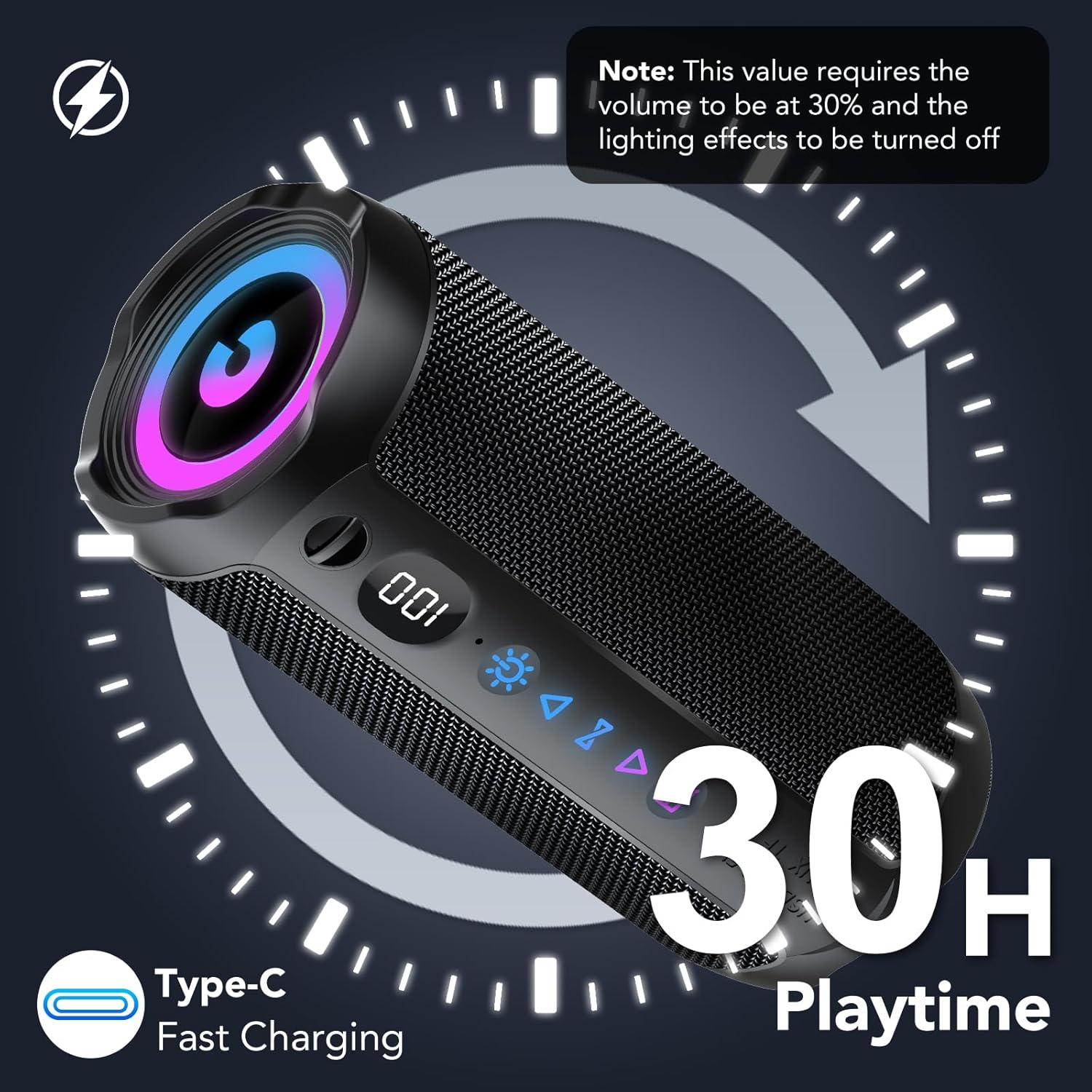
Image: The speaker displaying its battery level and indicating 30 hours of playtime with Type-C fast charging capability.
2. Уключэнне/выключэнне харчавання
- To Power ON: Press and hold the Power button for 2 seconds.
- To Power OFF: Press and hold the Power button for 2 seconds.
3. Спарванне Bluetooth
- Turn on the speaker. It will automatically enter Bluetooth pairing mode, indicated by a flashing Bluetooth icon.
- На вашай прыладзе (смартфоне, планшэце, камп'ютары) уключыце Bluetooth і знайдзіце даступныя прылады.
- Select "coioc S18-2" from the list.
- Пасля падключэння дынамік выдасць гук пацверджання, а значок Bluetooth перастане міргаць.
Інструкцыя па эксплуатацыі
1. Спосабы злучэння
The coioc S18-2 speaker supports multiple connection options:
- Bluetooth (BT): Для бесправадной струменевай перадачы аўдыё з сумяшчальных прылад.
- AUX: Connect via the 3.5mm audio cable for wired playback.
- TF карта: Insert a MicroSD (TF) card with music files для непасрэднага прайгравання.
- USB: Падключыце USB-назапашвальнік з музыкай files для непасрэднага прайгравання.

Image: The speaker highlighting its four versatile connection methods: Bluetooth, AUX, TF card, and USB.
2. Спалучэнне TWS (сапраўднае бесправадное стэрэа)
For an immersive stereo experience, you can pair two coioc S18-2 speakers together:
- Пераканайцеся, што абодва дынамікі ўключаны і не падключаны да іншай прылады Bluetooth.
- On one speaker (this will be the primary speaker), press the TWS button twice. It will enter TWS pairing mode.
- Асноўны дынамік аўтаматычна знойдзе другасны дынамік і падключыцца да яго.
- Once successfully paired, both speakers will emit a confirmation sound.
- Now, connect your device to the primary speaker via Bluetooth as described in the 'Bluetooth Pairing' section. Audio will play in stereo through both speakers.

Image: Two coioc S18-2 speakers wirelessly connected to a laptop via Bluetooth 5.4, illustrating the TWS pairing feature for enhanced stereo audio.
3. Рэжымы RGB-падсветкі
The speaker features dynamic RGB lighting. To control the lighting:
- Press the Light button once to cycle through different RGB lighting effects.
- Press the Light button three times to turn off the lights.

Выява: Прэзентацыя дынамікаasing its RGB multicolor breathing light effects, alongside an illustration of its IPX7 waterproof rating.
4. Рэжымы эквалайзера
The speaker offers different Equalizer (EQ) modes to optimize your listening experience:
- Press the EQ button once to switch between available modes.
- Available modes include: Нармальны і Вакал.

Image: A visual representation of the speaker's EQ modes, highlighting 'Normal' and 'Vocal' settings to suit different musical preferences.
Воданепранікальнасць (IPX7)
The coioc S18-2 speaker is IPX7 waterproof, meaning it can be submerged in water up to 1 meter for 30 minutes. This makes it ideal for use by the pool, at the beach, or in rainy conditions. Ensure the charging port cover is securely closed before exposing the speaker to water.

Image: The coioc S18-2 speaker partially submerged in water, illustrating its IPX7 waterproof capability.
Тэхнічнае абслугоўванне
- Ачысціце дынамік мяккай, damp тканіна. Не выкарыстоўвайце агрэсіўныя хімікаты або абразіўныя ачышчальнікі.
- Захоўвайце дынамік у прахалодным сухім месцы, калі ён не выкарыстоўваецца.
- Пазбягайце працяглага ўздзеяння на дынамік экстрэмальных тэмператур або прамых сонечных прамянёў.
- Ensure the port cover is sealed when not charging or using wired connections to maintain waterproofing.
Ліквідацыю непаладак
| праблема | Магчымая прычына | Рашэнне |
|---|---|---|
| Дынамік не ўключаецца | Нізкі акумулятар | Цалкам зарадзіце дынамік. |
| Немагчыма падключыць прыладу праз Bluetooth | Speaker not in pairing mode / Device Bluetooth off / Too far from device | Ensure speaker is in pairing mode. Turn on Bluetooth on your device. Move speaker closer to device (within 10 meters). |
| Няма гуку | Volume too low / Incorrect input source / Device not connected | Increase speaker and device volume. Check connection method (Bluetooth, AUX, TF, USB). Re-pair Bluetooth if necessary. |
| Збой спалучэння TWS | Speakers too far apart / Already connected to another device | Ensure both speakers are close to each other. Disconnect speakers from other Bluetooth devices before TWS pairing. |
Тэхнічныя характарыстыкі
| Асаблівасць | Дэталь |
|---|---|
| Назва мадэлі | С18-2 |
| Марка | койок |
| Колер | Чорны |
| Выходная магутнасць дынаміка | 30 ват |
| Тэхналогія падлучэння | Bluetooth 5.4 |
| Далёкасць бесправадной сувязі | Да 30 метраў (100 футаў) |
| Рэжым выхаду гуку | Стэрэа |
| Крыніца харчавання | Акумулятар (4000 мАг) |
| Час гульні | Да 30 гадзін |
| Рэйтынг воданепранікальнасці | IPX7 |
| Асаблівасці | Stereo Pairing (TWS), Bass Boost, Dustproof, Noise Cancellation, LED Battery Indicator, Lightweight, LED Light, Built-in Microphone, USB Port, AUX, TF Card Slot |
| Памеры прадукту | 5D x 5W x 5H cm (approximately 2D x 2W x 2H inches) |
| Сумяшчальныя прылады | Phone, Tablet, Computer, Television |
Гарантыя і падтрымка
The coioc S18-2 Portable Bluetooth Speaker comes with a limited warranty. For detailed warranty information or technical support, please refer to the warranty card included in your package or contact coioc customer service through the retailer where you purchased the product. Please retain your proof of purchase for warranty claims.