
1. Уводзіны
Thank you for choosing Auxmir Smart A19 RGB+CCT LED Light Bulbs. These smart bulbs offer a wide range of colors and tunable white light, controllable via Wi-Fi, Bluetooth, remote, or voice commands through Amazon Alexa and Google Assistant. This manual provides essential information for safe installation, operation, and maintenance of your smart light bulbs.
2. Інфармацыя па бяспецы
- Толькі для выкарыстання ў памяшканні: These bulbs are designed for indoor use. Do not install in wet or humid locations.
- Выключыце харчаванне перад усталёўкай: Always turn off the power to the fixture before installing or removing the bulb.
- Правільны Voltage: Пераканайцеся, што гучнасць прыбораtage is compatible with the bulb (AC100-130V).
- Сумяшчальнасць дыммера: Do not use with standard dimmer switches. Dimming is controlled via the app or voice commands.
- Пазбягайце закрытых свяцілень: Do not install in fully enclosed fixtures, as this can trap heat and shorten the bulb's lifespan.
- Захоўваць далей ад вады: Пазбягайце ўздзеяння вады ці іншых вадкасцей.
3. Змесціва ўпакоўкі
- Auxmir Smart A19 RGB+CCT LED Light Bulb (2-Pack)
- Пульт дыстанцыйнага кіравання (1)
- Кіраўніцтва карыстальніка (гэты дакумент)
4. Асаблівасці прадукту
- RGB+CCT Color Changing: 16 million RGB colors and tunable white light (2700K warm white to 6500K cool daylight).
- Падвойнае падключэнне: Supports both Wi-Fi (2.4GHz only) and Bluetooth for flexible control.
- Некалькі метадаў кіравання: Control via Briturn App, included remote, or voice commands with Alexa and Google Home.
- Не патрабуецца канцэнтратар: Падключаецца непасрэдна да вашай сеткі Wi-Fi 2.4 ГГц.
- Сінхранізацыя музыкі: Lights change color and brightness in rhythm with music.
- Рэжымы сцэны: Pre-set scenes and customizable DIY effects (fading, flashing, breathing).
- Планаванне і таймер: Set schedules for automatic on/off and brightness adjustments.
- Энергаэфектыўны: 9W power consumption, equivalent to a 60W incandescent bulb, delivering 800 lumens.
- Доўгі тэрмін службы: Да 20,000 гадзін працы.
5. Настройка
5.1 Фізічная ўстаноўка
- Перад устаноўкай пераканайцеся, што сілкаванне свяцільні адключана выключальнікам.
- Carefully screw the Auxmir Smart Light Bulb into a standard E26 base socket.
- Turn on the power to the light fixture. The bulb should flash, indicating it is in pairing mode.
5.2 App Download and Pairing (Briturn App)
The Briturn App is required for full smart functionality. Ensure your mobile device is connected to a 2.4GHz Wi-Fi network.
- Спампаваць прыкладанне: Пошук "Briturn" in the Apple App Store or Google Play Store, or scan the QR code provided in the product packaging.
- Рэгістрацыя/Уваход: Open the Briturn App and create a new account or log in if you already have one.
- Дадаць прыладу: Націсніце значок «+» або кнопку «Дадаць прыладу» ў дадатку.
- Выберыце тып прылады: Choose "Lighting" or "Light Source (Wi-Fi)" from the device list.
- Confirm Pairing Mode: Ensure your bulb is flashing rapidly. If not, turn the bulb off and on 3 times (on-off-on-off-on) until it flashes.
- Падключыцеся да Wi-Fi: Enter your 2.4GHz Wi-Fi network name and password in the app.
- Спалучэнне: The app will begin searching for the bulb. Once found, the bulb will stop flashing and remain steadily lit.
- Перайменаваць прыладу: You can rename the bulb for easier control (e.g., "Living Room Light").
Кіраванне Bluetooth: If your Wi-Fi is unavailable, you can still control the bulb directly via Bluetooth within a 40-meter (130 feet) range using the Briturn App. Ensure Bluetooth is enabled on your phone.
5.3 Voice Assistant Integration (Alexa & Google Home)
To enable voice control, link your Briturn account to Amazon Alexa or Google Assistant.
- Open Voice Assistant App: Open the Amazon Alexa app or Google Home app on your mobile device.
- Add Device/Skill: Перайдзіце ў раздзел «Навыкі і гульні» (Alexa) або «Працуе з Google» (Google Home).
- Пошук Briturn: Пошук the "Briturn" skill/service.
- Enable Skill/Link Account: Enable the Briturn skill and link it to your Briturn account using your Briturn login credentials.
- Адкрыйце для сябе прылады: Пасля падключэння папрасіце галасавога памочніка «Выявіць прылады» або ўручную запусціце выяўленне прылад у дадатку.
- Галасавыя каманды: Цяпер вы можаце выкарыстоўваць галасавыя каманды, такія як:
- Алекса, уключы святло ў гасцінай.
- "Hey Google, dim Bedroom Light to 50%."
- "Alexa, change Kitchen Light to blue."
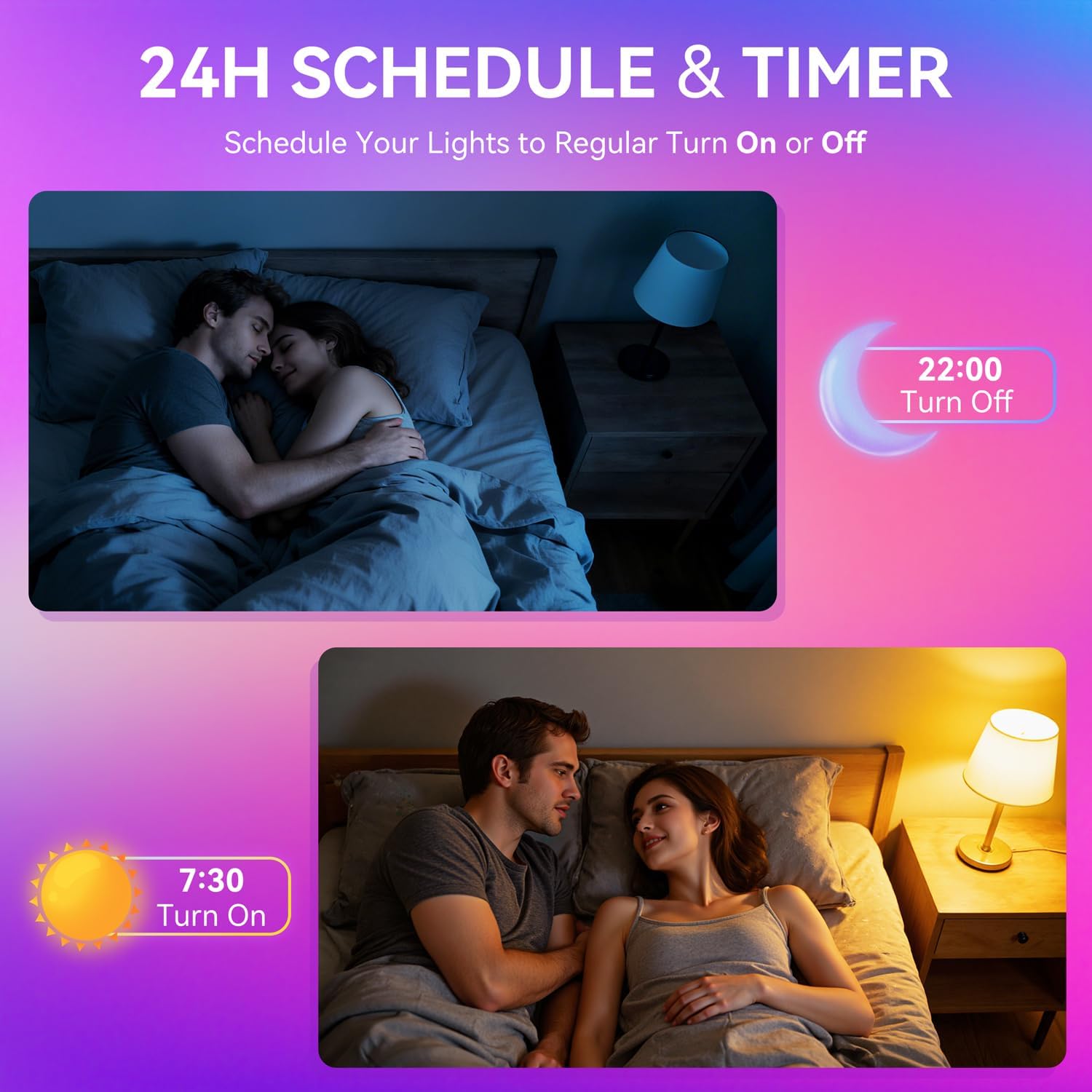
Image: A woman interacting with a smart speaker to control her Auxmir smart light bulb, demonstrating voice control functionality.
6. Інструкцыя па эксплуатацыі
6.1 Color and Brightness Control
- Выбар колеру: In the Briturn App, select your bulb and choose from 16 million RGB colors using the color wheel.
- Наладжвальны белы: Adjust the white light temperature from 2700K (warm white) to 6500K (cool daylight) to suit your preference.
- Зацямненне: Use the brightness slider in the app or voice commands to adjust brightness from 1% to 100%.

Image: Three Auxmir smart bulbs showcasing their ability to display a wide range of RGB colors and tunable white light, from warm to cool.
6.2 сюжэтных рэжымаў
The Briturn App offers various pre-set scenes and allows you to create custom lighting effects.
- Папярэдне зададзеныя сцэны: Select from modes like Movie, Sleep, Festival, and more to instantly change the ambiance of your room.
- DIY Scenes: Create your own custom lighting effects by adjusting colors, brightness, and transition styles (fading, flashing, breathing). Save these as personal scenes for quick access.

Выява: Былыample of a living space transformed by Auxmir smart lighting, demonstrating various scene modes and their impact on room ambiance.
6.3 Music Sync
Synchronize your lights with music playing on your phone or through the phone's microphone.
- In the Briturn App, select the Music Sync feature.
- Choose from modes like Party, Dynamic, Calm, or Auto Rhythm.
- The bulbs will change colors and brightness according to the rhythm and beat of the music detected by your phone's microphone.

Image: A visual representation of the music sync feature, where Auxmir smart bulbs change colors and patterns in response to music, creating a dynamic atmosphere.
6.4 Scheduling and Timer
Аўтаматызуйце асвятленне з дапамогай раскладаў і таймераў.
- In the Briturn App, navigate to the "Schedule" or "Timer" section for your bulb.
- Set specific times for the bulb to turn on or off.
- Customize brightness and color for scheduled events (e.g., a warm light to wake up, a dim light for bedtime).
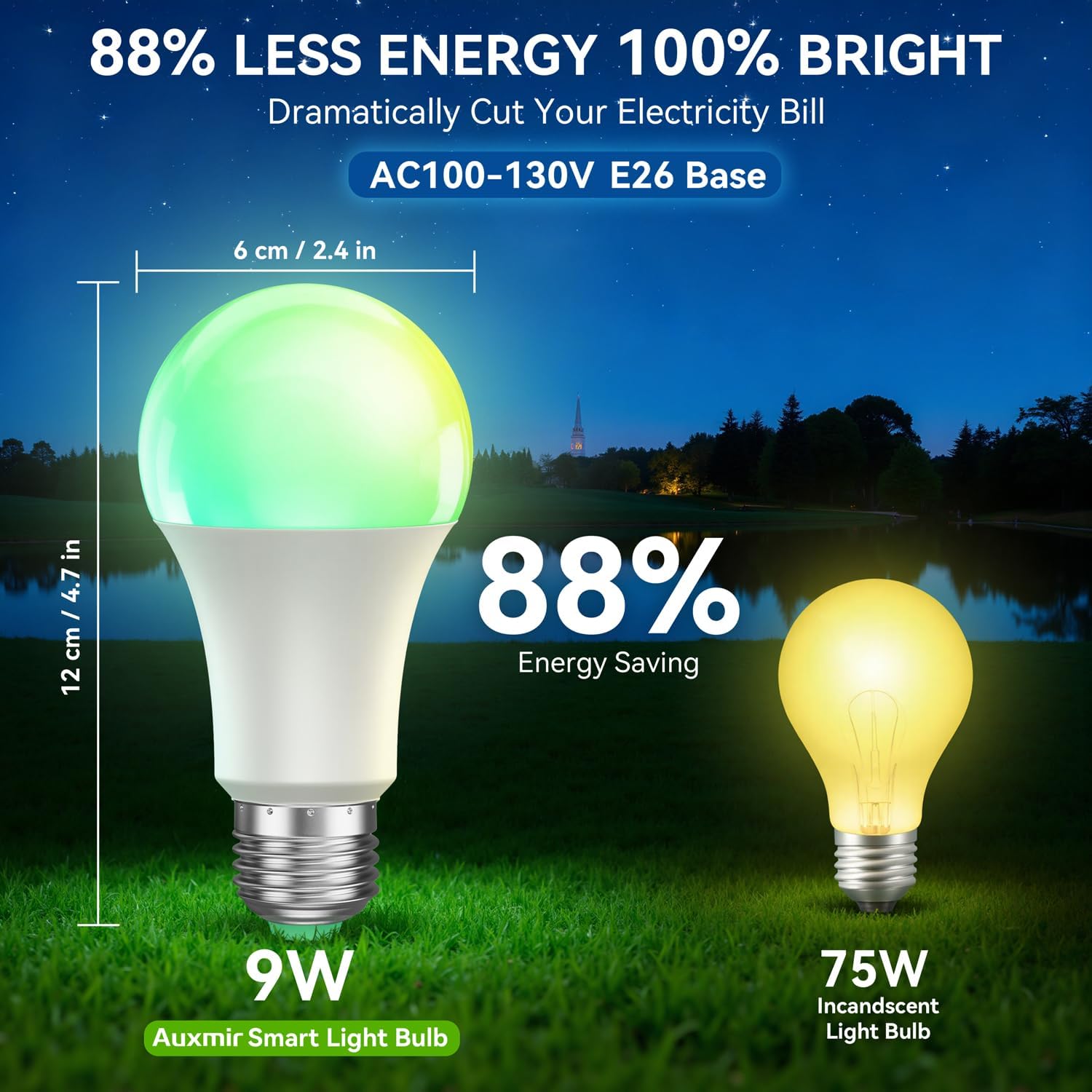
Image: Illustrations depicting the scheduling feature, where Auxmir smart bulbs can be programmed to turn on and off at specific times, such as for waking up or going to bed.
6.5 Групавы кантроль
Control multiple Auxmir smart bulbs simultaneously.
- In the Briturn App, go to the device list.
- Select the option to create a "Group."
- Add the desired bulbs to the group (e.g., "Living Room Lights").
- You can now control all bulbs in the group with a single command or tap, adjusting their color, brightness, and scenes together.

Image: A diagram illustrating how Auxmir smart bulbs can be grouped and controlled across different rooms in a home, enabling synchronized lighting for various activities.
7. Тэхнічнае абслугоўванне
- Уборка: Перад чысткай пераканайцеся, што лямпачка выключана і астыла. Працярыце мяккай сухой тканінай. Не выкарыстоўвайце вадкія ачышчальнікі.
- Замена: When the bulb reaches the end of its lifespan, replace it with another Auxmir Smart A19 LED Light Bulb or a compatible E26 LED bulb.
- захоўванне: Калі вы захоўваеце лямпачку, трымайце яе ў прахалодным, сухім месцы, удалечыні ад прамых сонечных прамянёў і экстрэмальных тэмператур.
8. Выпраўленне непаладак
| праблема | Магчымая прычына | Рашэнне |
|---|---|---|
| Лямпачка не загараецца | Няма электрычнасці ў свяцільні; лямпачка няспраўная; лямпачка няспраўная. | Check power switch and circuit breaker. Ensure bulb is securely screwed in. Test bulb in another fixture. |
| Bulb not connecting to Wi-Fi | Incorrect Wi-Fi password; Not a 2.4GHz network; Bulb not in pairing mode; Router too far. | Verify Wi-Fi password. Ensure you are on a 2.4GHz network. Reset bulb to pairing mode (on-off-on-off-on). Move bulb closer to router. |
| Не працуе галасавое кіраванне | Briturn skill not enabled/linked; Incorrect device name; Voice assistant not connected to internet. | Ensure Briturn skill is enabled and linked in Alexa/Google Home app. Use the exact device name. Check internet connection of your voice assistant device. |
| Пульт дыстанцыйнага кіравання не працуе | Battery depleted; Obstruction between remote and bulb; Remote not paired. | Replace remote battery. Ensure clear line of sight. Refer to remote pairing instructions (if applicable, usually automatic). |
| Bulb flickering or unstable light | Loose connection; Electrical interference; Faulty bulb. | Check bulb connection. Ensure no other devices are causing interference. If problem persists, contact support. |
9. Тэхнічныя характарыстыкі
| Асаблівасць | Спецыфікацыя |
|---|---|
| Нумар мадэлі | ZJ-BWBL1L-RGBWW-2PP-BT |
| Форма цыбуліны Памер | A19 |
| Падстава лямпачкі | E26 |
| Ватtage | 9 ват |
| Эквівалент лямпы напальвання | 60 ват |
| Яркасць | 800 люмен |
| Светлы колер | Multicolor (RGB) + Tunable White (2700K-6500K) |
| Зацямняецца | 1% - 100% via App/Voice |
| Сувязь | Wi-Fi 2.4 Ггц, Bluetooth |
| Метад кантролю | Праграма, пульт дыстанцыйнага кіравання, голас (Alexa, Google Assistant) |
| Уваходны кнtage | Пераменны ток 100-130 В |
| Працягласць жыцця | 20,000 гадзін |
| Выкарыстанне ў памяшканні/на вуліцы | Толькі ў памяшканні |
| Памеры (Ш х У) | 2.4 цалі х 4.7 цалі (6 см х 12 см) |
| Матэрыял | Шкло |
10. Гарантыя і падтрымка
10.1 Інфармацыя аб гарантыі
Auxmir Smart Light Bulbs come with a Гарантыя 3 год з даты пакупкі. Гэтая гарантыя распаўсюджваецца на вытворчыя дэфекты і няспраўнасці пры нармальным выкарыстанні. Яна не распаўсюджваецца на пашкоджанні, выкліканыя няправільным выкарыстаннем, аварыямі, несанкцыянаванымі мадыфікацыямі або няправільнай устаноўкай.
10.2 Падтрымка кліентаў
If you encounter any issues or have questions regarding your Auxmir Smart Light Bulbs, please contact our customer support team:
- электронная пошта: [Устаўце сюды адрас электроннай пошты службы падтрымкі кліентаў]
- тэлефон: [Увядзіце нумар тэлефона службы падтрымкі кліентаў]
- Webсайт: Visit the official Auxmir webсайт з часта задаванымі пытаннямі і дадатковымі рэсурсамі.
Please have your model number (ZJ-BWBL1L-RGBWW-2PP-BT) and purchase details ready when contacting support.