
1. Уводзіны
Thank you for choosing the Monster BC300 Open Ear Sport Headphones. These headphones are designed to provide a comfortable and secure audio experience while keeping you aware of your surroundings. Featuring bone conduction technology, IPX8 waterproofing, 32GB of built-in memory, and a long-lasting battery, the BC300 is ideal for various sports and outdoor activities.
Калі ласка, уважліва прачытайце гэтую інструкцыю перад выкарыстаннем навушнікаў, каб забяспечыць іх належную працу і максімальна падоўжыць тэрмін іх службы.
2. Змесціва ўпакоўкі
Пераканайцеся, што ўсе прадметы прысутнічаюць у вашай упакоўцы:
- Monster BC300 Open Ear Sport Headphones
- USB-кабель для зарадкі
- Кіраўніцтва карыстальніка
3. Асаблівасці прадукту
- Дызайн з адкрытым вухам: Rests comfortably outside your ears, providing a secure fit without pressure. This design allows you to remain aware of your surroundings, enhancing safety during outdoor activities.
- Тэхналогія касцяной праводнасці: Sound is transmitted through your cheekbones, keeping your ear canals open. This minimizes ear fatigue and offers a natural listening experience.
- Падключэнне Bluetooth 6.0: Ensures a stable, low-latency connection for reliable audio streaming and clear calls.
- Воданепранікальнасць IPX8: Designed to resist heavy sweat, rain, and temporary submersion, making them suitable for intense training, trail running, and even swimming.
- 32 ГБ убудаванай памяці: Store thousands of songs directly on the headphones for true wire-free listening without needing a phone, perfect for swimming or gym workouts.
- 10-гадзінны тэрмін службы батарэі: Provides extended playtime for all-day use.
4. Настройка
4.1 Зарадка навушнікаў
Before first use, fully charge the headphones. Connect the USB charging cable to the charging port on the headphones and to a standard USB power adapter (not included) or a computer's USB port. The LED indicator will show charging status and turn off or change color when fully charged.
Поўнай зарадкі хапае прыкладна на 10 гадзін прайгравання.
4.2 Уключэнне/выключэнне сілкавання
- Уключэнне: Press and hold the Power/Multi-function button for approximately 3 seconds until the LED indicator flashes and you hear a power-on prompt.
- Выключэнне: Press and hold the Power/Multi-function button for approximately 5 seconds until the LED indicator turns off and you hear a power-off prompt.
4.3 Спалучэнне па Bluetooth
- Пераканайцеся, што навушнікі адключаны.
- Press and hold the Power/Multi-function button for approximately 5-7 seconds until the LED indicator flashes red and blue alternately, indicating pairing mode.
- На вашай прыладзе (смартфоне, планшэце і г.д.) уключыце Bluetooth і знайдзіце даступныя прылады.
- Select "Monster BC300" from the list of devices.
- Once connected, the LED indicator will flash blue slowly, and you will hear a connection confirmation.
Заўвага: Пры ўключэнні навушнікі аўтаматычна паспрабуюць падключыцца да апошняй спалучанай прылады.
4.4 Using Built-in Memory (MP3 Mode)
The BC300 headphones feature 32GB of internal storage for music playback without a connected device.
- Перадача музыкі: Connect the headphones to your computer using the USB charging cable. The headphones will appear as a removable disk. Drag and drop your audio files (e.g., MP3, WAV, FLAC) into the headphone's storage folder.
- Пераключэнне ў рэжым MP3: While the headphones are on, press the Mode button (if available, or a combination of buttons as per specific model design) to switch between Bluetooth mode and MP3 player mode. Refer to the specific button layout for your model.
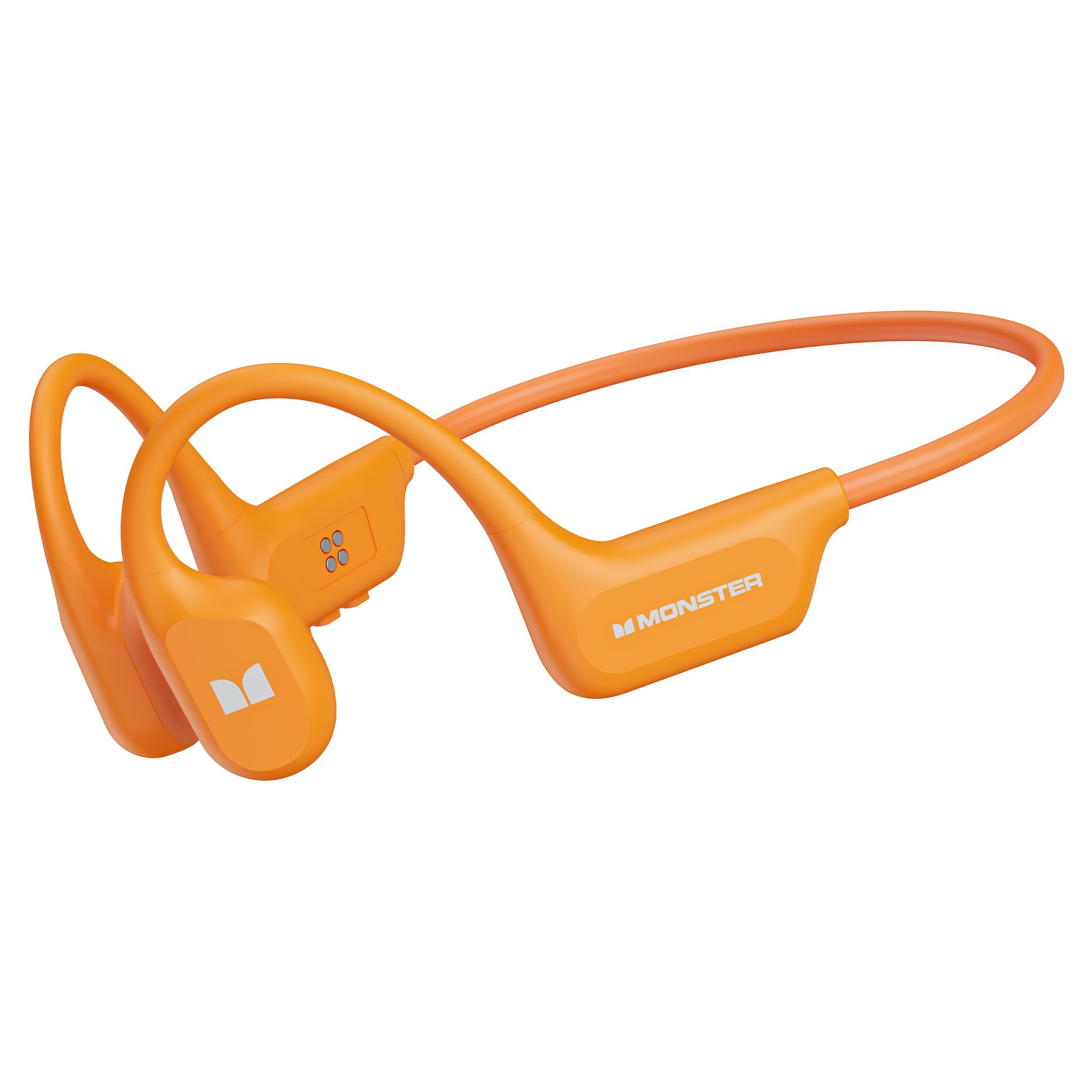
Image: Monster BC300 headphones connected to a laptop via USB cable, illustrating the 32GB built-in memory feature for standalone music playback.
5. Інструкцыя па эксплуатацыі
5.1 Функцыі кнопак (агульныя)
The headphones typically feature a Power/Multi-function button, Volume Up (+), and Volume Down (-) buttons. Specific functions may vary slightly.
| Кнопка | Функцыя |
|---|---|
| Кнопка харчавання/шматфункцыянальная |
|
| Павелічэнне гучнасці (+) |
|
| Volume Down (-) |
|
| Кнопка рэжыму (калі ёсць) |
|
5.2 Функцыі выкліку
- Адказаць на званок: Націсніце кнопку харчавання/шматфункцыянальнай функцыі адзін раз.
- Завяршыць выклік: Press the Power/Multi-function button once during a call.
- Адхіліць выклік: Press and hold the Power/Multi-function button for 2 seconds during an incoming call.
- Паўторны набор: Double-press the Power/Multi-function button to redial the last number.
5.3 Прайграванне музыкі
- Прайграванне/Паўза: Націсніце кнопку харчавання/шматфункцыянальнай функцыі адзін раз.
- Наступны трэк: Націсніце і ўтрымлівайце кнопку павелічэння гучнасці (+).
- Папярэдні трэк: Націсніце і ўтрымлівайце кнопку памяншэння гучнасці (-).
- Рэгуляванне гучнасці: Press Volume Up (+) or Volume Down (-) buttons to adjust the volume.

Image: Man wearing Monster BC300 headphones, demonstrating the bone conduction technology that keeps ear canals open.

Выява: Крупны план view of the Monster BC300 headphone's internal components, emphasizing the Bluetooth 6.0 chip for stable connections.

Image: A man playing basketball while wearing Monster BC300 headphones, demonstrating their secure and comfortable fit during workouts.

Image: A woman cycling on a road wearing Monster BC300 headphones, highlighting the open-ear design that maintains awareness of surroundings for safety.

Image: Monster BC300 headphones depicted with abstract sound waves, symbolizing the 'Pure Monster Sound' quality with deep bass and crisp clarity.
6. Тэхнічнае абслугоўванне і догляд
- Уборка: Працярыце навушнікі мяккай, damp тканіна. Не выкарыстоўвайце агрэсіўныя хімікаты або абразіўныя матэрыялы.
- Воданепранікальнасць: The headphones are IPX8 waterproof. This means they can withstand continuous immersion in water up to 1.5 meters for 30 minutes. Rinse with fresh water after exposure to saltwater or chlorinated water and allow to dry completely before charging.
- захоўванне: Захоўвайце навушнікі ў прахалодным, сухім месцы, удалечыні ад прамых сонечных прамянёў і экстрэмальных тэмператур.
- Сыход за батарэяй: To preserve battery life, charge the headphones regularly, even if not in use for extended periods. Avoid fully discharging the battery frequently.

Image: A man swimming underwater while wearing Monster BC300 headphones, showcasing their IPX8 waterproof capability for aquatic activities.
7. Выпраўленне непаладак
| праблема | Рашэнне |
|---|---|
| Навушнікі не ўключаюцься. | Пераканайцеся, што навушнікі зараджаныя. Падключыце іх да крыніцы харчавання і паспрабуйце зноў праз некалькі хвілін. |
| Немагчыма спалучыць прыладу. |
|
| Няма гуку або нізкі ўзровень гучнасці. |
|
| Music not playing from built-in memory. |
|
8. Тэхнічныя характарыстыкі
| Асаблівасць | Дэталь |
|---|---|
| Марка | Пачвара |
| Нумар мадэлі | E129 (BC300) |
| Размяшчэнне вушэй | Адкрытае вуха |
| Тэхналогія падлучэння | Bluetooth |
| Версія Bluetooth | 5.0 (Product description mentions 6.0) |
| Узровень воданепранікальнасці | IPX8 воданепранікальны |
| Убудаваная памяць | 32 ГБ |
| Тэрмін службы батарэі | Да 10 гадзін |
| Дыяпазон частот | 20 Гц - 20 000 Гц |
| Матэрыял | Сілікон |
| Метад кантролю | App (and physical buttons) |
9. Гарантыя і падтрымка
The Monster BC300 Open Ear Sport Headphones come with a 1 гады гарантыі ад вытворцы з даты пакупкі. Гэтая гарантыя распаўсюджваецца на вытворчыя дэфекты і дэфекты вырабу пры нармальным выкарыстанні.
Гарантыя не распаўсюджваецца на пашкоджанні, выкліканыя няправільным выкарыстаннем, аварыямі, несанкцыянаванымі мадыфікацыямі або звычайным зносам.
Па пытаннях гарантыйнага абслугоўвання або тэхнічнай падтрымкі звярніцеся ў службу падтрымкі кліентаў Monster праз іх афіцыйную website or the retailer where the product was purchased. Please have your proof of purchase and product model number (E129) ready.