
1. Уводзіны
Welcome to the user manual for your new Xiaomi 17 Ultra smartphone. This device combines cutting-edge technology with a sophisticated design, offering an exceptional user experience. Key features include a powerful Leica 200MP telephoto lens, a 1-inch ultra-dynamic camera with LOFIC HDR technology for stunning night photography, and the advanced Snapdragon 8 Elite Gen 5 mobile platform for superior performance. The device is also equipped with a long-lasting 6000 mAh Xiaomi Surge battery and integrates HyperAI for enhanced productivity and smart features.

Figure 1: Xiaomi 17 Ultra smartphone in hand.
2. Настройка
2.1 Распакоўка і змесціва ўпакоўкі
Carefully unbox your Xiaomi 17 Ultra. Ensure all components are present. The standard package includes the Xiaomi 17 Ultra smartphone, a USB-C cable, and a SIM ejector tool (SIM-Pin).

Figure 2: Package contents including the Xiaomi 17 Ultra, USB-C cable, and SIM-Pin.
2.2 Устаўка SIM-карты
- Знайдзіце латок для SIM-карты на бакавой частцы прылады.
- Устаўце інструмент для выкідання SIM-карты ў невялікую адтуліну на латку для SIM-карты і акуратна націсніце, пакуль латок не выскочыць.
- Устаўце карту (карты) Nano-SIM у латок залатымі кантактамі ўніз. Забяспечце правільную арыентацыю.
- Асцярожна ўстаўце латок для SIM-карты назад у слот, пакуль ён не будзе ўпоравень з прыладай.

Малюнак 3: бок view of the Xiaomi 17 Ultra, indicating the SIM card tray.
2.3 Першапачатковае ўключэнне і зарадка
To power on your device, press and hold the power button located on the side until the Xiaomi logo appears. For initial setup, it is recommended to fully charge your device. Connect the USB-C cable to the phone's charging port and the other end to a compatible power adapter (not included) or a computer.
3. Operating Your Xiaomi 17 Ultra
3.1 Асноўная навігацыя
- Уключэнне/выключэнне харчавання: Press and hold the power button. Select "Power off" or "Restart" from the menu.
- Блакіроўка/разблакіроўка экрана: Briefly press the power button. Use your fingerprint, face unlock, or PIN/pattern to unlock.
- Галоўны экран: Правядзіце пальцам уверх ад ніжняга краю экрана, каб перайсці на галоўны экран.
- Апошнія праграмы: Правядзіце пальцам знізу ўверх і ўтрымлівайце, каб view нядаўнія заяўкі.
- Апавяшчэнні і хуткія налады: Правядзіце пальцам уніз ад верхняй часткі экрана, каб атрымаць доступ да апавяшчэнняў і хуткіх налад.
3.2 Асаблівасці камеры
The Xiaomi 17 Ultra features an advanced Leica camera system designed for professional-grade photography.
- Leica 200MP Telephoto Lens: Experience exceptional detail and clarity with the 75–100mm optical zoom, eliminating the need for digital cropping.
- Leica 1-inch Ultra-Dynamic Camera: The large 1-inch sensor, combined with LOFIC HDR technology, captures stunning images even in challenging low-light conditions, preserving intricate details.
- Leica UltraPure Optical Design: An updated optical structure with precision glass elements significantly reduces reflections, ensuring purer image quality.
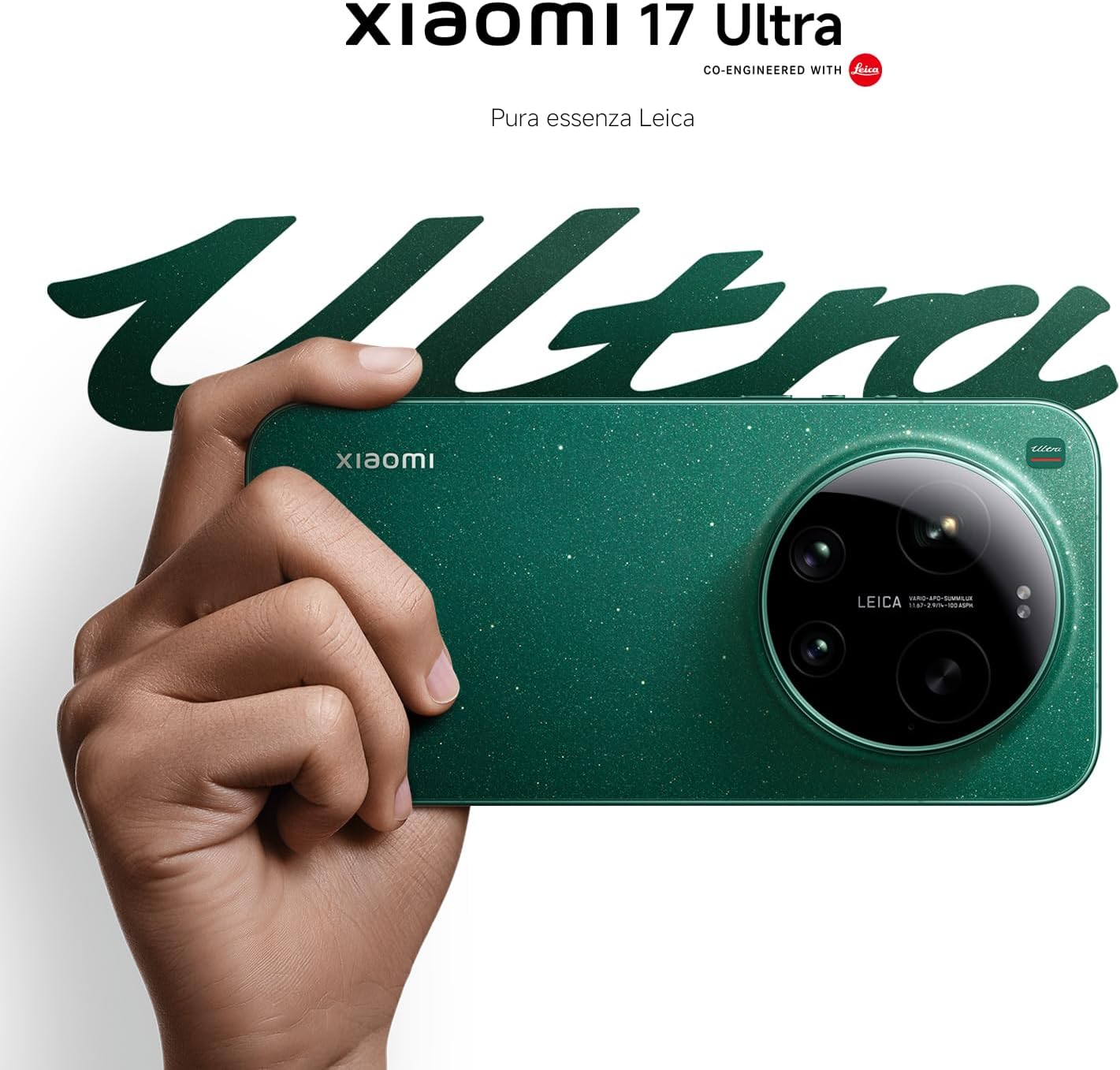
Figure 4: Leica 200MP Telephoto Lens.

Figure 5: Leica 1-inch Ultra-Dynamic Camera Sensor.

Figure 6: Leica UltraPure Optical Design.
Video 1: Demonstration of the Xiaomi 17 Ultra's camera capabilities, capturing fireworks with detail and clarity.
3.3 HyperAI Features
The integrated HyperAI enhances various aspects of your smartphone experience, offering intelligent assistance and improved productivity.
- Штучны інтэлект: напісанне тэкстаў Assists with text composition and suggestions.
- Распазнаванне голасу са штучным інтэлектам: Provides accurate voice-to-text conversion and command execution.
- Пошук AI: Intelligently processes search queries for more relevant results.
- Dynamic AI Wallpapers: Offers personalized and adaptive visual experiences.

Малюнак 7: Закончанаview of Xiaomi HyperAI functionalities.
4. Тэхнічнае абслугоўванне
4.1 Сыход за акумулятарам
Your Xiaomi 17 Ultra is equipped with a 6000 mAh Xiaomi Surge battery for extended usage. To maximize battery lifespan:
- Пазбягайце экстрэмальных тэмператур (высокіх або нізкіх).
- Do not let the battery drain completely regularly. Charge it before it reaches very low levels.
- Выкарыстоўвайце толькі зацверджаныя зарадныя прылады і кабелі.
- Пазбягайце празмернай зарадкі на працягу працяглых перыядаў часу.

Малюнак 8: Унутраны view of the 6000 mAh Xiaomi Surge battery.
4.2 Screen and Device Cleaning
To clean your device, use a soft, lint-free cloth. Avoid abrasive materials, sprays, or harsh chemicals. For stubborn smudges, slightly dampen the cloth with water. Do not submerge the device in water.
4.3 Абнаўленне праграмнага забеспячэння
Regularly check for and install software updates to ensure optimal performance, security, and access to new features. You can usually find this option in your device's settings under "About phone" or "System updates."
5. Выпраўленне непаладак
5.1 Агульныя праблемы і рашэнні
| выпуск | Магчымае рашэнне |
|---|---|
| Прылада не ўключаецца | Пераканайцеся, што акумулятар зараджаны. Націсніце і ўтрымлівайце кнопку харчавання не менш за 10-15 секунд, каб прымусова перазагрузіць прыладу. |
| Збоі або завісанні праграм | Close the app and reopen it. Clear the app's cache and data in settings. Update the app or the phone's software. |
| Дрэнны тэрмін службы батарэі | Check background app usage. Reduce screen brightness. Disable unnecessary features like GPS or Bluetooth when not in use. Refer to battery care tips. |
| Праблемы з падключэннем да сеткі | Restart the device. Check if airplane mode is off. Reinsert the SIM card. Reset network settings. Contact your service provider. |
6. Тэхнічныя характарыстыкі
| Асаблівасць | Дэталь |
|---|---|
| мадэль | Xiaomi 17 ультра |
| Працэсар | Snapdragon 8 Elite Gen 5 Mobile Platform |
| АЗП | 16 ГБ |
| Унутраная памяць | 512 ГБ |
| Асноўная камера | Leica 1-inch Ultra-Dynamic Camera with LOFIC HDR |
| Тэлеаб'ектыў | Leica 200MP, 75–100mm Optical Zoom |
| акумулятар | 6000 mAh Xiaomi Surge Battery (typical) |
| Асаблівасці AI | Xiaomi HyperAI (AI Writing, Voice Recognition, Search, Dynamic Wallpapers) |

Figure 9: Snapdragon 8 Elite Gen 5 Mobile Platform.
7. Гарантыя і падтрымка
7.1 Гарантыя вытворцы
Your Xiaomi 17 Ultra comes with a 3-гадовая гарантыя вытворцы. This includes the standard 2-year manufacturer warranty plus an additional 1 year of extended warranty, automatically applied upon purchase.
Калі ласка, захавайце доказы пакупкі для прэтэнзій па гарантыі.
7.2 Падтрымка кліентаў
For further assistance, technical support, or warranty inquiries, please visit the official Xiaomi support website or contact their customer service. You can find contact information on the Xiaomi official website or within your device's "Settings" under "About phone" > "Legal information" or "Support".