
1. Уводзіны
This manual provides essential information for setting up, operating, and maintaining your Lenovo LOQ Gaming Laptop. Please read this manual thoroughly before using your device to ensure optimal performance and longevity.
The Lenovo LOQ Gaming Laptop is designed for high-performance computing, gaming, and creative tasks. It features an AMD Ryzen 7 250 processor, NVIDIA GeForce RTX 5060 graphics, a 15.6-inch FHD 144Hz display, 32GB RAM, and a 1TB SSD.
2. Што ў скрынцы
Upon unboxing your Lenovo LOQ Gaming Laptop, verify that all components are present:
- Lenovo LOQ 15.6" Gaming Laptop
- Mytrix 2.4GHz Wireless Gaming Headset
- Mytrix Laptop Gaming Cooling Pad
- Lifetime Microsoft Office 2019 Professional Plus Product Key (activates on this device only)
- Адаптар сілкавання і кабель
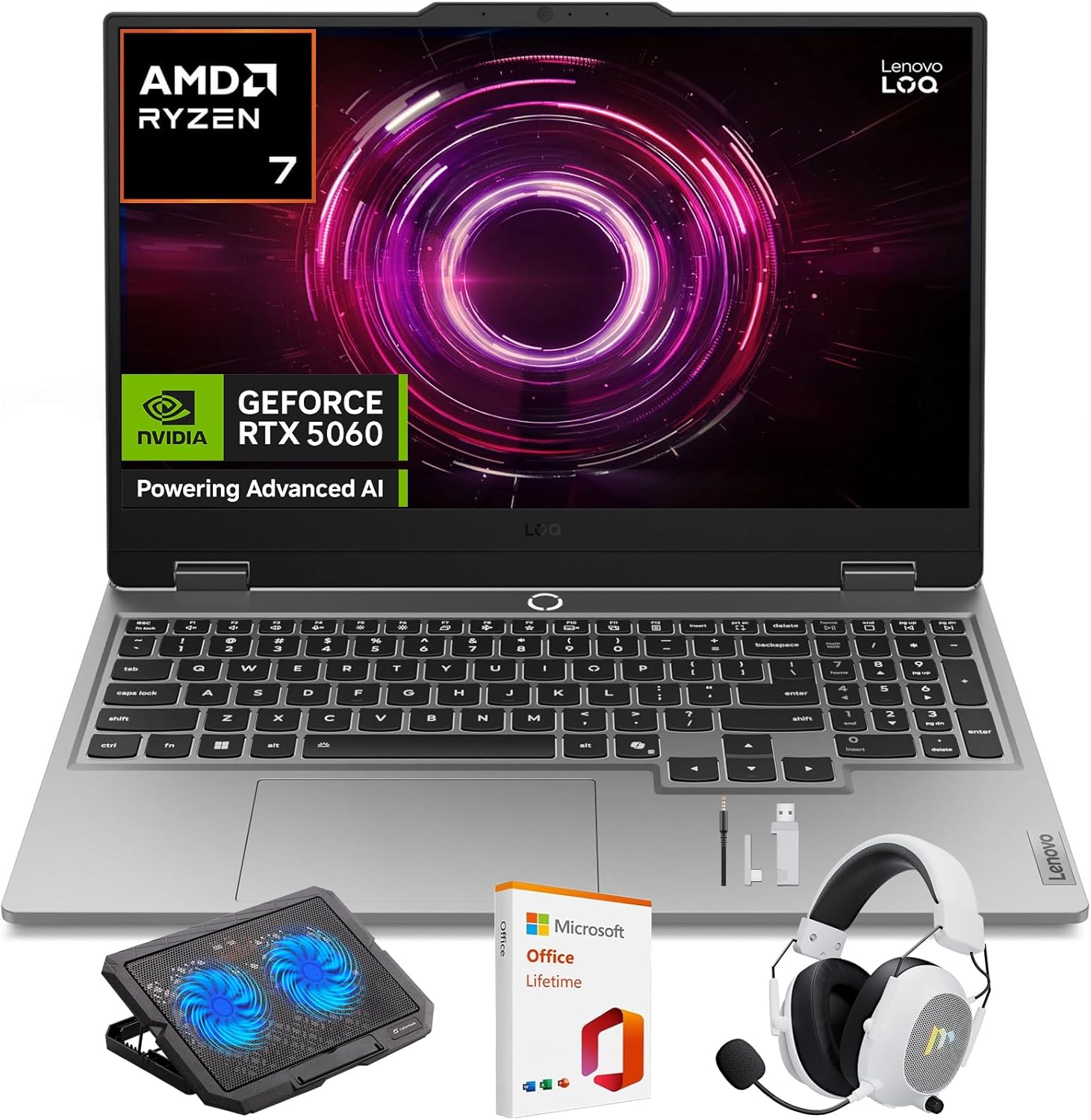
Image: Lenovo LOQ Gaming Laptop with its main accessories.
3. Кіраўніцтва па наладцы
3.1 Першапачатковае ўключэнне
- Падключыце адаптар харчавання да ўваходнага порта харчавання ноўтбука, а затым да разеткі.
- Адкрыйце крышку ноўтбука.
- Націсніце кнопку харчавання, якая звычайна знаходзіцца на клавіятурнай панэлі, каб уключыць ноўтбук.
- Выконвайце інструкцыі на экране, каб завяршыць наладу Windows 11 Home, у тым ліку мову, рэгіён, сеткавае падключэнне і стварэнне ўліковага запісу карыстальніка.
3.2 Падключэнне перыферыйных прылад
- Wireless Gaming Headset: Refer to the headset's specific instructions for pairing via 2.4GHz wireless. Typically involves plugging a USB dongle into an available USB port on the laptop.
- Laptop Gaming Cooling Pad: Place the laptop on the cooling pad. Connect the cooling pad's USB cable to an available USB port on the laptop to power its fans.
- Знешні дысплей: Connect an external monitor using the HDMI port or a compatible USB-C port.
- Іншыя прылады USB: Use the available USB ports for mice, keyboards, external storage, or other accessories.
4. Інструкцыя па эксплуатацыі
4.1 Функцыі дысплея
Your Lenovo LOQ laptop features a 15.6-inch Full HD (1920x1080) display with a 144Hz refresh rate for smooth visuals. It supports 100% sRGB color accuracy and NVIDIA G-Sync technology to minimize screen tearing and stuttering during gaming.
Выява: Дысплей ноўтбукаasinг яго візуальныя магчымасці.
4.2 Performance Management (CPU & GPU)
The laptop is equipped with an AMD Ryzen 7 250 processor and an NVIDIA GeForce RTX 5060 GPU. These components are designed to deliver high performance for demanding applications and games.
- AMD Ryzen 7 250: Features a multi-core architecture for efficient multitasking and responsive performance. AMD Precision Boost technology dynamically adjusts clock speeds for optimal power.
- NVIDIA GeForce RTX 5060: Supports DLSS 4 and ray tracing for enhanced graphics, realistic lighting, and immersive environments.
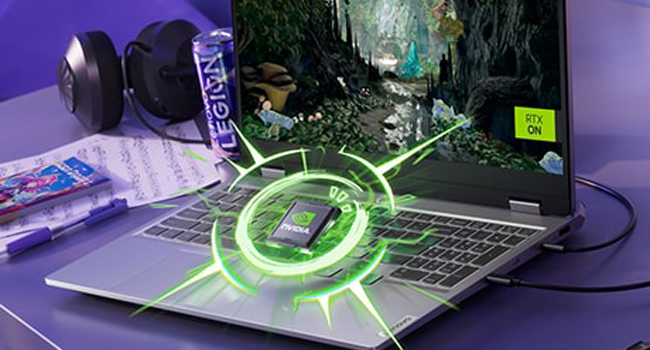
Image: Visual representation of the NVIDIA GeForce RTX graphics processing unit.

Image: The laptop highlighting its AMD Ryzen processor.
4.3 Сістэма астуджэння
The Lenovo LOQ utilizes Hyperchamber Cooling with turbo fans and copper heatpipes to maintain optimal temperatures during intensive use. The AI Engine+ automatically optimizes CPU, GPU, and system settings for efficient cooling and performance.
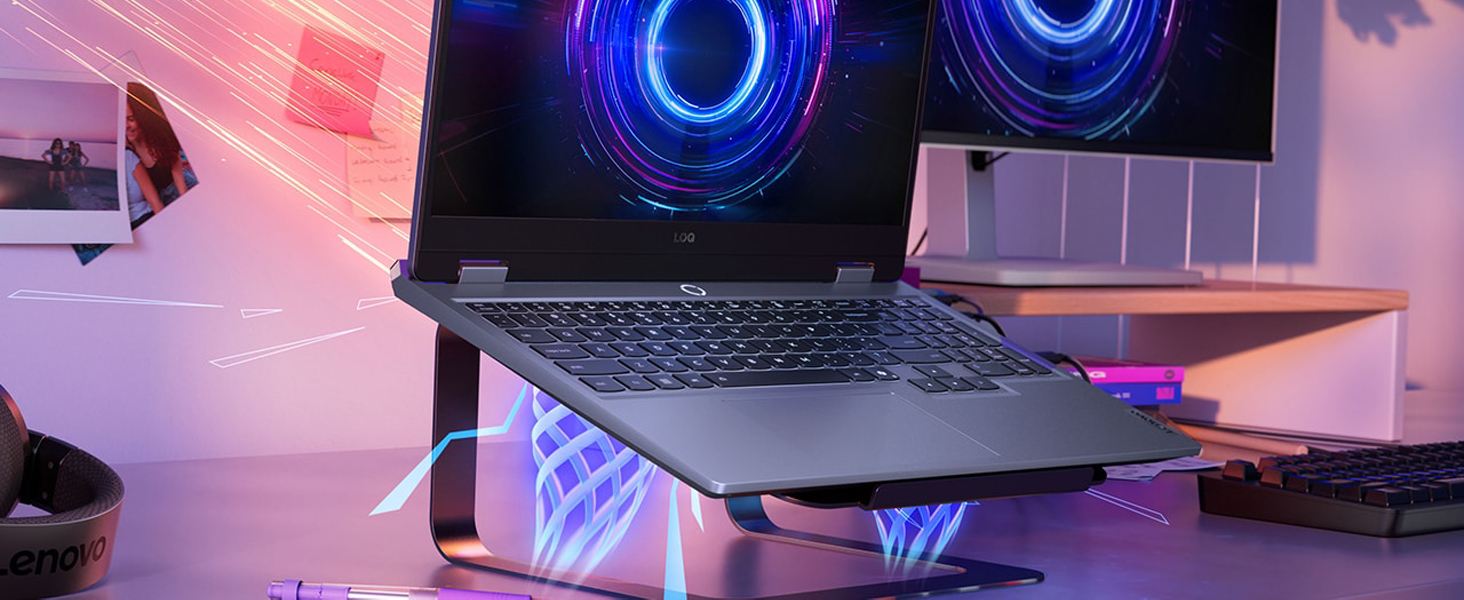
Image: The laptop demonstrating its advanced cooling system.
4.4 AI Engine+
The Lenovo AI Engine+ and AI Core work together with Scenario Detection to adjust performance in real-time, optimizing settings for gaming, streaming, or everyday tasks to ensure smoother gameplay and higher frame rates.

Image: The laptop showcasing the Lenovo AI Engine+ capabilities.
4.5 Клавіятура і ўвод
The full-size Lenovo LOQ keyboard features white backlighting and soft-landing switches for precise and comfortable typing and gaming. Use the Fn+Q thermal management control to switch between performance modes.
Выява: буйны план view of the laptop's backlit keyboard.
Аўдыёсістэма 4.6
Experience immersive 3D audio with the laptop's integrated speakers, enhanced by Nahimic by SteelSeries technology.
Image: The laptop's audio interface, indicating 3D audio capabilities.
4.7 Парты і падключэнне
The laptop offers a variety of ports for connectivity:
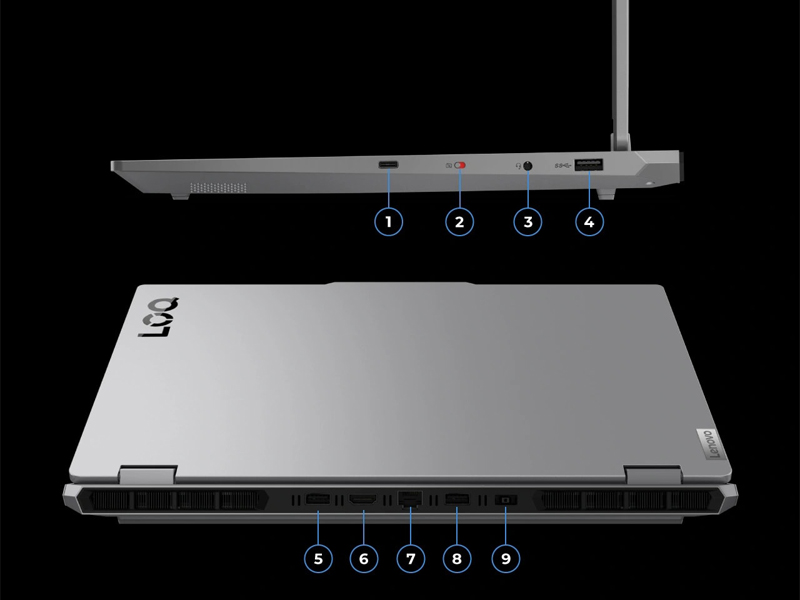
Выява: Падрабязны view з партоў уводу/вываду ноўтбука.
- Парты USB: Multiple USB ports (including USB-A and USB-C) for connecting peripherals.
- HDMI: Для падлучэння знешніх дысплеяў.
- Ethernet: Для падлучэння да правадной сеткі.
- Аўдыёраз'ём: Для навушнікаў або знешніх дынамікаў.
- Спажываная магутнасць: Для падлучэння адаптара сілкавання.
- Бесправадная сувязь: Wi-Fi 6 (802.11ax) and Bluetooth for wireless connectivity.
5. Тэхнічныя характарыстыкі
| Асаблівасць | Спецыфікацыя |
|---|---|
| Марка | Lenovo |
| Назва мадэлі | LOQ |
| Нумар мадэлі | 83JG |
| Памер экрана | 15.6 цалі |
| Дазвол дысплея | 1920 x 1080 пікселяў (FHD) |
| Частата абнаўлення | 144 Гц |
| Мадэль працэсара | AMD Ryzen 7 250 |
| Хуткасць працэсара | 3.3 GHz (up to 5.1 GHz Max) |
| Памер усталяванай аператыўнай памяці | 32 ГБ DDR5 (5600 МГц) |
| Maximum RAM Memory | 64 ГБ |
| Памер жорсткага дыска | 1 ТБ SSD |
| Графічная карта | NVIDIA GeForce RTX 5060 (8 ГБ GDDR7) |
| Аперацыйная сістэма | Windows 11 хатняя |
| Бесправоднае падключэнне | Wi-Fi 6 (802.11ax), Bluetooth |
| Парты | Total 4 USB Ports, HDMI, Ethernet, Audio Output |
| Асаблівасці | Backlit Keyboard, HD Audio, Numeric Keypad, Webкамера |
| Тып элемента батарэі | Lithium Ion (60 Watt Hours) |
| Вага прадмета | 4.82 фунта |
| Dimensions (L x W x Thickness) | 14.17" x 10.19" x 0.94" |
6. Тэхнічнае абслугоўванне
6.1 Ачыстка
- Выкарыстоўвайце мяккую тканіну без ворса для чысткі экрана і вонкавых паверхняў.
- Для ўстойлівых плям злёгку працярыцеampпрацярыце тканіну вадой або сродкам для ачысткі экрана.
- Пазбягайце распылення вадкасцей непасрэдна на ноўтбук.
- Выкарыстоўвайце сціснутае паветра, каб ачысціць пыл з клавіш клавіятуры і вентыляцыйных рашотак.
6.2 Абнаўленне праграмнага забеспячэння
- Рэгулярна правярайце наяўнасць абнаўленняў Windows і ўсталёўвайце іх, каб забяспечыць стабільнасць і бяспеку сістэмы.
- Update graphics drivers (NVIDIA) and other device drivers (Lenovo Vantage software) for optimal performance, especially for gaming.
6.3 Сыход за акумулятарам
- Пазбягайце частай поўнай разрадкі акумулятара.
- Калі вы захоўваеце ноўтбук працяглы час, пераканайцеся, што акумулятар зараджаны прыкладна на 50-60%.
- Operating the laptop while plugged in is normal, but consider using battery conservation modes if available in Lenovo Vantage.
7. Выпраўленне непаладак
7.1 Праблемы з харчаваннем
- Ноўтбук не ўключаецца: Пераканайцеся, што адаптар сілкавання надзейна падключаны як да ноўтбука, так і да спраўнай разеткі. Паспрабуйце іншую разетку.
- Акумулятар не зараджаецца: Verify the power adapter connection. Check for any damage to the adapter or cable. Update battery drivers.
7.2 Праблемы з адлюстраваннем
- No display/Black screen: Connect an external monitor to check if the issue is with the laptop's internal display. Restart the laptop. Update graphics drivers.
- Мігценне экрана: Update graphics drivers. Check display refresh rate settings in Windows.
7.3 Праблемы з прадукцыйнасцю
- Павольная прадукцыйнасць: Close unnecessary applications. Check for background processes consuming high CPU/RAM. Ensure adequate ventilation and cooling. Run a malware scan.
- Перагрэў: Ensure cooling vents are clear. Use the cooling pad. Check fan operation. Adjust power settings in Windows or Lenovo Vantage.
7.4 Праблемы з клавіятурай/сенсарнай панэллю
- Клавішы не рэагуюць: Restart the laptop. Check for physical obstructions under keys. Update keyboard drivers.
- Сэнсарная панэль не працуе: Ensure the touchpad is not disabled (check Fn keys or Windows settings). Update touchpad drivers.
8. Гарантыя і падтрымка
8.1 Інфармацыя аб гарантыі
Your Lenovo LOQ Gaming Laptop comes with a 1-Year Manufacturer Warranty. Please retain your proof of purchase for warranty claims. The warranty covers manufacturing defects and hardware failures under normal use conditions.
8.2 Тэхнічная падтрымка
Каб атрымаць тэхнічную дапамогу, спампаваць драйверы або звярнуцца ў службу падтрымкі, наведайце афіцыйны сайт падтрымкі Lenovo. webна сайце або звярніцеся ў службу падтрымкі кліентаў. Больш падрабязную інфармацыю і рэсурсы можна знайсці на Крама Lenovo на Amazon.