
1. Уводзіны
This manual provides essential information for setting up, operating, and maintaining your Samsung Galaxy S26 Ultra 5G smartphone. Please read this manual carefully to ensure proper use and to maximize the device's capabilities.
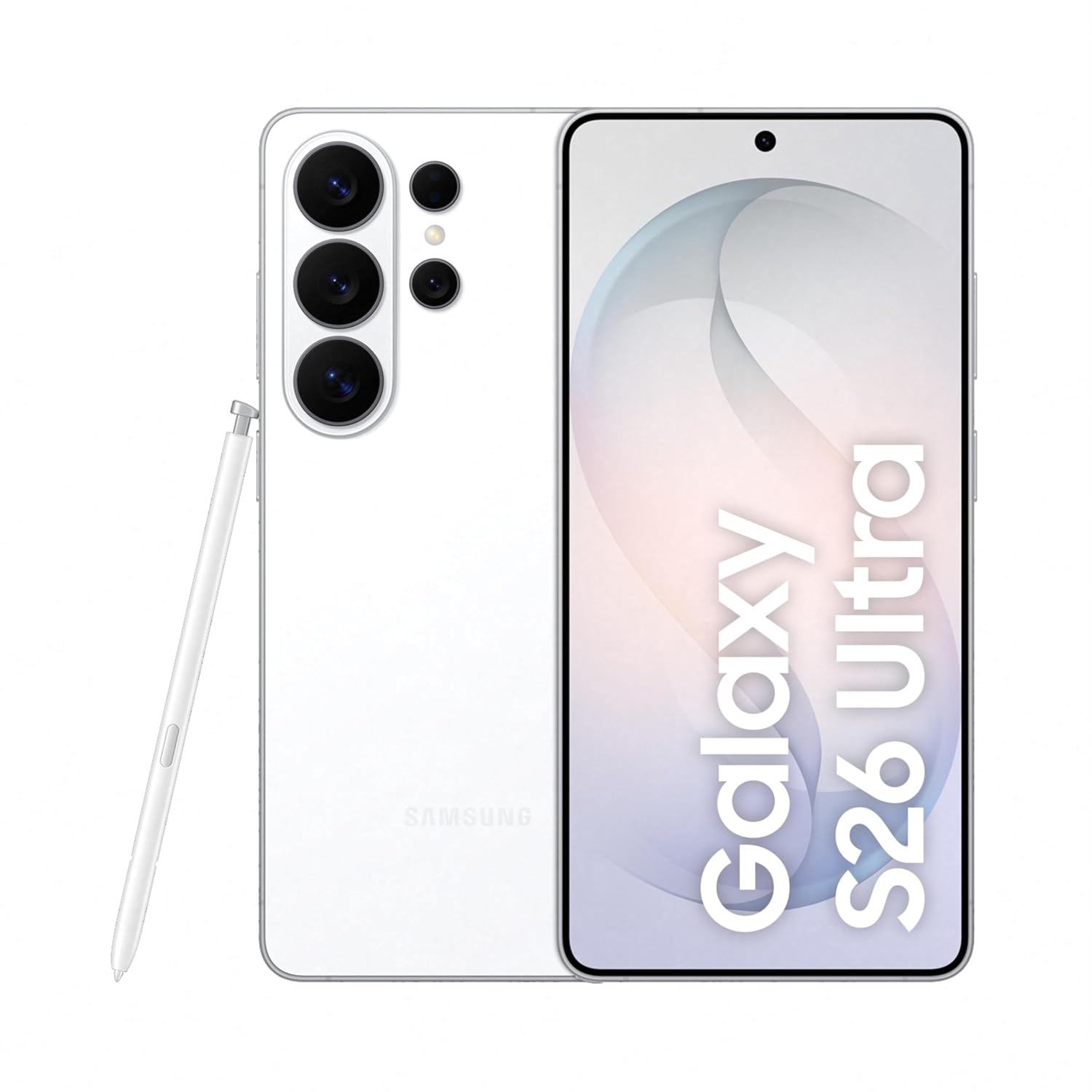
Figure 1: Samsung Galaxy S26 Ultra 5G in White with S Pen.
2. Настройка
2.1 Што ў камплекце
Пераканайцеся, што ў камплекце з вашым прадуктам ёсць наступныя элементы:
- Смартфон Samsung Galaxy S26 Ultra 5G
- Data Cable (Type C to C)
- Штыфт для выцягвання SIM-карты
- Кароткае кіраўніцтва
- S Pen

Figure 2: Included items in the product package.
2.2 Устаўка SIM-карты
- Знайдзіце латок для SIM-карты на бакавой частцы прылады.
- Устаўце штыфт для выкіду SIM-карты ў невялікую адтуліну побач з латком, каб адкрыць яго.
- Устаўце карту (карты) Nano-SIM у латок залатымі кантактамі ўніз. Гэта прылада падтрымлівае дзве SIM-карты.
- Акуратна ўстаўце латок назад у слот, пакуль ён не зафіксуецца пачуўшы пстрычку.
2.3 Пачатковае ўключэнне і налада
Press and hold the Power button until the Samsung logo appears. Follow the on-screen instructions to complete the initial setup, including language selection, Wi-Fi connection, Google account login, and security settings.
3. Кіраванне прыладай
3.1 Privacy Display
The Galaxy S26 Ultra features a built-in Privacy Display, designed to protect your screen content from prying eyes in public places. When activated, the screen's pixels dynamically adjust to limit the viewing angle, making the display visible only when viewed straight on, while appearing dimmed from the sides.
- Актывацыя: Customize settings to activate Privacy Display for specific apps or notifications.
- Настройка: Adjust the level of privacy and viewing angles in the display settings.

Figure 3: Privacy Display in action, showing restricted viewing from the side.
3.2 Функцыі штучнага інтэлекту
Experience enhanced functionality with the integrated Galaxy AI features:
- Памочнік па фота: Utilize AI to easily edit your photos with simple prompts, enhancing clarity and details.
- Creative Studio: Generate personalized stickers from your photos with a simple tap.
- Now Nudge: Receive intelligent, real-time suggestions based on your screen content, simplifying tasks.
- Шукальнік: Quickly search for information on your device, including flight details or notes, directly from the home screen.

Figure 4: Photo Assist feature for image editing.

Figure 5: Generating stickers using Creative Studio.
3.3 Сістэма камеры
The Galaxy S26 Ultra features an advanced camera system for high-quality photography and videography:
- 200MP High Resolution Camera: Capture bright and detailed photos and videos, even in challenging lighting conditions, with enhanced noise reduction.
- Начная фатаграфія: Optimized for low-light environments, ensuring clear and vibrant night shots.
- Space Zoom: Utilize 100x AI-powered Space Zoom for capturing distant subjects with clarity.
- ProVisual Engine: Enhances image processing for improved color depth and clarity.

Малюнак 6: Закончанаview of the Galaxy S26 Ultra camera system.
3.4 Хуткі доступ
Quick Share allows for easy and fast sharing of files with other Galaxy devices and compatible Android and Apple devices. Access Quick Share from the share panel to send photos, videos, and documents wirelessly.
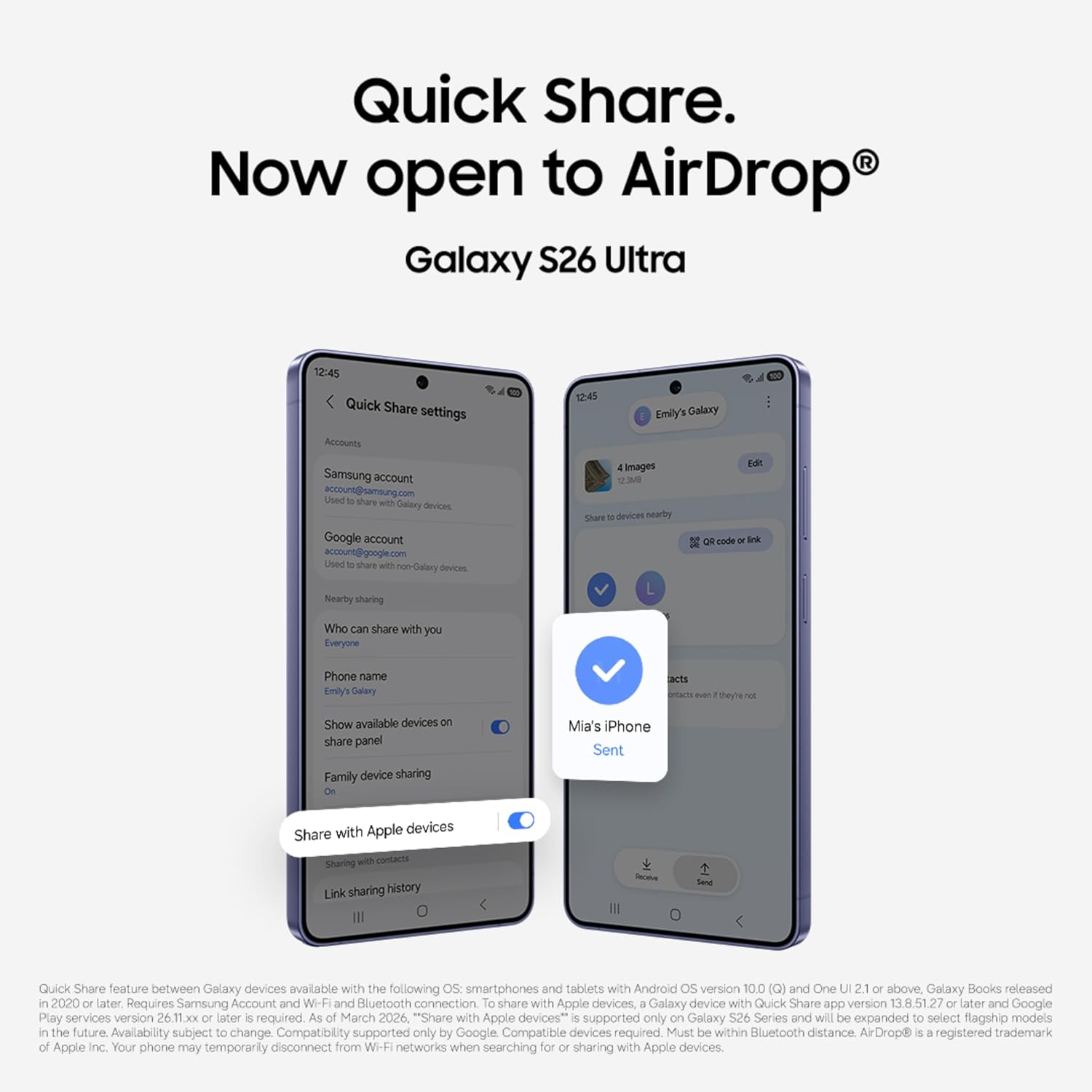
Figure 7: Quick Share interface for sharing files.
3.5 Прадукцыйнасць
The Galaxy S26 Ultra is powered by the Snapdragon 8 Elite Gen 5 processor, customized for Galaxy devices, ensuring smooth performance for demanding applications and games. A newly designed Vapor Chamber efficiently dissipates heat, maintaining optimal performance during extended use.

Figure 8: Customized processor architecture for enhanced performance.
4. Тэхнічнае абслугоўванне
4.1 Зарадка
The Galaxy S26 Ultra supports Super Fast Charging 3.0 (up to 60W) and Super Fast Wireless Charging (up to 25W). Use only Samsung-approved chargers and cables to prevent damage to your device.
- A typical charge can reach up to 75% in approximately 30 minutes with a compatible 60W charger.
- The 5000mAh battery provides up to 31 hours of video playback on a full charge.

Figure 9: Super Fast Charging capability.
4.2 Воданепранікальнасць
Your Galaxy S26 Ultra is water resistant. However, avoid exposing the device to high-pressure water, water at high temperatures, or submersion beyond recommended depths and durations. Always ensure the SIM tray is properly closed to maintain water resistance.
4.3 Ачыстка прылады
To clean your device, gently wipe it with a soft, lint-free cloth. Avoid using harsh chemicals or abrasive materials that could damage the screen or finish.
5. Выпраўленне непаладак
Калі ў вас узніклі праблемы з прыладай, паспрабуйце выканаць наступныя асноўныя дзеянні па ліквідацыі непаладак:
- Перазагрузіце прыладу: Простая перазагрузка можа вырашыць многія дробныя праграмныя збоі.
- Праверце наяўнасць абнаўленняў праграмнага забеспячэння: Пераканайцеся, што на вашай прыладзе ўсталявана апошняя версія праграмнага забеспячэння. Перайдзіце па спасылцы Налады > Абнаўленне праграмнага забеспячэння.
- Ачысціць кэш праграмы: Калі праблемы выклікае пэўнае прыкладанне, паспрабуйце ачысціць яго кэш у Налады > Праграмы > [Назва праграмы] > Памяць > Ачысціць кэш.
- Скід да заводскіх налад: As a last resort, you may perform a factory data reset. Папярэджанне: Гэта сатрэ ўсе дадзеныя на вашай прыладзе. Перад тым, як працягнуць, зрабіце рэзервовую копію важных дадзеных.
Па больш складаных пытаннях звярніцеся ў афіцыйную службу падтрымкі Samsung. webсайт або звярніцеся ў службу падтрымкі.
6. Тэхнічныя характарыстыкі
| Асаблівасць | Спецыфікацыя |
|---|---|
| Марка | Samsung |
| мадэль | Galaxy S26 Ultra |
| Аперацыйная сістэма | Android 16 |
| АЗП | 12 ГБ |
| Унутраная памяць | 256 ГБ |
| Мадэль працэсара | Snapdragon 8 Elite Gen 5 |
| Хуткасць працэсара | 4.74 ГГц |
| Колер | Белы |
| Колькасць слотаў для SIM-карт | Дзве SIM |
| Тып раздыма | USB тыпу C |
| Біяметрычная бяспека | Распазнаванне адбіткаў пальцаў |
| Human Interface Types | Сэнсарны экран з падтрымкай стылуса |
| Узровень воданепранікальнасці | Водатрывалы |
| Асаблівасці прадукту | Always On Display, Built-In GPS, Fast Charging Support, Stereo Speakers, Water Resistant |
| Раздзяленне франтальнай камеры | 12 МП |
| Раздзяленне задняй камеры | 10 MP, 200 MP, 50 MP, 50 MP (Quad Camera) |
| Ёмістасць батарэі | 5000 Міліamp Гадзіны |
| Вага прадмета | 214 грам |
| Памеры прадмета | 8 х 78 х 164 міліметраў |
| Памер экрана | 6.9 цалі |
| дазвол | 3120 х 1440 |
| Частата абнаўлення | 120 Гц |
| Тып дысплея | AMOLED |
| Сотавая тэхналогія | 5G |
| Дазвол відэазахопу | 4K, 8K |
7. Гарантыя і падтрымка
7.1 Інфармацыя аб гарантыі
Your Samsung Galaxy S26 Ultra 5G comes with a 1 гады гарантыі ад вытворцы for the device and Гарантыя 6 месяцаў for in-box accessories from the date of purchase.
7.2 Security and Software
The device is protected by Samsung Knox security, offering defense-grade multi-layered protection for your data. The user interface is powered by Адзін карыстацкі інтэрфейс 8.5, providing a personalized and intuitive experience.

Figure 10: Samsung Knox security logo, representing device protection.
7.3 Падтрымка кліентаў
Каб атрымаць дадатковую дапамогу, тэхнічную падтрымку або прэтэнзіі па гарантыі, звярніцеся ў службу падтрымкі кліентаў Samsung:
- вытворца: Samsung India Electronics Pvt ltd
- Адрас: 6th Floor, DLF Centre, Sansad Marg, New Delhi - 110001, India
- электронная пошта: support.india@samsung.com