
Уводзіны
The Roku Hiro 32-inch 720p HD Smart TV offers an integrated Roku streaming experience. This television features an HD display for clear picture quality and speakers with enhanced audio. It supports Bluetooth for private listening with headphones and includes Wi-Fi for internet connectivity. The Roku operating system provides a customizable home screen, access to numerous streaming channels, and automatic updates, making it suitable for various living spaces.
Што ў скрынцы
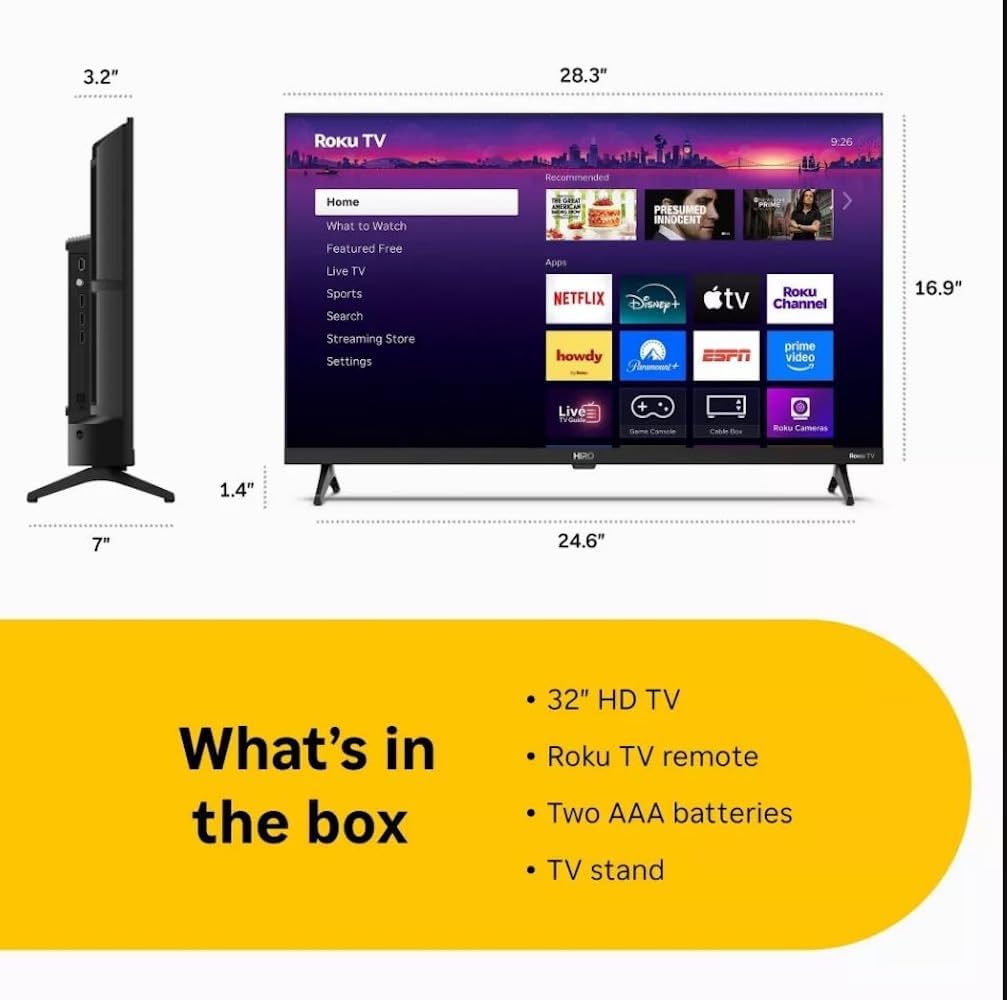
Diagram showing the dimensions of the Roku Hiro 32-inch TV and a list of included accessories: 32-inch HD TV, Roku TV remote, two AAA batteries, and TV stand.
- Hiro 32" 720p HD Smart TV Flat Screen LED Television with Roku TV
- Пульт дыстанцыйнага кіравання
- Падстаўка для тэлевізара
- Сілавы кабель
- Кіраўніцтва карыстальніка
Настройка
1. Устаноўка падстаўкі
Carefully place the TV screen-down on a soft, clean surface to prevent damage. Align the TV stand with the designated slots on the bottom of the TV. Secure the stand using the provided screws. Ensure the stand is firmly attached before proceeding.
2. Падключэнне прылад

Тыл view of the Roku Hiro TV, showing the input/output ports including USB, HDMI, and antenna connections.
- Магутнасць: Падключыце кабель харчавання да ўваходу харчавання тэлевізара, а затым да разеткі.
- HDMI: Connect external devices such as Blu-ray players, game consoles, or cable boxes to the HDMI ports. This TV features 3 HDMI ports.
- USB: Выкарыстоўвайце порт USB для прайгравання медыяфайлаў з USB-назапашвальніка.
- Аптычны аўдыё: Connect an external sound system using an optical audio cable for enhanced sound.
- Антэна/кабель: Connect an antenna or cable TV feed to the RF input for over-the-air or cable channels.
3. Пачатковая налада
After connecting all necessary cables, power on the TV. Follow the on-screen instructions to:
- Выберыце сваю мову.
- Падключыцеся да сеткі Wi-Fi.
- Актывуйце свой уліковы запіс Roku (або стварыце новы).
- Scan for available channels if an antenna is connected.
Інструкцыя па эксплуатацыі
Функцыі дыстанцыйнага кіравання

Close-up of the Roku TV remote control, highlighting buttons for TV power, volume, mute, sleep timer, instant replay, options, and app shortcuts.
- Кнопка харчавання: Уключае або выключае тэлевізар.
- Кіруючы джойсцік (D-Pad): Навігацыя па меню і выбар элементаў.
- Кнопка ОК: Пацвярджае выбар.
- Кнопка дадому: Вяртаецца на галоўны экран Roku.
- Кнопка "Назад": Вяртае да папярэдняга экрана.
- Павялічыць/паменшыць гучнасць: Рэгулюе гучнасць тэлевізара.
- Кнопка адключэння: Уключае або выключае гук тэлевізара.
- Кнопкі хуткага доступу да праграм: Direct access to popular streaming services (e.g., Netflix, Disney+, Apple TV+, Prime Video).
- Таймер сну: Sets a timer for the TV to turn off automatically.
- Імгненны паўтор: Jumps back a few seconds in supported content.
- Параметры: Accesses additional settings or information for the current content.
Навігацыя па аперацыйнай сістэме Roku

The Roku TV home screen interface, showing recommended content and various streaming applications.
The Roku home screen provides access to all your streaming channels, inputs, and settings. Use the D-Pad on your remote to navigate through the menu options on the left and the app grid on the right. You can customize the order of your channels by highlighting an app, pressing the * (Options) button, and selecting 'Move channel'.
Струменевае змесціва
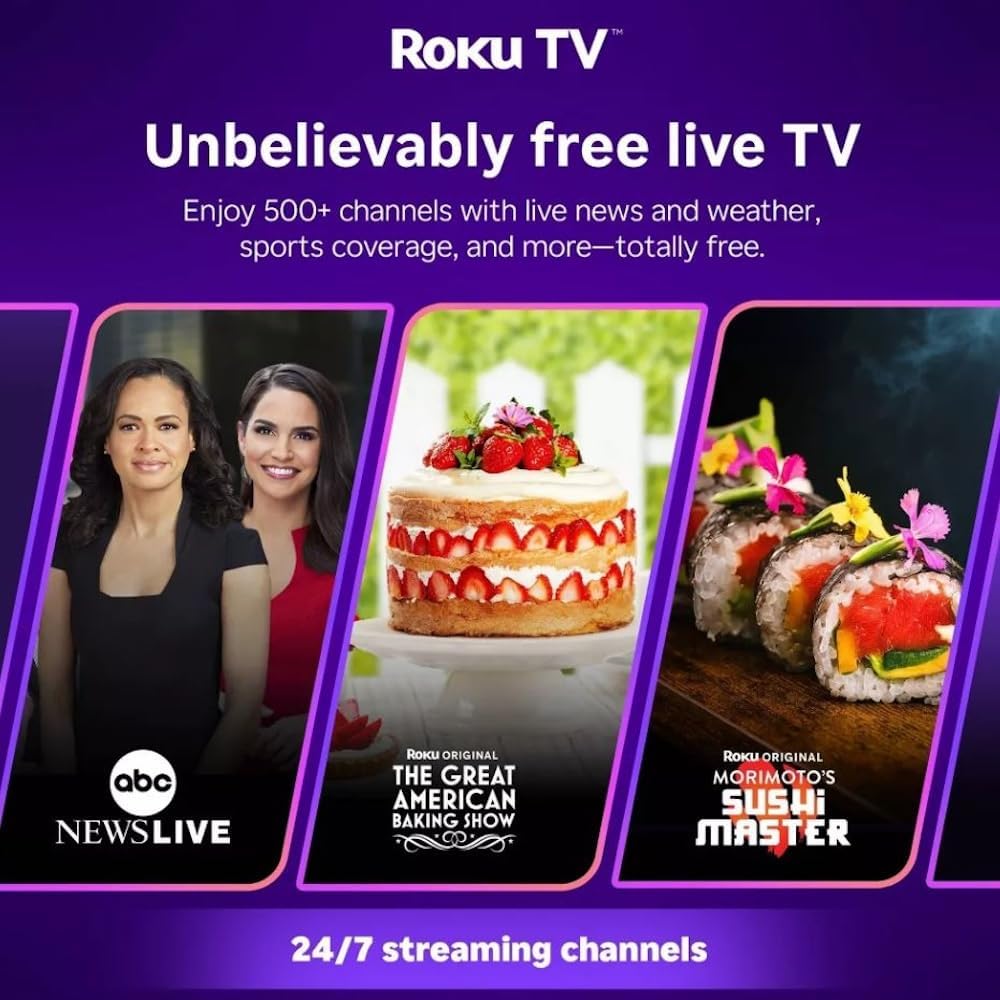
Roku TV interface promoting free live TV channels, featuring examples like ABC News Live, The Great American Baking Show, and Morimoto's Sushi Master.
Access a wide range of streaming services and free content through the Roku Channel Store. The Roku platform offers over 500 free channels, including live television, movies, and news. Use the 'Search' function on the home screen to find specific titles or channels.
Функцыі гуку

Roku Hiro TV displaying the home screen with various streaming apps, emphasizing enhanced audio quality.
The TV features enhanced audio quality. For private listening, you can pair Bluetooth headphones directly with the TV. Navigate to Settings > Remotes & devices > Bluetooth devices > Pair new device to connect your headphones.
Тэхнічнае абслугоўванне
Чыстка тэлевізара
- Заўсёды адключайце тэлевізар ад сеткі перад чысткай.
- Выкарыстоўвайце мяккую тканіну без ворса, каб акуратна працерці экран і корпус.
- Для ўстойлівых плям злёгку пачысціцеampПрацярыце тканіну вадой або мяккім неабразіўным сродкам для чысткі экранаў. Не распыляйце ачышчальнік непасрэдна на экран.
- Пазбягайце выкарыстання агрэсіўных хімікатаў, абразіўных губак або растваральнікаў.
Абнаўлення праграмнага забеспячэння
The Roku TV automatically checks for and installs software updates when connected to the internet. To manually check for updates, go to Налады > Сістэма > Абнаўленне праграмнага забеспячэння.
Ліквідацыю непаладак
| праблема | Рашэнне |
|---|---|
| Няма ўлады | Пераканайцеся, што кабель сілкавання надзейна падключаны як да тэлевізара, так і да спраўнай электрычнай разеткі. Паспрабуйце іншую разетку. |
| Няма выявы, але гук ёсць | Праверце крыніцу ўваходнага сігналу. Націсніце кнопку дадому button on the remote and select the correct input. Ensure all HDMI cables are securely connected. |
| Няма гуку, але выява ёсць | Check the volume level and ensure the TV is not muted. If using external audio, verify connections and settings. |
| Немагчыма падключыцца да Wi-Fi | Verify your Wi-Fi password. Restart your router and modem. Go to Налады > Сетка > Наладзіць падключэнне to reconfigure. |
| Пульт дыстанцыйнага кіравання не працуе | Замяніце батарэйкі ў пульце дыстанцыйнага кіравання. Пераканайцеся, што паміж пультам дыстанцыйнага кіравання і ІЧ-датчыкам тэлевізара няма перашкод. |
Тэхнічныя характарыстыкі
| Назва мадэлі | H32C2C4 |
| Памер экрана | 32 цалі |
| Тэхналогія адлюстравання | святлодыёд |
| дазвол | 720p |
| Частата абнаўлення | 60 Гц |
| Аперацыйная сістэма | Roku OS |
| Тэхналогія падлучэння | Bluetooth, HDMI, Optical Audio, USB, Wi-Fi |
| Total Number of HDMI Ports | 3 |
| Усяго партоў USB | 1 |
| Памеры прадукту (Д х Ш х У) | 3.2" Г x 28.3" Ш x 16.9" У |
| Вага прадмета | 7.5 фунта |
| тtage | 120 вольт (пераменны ток) |
| Тып мацавання | Настольнае мацаванне |
| Колер | Чорны |
Інфармацыя аб гарантыі
This Roku Hiro TV is covered by a 90-day Replacement Warranty. Please retain your proof of purchase for any warranty claims. For detailed terms and conditions, refer to the warranty documentation included with your product or visit the official Roku support webсайт.
Падтрымка
For further assistance, troubleshooting guides, or to contact customer support, please visit the official Roku support website. You can find comprehensive FAQs and contact information there.