
Уводзіны
This Generic V539 OBD2 Diagnostic Scanner is designed to assist in diagnosing engine issues for compatible vehicles, specifically the Acura MDX Second Generation (YD2) 2007-2013. It provides functionalities such as reading and clearing engine fault codes, displaying live data, checking I/M readiness status, and more. The device features a 2.8-inch high-definition color screen and an industrial-grade ABS protective shell for durability, ensuring reliable performance in various environments.
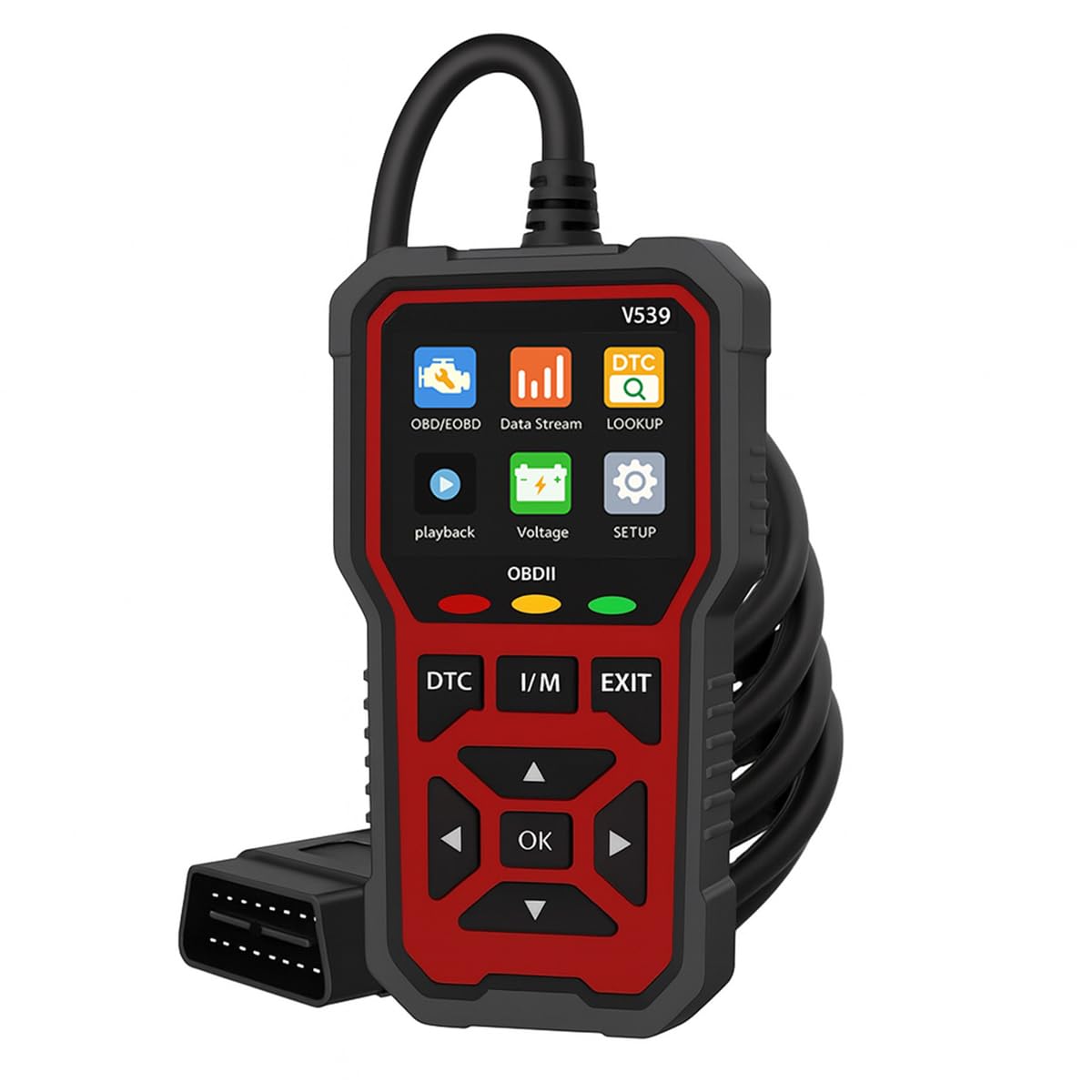
Фронт view of the Generic V539 OBD2 Diagnostic Scanner, showing its screen and control buttons.
Настройка
- Знайдзіце порт OBD-II: The OBD-II (On-Board Diagnostics II) port is typically located under the dashboard on the driver's side of your vehicle. Consult your vehicle's owner's manual if you cannot find it.
- Пераканайцеся, што транспартны сродак выключаны: Before connecting the scanner, ensure the vehicle's ignition is in the OFF position.
- Падключыце сканер: Plug the V539 scanner's OBD-II connector firmly into the vehicle's OBD-II port. Ensure a secure connection.
- Уключыце запальванне: Turn the vehicle's ignition to the ON position. The engine can be off or running, depending on the diagnostic function you intend to perform.
- Уключэнне: The scanner will power on automatically and display the main menu, indicating it is ready for use.
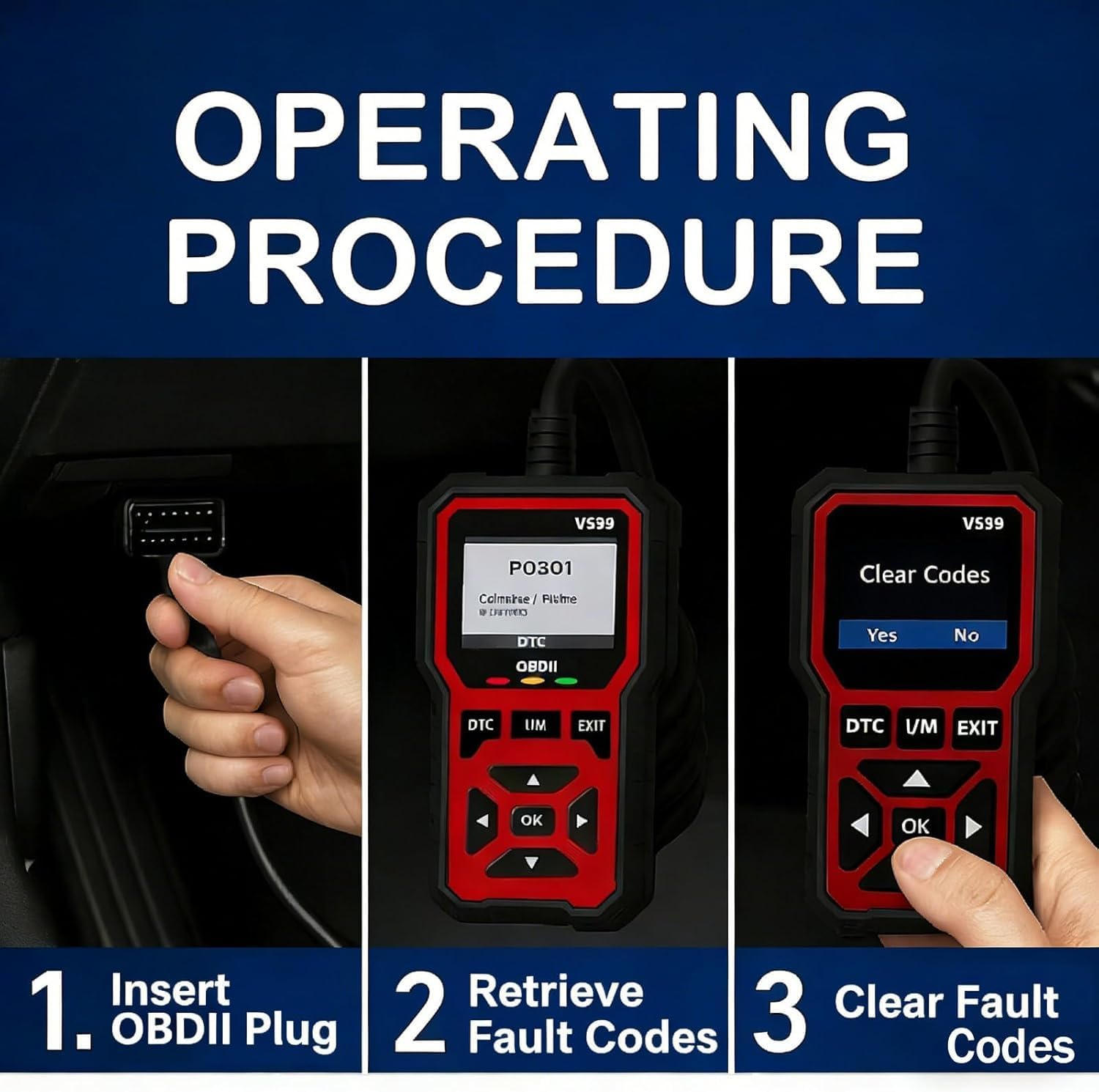
Image illustrating the first step of the operating procedure: inserting the OBDII plug into the vehicle's port.
Аперацыйныя працэдуры
Навігацыя па меню
Use the directional arrow buttons (Up, Down, Left, Right) on the scanner to navigate through menu options. Press the 'OK' button to confirm a selection or enter a submenu. The 'EXIT' button returns to the previous screen or menu.
Reading Fault Codes (DTC)
- From the main menu, select 'Read Codes' or press the dedicated 'DTC' button.
- The scanner will establish communication with the vehicle's Engine Control Unit (ECU) and display any stored Diagnostic Trouble Codes (DTCs).
- Use the arrow buttons to scroll through the codes and their corresponding descriptions.
Image illustrating the second step of the operating procedure: retrieving fault codes from the vehicle's system.
Ачыстка кодаў памылак
- After identifying and resolving the underlying issue that caused the fault code, select 'Clear Codes' from the menu.
- Confirm the action when prompted. Clearing codes will turn off the Malfunction Indicator Lamp (MIL) on your dashboard.
Заўвага: Clearing codes without addressing the root cause of the problem will likely result in the codes reappearing shortly.
Image illustrating the third step of the operating procedure: clearing fault codes from the vehicle's system.
Стан гатоўнасці да ўводу/вываду
- Select 'I/M Readiness' from the main menu or press the dedicated 'I/M' button.
- The scanner will display the status of various emission-related monitors (e.g., O2 Sensor, EVAP System). 'OK' indicates the monitor has completed its self-test, while 'INC' (Incomplete) means it has not yet run or completed.
This function is crucial for checking if your vehicle is ready for an emissions inspection.
Жывы паток даных
- Select 'Data Stream' from the main menu.
- The scanner will display real-time sensor data from the vehicle's engine, such as engine RPM, vehicle speed, coolant temperature, and oxygen sensor readings.
Monitoring live data can help in diagnosing intermittent problems or verifying the correct operation of various sensors.
ViewІнфармацыя аб аўтамабілі
- Select 'Vehicle Info' from the main menu.
- The scanner will display information such as the Vehicle Identification Number (VIN), Calibration ID (CALID), and Calibration Verification Number (CVN).
Асноўныя функцыі
The V539 OBD2 Diagnostic Scanner offers a comprehensive set of functions to assist in vehicle maintenance and troubleshooting:
- Дыягностыка няспраўнасці рухавіка: Identifies and displays Diagnostic Trouble Codes (DTCs) related to engine and emission systems.
- Engine Fault Code Clearance: Сцірае коды няспраўнасці і выключае індыкатар няспраўнасці Lamp (MIL) пасля рамонту.
- Record Freeze Frame Information: Captures a snapshot of vehicle operating conditions at the moment an emission-related fault occurred.
- Счытванне інфармацыі аб транспартным сродку: Retrieves vehicle identification data such as VIN, CALID, and CVN.
- Стан гатоўнасці да ўводу/вываду: Правярае стан манітораў, звязаных з выкідамі, каб вызначыць, ці гатовы транспартны сродак да праверкі на выкіды.
- Real-time Data Stream Reading: Displays live sensor data from the vehicle's ECU.
- Акумулятар Voltagэлектронны тэст: Monitors the vehicle's battery voltage.
- Праверка кіслароднага датчыка: Атрымлівае вынікі тэсту манітора датчыка кіслароду.
- Retrieve Fault Code Library: Provides definitions for generic (P0, P2, P3, U0) and manufacturer-specific (P1, P3, U1) codes.
- Функцыя прайгравання: Дазваляе паўторнаview of previously recorded data.

Visual representation of the core functions available on the V539 diagnostic scanner.
Тэхнічныя характарыстыкі
| мадэль | V539 |
| Аперацыйная Voltage | 9~16 В |
| Працоўная тэмпература | -20 °C да 60 °C (ад -4 °F да 140 °F) |
| Тэмпература захоўвання | -20 °C да 70 °C (ад -4 °F да 158 °F) |
| Падтрымліваюцца мовы | English, German, Dutch, Spanish, French, Italian, Chinese, Portuguese, Russian |
| Дысплей | 2.8-inch High-Definition Color Screen |
| Памеры (Д х Ш х У) | Approx. 1 x 1 x 1 cm (Product dimensions from specifications, actual device is larger) |
| Вага | Прыбл. 800 г |
| Матэрыял корпуса | Industrial-grade ABS protective shell |
| Built-in Fault Codes | Больш за 40,000 |
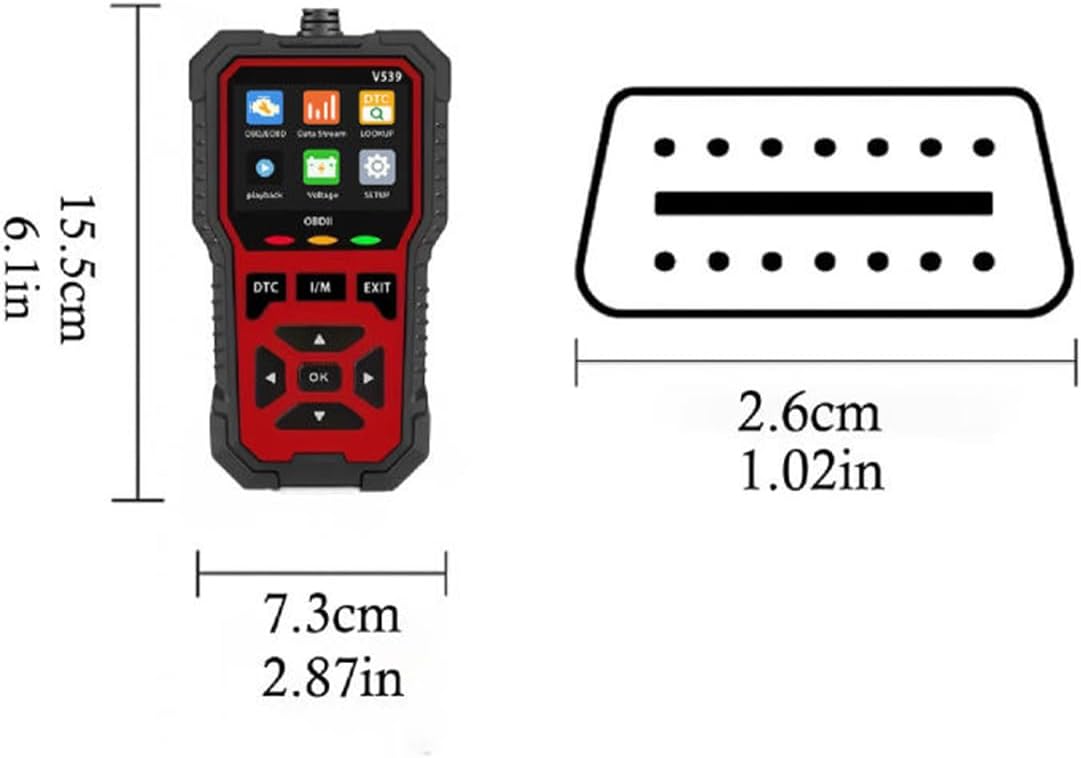
Diagram showing the physical dimensions of the V539 diagnostic scanner.

Буйны план view of the scanner's 2.8-inch high-definition color screen, highlighting its clarity and detail.
Ліквідацыю непаладак
- Сканер не ўключаецца:
- Ensure the OBD-II connector is securely plugged into the vehicle's port.
- Пераканайцеся, што запальванне аўтамабіля знаходзіцца ў становішчы ON.
- Праверце ўзровень зарада акумулятара аўтамабіляtage. The scanner requires 9-16V to operate.
- Памылка сувязі з транспартным сродкам:
- Ensure the vehicle is OBD-II compliant (most vehicles from 1996 onwards in the US, 2001 in Europe for petrol, 2004 for diesel).
- Check for loose connections at the OBD-II port.
- Try the scanner on another compatible vehicle to rule out scanner malfunction.
- Ensure the vehicle's ECU is functioning correctly.
- Codes cannot be cleared:
- The underlying fault that triggered the code must be repaired first. Codes will reappear if the issue persists.
- Ensure the ignition is ON and the engine is OFF when attempting to clear codes.
- Экран пусты або завісае:
- Адключыце сканер ад аўтамабіля і зноў падключыце яго.
- Калі праблема не знікне, звярніцеся ў службу падтрымкі.
Тэхнічнае абслугоўванне
- Уборка: Use a soft, dry cloth to clean the scanner's screen and body. Do not use abrasive cleaners, solvents, or harsh chemicals, as these can damage the device.
- захоўванне: Store the scanner in a cool, dry place, away from direct sunlight, extreme temperatures, and excessive humidity.
- Сыход за кабелем: Avoid bending or twisting the OBD-II cable excessively to prevent internal wire damage. Always grasp the connector when plugging or unplugging, not the cable itself.

The V539 scanner featuring its engineering-grade ABS protective shell, designed for durability.
Гарантыя і падтрымка
Information regarding specific warranty terms for this product is not available in the provided details. For technical assistance, warranty claims, or any product-related inquiries, please refer to the contact information provided by your retailer or the manufacturer's official webсайт.