
1. Уводзіны
Дзякуй за пакупкуasing the VIBOX 49-inch 120Hz Curved Ultra-Wide Gaming Monitor. This manual provides essential information for setting up, operating, and maintaining your monitor. Please read it thoroughly before use to ensure optimal performance and safety.
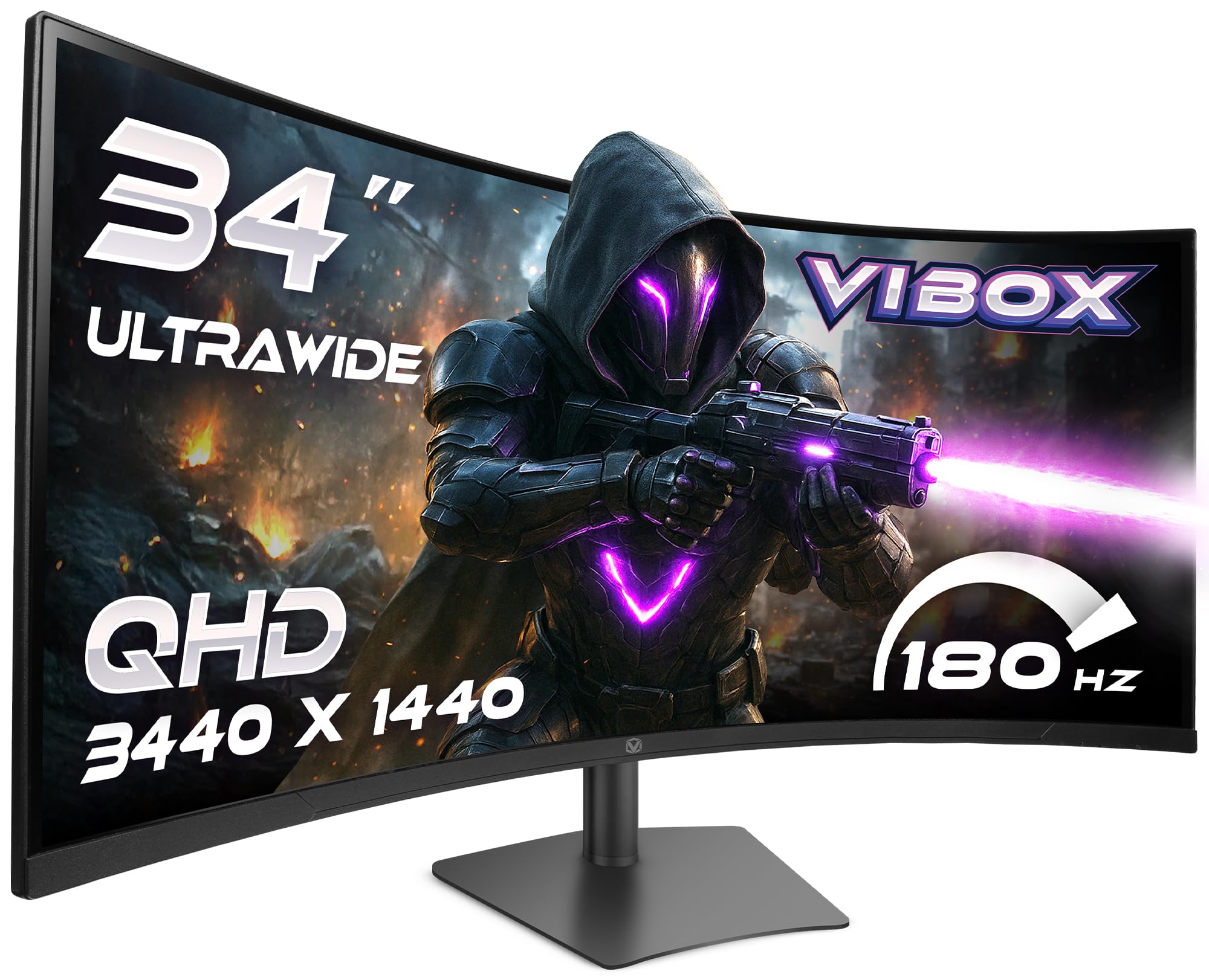
Image: The VIBOX 49-inch Curved Ultra-Wide Gaming Monitor, showcasing its expansive display.
2. Інфармацыя па бяспецы
To prevent damage and ensure safe operation, please observe the following precautions:
- Не падвяргайце манітор уздзеянню дажджу, вільгаці або экстрэмальных тэмператур.
- Пазбягайце размяшчэння манітора побач з крыніцамі цяпла або пад прамымі сонечнымі прамянямі.
- Забяспечце належную вентыляцыю; не закрывайце вентыляцыйныя адтуліны.
- Выкарыстоўвайце толькі адаптар сілкавання, які пастаўляецца з маніторам.
- Адключайце кабель сілкавання падчас навальніцы або калі прылада не выкарыстоўваецца працяглы час.
- Не спрабуйце разбіраць або рамантаваць манітор самастойна. Звяртайцеся па любыя паслугі па абслугоўванні да кваліфікаванага персаналу.
3. Змесціва ўпакоўкі
Праверце, ці ёсць усе прадметы ў вашай упакоўцы:
- VIBOX 49-inch Curved Ultra-Wide Gaming Monitor
- Падстаўка для манітора (аснова і шыя)
- Адаптар сілкавання і кабель
- Кабель HDMI
- Кабель DisplayPort
- Кіраўніцтва карыстальніка
4. Прадукт скончыўсяview
4.1. Задняя панэль і парты
The rear panel of your monitor features various ports for connectivity and power. Familiarize yourself with these connections before setup.

Выява: Задняя частка view of the VIBOX monitor, highlighting the power input, 2x HDMI 2.0 ports, 2x DisplayPort, and 3.5mm audio port, along with RGB lighting around the stand connection.
- Спажываная магутнасць: Падключаецца да адаптара сілкавання.
- Парты HDMI 2.0 (x2): Падключыце прылады, якія падтрымліваюць выхад HDMI.
- DisplayPort (x2): Падключайцеся да прылад, якія падтрымліваюць выхад DisplayPort.
- Аўдыяпорт 3.5 мм: Для падлучэння знешніх навушнікаў або дынамікаў.
- Кнопкі кіравання: Typically located on the rear or bottom for navigating the On-Screen Display (OSD) menu.
5. Настройка
5.1. Мантаж стэнда
- Асцярожна выміце кампаненты манітора і падстаўкі з упакоўкі.
- Attach the stand neck to the monitor panel, ensuring it clicks securely into place or is fastened with screws as indicated in the quick start guide.
- Прымацуйце аснову падстаўкі да шыйкі падстаўкі, замацаваўшы яе прыкладзеным шрубай.
- Змесціце сабраны манітор на ўстойлівую, роўную паверхню.
5.2. Падключэнне да прылады
- Connect one end of the HDMI or DisplayPort cable to the corresponding port on your computer or gaming console.
- Connect the other end of the cable to an available HDMI or DisplayPort on the monitor's rear panel.
- Падключыце адаптар сілкавання да ўваходу сілкавання манітора, а затым падключыце кабель сілкавання да разеткі.
5.3. Рэгуляванне падстаўкі манітора
Падстаўка манітора прапануе эрганамічныя рэгуляванні для аптымальнага viewз камфортам.

Image: A diagram illustrating the adjustable height, tilt, and swivel capabilities of the VIBOX monitor stand, allowing for a customized viewкут нахілу.
- Рэгуляванне вышыні: Акуратна падніміце або пацягніце манітор уверх ці ўніз да патрэбнай вышыні.
- Рэгуляванне нахілу: Tilt the monitor screen forward or backward to find the best viewкут нахілу.
- Рэгуляванне павароту: Павярніце манітор налева або направа на яго падставе.
6. Інструкцыя па эксплуатацыі
6.1. Уключэнне/выключэнне харчавання
Press the power button, usually located on the rear or bottom of the monitor, to turn it on or off. The power indicator light will illuminate when the monitor is active.
6.2. Экраннае меню (OSD).
Use the control buttons to navigate the OSD menu and adjust various settings:
- Налады малюнка: Яркасць, кантраснасць, рэзкасць, каляровая тэмпература.
- Выбар уводу: Ручное пераключэнне паміж уваходамі HDMI і DisplayPort.
- Налады гуку: Volume control for built-in speakers or connected headphones.
- Гульнявыя асаблівасці: Adaptive Sync, Response Time overdrive, Crosshair.
- Налады сістэмы: Мова, празрыстасць экраннага меню, скід да заводскіх налад.
7. Асноўныя магчымасці
7.1. Super Ultrawide 49-inch DQHD Display
Experience an expansive 32:9 aspect ratio with a DQHD (5120 x 1440) resolution, offering a vast workspace and immersive gaming environments.

Image: A visual comparison demonstrating the difference between a standard QHD (2560x1080) display and the VIBOX Ultrawide QHD (5120x1440) VA panel, showcasing enhanced resolution and detail.
7.2. 1500R Curved Design
The 1500R curvature matches the natural field of view, reducing eye strain and enhancing immersion, especially in gaming and cinematic content.

Image: The VIBOX 49-inch curved monitor displaying a racing game, illustrating the 1500R curvature that brings the action closer to the user for ultimate immersion.
7.3. Ultra-Smooth 120Hz Refresh Rate & 1ms Response Time
Enjoy fluid motion and rapid pixel transitions with a 120Hz refresh rate and a 1ms (MPRT) response time, crucial for fast-paced gaming.

Image: A comparison showing a 60Hz monitor with significant motion blur on the left, contrasted with the VIBOX monitor (120Hz, 1ms MPRT) on the right, demonstrating superior clarity and smoothness in fast-moving scenes.
7.4. Adaptive Sync Technology
Compatible with AMD FreeSync, this technology synchronizes the monitor's refresh rate with your GPU's frame rate, eliminating screen tearing and stuttering for a seamless visual experience.

Image: A split image illustrating the effect of Adaptive Sync. The left side shows screen tearing and stuttering when sync is off, while the right side displays a fluid and responsive visual experience with sync enabled.
7.5. Frameless Design
The ultra-thin bezels enhance the aesthetic of your setup and provide a more immersive viewing experience, especially in multi-monitor configurations.

Image: A panoramic view from an airplane cockpit simulator displayed on the VIBOX monitor, emphasizing the elegant frameless design that maximizes screen real estate.
8. Выпраўленне непаладак
Калі ў вас узніклі праблемы з маніторам, звярніцеся да наступных распаўсюджаных праблем і іх рашэнняў:
| праблема | Магчымае рашэнне |
|---|---|
| Няма выявы на экране | Ensure power cable is securely connected. Check video cable (HDMI/DisplayPort) connections. Select correct input source via OSD. |
| Выява размытая або скажоная | Adjust resolution and refresh rate settings on your computer. Check video cable for damage. Perform OSD factory reset. |
| Няма гуку з дынамікаў/навушнікаў | Check audio cable connection (if external speakers). Adjust volume in OSD and on your computer. Ensure audio output is set to the monitor on your computer. |
| Мігценне або разрыў экрана | Ensure Adaptive Sync is enabled in the OSD and on your graphics card settings. Update graphics drivers. |
9. Тэхнічныя характарыстыкі
Detailed technical specifications for the VIBOX 49-inch 120Hz Curved Ultra-Wide Gaming Monitor:
| Асаблівасць | Спецыфікацыя |
|---|---|
| Марка | VIBOX |
| Нумар мадэлі | 49Z120UWQHDC |
| Памер экрана | 49 цалі |
| дазвол | DQHD Ultra Wide 1440p (5120 x 1440 Pixels) |
| Суадносіны бакоў | 32:9 |
| Апісанне паверхні экрана | Матавы |
| Час водгуку | 1 Millisecond (MPRT) |
| Частата абнаўлення | 120 Гц |
| Тып дысплея | VA |
| Тэхналогія падлучэння | DisplayPort, HDMI (2x HDMI 2.0, 2x DisplayPort) |
| Асаблівасці | Built-in Speaker, Curved, Ultra-Wide Screen |
| Павышэнне якасці выявы | Adaptive Sync (FreeSync compatible) |
| Памеры прадмета (Д х Ш х У) | 17.8 Г х 118.9 Ш х 54.4 В сантыметраў |
| Вага прадмета | 7.95 кілаграма |
| Колер | Чорны |
| Тып мацавання VESA | Настольнае мацаванне |
10. Тэхнічнае абслугоўванне
10.1. Ачыстка экрана
Каб ачысціць экран манітора, акуратна працярыце яго мяккай тканінай без ворса. Для выдалення ўстойлівых плям злёгку працярыцеampen the cloth with water or a specialized screen cleaner. Avoid using harsh chemicals, abrasive cleaners, or spraying liquid directly onto the screen.
10.2. Ачыстка Casing
Працярыце манітор casinмяккай сухой тканінай. Пры неабходнасці выкарыстоўвайце злёгкуamp cloth. Do not use any solvents or abrasive materials.
11. Гарантыя і падтрымка
Your VIBOX 49-inch 120Hz Curved Ultra-Wide Gaming Monitor is covered by a Гарантыя ад вытворцы 2 год from the date of purchase. This warranty covers manufacturing defects and ensures repair or replacement of faulty components.
For technical support, warranty claims, or further assistance, please contact VIBOX customer service through the retailer where you purchased the product or visit the official VIBOX webсайт для кантактнай інфармацыі.
Калі ласка, захавайце пацвярджэнне пакупкі для пацверджання гарантыі.