
Skyworth 60Q6700H
SKYWORTH 60Q6700H 4K QLED Google Smart TV User Manual
Model: 60Q6700H
1. Уводзіны
This manual provides essential information for the setup, operation, maintenance, and troubleshooting of your SKYWORTH 60Q6700H 4K QLED Google Smart TV. This television features a 60-inch 4K Ultra HD QLED+ display, 120Hz HSR refresh rate, HDR10+/Dolby Vision support, Dolby Atmos audio, and integrated Google TV functionality. Please read this manual thoroughly before using your TV to ensure proper and safe operation.
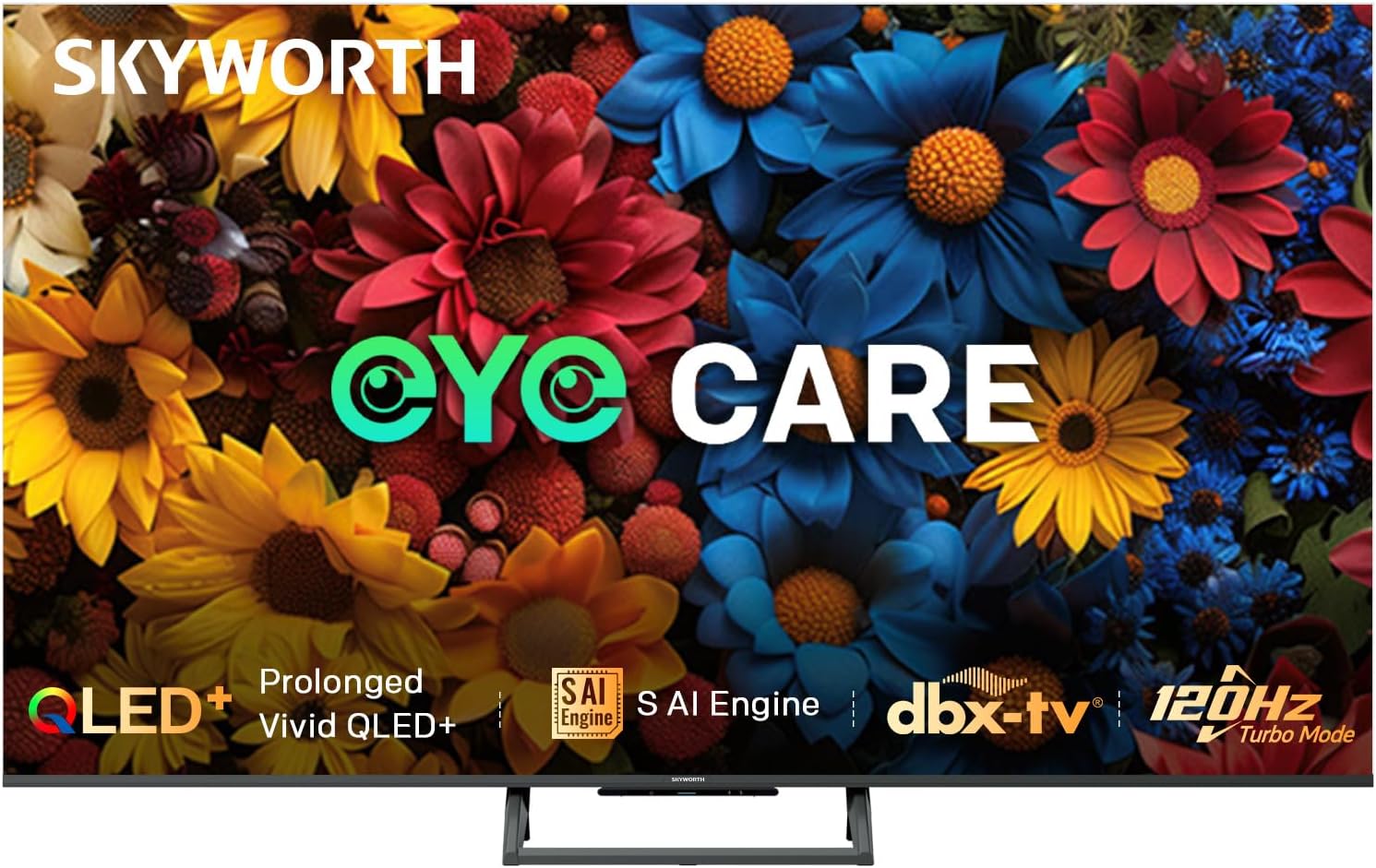
Выява: спераду view of the SKYWORTH 60Q6700H 4K QLED Google Smart TV, showcasinяго тонкія рамкі і падстаўка.
2. Што ўваходзіць у камплект
Пераканайцеся, што ўсе наступныя кампаненты ўваходзяць у вашу ўпакоўку:
- SKYWORTH 60Q6700H 4K QLED Google Smart TV
- Пульт дыстанцыйнага кіравання
- Сілавы кабель
- Тумба пад тэлевізар (2 штукі)
- Кіраўніцтва карыстальніка (гэты дакумент)
- Батарэйкі тыпу АА (для пульта дыстанцыйнага кіравання)
3. Настройка
3.1 Распакаванне
Carefully remove the TV and all accessories from the packaging. It is recommended to retain the packaging materials for future transport or service needs.
3.2 Зборка падстаўкі
Каб прымацаваць падстаўку для тэлевізара:
- Пакладзеце тэлевізар экранам уніз на мяккую, роўную паверхню (напрыклад, коўдру або пенапласт), каб пазбегнуць пашкоджання экрана.
- Сумясціце кожную частку падстаўкі з адпаведнымі пазы ў ніжняй частцы тэлевізара.
- Замацуйце падстаўкі з дапамогай прадугледжаных шруб. Пераканайцеся, што яны надзейна зацягнуты.
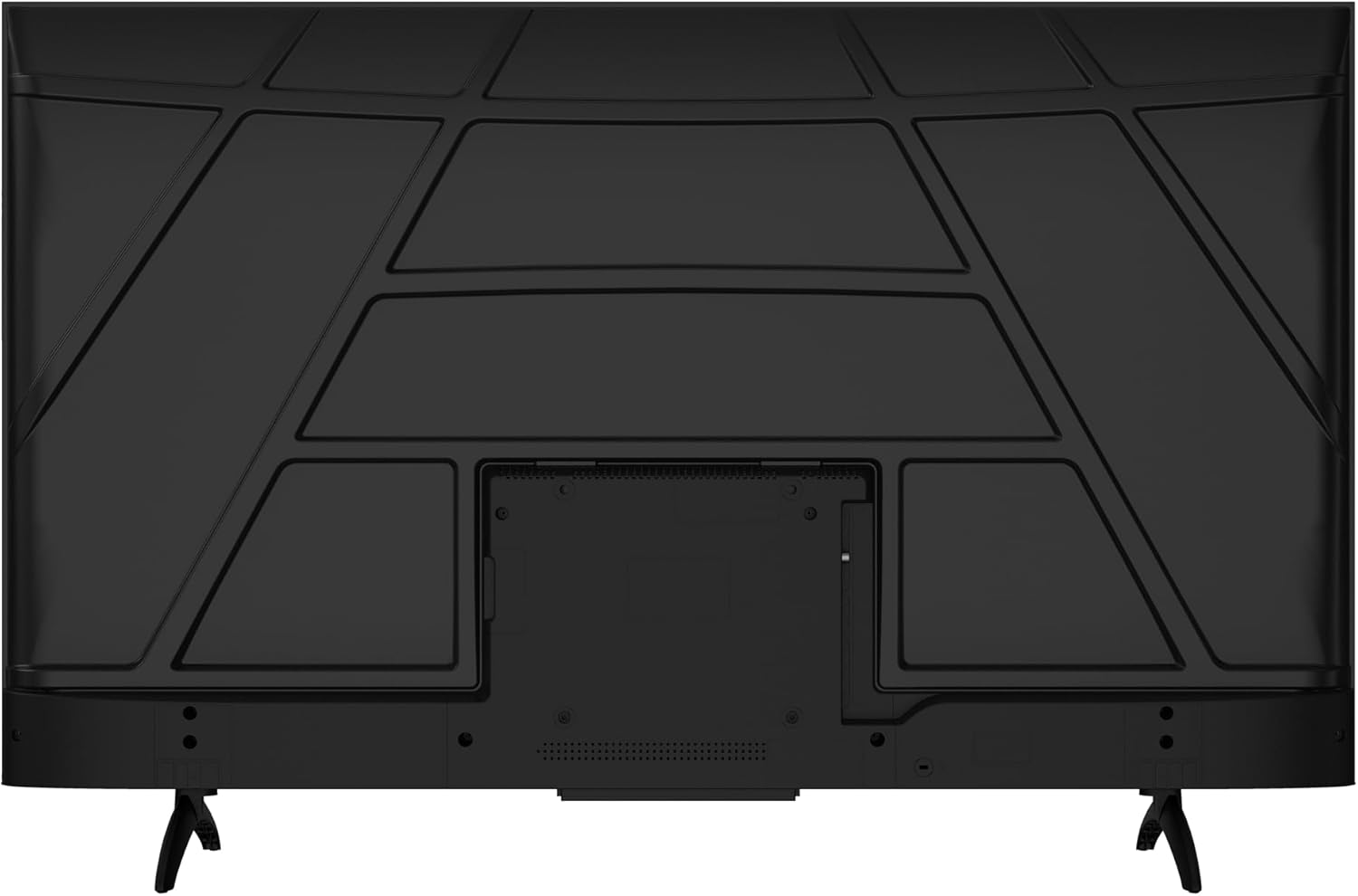
Выява: Задняя частка view of the television, illustrating the stand attachment points and various input/output ports.
3.3 Падключэнне сілкавання
Connect the power cable to the TV's power input port, then plug the other end into a standard electrical outlet (100-240 VAC, 50-60 Hz).
3.4 Падключэнне знешніх прылад
Your TV is equipped with multiple ports for connecting external devices:
- Парты HDMI (3): Для прылад высокай выразнасці аўдыё і відэа, такіх як прайгравальнікі Blu-ray, гульнявыя кансолі або прыстаўкі.
- USB-парты (x2): Для падключэння USB-назапашвальнікаў для прайгравання медыяфайлаў fileабо для абнаўлення праграмнага забеспячэння.
- Composite-Video Input (x1): Для старых прылад выкарыстоўваюцца кабелі RCA (жоўты для відэа, чырвоны/белы для аўдыё).
- Audio Out (x1): Для падлучэння знешніх аўдыёсістэм.
- Уваход для антэны/кабеля: Для падключэння антэны або кабельнага тэлебачання.

Выява: Side profile of the television, highlighting the accessible side-mounted input ports.
3.5 Майстар пачатковай налады
Upon first power-on, the TV will guide you through an initial setup process. This includes selecting your language, connecting to a Wi-Fi network, and setting up your Google account for Google TV features.
4. Інструкцыя па эксплуатацыі
4.1 Пульт дыстанцыйнага кіравання
The included remote control allows you to navigate the TV's interface, adjust settings, and access smart features. Insert the two AA batteries into the remote control, observing polarity.
- Кнопка харчавання: Уключае або выключае тэлевізар.
- Кнопкі навігацыі: Up, Down, Left, Right arrows to move through menus.
- Кнопка ОК: Пацвярджае выбар.
- Кнопка "Назад": Вяртае да папярэдняга экрана.
- Кнопка дадому: Доступ да галоўнага экрана Google TV.
- Кнопкі гучнасці: Рэгулюе гучнасць гуку.
- Кнопкі канала: Змяняе тэлеканалы.
- Кнопкі хуткага доступу да праграм: Direct access to popular streaming services like Netflix and YouTube.
- Кнопка Памочніка Google: Актывуе галасавое кіраванне.
4.2 Інтэрфейс Google TV
Your SKYWORTH TV runs on Google TV, providing a personalized home screen with content recommendations from your subscriptions. You can access thousands of apps from the Google Play Store, including Netflix, YouTube, and Prime Video. Use the navigation buttons on your remote to browse content and settings.

Image: A visual representation of the Google TV interface, highlighting features like Daily Security, Daily Email, and Daily Channel.
4.3 Налады выявы
Access the picture settings menu to optimize your viewвопыт:
- Рэжым малюнка: Select from various presets (e.g., Standard, Vivid, Movie, Game) or customize settings like brightness, contrast, color, and sharpness.
- QLED+ Display: The QLED+ panel delivers vibrant colors and deep blacks with 90% DCI-P3 color gamut and 1200:1 contrast.
- HDR10+/Dolby Vision: Automatically enhances compatible content for improved brightness, contrast, and color accuracy.
- MEMC (ацэнка руху, кампенсацыя руху): Reduces motion blur in fast-moving scenes.
- Сыход за вачыма 5.0: Minimizes blue light and screen flicker to reduce eye strain during extended viewінж.

Выява: Падрабязная дэманстрацыя выявыasing the vibrant color performance and clarity of the QLED+ display technology.
4.4 Налады гуку
Adjust audio settings for an immersive sound experience:
- Рэжым гуку: Choose from presets like Standard, Music, Movie, or customize equalizer settings.
- Dolby Atmos: Provides multi-dimensional audio for compatible content, creating an immersive soundstage.
- DBX-TV Audio: Enhances sound quality with features like Total Sonics, Total Surround, and Total Volume for clear and balanced audio.

Image: A graphic illustrating the collaboration between Skyworth and dbx-tv for enhanced audio quality, with sound wave patterns.
4.5 Гульнявыя функцыі
The TV is optimized for gaming with features designed to reduce lag and enhance visuals:
- 120Hz HSR (High Refresh Rate): Provides ultra-smooth motion for fast-paced games, reducing motion blur and ghosting.
- Рэжым гульні: Automatically optimizes picture settings and minimizes input lag for a more responsive gaming experience.
- HDMI 2.1: Supports advanced gaming features when connected to compatible devices.

Image: A dynamic image demonstrating the smoothness of 120Hz refresh rate compared to 60Hz, ideal for gaming and fast-action content.
4.6 Падключэнне
- Wi-Fi: Dual-band Wi-Fi (2.4GHz/5GHz) for stable internet connection.
- Bluetooth 5.1: Для падключэння бесправадных навушнікаў, саўндбараў або іншых прылад Bluetooth.
- Убудаваны Chromecast: Allows you to cast content from your smartphone or tablet directly to the TV.
4.7 S AI Engine
The S AI Engine enhances image quality by analyzing and refining each frame in real-time. It leverages SKYWORTH's extensive picture quality database to deliver vibrant colors and fine details, including AI Skin Detection and AI Motion Clarity.

Image: A visual representation of the S AI Engine microchip, symbolizing the TV's artificial intelligence for image processing.
5. Тэхнічнае абслугоўванне
5.1 Ачыстка экрана
Каб ачысціць экран, акуратна працярыце яго мяккай тканінай без ворса. Для выдалення ўстойлівых плям злёгку працярыцеampen the cloth with water or a specialized screen cleaner. Do not use harsh chemicals, abrasive cleaners, or spray liquids directly onto the screen.
5.2 Уборка шафы
Wipe the TV cabinet with a soft, dry cloth. Avoid using any liquid cleaners or polishes that could damage the finish.
5.3 Вентыляцыя
Ensure adequate ventilation around the TV. Do not block ventilation openings. Maintain a minimum distance from walls or other objects to allow for proper airflow.
6. Выпраўленне непаладак
Калі ў вас узніклі праблемы з тэлевізарам, звярніцеся да наступных распаўсюджаных праблем і іх рашэнняў:
6.1 Няма харчавання
- Ensure the power cable is securely plugged into both the TV and the electrical outlet.
- Праверце, ці працуе разетка, падключыўшы да яе іншую прыладу.
- Націсніце кнопку харчавання на самым тэлевізары, а не толькі на пульце дыстанцыйнага кіравання.
6.2 Няма выявы або дрэнная якасць выявы
- Праверце, ці выбрана правільная крыніца ўваходнага сігналу (напрыклад, HDMI 1, AV).
- Праверце ўсе кабельныя злучэнні паміж тэлевізарам і знешнімі прыладамі.
- Адрэгулюйце параметры выявы (яркасць, кантраснасць, рэзкасць) у меню тэлевізара.
- Калі выкарыстоўваецца антэна, праверце падключэнне антэны і сілу сігналу.
6.3 Няма гуку або дрэнная якасць гуку
- Пераканайцеся, што гук не выключаны і ўключаны на максімум.
- Праверце падключэнне аўдыёкабеляў да знешніх гукавых сістэм.
- Калі выкарыстоўваюцца знешнія дынамікі, пераканайцеся, што яны ўключаны і правільна настроены.
- Наладзьце параметры гуку ў меню тэлевізара.
6.4 Пульт дыстанцыйнага кіравання не працуе
- Замяніце батарэйкі новымі батарэйкамі тыпу АА, сачыце за правільнай палярнасцю.
- Пераканайцеся, што паміж пультам дыстанцыйнага кіравання і ІЧ-датчыкам тэлевізара няма перашкод.
- Накіруйце пульт непасрэдна на тэлевізар.
6.5 Праблемы з падключэннем да сеткі
- Пераканайцеся, што ваш Wi-Fi маршрутызатар уключаны і працуе належным чынам.
- Try restarting your router and the TV.
- Зноў увядзіце пароль Wi-Fi у наладах сеткі тэлевізара.
- If possible, try connecting to a different Wi-Fi network or use a wired Ethernet connection.
7. Тэхнічныя характарыстыкі
| Асаблівасць | Спецыфікацыя |
|---|---|
| Нумар мадэлі | 60Q6700H |
| Памер экрана | 60 цалі |
| Тэхналогія адлюстравання | QLED |
| дазвол | 3840x2160 (4K Ultra HD) |
| Частата абнаўлення | 120 Hz (HSR) |
| Каэфіцыент кантраснасці | 1200:1 |
| Maximum Display Brightness | 300 ніт |
| Час водгуку | 9.5 мілісекунд |
| Аперацыйная сістэма | Google TV |
| Ёмістасць памяці | 32 ГБ |
| Кадзіроўка аўдыё | Dolby Atmos, DBX-TV |
| Total Number of HDMI Ports | 3 |
| Усяго партоў USB | 2 (USB 2.0) |
| Тэхналогія падлучэння | HDMI, Wi-Fi (Dual-band), Bluetooth 5.1, Chromecast built-in |
| Энергаспажыванне | 160 ват |
| Памеры прадукту (Д х Ш х У) | 29.9 Г х 134.5 Ш х 85.8 У сантыметраў |
| Вага прадмета | 12.1 кілаграма |
8. Гарантыя і падтрымка
8.1 Гарантыя вытворцы
Your SKYWORTH 60Q6700H TV is covered by a 3-гадовая гарантыя вытворцы. This warranty covers defects in materials and workmanship under normal use. Please retain your proof of purchase for warranty claims. The warranty does not cover damage caused by misuse, accidents, unauthorized modifications, or acts of nature.
8.2 Падтрымка кліентаў
For technical assistance, warranty inquiries, or service requests, please contact Skyworth customer support. Refer to the official Skyworth website or your purchase documentation for the most current contact information (phone numbers, email addresses, or online support portals).
When contacting support, please have your TV model number (60Q6700H) and serial number ready, along with a detailed description of the issue.