
1. Уводзіны
The FOSCAM BP4 is a 2K (4MP) wireless outdoor security camera designed for home surveillance. It features a built-in rechargeable battery and is powered by a high-efficiency solar panel, offering a truly wire-free installation. With advanced features like color night vision, PIR human detection, and sound and light alarms, the BP4 provides reliable and intelligent monitoring for your property. This manual will guide you through the setup, operation, and maintenance of your FOSCAM BP4 camera.
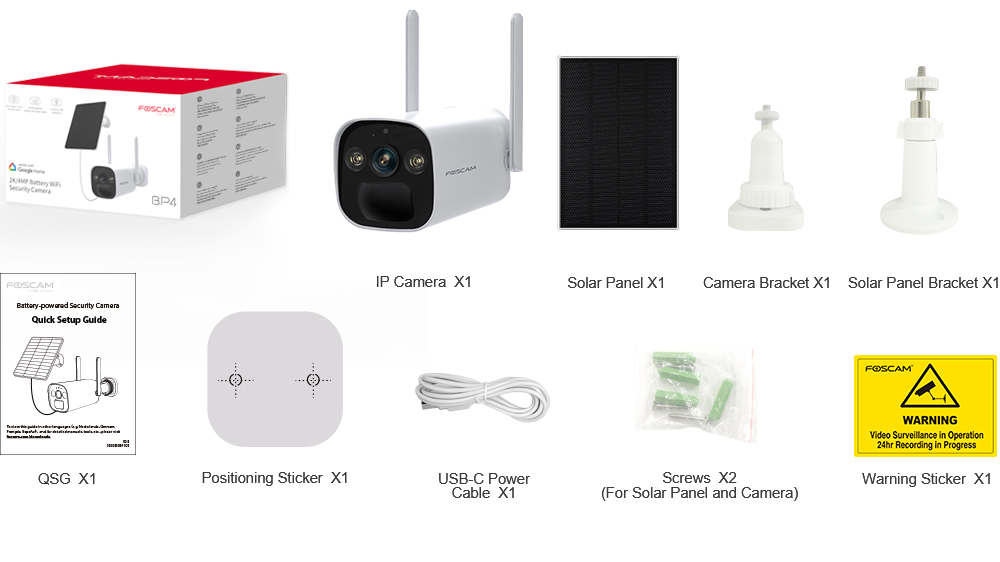
2. Змесціва ўпакоўкі
Please check the package carefully to ensure all items are present and in good condition. If anything is missing or damaged, please contact FOSCAM support.
- IP Camera (BP4) x1
- Сонечная панэль x1
- Кранштэйн для камеры x1
- Кранштэйн для сонечнай панэлі x1
- Quick Setup Guide (QSG) x1
- Налепка для пазіцыянавання x1
- USB-C Power Cable x1
- Screws x2 (for Solar Panel and Camera)
- Warning Sticker x1
3. Асноўныя магчымасці
- 2K (4MP) Quad HD Video: Захоплівае выразныя і дэталізаваныя здымкі ежыtage with a resolution of 2560 x 1440 pixels at 20 frames per second.
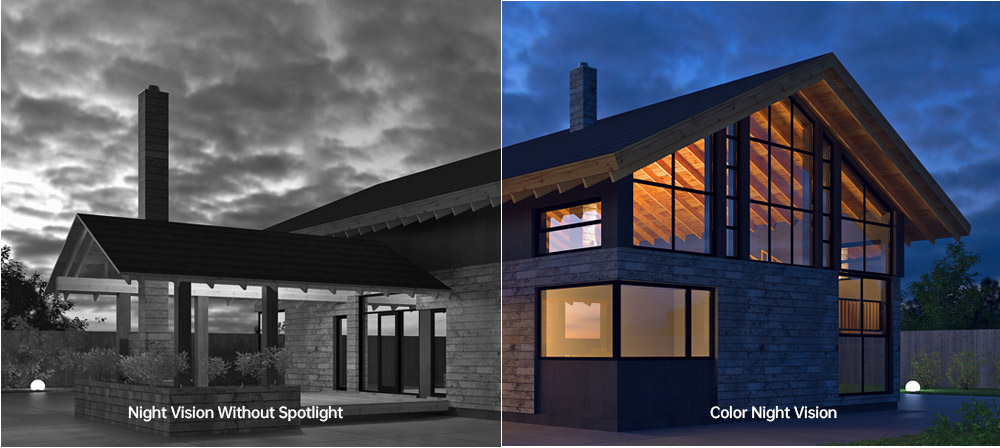
- Каляровы начны бачанне: Equipped with 2pcs Spotlight IR LED, providing a night vision range up to 10m (33ft) and supporting full-color images even in low-light conditions.
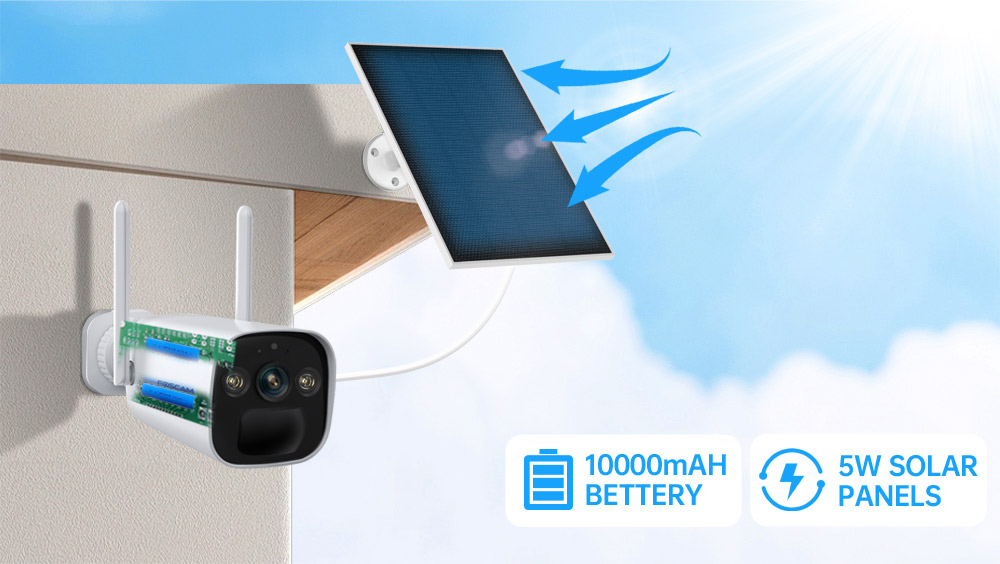
- Rechargeable Battery & Solar Panel: Features a 10000mAh rechargeable battery (4pcs 18650 battery included) and a 5W high-efficiency solar panel for continuous power, ensuring truly wire-free operation.
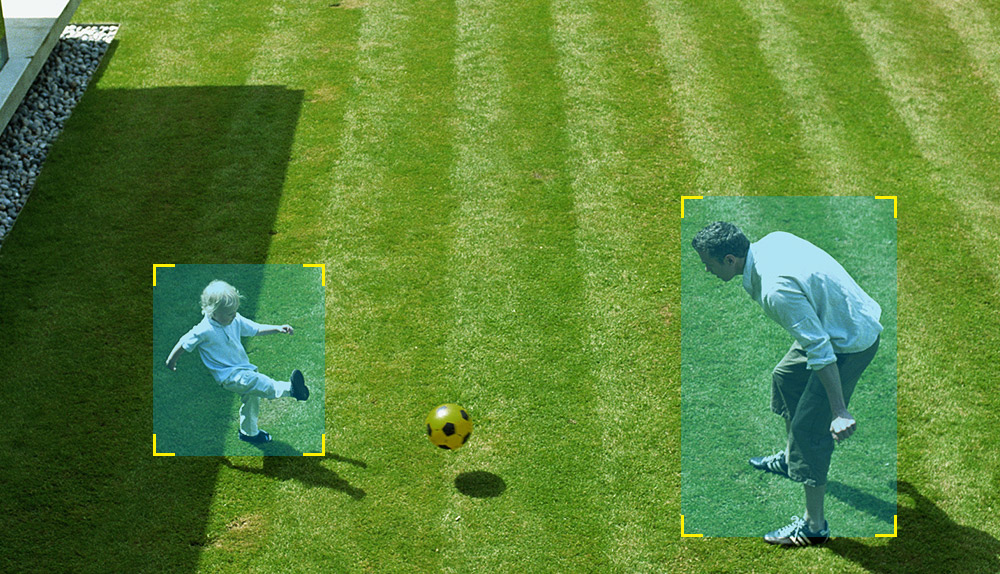
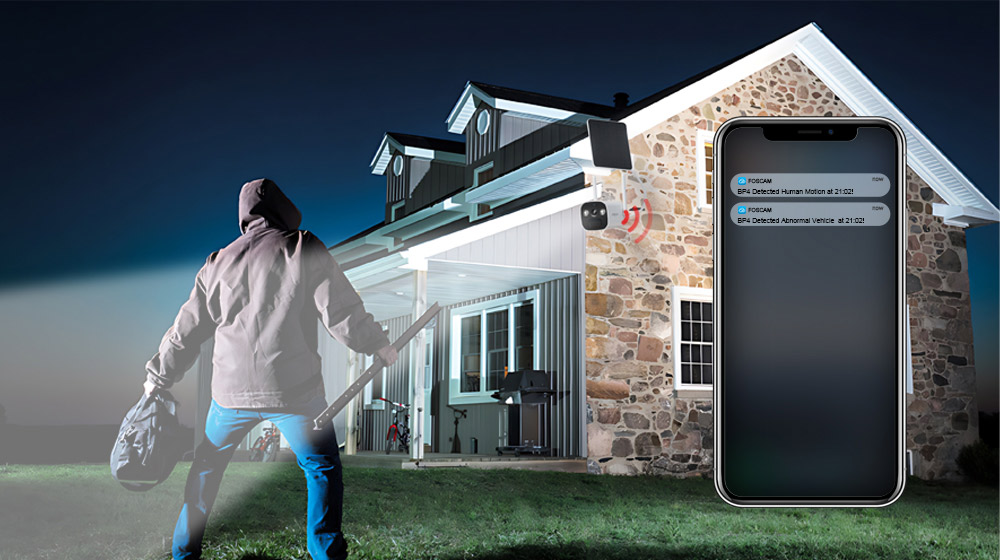
- Выяўленне чалавека ў рэжыме PIR: Advanced Passive Infrared (PIR) sensor distinguishes human movement from other objects, reducing false alarms and sending accurate alerts.
- Гукавая і светлавая сігналізацыя: Triggers a spotlight and a siren (up to 110dB) upon detection of an intruder, acting as a deterrent. Can also be manually activated.
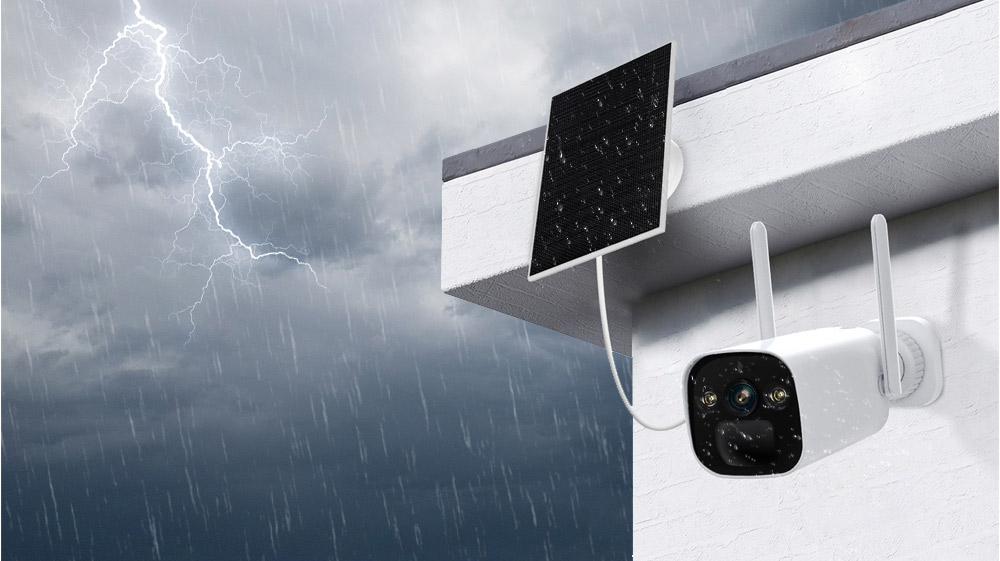
- IP66 Rated Weatherproof: Designed to withstand harsh outdoor weather conditions, operating reliably in temperatures from -20°C to 60°C (-4°F to 140°F).
- Двухбаковы аўдыё: Built-in microphone and speaker allow for real-time communication with visitors or intruders.
- Інтэграцыя разумнага дома: Supports integration with Alexa and Google Home for convenient voice control and smart home automation.
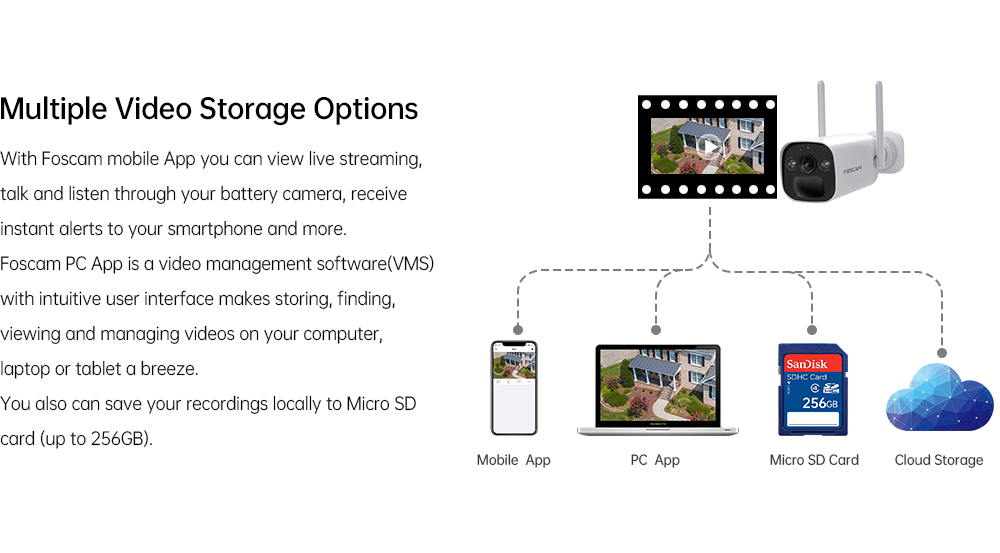
- Некалькі варыянтаў захоўвання: Supports local storage via Micro SD Card (up to 256GB) and Foscam cloud storage for flexible video recording and backup.
- Сціск відэа H.264: Efficient video compression technology to save storage space and bandwidth.
- P2P Feature: Enables easy remote access to your camera feed from anywhere.
- Mobile App & VMS Compatibility: Compatible with the free Foscam iOS and Android APP, as well as Foscam Video Management Software (VMS) for Windows and macOS.

4. Кіраўніцтва па наладцы
4.1 Фізічная ўстаноўка
- Выберыце месца: Выберыце месца на адкрытым паветры, якое забяспечвае патрэбныя viewing angle and receives ample direct sunlight for the solar panel. Ensure the camera is within range of your 2.4GHz Wi-Fi network.
- Усталюйце кранштэйн камеры: Use the positioning sticker to mark drill holes. Drill holes and insert wall plugs if necessary. Secure the camera bracket to the wall using the provided screws.
- Mount the Solar Panel Bracket: Similarly, choose a location for the solar panel that maximizes sun exposure. Mount the solar panel bracket using the provided screws.
- Падключыце камеру і сонечную панэль: Attach the FOSCAM BP4 camera to the camera bracket and the solar panel to its bracket. Adjust their angles for optimal coverage and sun exposure.
- Падключэнне сонечнай панэлі: Connect the USB-C cable from the solar panel to the USB-C port on the camera.
4.2 Усталёўка праграмы і пачатковая налада
- Download Foscam App: Пошук 'Foscam' in the App Store (iOS) or Google Play Store (Android) and download the official Foscam app.
- Стварыць уліковы запіс: Open the app and register for a new Foscam account if you don't have one.
- Дадаць камеру: Tap the '+' icon in the app to add a new device. Follow the on-screen instructions to scan the QR code on your camera or manually enter its details.
- Падключыцеся да Wi-Fi: The app will guide you through connecting the camera to your 2.4GHz Wi-Fi network. Ensure your phone is connected to the same 2.4GHz network during this process.
- Настройка налад: Once connected, you can name your camera, set a password, and configure initial settings like time zone and recording preferences.
5. Інструкцыя па эксплуатацыі
5.1 У прамым эфіры View
Open the Foscam app and select your BP4 camera from the device list. You will see the live video feed. From here, you can:
- Зрабіце здымкі: Захоп нерухомых малюнкаў з жывой стужкі.
- Record Manually: Start and stop video recording manually.
- Use Two-Way Audio: Tap the microphone icon to speak through the camera's speaker, and listen through your phone.
- Лічбавае павелічэнне: Pinch to zoom in on the live video feed.
5.2 Запіс і прайграванне
The FOSCAM BP4 supports event-triggered recording (motion/human detection) and continuous recording (with cloud subscription or local storage). Recorded footage can be accessed via the app or Foscam VMS.
- Доступ да запісаў: In the app, navigate to the camera's settings or playback section to view захаваныя відэа.
- Filter Events: Use filters to quickly find recordings based on date, time, or event type (e.g., human detection).
5.3 Налады будзільніка
Configure the camera's detection and alarm features for optimal security.
- Выяўленне чалавека ў рэжыме PIR: Enable or disable human detection. Adjust sensitivity levels and detection zones to minimize false alarms.
- Гукавая і светлавая сігналізацыя: Set the camera to automatically trigger its spotlight and siren when an intruder is detected. You can also manually activate these alarms from the app.
- Апавяшчэнні: Ensure push notifications are enabled in the Foscam app and your phone's settings to receive instant alerts.
6. Тэхнічнае абслугоўванне
- Зарадка акумулятара: The solar panel will continuously charge the internal battery. If the camera is in a shaded area or during prolonged cloudy weather, you may need to manually charge the battery using the USB-C power cable and a DC 5V/2A USB power adapter (not included).
- Уборка: Periodically clean the camera lens and solar panel surface with a soft, damp тканінай для забеспячэння аптымальнай прадукцыйнасці. Пазбягайце абразіўных ачышчальнікаў.
- Абнаўленні прашыўкі: FOSCAM regularly releases firmware updates to improve performance and add new features. Check the Foscam app for available updates and follow the instructions to install them.
- Кіраванне картамі Micro SD: If using a Micro SD card, ensure it is formatted correctly (FAT32 recommended for cards over 32GB, check app for specific instructions). Regularly review і рэзервовае капіраванне важных прадуктаўtage, and consider setting up automatic overwriting for continuous recording.
7. Выпраўленне непаладак
7.1 Камера не падключаецца да Wi-Fi
- Ensure your Wi-Fi network is 2.4GHz. The BP4 does not support 5GHz Wi-Fi.
- Check that the camera is within range of your Wi-Fi router.
- Праверце правільны пароль Wi-Fi, уведзены ў дадатку.
- Restart your router and the camera, then try connecting again.
7.2 Нізкая якасць відэа
- Check your Wi-Fi signal strength. A weak signal can affect video quality.
- Пераканайцеся, што аб'ектыў камеры чысты і не мае перашкод.
- Adjust the camera's position to avoid direct glare or strong backlighting.
7.3 Battery Not Charging / Draining Quickly
- Ensure the solar panel is receiving direct sunlight for several hours a day. Clear any obstructions.
- Праверце злучэнне паміж сонечнай панэллю і камерай.
- Экстрэмальна нізкія тэмпературы могуць паўплываць на прадукцыйнасць акумулятара.
- Частыя жывыя выступы view access or excessive motion detections can drain the battery faster. Adjust detection sensitivity and recording schedules.
7.4 Ілжывыя трывогі
- Адрэгулюйце адчувальнасць PIR-датчыка ў дадатку.
- Define specific detection zones to exclude areas with frequent non-human movement (e.g., trees swaying, passing cars).
- Ensure the camera is not pointing directly at heat sources or reflective surfaces that could trigger the PIR sensor.
8. Тэхнічныя характарыстыкі

| Катэгорыя | Пункт | Спецыфікацыя |
|---|---|---|
| Пражэктар | Каляровая тэмпература | 6500 тыс |
| Датчык выявы | Тып датчыка | Каляровы CMOS-датчык высокай выразнасці |
| Дазвол дысплея | 4.0 мегапікселяў (2560*1440) | |
| Мін. Ілюмінацыя | 0 люкс (з ВК-асвятляльнікам) | |
| Аб'ектыў | Тып аб'ектыва | f:3.3 мм; F2.0 |
| Кут view | Дыяганаль: 104°, Гарызантальная: 89°, Вертыкальная: 48° | |
| Відэа | Сціск выявы | H.264 |
| дазвол | 2K (2560*1440) 20fps, VGA (640 x 360) | |
| Паток | Двайны паток | |
| Перавярнуць малюнак | Перавярнуць і люстэрка | |
| Лічбавы зум | 20-кратны лічбавы зум | |
| Інфрачырвоны рэжым | Automatic / Color Night / Night Vision | |
| бачнасць ночы | With 2pcs Spotlight and IR LED, Night Vision Range up to 10m (33ft) | |
| Аўдыё | Увод/Вывад | Full Duplex two-way audio |
| Сірэна | Supports maximum 110dB alarm siren | |
| Сетка | бесправадной стандарт | IEEE802.11b/g/n |
| Бесправадная бяспека | WPA, WPA2 | |
| Аддалены доступ | P2P | |
| сеткавы пратакол | IP, TCP, UDP | |
| Сістэмныя патрабаванні | Аперацыйная сістэма | Microsoft Windows (Foscam VMS), Mac OS (Foscam VMS), Android (Foscam app), iOS (Foscam app) |
| Іншыя асаблівасці | PIR Выяўленне адлегласці | Рэгуляваны да 8 м (26.2 футаў) |
| PIR Вызначэнне кута | 110 ° па гарызанталі | |
| Разумная сігналізацыя | PIR Detection/Human Detection | |
| Захоўванне | Support max 256G Micro SD card, Foscam cloud storage | |
| Блок прыватнасці | так | |
| Інтэлектуальны памочнік | Падтрымлівае Alexa, Google Home | |
| Магутнасць | акумулятар | 10000mAh rechargeable battery (battery life varies based on settings, usage & temperature) |
| Сонечная | Сонечная панэль магутнасцю 5 Вт | |
| Магутнасць пастаяннага току | DC 5V/2A USB power adapter (Not included) | |
| фізічны | Памеры (ДхШхВ) | 67 мм * 67 мм * 203 мм |
| Вага нета | 690 г | |
| Асяроддзе | Воданепранікальны | IP66 |
| Працоўная тэмпература | -20°C ~ 60°C (-4°F ~ 140°F) | |
| Працоўная вільготнасць | 10% ~ 80% без кандэнсацыі | |
| Тэмпература захоўвання | -20°C ~ 60°C (-4°F ~ 140°F) | |
| Вільготнасць пры захоўванні | 0% ~ 90% без кандэнсацыі | |
| Тэмпература зарадкі акумулятара | 0°C ~ 45°C (32°F ~ 113°F) | |
| Атэстацыя | Сертыфікаты | FCC, CE, RoHS, WEEE, IP66 |
9. Карыстальніцкія парады
- Optimal Solar Panel Placement: For best battery performance, ensure the solar panel is installed in a location that receives at least 4-6 hours of direct sunlight daily. Avoid shaded areas.
- Моц сігналу Wi-Fi: Before final installation, use your smartphone to check the Wi-Fi signal strength at the camera's intended location to ensure a stable connection.
- Customize Detection Zones: To reduce unwanted notifications, utilize the Foscam app to draw specific detection zones, focusing on critical areas and excluding public pathways or moving foliage.
- Рэгулярныя праверкі праграм: Periodically check the Foscam app for battery status, recording history, and any available firmware updates to keep your camera running smoothly.
10. Гарантыя і падтрымка
FOSCAM products come with a standard manufacturer's warranty. For detailed warranty information, technical support, or service inquiries, please visit the official FOSCAM webсайт або звярніцеся непасрэдна ў службу падтрымкі кліентаў. Захоўвайце чэк аб куплі як пацвярджэнне пакупкі для гарантыйных прэтэнзій.


