1. Уводзіны
The Microsoft LifeChat LX-3000 Headset (JUG-00013) is designed to provide clear stereo sound and comfortable use for various audio applications, including internet voice calls, music, movies, and gaming. Featuring a noise-cancelling microphone and convenient in-line controls, this wired USB headset offers a reliable audio solution for your PC.
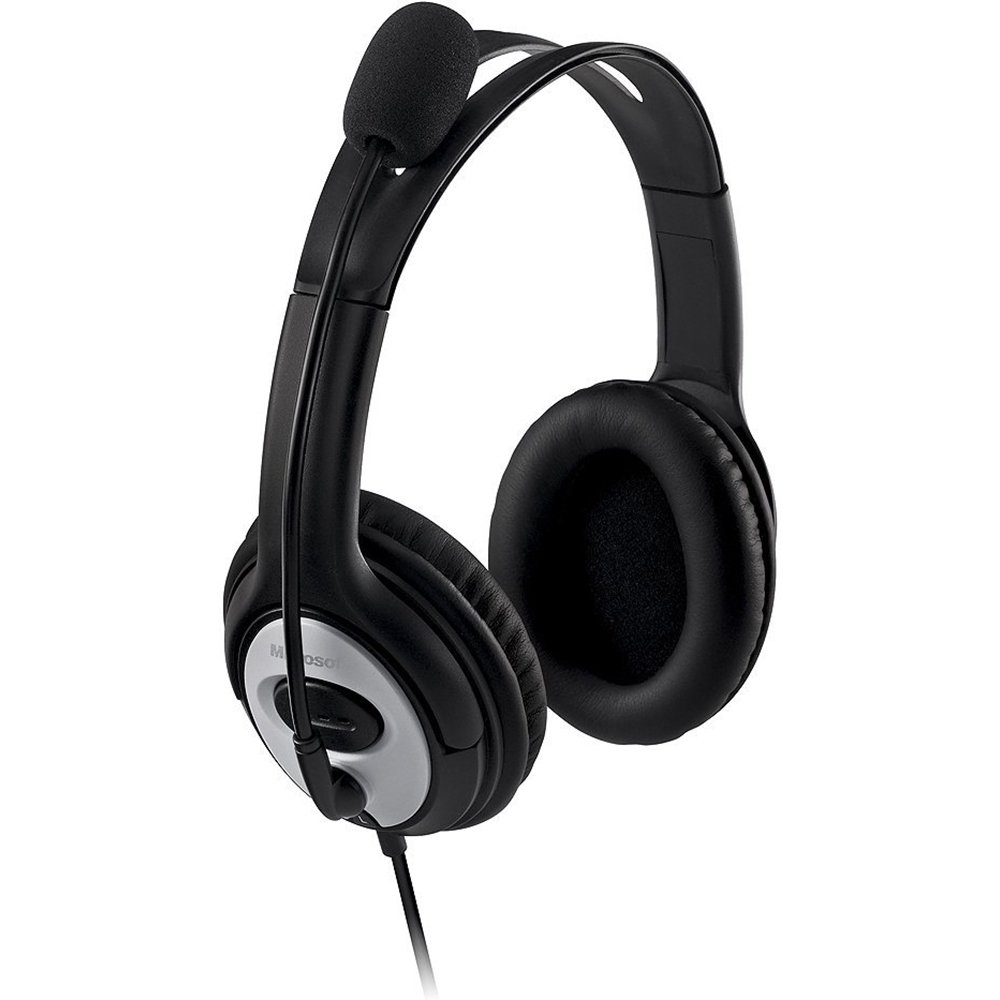
Figure 1: Microsoft LifeChat LX-3000 Headset with microphone and in-line controls.
2. Настройка
The Microsoft LifeChat LX-3000 Headset features a simple Plug and Play USB connection, making setup straightforward. Follow these steps to begin using your headset:
- Сістэмныя патрабаванні: Ensure your PC meets the minimum operating system requirements: Microsoft Windows 10, Windows 8.1, Windows 8, or Windows 7.
- Падключыце гарнітуру: Locate an available USB port on your computer. Insert the USB connector of the headset firmly into the USB port.
- Ўстаноўка драйвера: Your operating system should automatically detect the headset and install the necessary drivers. This process may take a few moments.
- Праверце злучэнне: Once installed, the headset should appear as an audio device in your computer's sound settings. You may need to select it as the default playback and recording device.

Figure 2: Close-up of the USB connector for the headset.
3. Інструкцыя па эксплуатацыі
The LifeChat LX-3000 Headset is designed for ease of use with integrated controls and a flexible microphone.
3.1. Настройка гарнітуры
- Рэгуляванне павязкі на галаву: The headband is adjustable to fit various head sizes. Gently extend or retract the earcups until the headset sits comfortably over your ears.
- Размяшчэнне мікрафона: The pivoting boom microphone offers 180-degree movement. Position the microphone approximately one inch from your mouth for optimal voice clarity.
3.2. Using In-Line Controls
The headset features an in-line control module for quick access to essential functions:
- Рэгулятар гучнасці: Выкарыстоўвайце кнопку павелічэння гучнасці (+) і паменшыць гучнасць (-) buttons to adjust the listening volume.
- Адключэнне мікрафона: Press the mute button (often indicated by a microphone icon) to temporarily disable or enable the microphone. An indicator light on the control module may show the mute status.

Figure 3: In-line control module for volume and microphone mute.
3.3. Noise-Cancelling Microphone
The integrated noise-cancelling microphone helps reduce background noise, ensuring your voice is heard clearly during calls and recordings.
4. Тэхнічнае абслугоўванне
Proper care and maintenance will extend the life of your Microsoft LifeChat LX-3000 Headset.
- Чыстка амбушюр: The leatherette ear pads can be gently wiped with a soft, damp тканіна. Пазбягайце выкарыстання агрэсіўных хімікатаў або абразіўных ачышчальнікаў.
- Сыход за кабелем: Avoid sharp bends or excessive pulling on the flexible 6-foot cable to prevent damage. Store the cable neatly when not in use.
- захоўванне: Захоўвайце гарнітуру ў чыстым, сухім месцы, удалечыні ад экстрэмальных тэмператур і прамых сонечных прамянёў.
5. Выпраўленне непаладак
Калі ў вас узніклі праблемы з гарнітурай, паспрабуйце наступныя рашэнні:
| праблема | Рашэнне |
|---|---|
| Няма гуку з гарнітуры |
|
| Не працуе мікрафон |
|
| Дрэнная якасць гуку |
|
6. Тэхнічныя характарыстыкі
Key technical specifications for the Microsoft LifeChat LX-3000 Headset:
| Асаблівасць | Дэталь |
|---|---|
| Марка | Microsoft |
| Нумар мадэлі | ГЛЕЧ-00013 |
| Тэхналогія падлучэння | Правадной (USB) |
| Размяшчэнне вушэй | Над вухам |
| Мікрафон | Noise-cancelling, Pivoting Boom (180-degree movement) |
| Элементы кіравання | In-line Volume Control, Microphone Mute |
| Даўжыня кабеля | Flexible 6-foot cable |
| Матэрыял амбушюр | Штучная скура |
| Дыяпазон частот | 20 Гц - 20 000 Гц |
| Сумяшчальныя аперацыйныя сістэмы | Microsoft Windows 10, Windows 8.1, Windows 8, Windows 7 |
| Вага прадмета | 8.32 унцыі |
7. Гарантыя і падтрымка
7.1. Інфармацыя аб гарантыі
The Microsoft LifeChat LX-3000 Headset (JUG-00013) comes with a 3-гадовая абмежаваная гарантыя на абсталяванне. This warranty covers defects in materials and workmanship under normal use. For specific terms and conditions, please refer to the warranty documentation included with your product or visit the official Microsoft support webсайт.
7.2. Падтрымка кліентаў
For further assistance, technical support, or warranty claims, please contact Microsoft Customer Support through their official website or the contact information provided in your product packaging. You can find additional resources and FAQs on the Служба падтрымкі Microsoft webсайт.


