1. Уводзіны
The Sony Cyber-Shot DSC-H300 is a versatile 20.1-megapixel compact digital camera featuring a powerful 35x optical zoom lens. Designed for ease of use, it includes Optical SteadyShot image stabilization to reduce blur, various shooting modes, and the ability to capture HD videos. Its DSLR-like body provides a comfortable grip for stable shooting.
2. Што ў скрынцы
Пераканайцеся, што ў камплекце ёсць усе наступныя прадметы:
- Sony Cyber-Shot DSC-H300 Camera Body
- Батарэі АА (x4)
- Плечавы рэмень
- Cap аб'ектыў
- Lens Strap
- Кабель Multi USB
- Інструкцыя па эксплуатацыі (гэты дакумент)
3. Камера скончанаview
Familiarize yourself with the main components and controls of your DSC-H300 camera.
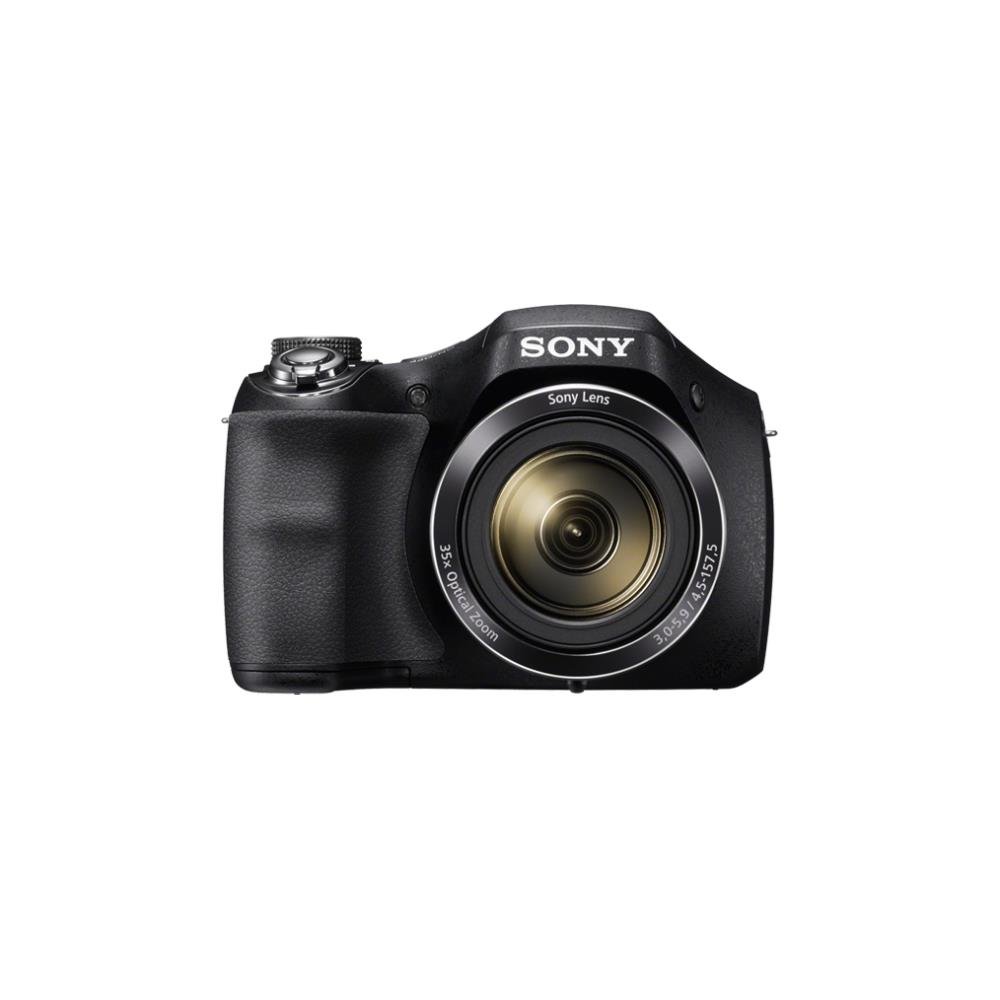
Малюнак 1: Фронт view of the Sony Cyber-Shot DSC-H300 digital camera, illustrating its compact size with a width of 12.75 cm (5.06 inches) and a height of 8.9 cm (3.504 inches).
Ключавыя кампаненты:
- Аб'ектыў: Features 35x optical zoom.
- Захоп: Эрганамічны дызайн для зручнага выкарыстання.
- Кнопка засаўкі: Для здымкі фотаздымкаў.
- Рычаг маштабавання (W/T): Кіруе аптычным і лічбавым зумам.
- Дыск рэжымаў: Selects various shooting modes (Auto, Program, Manual, Scene, Movie, etc.).
- Кнопка ON/OFF: Уключае або выключае камеру.
- LCD Screen (3.0 inches): Для кадравання здымкаў, паўторнаviewпрагляд малюнкаў і навігацыя па меню.
- Кнопкі кіравання: For menu navigation, flash settings, display options, and playback.
- Кнопка фільма: Dedicated button for starting and stopping video recording.
4. Настройка
4.1 Устаўка батарэй
- Адкрыйце вечка батарэйнага адсека, размешчанага ў ніжняй частцы камеры.
- Устаўце чатыры батарэйкі тыпу АА, сачыце за правільнай палярнасцю (+/-), як паказана ўнутры адсека.
- Надзейна зачыніце крышку батарэйнага адсека.
4.2 Устаўка карты памяці
- Адкрыйце вечка слота для карты памяці, звычайна размешчанага побач з адсекам батарэі.
- Insert a compatible memory card (e.g., SD, SDHC, SDXC, Memory Stick PRO Duo) with the label facing the correct direction until it clicks into place.
- Зачыніце крышку слота для карты памяці.
4.3 Мацаванне плечавага рамяня і вечка аб'ектыва
- Thread the shoulder strap through the strap eyelets on the camera body and secure it.
- Attach the lens cap to the lens using the provided lens strap to prevent loss.
5. Кіраванне камерай
5.1 Уключэнне/выключэнне сілкавання
Націсніце ВКЛ/ВЫКЛ button to power the camera on or off. The lens will extend when powered on.
5.2 Выбар рэжыму здымкі
Павярнуць Цыферблат рэжыму to select your desired shooting mode:
- Інтэлектуальны аўтаматычны рэжым (iA): Camera automatically optimizes settings for various scenes.
- Праграма аўтаматычнага рэжыму (P): Камера ўсталёўвае экспазіцыю, але вы можаце змяніць і іншыя параметры.
- Прыярытэт вытрымкі (S): You set the shutter speed, camera adjusts aperture.
- Прыярытэт дыяфрагмы (A): You set the aperture, camera adjusts shutter speed.
- Кіраўніцтва (М): Вы кіруеце як вытрымкай, так і дыяфрагмай.
- Scene Selection (SCN): Choose from various scene modes (e.g., Portrait, Landscape, Night Scene).
- Рэжым фільма: Для запісу відэа.
- Рэжым панарамы: Для здымкі шырокавугольных панарамных здымкаў.
5.3 Фотаздымка
- Скампануйце свой здымак: Use the LCD screen to compose your image.
- Фокус: Націсніце напалову Кнопка засаўкі to activate autofocus. The camera will beep and the focus indicator will turn green when focus is achieved.
- Захоп: Fully press the Кнопка засаўкі сфатаграфаваць.
- Маштаб: Выкарыстоўвайце Рычаг маштабавання (W/T) to adjust the focal length. 'W' for wide-angle, 'T' for telephoto.
- Успышка: Press the flash control button to cycle through flash modes (Auto, Fill-flash, Slow Sync, Flash Off, Advanced Flash).
- Стабілізацыя выявы: Optical SteadyShot image stabilization is built-in to reduce blur caused by camera shake.
5.4 Запіс відэа
- Ensure the camera is in Рэжым фільма (selected via the Mode Dial) or simply press the dedicated Кнопка фільма.
- Націсніце Кнопка фільма again to start recording. A red recording indicator will appear on the screen.
- Націсніце Кнопка фільма once more to stop recording.
- The camera records in 720p HD with clear audio captured by the built-in microphone.
5.5 Панарамны рэжым
Выберыце Рэжым панарамы on the Mode Dial. Press the shutter button and sweep the camera horizontally or vertically across the scene to capture a wide panoramic image.
5.6 Viewing and Deleting Images/Videos
Націсніце Кнопка прайгравання (usually indicated by a play icon) to enter playback mode. Use the navigation buttons to scroll through your captured photos and videos. To delete an item, select it and press the Кнопка выдалення (значок смеццевага вядра).
6. Тэхнічнае абслугоўванне
6.1 Чыстка корпуса камеры
Працярыце корпус камеры мяккай сухой тканінай. Для выдалення ўстойлівага бруду злёгкуampen the cloth with water and then wipe dry. Avoid using organic solvents like alcohol or thinner.
6.2 Ачыстка аб'ектыва
First, use a lens brush or blower to remove dust and small particles. Then, gently wipe the lens surface with a clean, soft lens cleaning cloth. Do not use excessive force or abrasive materials.
6.3 Ачыстка ВК-экрана
Use a soft, lint-free cloth specifically designed for LCD screens. Gently wipe the screen to remove smudges or dust.
6.4 Сыход за акумулятарам
Always use fresh AA batteries. Remove batteries from the camera if it will not be used for an extended period to prevent leakage and damage.
6.5 Захоўванне
Store the camera in a cool, dry place away from direct sunlight, high temperatures, and humidity. Keep it in a camera bag or case to protect it from dust and scratches.
7. Выпраўленне непаладак
Калі ў вас узніклі праблемы з камерай, паспрабуйце выканаць наступныя асноўныя дзеянні па ліквідацыі непаладак:
- Камера не ўключаецца: Пераканайцеся, што батарэйкі правільна ўстаўлены і цалкам зараджаны. Паспрабуйце новыя батарэйкі.
- Выявы размытыя: Check that the lens is clean. Ensure the camera is focusing correctly (half-press shutter). Use a faster shutter speed in low light or for moving subjects. Optical SteadyShot is active to help.
- Успышка не спрацоўвае: Check flash mode settings; ensure it's not set to 'Flash Off'.
- Памылка карты памяці: Turn off the camera, remove and reinsert the memory card. Ensure the card is compatible and not full.
- Камера завісае: Remove the batteries, wait a few seconds, and reinsert them to reset the camera.
For more detailed troubleshooting and solutions, please refer to the comprehensive user manual provided with your product or visit the official Sony support webсайт.
8. Тэхнічныя характарыстыкі
| Асаблівасць | Спецыфікацыя |
|---|---|
| Назва мадэлі | DSC H300 |
| Дазвол фотадатчыка | 20.1 МП |
| Аптычны зум | 35x |
| Лічбавы зум | 70x |
| Стабілізацыя выявы | Digital, Optical (SteadyShot) |
| Памер экрана | 3 цалі (ВК-дысплей) |
| Дазвол відэа | 720p |
| Тып датчыка | ПЗС |
| Мінімальная вытрымка | 30 секунд |
| Максімальная вытрымка | 30 секунд |
| Дыяпазон ISO | 100 - 3200 (пашыраны) |
| Крыніца харчавання | 4x батарэі AA |
| Сувязь | USB |
| Сумяшчальныя карты памяці | Memory Stick Duo, SD Memory Card, SDHC Memory Card, SDXC Memory Card, microSD Memory Card, microSDHC Memory Card, microSDXC Memory Card |
| Вага прадмета | 495 грам |
9. Гарантыя і падтрымка
Your Sony Cyber-Shot DSC-H300 digital camera comes with a manufacturer's warranty. Please refer to the warranty card included in your product packaging for specific terms, conditions, and duration of coverage.
For technical support, customer service, driver downloads, and additional detailed manuals, please visit the official Sony support webсайт: