Уводзіны
The Superior Electronics Freedom 2in1 is a universal programmable remote control designed to operate up to two different audio/video devices. This manual provides comprehensive instructions for setup, operation, maintenance, and troubleshooting to ensure optimal performance and longevity of your device.
Інфармацыя па бяспецы
- Не падвяргайце пульт дыстанцыйнага кіравання ўздзеянню прамых сонечных прамянёў, крыніц цяпла або экстрэмальных тэмператур.
- Пазбягайце падзення пульта дыстанцыйнага кіравання і моцных удараў.
- Не апускайце пульт дыстанцыйнага кіравання ў ваду або любую іншую вадкасць.
- Захоўвайце батарэі ў месцах, недаступных дзецям. Пры пападанні ўнутр неабходна неадкладна звярнуцца па медыцынскую дапамогу.
- Утылізуйце выкарыстаныя батарэі ў адпаведнасці з мясцовымі правіламі.
Змест пакета
Калі ласка, пераканайцеся, што ўсе прадметы прысутнічаюць у камплекце:
- Superior Electronics Freedom 2in1 Universal Remote Control
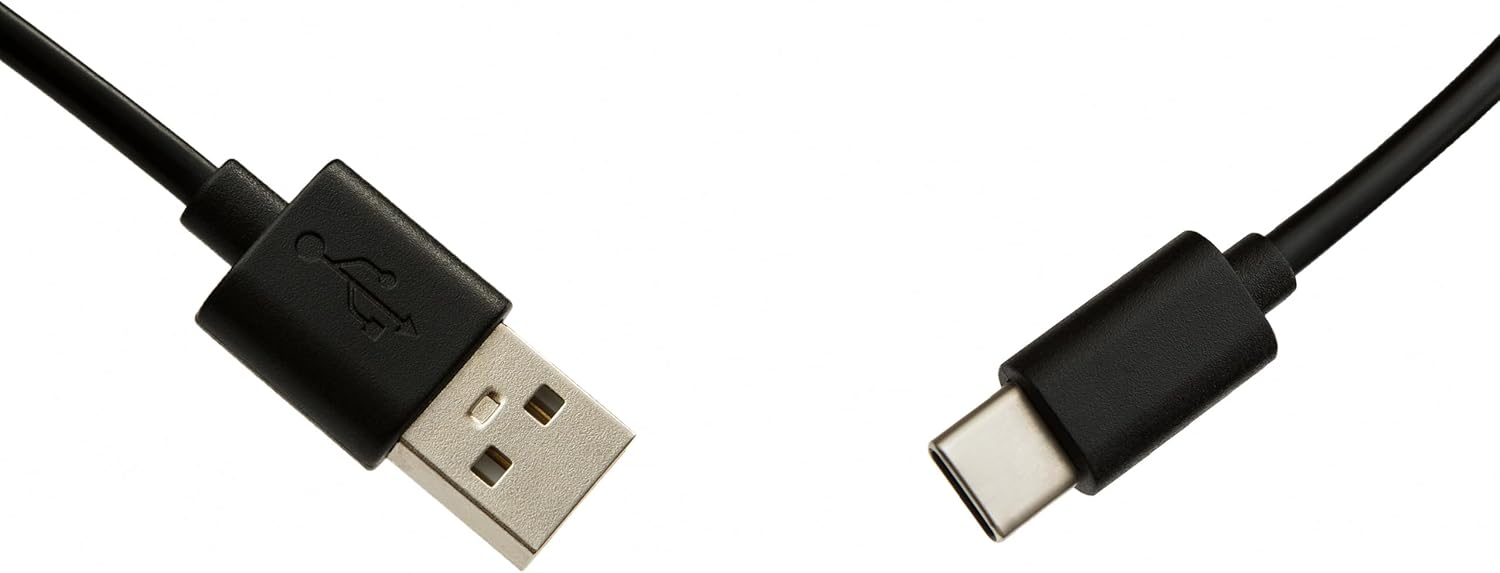
- USB-C Cable for programming
- Кіраўніцтва карыстальніка (гэты дакумент)
Настройка
1. Устаноўка батарэі
Для пульта дыстанцыйнага кіравання патрэбныя дзве батарэйкі тыпу ААА (не ўключаны ў камплект). Для ўсталёўкі:
- Адкрыйце вечка адсека для батарэй на задняй частцы пульта дыстанцыйнага кіравання.
- Устаўце дзве батарэйкі тыпу AAA, сачыце за правільнай палярнасцю (+ і -).
- Надзейна зачыніце крышку батарэйнага адсека.
2. Праграмаванне пульта дыстанцыйнага кіравання
The Superior Electronics Freedom 2in1 remote control is programmable via a computer using the included USB-C cable and Superior's dedicated software. This allows for quick and accurate setup for a wide range of devices.
- Спампаваць праграмнае забеспячэнне: Visit the official Superior Electronics website to download the latest programming software for your Freedom 2in1 remote.
- Падключэнне пульта дыстанцыйнага кіравання: Connect the remote control to your computer using the provided USB-C cable.
- Запуск праграмнага забеспячэння: Open the Superior programming software on your computer.
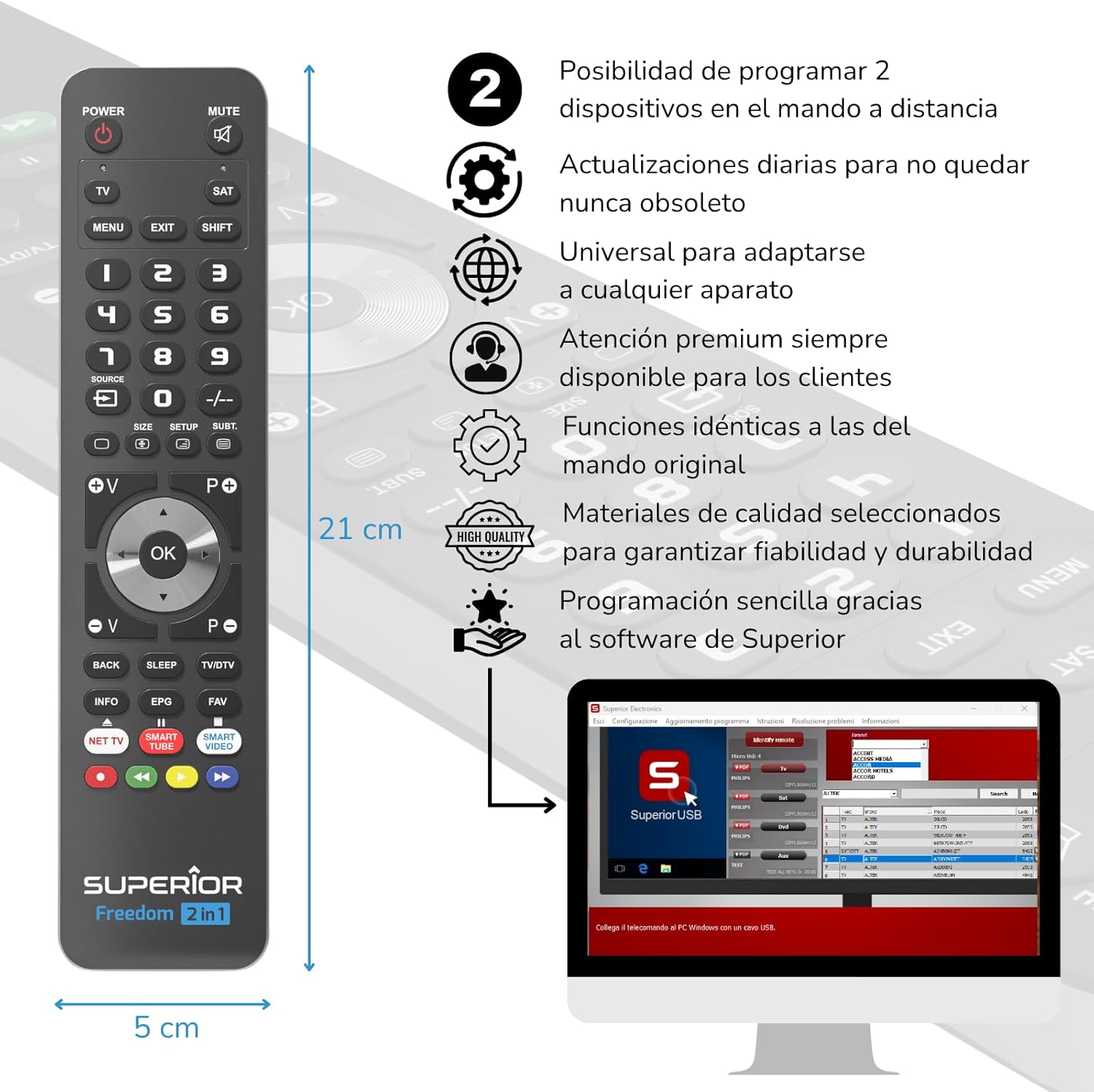
- Выберыце прыладу: Follow the on-screen instructions to select the brand and model of the device you wish to control (e.g., TV, SAT, DVD, Soundbar). The software utilizes a leading European database with over 260,000 compatible devices.
- праграма: Initiate the programming process. Programming is typically completed in less than one minute by double-clicking the desired brand and model within the software.
- MAP Function: The dedicated MAP function allows you to recover the original remote control functions on the Superior Freedom keypad, ensuring all original functionalities are available.

Інструкцыя па эксплуатацыі
Once programmed, your Superior Electronics Freedom 2in1 remote control is ready for use. It can control up to two devices, such as TVs, Smart TVs, decoders, DVD players, projectors, and soundbars.

Функцыі кнопак скончаныview:
- Магутнасць: Уключае або выключае выбраную прыладу.
- МУК: Адключэнне або ўключэнне гуку.
- TV / SAT: Selects the device to be controlled (e.g., TV or Satellite receiver).
- MENU / EXIT: Accesses or exits the device's menu.
- ЗРУХ: Activates secondary functions of certain buttons.
- 0-9: Number buttons for direct channel input.
- КРЫНІЦА: Змяняе крыніцу ўваходнага сігналу на вашым тэлевізары.
- +/-: Adjusts channel up/down or navigates through menus.
- SIZE / SETUP / SUBT.: Канкрэтныя функцыі ў залежнасці ад прылады.
- Volume (V+/-) / Channel (P+/-): Рэгулюе гучнасць і пераключае каналы.
- Navigation (Up, Down, Left, Right, OK): Навігацыя па меню і пацвярджэнне выбару.
- BACK / SLEEP / TV/DTV: Returns to previous screen, sets sleep timer, or switches between TV/Digital TV modes.
- INFO / EPG / FAV: Displays information, Electronic Program Guide, or Favorite channels.
- NET TV / SMART TUBE / SMART VIDEO: Dedicated buttons for smart TV applications.
- Каляровыя кнопкі (чырвоны, зялёны, жоўты, сіні): Used for specific functions within menus or smart TV apps.
The maximum operating range of the remote control is 10 meters.
Тэхнічнае абслугоўванне
Уборка
To clean the remote control, use a soft, dry cloth. Do not use abrasive cleaners, solvents, or chemical agents, as these may damage the surface or internal components.
Замена батарэі
When the remote control's performance diminishes or it stops responding, it is likely time to replace the batteries. Follow the battery installation steps outlined in the Setup section.
Ліквідацыю непаладак
- Пульт не адказвае: Ensure batteries are correctly inserted and not depleted. Replace batteries if necessary.
- Device not controlling: Verify that the remote is pointed directly at the device's IR receiver. Ensure there are no obstructions between the remote and the device.
- Incorrect functions: The remote may not be programmed correctly for your specific device model. Re-program the remote using the Superior Electronics software and ensure you select the correct brand and model.
- Абмежаваная функцыянальнасць: If some functions are missing, use the MAP function in the programming software to ensure all original remote functions are mapped to the Freedom 2in1.
If issues persist after following these steps, please contact Superior Electronics customer support.
Тэхнічныя характарыстыкі
| Нумар мадэлі | SUPTUB002 |
| Марка | Superior Electronics |
| Памеры | 23 х 5 х 1.5 см |
| Вага | 80 г |
| Патрабуюцца батарэі | 2 x AAA (не ўключаны) |
| Сувязь | USB-C (for programming) |
| Maximum Devices Supported | 2 |
| Максімальны дыяпазон | 10 метраў |
| Сумяшчальныя прылады | TVs, Smart TVs, Decoders, DVD players, Projectors, Soundbars, Hi-Fi systems |
Гарантыя і падтрымка
Superior Electronics is committed to providing high-quality products and excellent customer service.
- Абнаўленні праграмнага забеспячэння: Enjoy free and constant updates for your remote control's programming database, ensuring compatibility with new devices.
- Дапамога кліентам: Premium customer assistance is available 7 days a week to address any questions or issues you may encounter.
For further assistance, please visit the official Superior Electronics webсайт або звярніцеся непасрэдна ў службу падтрымкі кліентаў.