1. Уводзіны
Дзякуй за пакупкуasing the Coby CSB04 Bluetooth Soundbar Speaker. This manual provides important information regarding the setup, operation, and maintenance of your new soundbar. Please read this manual thoroughly before using the device and retain it for future reference.
The Coby CSB04 is a sleek and compact soundbar designed to enhance your audio experience. It features wireless Bluetooth connectivity, an RCA line input, and comes with a remote control for convenient operation.
2. Інфармацыя па бяспецы
Калі ласка, выконвайце наступныя меры бяспекі, каб пазбегнуць пашкоджання прылады або траўмаў:
- Не падвяргайце саўндбар уздзеянню дажджу, вільгаці або экстрэмальных тэмператур.
- Не адчыняйце casing. Па ўсіх пытаннях тэхнічнага абслугоўвання звяртайцеся да кваліфікаванага персаналу.
- Пераканайцеся, што адаптар сілкавання сумяшчальны з вашай мясцовай электрасеткай.
- Keep the soundbar away from heat sources and direct sunlight.
- Чысціце толькі сухой анучай.
3. Змесціва ўпакоўкі
Carefully unpack your Coby CSB04 Soundbar and check that all items are present and in good condition. If any items are missing or damaged, contact your retailer.
- Coby CSB04 Bluetooth Soundbar Speaker
- Адаптар пераменнага току
- RCA кабель
- Пульт дыстанцыйнага кіравання
- Кіраўніцтва карыстальніка (гэты дакумент)

Image 3.1: Coby CSB04 Soundbar packaging. The box displays the Coby logo and "Slim 2.0 Sound Bar" text.
4. Прадукт скончыўсяview
Familiarize yourself with the components and controls of your Coby CSB04 Soundbar.
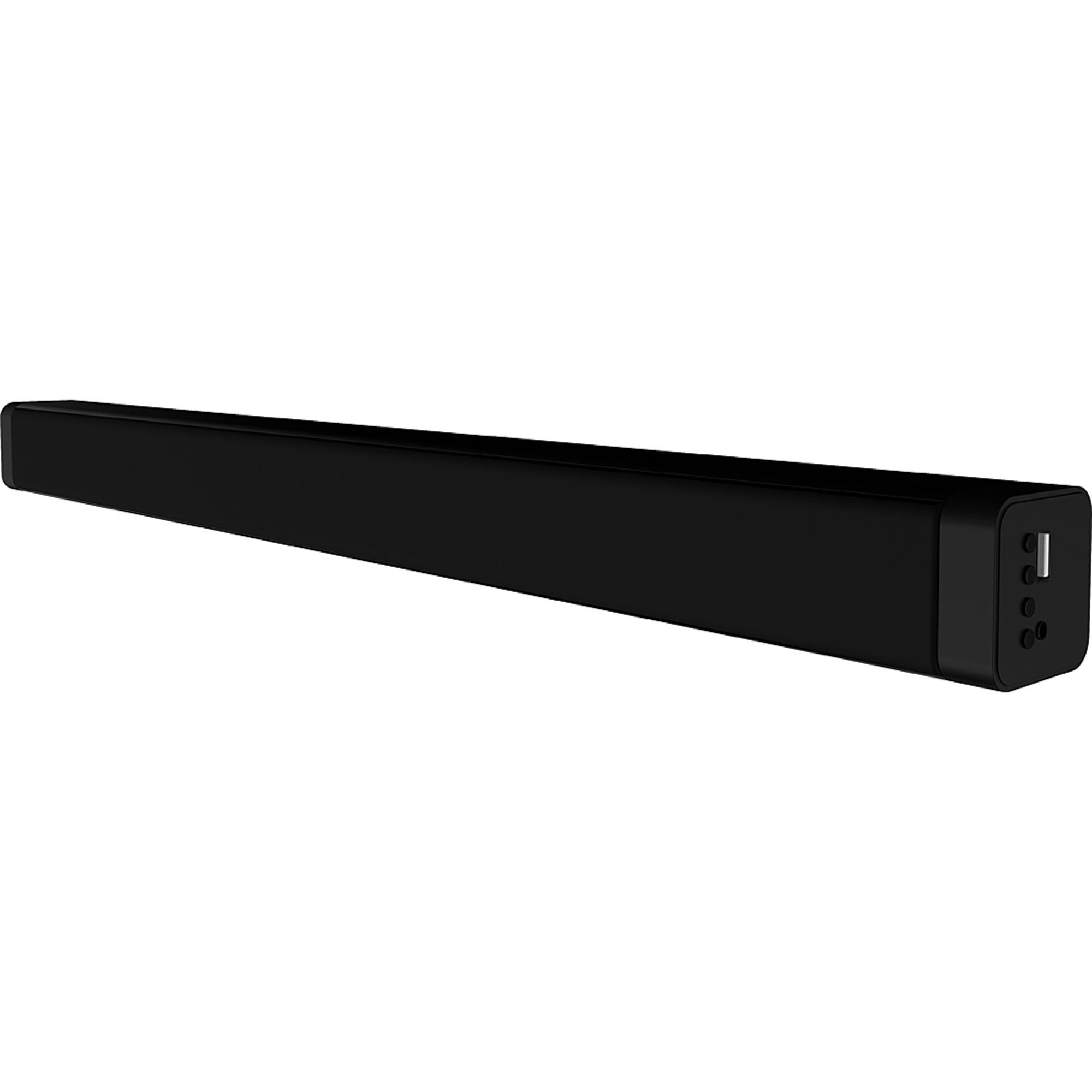
Выява 4.1: Спераду view of the Coby CSB04 Bluetooth Soundbar. The soundbar is black and rectangular.

Малюнак 4.2: Збоку view of the Coby CSB04 Soundbar, showing a USB port and other connection points.
4.1. Front Panel / Top Panel Controls
- Кнопка харчавання: Уключае або выключае гукавую панэль.
- Павялічыць/паменшыць гучнасць: Рэгулюе ўзровень гучнасці.
- Кнопка рэжыму: Switches between input modes (Bluetooth, RCA).
- Святлодыёдны індыкатар: Shows current status (e.g., Bluetooth pairing, input mode).
4.2. Злучэнне задняй панэлі
- DC IN: Сюды падключыце сеткавы адаптар.
- RCA L/R Input: Connect external audio devices using the RCA cable.
- Порт USB: For potential firmware updates or specific media playback (functionality may vary).
4.3. Пульт дыстанцыйнага кіравання
The included remote control allows for convenient operation of the soundbar from a distance. Functions typically include Power, Volume Up/Down, Mode Selection, Mute, and Playback controls for Bluetooth mode.
5. Настройка
5.1. Падключэнне сілкавання
- Падключыце адаптар пераменнага току да ПАСТАЯННЫ ток порт на задняй панэлі саўндбара.
- Падключыце другі канец адаптара пераменнага току да разеткі.
- Саўндбар пяройдзе ў рэжым чакання.
5.2. Аўдыёзлучэнне
You can connect audio sources to the soundbar via Bluetooth or RCA cable.
5.2.1. Злучэнне Bluetooth
- Power on the soundbar using the Power button on the unit or remote control.
- Націсніце Рэжым button repeatedly until the LED indicator shows Bluetooth mode (usually a blinking blue light).
- На вашым смартфоне або іншай прыладзе з падтрымкай Bluetooth уключыце Bluetooth і знайдзіце даступныя прылады.
- Select "CSB04" (or similar name) from the list of devices.
- Once paired, the LED indicator will turn solid blue, and you will hear a confirmation tone.
- Цяпер вы можаце прайграваць аўдыё са сваёй прылады праз саўндбар.
5.2.2. Злучэнне RCA
- Connect one end of the RCA cable to the RCA L / R ўваход парты на саўндбары.
- Connect the other end of the RCA cable to the audio output ports (usually "Audio Out" or "L/R Out") of your TV, DVD player, or other audio source.
- Уключыце гукавую панэль.
- Націсніце Рэжым button repeatedly until the LED indicator shows RCA mode (e.g., a green light).
- Прайгравайце аўдыё з падлучанай прылады.
6. Інструкцыя па эксплуатацыі
6.1. Уключэнне/выключэнне харчавання
Націсніце Магутнасць кнопку на саўндбары або пульце дыстанцыйнага кіравання, каб уключыць або выключыць прыладу.
6.2. Рэгуляванне гучнасці
Выкарыстоўвайце Павелічэнне гучнасці (+) і Volume Down (-) кнопкі на саўндбары або пульце дыстанцыйнага кіравання для рэгулявання ўзроўню гуку.
6.3. Changing Input Mode
Націсніце Рэжым button on the soundbar or remote control to cycle through available input sources: Bluetooth, RCA.
6.4. Прайграванне праз Bluetooth
Once paired, your Bluetooth device will automatically connect to the soundbar when both are powered on and within range. Use your device's controls or the soundbar's remote control (if applicable) for playback functions like Play/Pause, Next Track, and Previous Track.
7. Тэхнічнае абслугоўванне
Правільнае абслугоўванне забяспечвае даўгавечнасць і аптымальную прадукцыйнасць вашага саўндбара.
- Уборка: Use a soft, dry cloth to wipe the exterior of the soundbar. Do not use liquid cleaners or aerosols.
- захоўванне: Калі вы збіраецеся захоўваць саўндбар працяглы час, адключыце яго ад сілкавання і захоўвайце ў прахалодным, сухім месцы.
- Вентыляцыя: Ensure the soundbar has adequate ventilation and is not covered, to prevent overheating.
8. Выпраўленне непаладак
If you encounter issues with your Coby CSB04 Soundbar, refer to the following common problems and solutions:
| праблема | Магчымая прычына | Рашэнне |
|---|---|---|
| Няма ўлады | Адаптар сілкавання не падключаны або няспраўная разетка. | Ensure the power adapter is securely connected to the soundbar and a working power outlet. Try a different outlet. |
| Няма гуку | Incorrect input mode, low volume, or incorrect cable connection. |
|
| Спалучэнне Bluetooth не атрымалася | Саўндбар не ў рэжыме спалучэння, прылада знаходзіцца занадта далёка або ёсць перашкоды. |
|
| Пульт дыстанцыйнага кіравання не працуе | Разраджаныя батарэйкі або перашкода. | Replace the batteries in the remote control. Ensure there is no obstruction between the remote and the soundbar's sensor. |
9. Тэхнічныя характарыстыкі
Here are the technical specifications for the Coby CSB04 Bluetooth Soundbar Speaker:
- мадэль: CSB04
- Тып дынаміка: Саундбар
- Тэхналогія падключэння: Bluetooth
- Максімальная выходная магутнасць дынаміка: 10 ват
- Сумяшчальныя прылады: Smartphone (and other Bluetooth/RCA audio sources)
- Метад кантролю: Пульт дыстанцыйнага кіравання
- Крыніца харчавання: Electric Cable (AC Adapter)
- колер: Чорны
- Памеры: 85.09 х 14.22 х 38.35 см (прыблізна 33.5 х 5.6 х 15.1 цалі)
- Вага: 1.54 кг (прыблізна 3.4 фунтаў)
- Тып мацавання: Настольнае мацаванне
10. Гарантыя і падтрымка
Каб атрымаць інфармацыю пра гарантыю і тэхнічную падтрымку, звярніцеся да гарантыйнага талона, які пастаўляецца з вашым прадуктам, або наведайце афіцыйны сайт Coby. webсайт. Захоўвайце чэк аб куплі як пацверджанне пакупкі.
Каб атрымаць дадатковую дапамогу, вы можаце звязацца са службай падтрымкі кліентаў Coby праз іх афіцыйныя каналы.


