1. Уводзіны
Thank you for choosing the Solight LED Desk Lamp WO46. This versatile lamp combines modern design with practical features, including a dimmable LED light, an integrated display showing time, date, alarm, and temperature. This manual provides essential information for the safe and efficient use of your new desk lamp.
2. Інструкцыі па тэхніцы бяспекі
- Уважліва прачытайце ўсе інструкцыі перад выкарыстаннем і захавайце іх для далейшага выкарыстання.
- Пераканайцеся, што аб'ём блока харчаванняtage matches the requirements specified on the product.
- Не агаляйце лamp да вады або празмернай вільгаці.
- Пазбягайце разборкі або мадыфікацыі лamp. Усе паслугі па абслугоўванні павінны выконвацца кваліфікаваным персаналам.
- Захоўвайце лamp далей ад крыніц цяпла і прамых сонечных прамянёў.
- Ачысціце лamp толькі мяккай сухой тканінай. Не выкарыстоўвайце абразіўныя ачышчальнікі або растваральнікі.
- Гэты прадукт прызначаны толькі для выкарыстання ў памяшканнях.
3. Змесціва ўпакоўкі
Калі ласка, праверце ўпакоўку на наяўнасць наступных прадметаў:
- Святлодыёдны стол Solight Lamp WO46
- Сілавы кабель
- Кіраўніцтва карыстальніка (гэты дакумент)
4. Прадукт скончыўсяview
The Solight LED Desk Lamp WO46 features a flexible arm, an integrated LED light panel, and a multi-functional display on its base. The base also houses the touch-sensitive controls.

Figure 1: Solight LED Desk Lamp WO46 in folded position, displaying time, date, and temperature on its integrated screen.

Figure 2: Solight LED Desk Lamp WO46 with its arm extended, highlighting the LED light panel and the functional display.
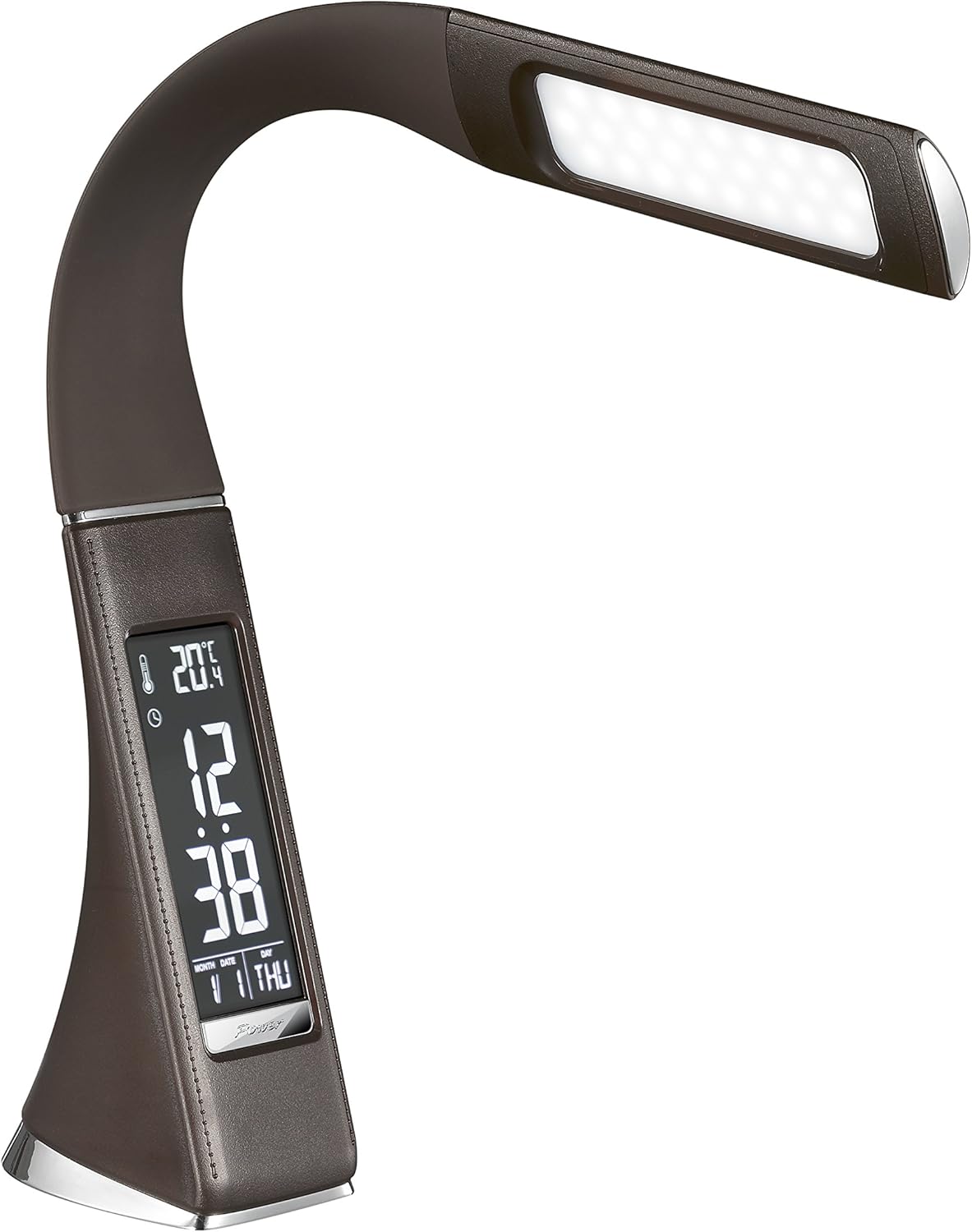
Малюнак 3: Пад вуглом view of the Solight LED Desk Lamp WO46, extended, emphasizing its sleek design and the display panel.
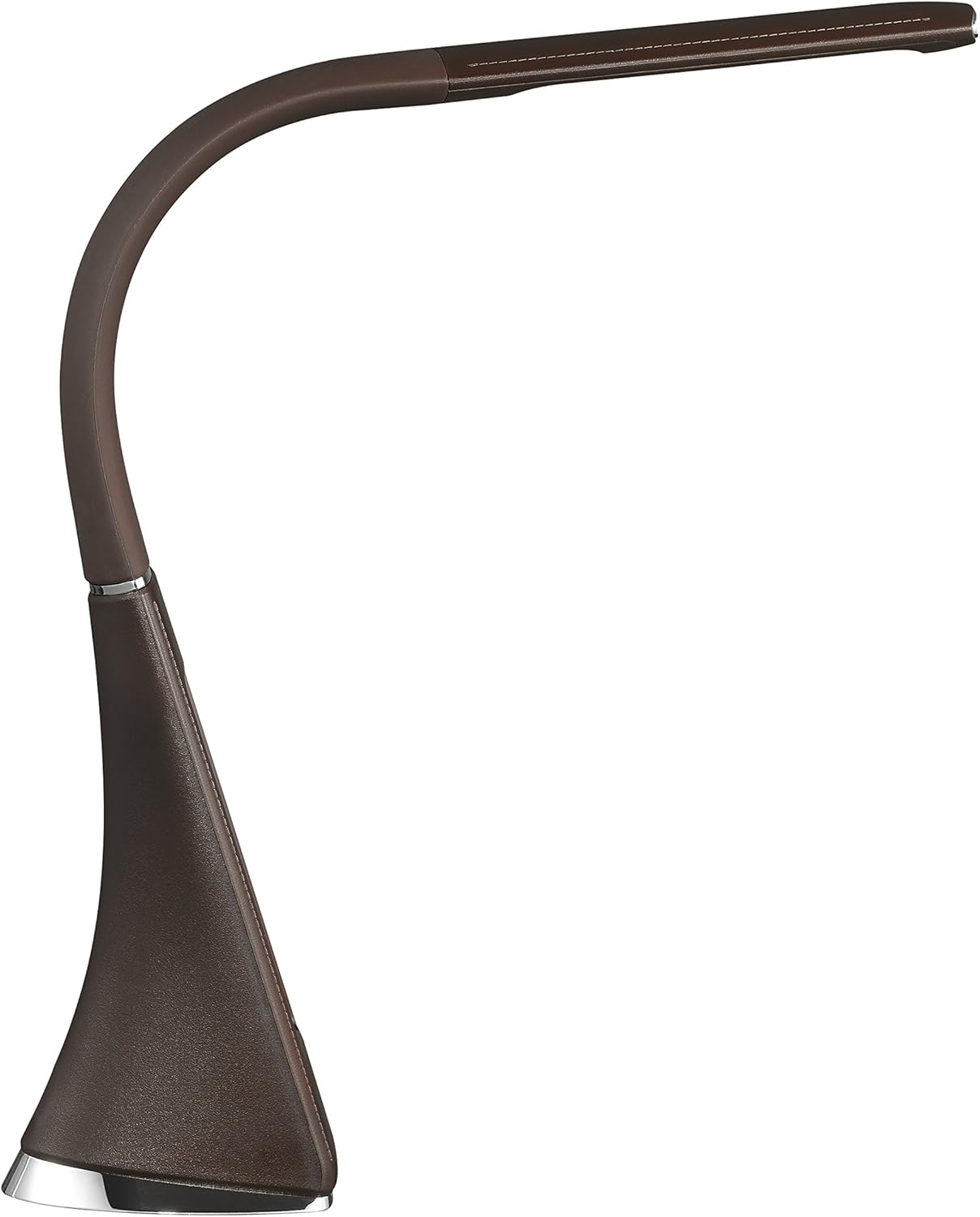
Малюнак 4: Бакавы прафесіяналfile of the Solight LED Desk Lamp WO46, extended, illustrating the flexibility of its arm and the slim design of the light panel.

Малюнак 5: Задняя частка view of the Solight LED Desk Lamp WO46, extended, indicating the power input port located at the back of the lampбаза.
5. Настройка
- Распакуйце: Акуратна дастаньце ўсе кампаненты з упакоўкі.
- Размяшчэнне: Змесціце lamp on a stable, flat surface. The non-slip base ensures stability.
- Падключыце харчаванне: Insert the power cable into the DC input port at the back of the lamp's base, then plug the adapter into a standard electrical outlet.
- Наладзіць пазіцыю: Gently adjust the flexible arm to your desired lighting angle.
6. Інструкцыя па эксплуатацыі
6.1 Кіраванне святлом
- Уключэнне/выключэнне харчавання: Press the touch-sensitive power button on the base to turn the lamp уключана або выключана.
- Рэгуляванне яркасці: З лamp on, press and hold the power button to cycle through the three available brightness levels. Release the button at your desired brightness.
6.2 Функцыі дысплея
The integrated display shows time, date, day of the week, temperature, and alarm status. Specific buttons on the base (e.g., 'Mode', 'Set', 'Up', 'Down' - refer to physical markings on your lamp if available) are used to navigate and set these functions.
- Ўстаноўка часу і даты:
- Press the 'Mode' button until the time display flashes.
- Use the 'Up' and 'Down' buttons to adjust the hour, then press 'Set' to confirm and move to minutes.
- Паўтарыце для хвілін, года, месяца і дня.
- Press 'Mode' to exit setting mode.
- Ўстаноўка будзільніка:
- Press the 'Mode' button repeatedly until the alarm icon appears and the alarm time flashes.
- Use 'Up' and 'Down' to set the alarm hour, then 'Set' to confirm and move to minutes.
- Press 'Mode' to activate/deactivate the alarm. An alarm icon will indicate if it's active.
- Дысплей тэмпературы: У лamp automatically displays the ambient temperature. No user adjustment is typically required for this function.
7. Тэхнічнае абслугоўванне
- Уборка: Адлучыце lamp from the power supply before cleaning. Wipe the lamp's surface with a soft, dry, lint-free cloth. Do not use liquid cleaners or sprays.
- захоўванне: Пры захоўванні lamp працяглы час, пераканайцеся, што ён чысты і сухі. Захоўвайце яго ў прахалодным, сухім месцы, удалечыні ад прамых сонечных прамянёў.
8. Выпраўленне непаладак
| праблема | Магчымая прычына | Рашэнне |
|---|---|---|
| Lamp не ўключаецца. | Няма крыніцы харчавання. | Check if the power cable is securely connected to the lamp and the electrical outlet. Ensure the outlet is functional. |
| Display is blank or incorrect. | Перапыненне электраэнергіі або няправільныя налады. | Ensure continuous power. Reset time and date settings as per Section 6.2. |
| Мільгае святло. | Нестабільная крыніца харчавання. | Паспрабуйце падключыць lamp into a different electrical outlet. |
| Сігналізацыя не гучыць. | Сігналізацыя не ўключана або настроена няправільна. | Verify that the alarm is set and activated (alarm icon visible) as per Section 6.2. |
9. Тэхнічныя характарыстыкі
| Асаблівасць | Дэталь |
|---|---|
| Нумар мадэлі | WO46-H |
| Памеры (Д х Ш х У) | 5.5 х 9 х 50 см |
| Вага | 599 г (1.32 фунта) |
| Матэрыял | PS (полістырол) |
| Тып аздаблення | Leather look |
| Тып крыніцы святла | святлодыёд |
| Колькасць цыбулін | 3 |
| Светлавы струмень | 300 лм |
| Магутнасць | 1.5 ват |
| тtage | 230 вольт |
| Сярэдняя працягласць жыцця | 30,000 гадзін |
| Рэйтынг IP | IP20 |
| Стыль пераключэння | Кнопка |
| Энергетычны ярлык | A+ |
10. Гарантыя і падтрымка
Solight products are designed and manufactured to the highest quality standards. For information regarding warranty coverage, technical support, or spare parts availability, please refer to the documentation provided with your purchase or visit the official Solight webсайт. Калі ласка, захавайце пацвярджэнне пакупкі для любых гарантыйных прэтэнзій.


