1. Уводзіны
Thank you for choosing the KWANWA Digital Alarm Clock, Model KW616-3N. This manual provides detailed instructions for setting up, operating, and maintaining your new clock. Designed for clear visibility and convenience, this battery-operated clock features an 8-inch extra-large LED display with 3-inch digits, adjustable brightness, and versatile placement options.

Figure 1: KWANWA Digital Alarm Clock (Model KW616-3N) with large red LED display.
2. Асаблівасці прадукту
- Лёгкі для чытання дысплей: 3-inch huge LED time display against a large black backlit screen for excellent visibility.
- Працуе ад батарэі: Operates on 2 D-cell batteries (not included), eliminating messy cords and allowing flexible placement.
- Універсальнае размяшчэнне: Features two unfoldable stand legs for table-top use and three wall-mounting hang holes for wall installation.
- Рэгуляваная яркасць: Offers 3-level manual brightness adjustment and an automatic night mode (8 PM - 6 AM) to dim the display.
- Высокая дакладнасць: Maintains time accuracy within ±30 seconds per month.
- Штодзённы будзільнік: Includes a daily alarm with a gradually increasing volume for up to 2 minutes.
3. Змесціва ўпакоўкі
- KWANWA Digital Alarm Clock (Model KW616-3N)
- Кіраўніцтва карыстальніка
4. Настройка
4.1. Устаноўка батарэі
- Знайдзіце батарэйны адсек на задняй частцы гадзінніка.
- Адкрыйце крышку батарэйнага адсека.
- Insert two (2) D-cell alkaline batteries (not included), ensuring correct polarity (+/-).
- Надзейна зачыніце крышку батарэйнага адсека.
4.2. размяшчэнне
The clock offers two convenient placement options:
- Стальніца: Unfold the two stand legs located on the back of the clock to place it on a desk, table, bedside, or nightstand.
- Насценны: Use the three wall-mounting hang holes on the back of the clock to securely hang it on a wall.
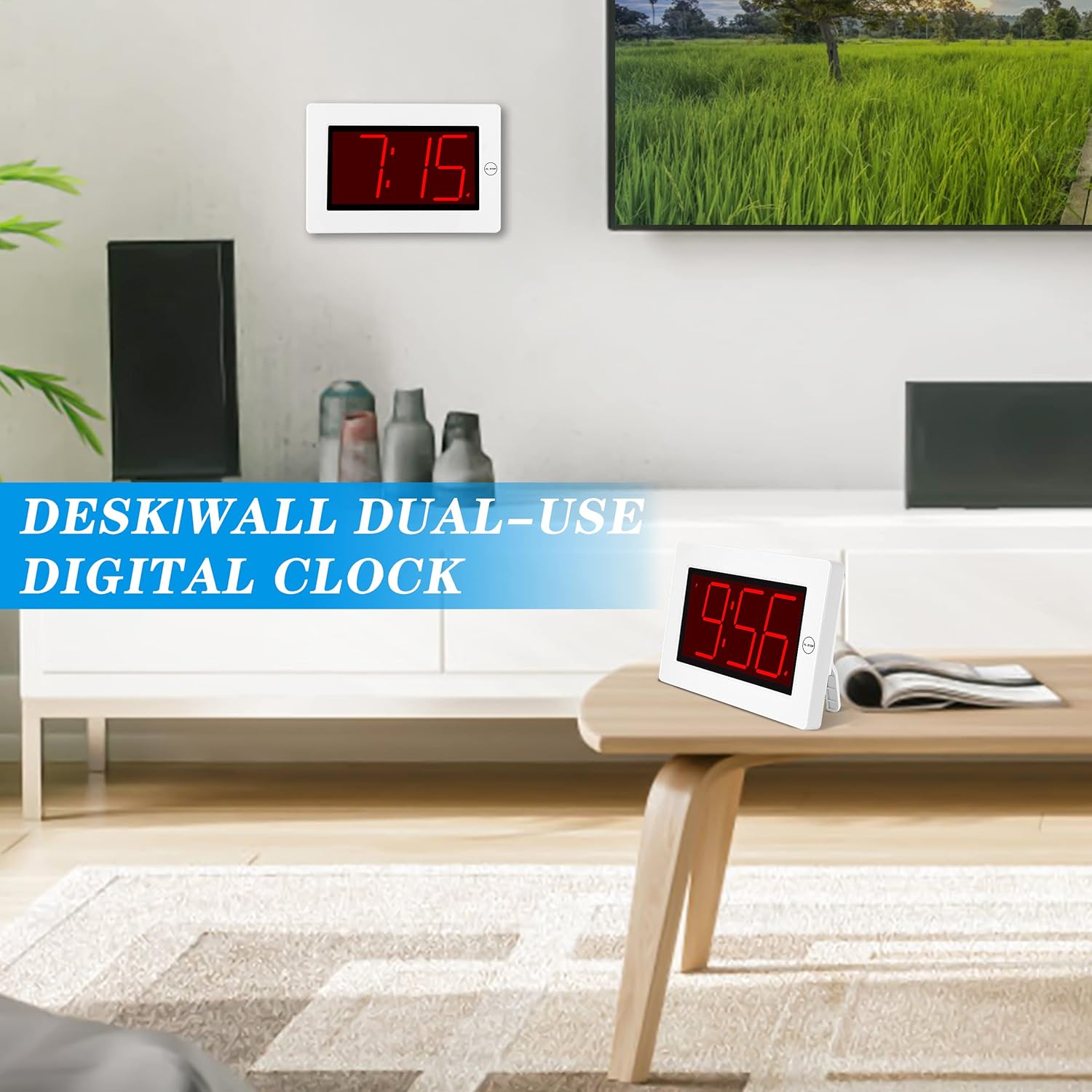
Figure 2: The clock can be used as a table-top or wall-mounted device.
5. Інструкцыя па эксплуатацыі
All control buttons are located on the back of the clock for easy access.

Малюнак 3: Задняя частка view of the clock with labeled control buttons.
5.1. Усталёўка часу
- Націсніце і ўтрымлівайце УСТАНОВА ЧАСУ button for 2 seconds to enter time setting mode. The hour digits will flash.
- Націсніце ГАДЗІНА кнопку, каб наладзіць гадзіну.
- Націсніце МІН кнопка для рэгулявання хвілін.
- Прэса УСТАНОВА ЧАСУ яшчэ раз для пацверджання і выхаду.
5.2. Налада сігналізацыі
- Націсніце і ўтрымлівайце ТРЫВОГА button for 2 seconds to enter alarm setting mode. The alarm hour digits will flash.
- Націсніце ГАДЗІНА кнопку, каб наладзіць час будзільніка.
- Націсніце МІН кнопку для налады хвілін будзільніка.
- Прэса ТРЫВОГА яшчэ раз для пацверджання і выхаду.
5.3. Alarm On/Off & Snooze
- Уключэнне/выключэнне будзільніка: Націсніце ТРЫВОГА ВКЛ / ВЫКЛ button on the back to activate or deactivate the alarm. An alarm icon will appear/disappear on the display.
- Адклад: Калі гучыць будзільнік, націсніце вялікую кнопку AL STOP button on the top of the clock to activate snooze. The alarm will pause for a short period and sound again later.
- Спыніць будзільнік: To stop the alarm for the day, press any button on the back of the clock.

Figure 4: Interacting with the alarm and snooze button.
5.4. Рэгуляванне яркасці
The clock offers both manual and automatic brightness control:
- Manual Dimmer: Націсніце MANUAL DIMMER button on the back to cycle through 3 brightness levels (High, Medium, Low) or turn the display OFF.
- Auto Dimmer: The clock automatically dims the LED display between 8 PM and 6 AM to protect your eyes and save energy. This feature can be toggled ON/OFF using the AUTO DIMMER ON/OFF кнопка на спіне.

Figure 5: Visual representation of the three brightness levels.
5.5. Пераход на летні час (DST)
Націсніце летні час button on the back to adjust the time for Daylight Saving Time. This will advance or set back the time by one hour.
5.6. Рэгуляванне гучнасці
Выкарыстоўвайце АБ'ЁМ button on the back to adjust the alarm volume to your preference.
6. Тэхнічнае абслугоўванне
- Clean the clock's exterior with a soft, dry cloth. Avoid using abrasive cleaners or solvents.
- Калі гадзіннік не будзе выкарыстоўвацца працяглы час, выміце батарэйкі, каб прадухіліць іх уцечку.
7. Выпраўленне непаладак
- Display is dim or off: Check battery levels and replace if necessary. Ensure the manual dimmer is not set to 'OFF' or the lowest setting.
- Будзільнік не гучыць: Verify that the alarm is activated (alarm icon visible on display). Check the alarm volume setting.
- Няправільны час: Re-set the time following the instructions in section 5.1. Ensure DST setting is correct for your region.
8. Тэхнічныя характарыстыкі
| Асаблівасць | Дэталь |
|---|---|
| Марка | КВАНВА |
| Нумар мадэлі | KW616-3N |
| Тып дысплея | Лічбавы святлодыёд |
| Памер дысплея | 8 inches (3-inch digits) |
| Памеры прадукту | 8.7"Ш х 5.6"В |
| Крыніца харчавання | Battery Powered (2 D batteries required) |
| Тып мацавання | Table-top/Wall-mounted |
| Матэрыял | Пластыкавыя |
| Вага прадмета | 11.7 унцыі |
| Асаблівасць | Cordless, Adjustable Brightness, Alarm |
9. Гарантыя і падтрымка
This product comes with a limited warranty. For warranty claims, technical support, or any inquiries regarding your KWANWA Digital Alarm Clock, please contact KWANWA customer service at sales@us-myhome.com.


