1. Уводзіны
The Deli ED991ES is a scientific calculator designed for students and professionals, offering 417 functions for a wide range of mathematical and scientific calculations. It features a clear LCD display, rubber buttons for comfortable operation, and a protective sliding cover. This calculator is powered by both batteries and solar energy, ensuring reliable performance.
2. Настройка
2.1 Устаноўка батарэі
The Deli ED991ES calculator requires two AA batteries for operation. It also features a solar panel for supplementary power, extending battery life.
- Знайдзіце вечка батарэйнага адсека на задняй панэлі калькулятара.
- Зніміце вечка ў кірунку, паказаным стрэлкай.
- Устаўце дзве батарэйкі тыпу АА, сачыце за правільнай палярнасцю (+/-), як пазначана ўнутры адсека.
- Зачыніце вечка батарэйнага адсека, пакуль яна надзейна не зашчоўкнецца.
Заўвага: The calculator utilizes a dual power system (battery and solar). Ensure sufficient light for solar power to function effectively.
2.2 Уключэнне/выключэнне сілкавання
To turn the calculator on, press the [ВКЛ] button. To turn it off, press [SHIFT] з наступным [ВЫКЛ].

Image 1: The Deli ED991ES Scientific Calculator with its protective sliding cover. This image shows the overall design and key layout.
3. Інструкцыя па эксплуатацыі
The Deli ED991ES offers 417 functions and 8 calculation modes to support various mathematical and scientific tasks. The clear LCD display shows inputs and results effectively.
3.1 Асноўныя аперацыі
Perform standard arithmetic operations using the number keys and operators ([+], [-], [×], [÷]). Прэса [=] каб атрымаць вынік.
3.2 Function Modes
To access different calculation modes, press the [НАЛАДКА РЭЖЫМУ] button and select the desired mode from the menu. Available modes include:
- КОМП: Basic arithmetic and functional calculations.
- СТАТЫСТЫКА: Statistical calculations, including standard deviation.
- ТАБЛІЦА: Generate number tables from functions.
- EQN: Equation solving.
- МАТРЫЦА: Matrix calculations.
- ВЕКТАР: Vector calculations.
- BASE-N: Base-N calculations.
- CMPLX: Complex number calculations.
3.3 Асноўныя функцыі
The calculator includes dedicated keys for various functions:
- Трыганаметрычныя функцыі: [грэх], [кос], [загар] and their inverse functions (accessed via [SHIFT]).
- Лагарыфмічныя функцыі: [журнал], [унутры].
- Функцыі ўзвядзення ў ступень і ўзвядзення ў корань: [x²], [√], [xʸ].
- Функцыі памяці: [STO] (Store), [RCL] (Recall), [М+] (Memory Plus).
- Дробавыя разлікі: Use the fraction key to input and calculate fractions.
- Constants and Conversions: Access scientific constants and unit conversions via [SHIFT] or [АЛЬФА].

Image 2: The calculator displaying a numerical result, demonstrating its clear screen and button layout during operation.
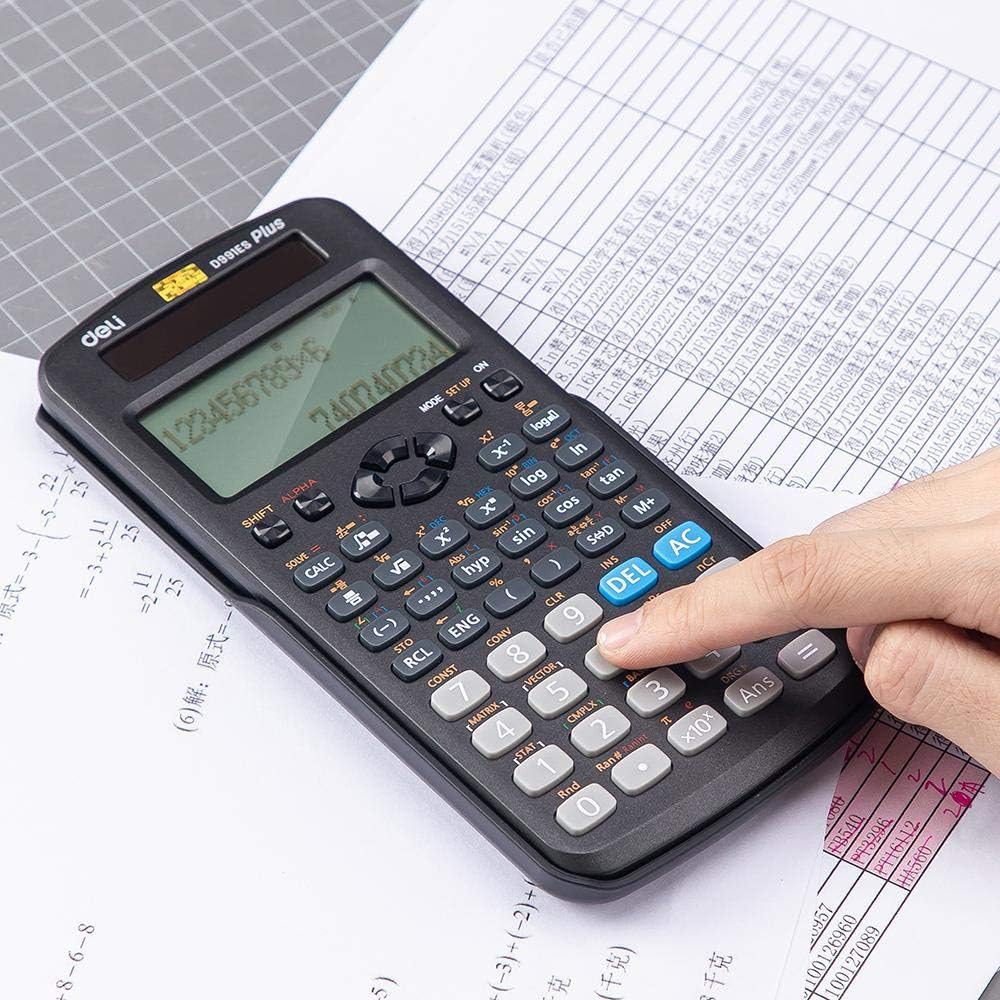
Image 3: A user's hand interacting with the calculator, highlighting the ergonomic design of the rubber buttons.

Image 4: The calculator positioned on a worksheet, illustrating its practical use in an academic setting.
4. Тэхнічнае абслугоўванне
4.1 Ачыстка
To clean the calculator, wipe it gently with a soft, dry cloth. Do not use abrasive cleaners, solvents, or spray directly onto the device, as this may damage the display or internal components.
4.2 Захоўванне
When not in use, always keep the protective sliding cover on the calculator to prevent dust, scratches, and accidental button presses. Store the calculator in a cool, dry place away from direct sunlight and extreme temperatures.
5. Выпраўленне непаладак
- Калькулятар не ўключаецца: Check if the batteries are correctly installed and have sufficient charge. Ensure there is adequate light for the solar panel if operating in low light conditions.
- Няправільныя вынікі: Verify that the calculator is in the correct mode (e.g., DEG/RAD for angles, COMP for basic calculations). Clear previous calculations by pressing [AC].
- Дысплей цьмяны або пусты: Replace the batteries. Ensure the solar panel is exposed to light.
- Кнопкі не рэагуюць: Ensure no debris is lodged under the buttons. If the issue persists, try removing and reinserting the batteries to reset the device.
6. Тэхнічныя характарыстыкі
| Асаблівасць | Дэталь |
|---|---|
| Нумар мадэлі | ED991ES |
| Марка | Гастраном |
| Тып | Scientific / Engineering Calculator |
| Колькасць функцый | 417 |
| Крыніца харчавання | Battery (2 AA), Solar |
| Тып дысплея | ВК |
| Памеры (Д х Ш х У) | 171.9 х 83 х 17.5 мм |
| Вага | 216 г |
| Колер | Чорны |
7. Гарантыя і падтрымка
For warranty information or technical support, please refer to the documentation provided at the time of purchase or contact your retailer. Keep your purchase receipt as proof of purchase.


