Уводзіны
This manual provides essential information for the safe and efficient operation of your LG 32LM620BPUA 32-inch HDR Smart LED HD TV. Please read it thoroughly before using the product and retain it for future reference. This television combines a 32-inch HD display with Smart TV capabilities, powered by WebOS, offering access to various streaming services and enhanced picture quality with Active HDR.
Інфармацыя па бяспецы
Заўсёды выконвайце гэтыя асноўныя меры бяспекі, каб знізіць рызыку пажару, паражэння электрычным токам або траўмаў:
- Не падвяргайце тэлевізар уздзеянню дажджу або вільгаці.
- Забяспечце належную вентыляцыю; не блакуйце вентыляцыйныя адтуліны.
- Пастаўце тэлевізар на ўстойлівую, роўную паверхню, каб ён не ўпаў.
- Выкарыстоўвайце толькі шнур сілкавання, які пастаўляецца з тэлевізарам.
- Адключайце тэлевізар ад сеткі падчас навальніцы або калі ён не выкарыстоўваецца працяглы час.
- Не адкрывайце корпус тэлевізара; звяртайцеся па абслугоўванне да кваліфікаванага персаналу.
Змест пакета
Праверце, ці ёсць усе прадметы ў скрынцы:
- LG 32LM620BPUA 32-inch HDR Smart LED HD TV
- Пульт дыстанцыйнага кіравання
- Шнур харчавання
- Падстаўка пад тэлевізар (з шрубамі)
- Кіраўніцтва карыстальніка (гэты дакумент)
Настройка
1. Распакаванне
Асцярожна выміце тэлевізар і ўсе аксэсуары з упакоўкі. Рэкамендуецца захаваць арыгінальную ўпакоўку для будучай транспарціроўкі або абслугоўвання.
2. Мацаванне падстаўкі
Калі вы не збіраецеся мацаваць тэлевізар на сцяну, прымацуйце падстаўку з камплекта:
- Пакладзеце тэлевізар экранам уніз на мяккую, роўную паверхню, каб пазбегнуць драпін.
- Сумясціце аснову падстаўкі з мантажнымі адтулінамі ў ніжняй частцы тэлевізара.
- Замацуйце падстаўку з дапамогай шруб, якія ўваходзяць у камплект. Пераканайцеся, што падстаўка надзейна прымацаваная.
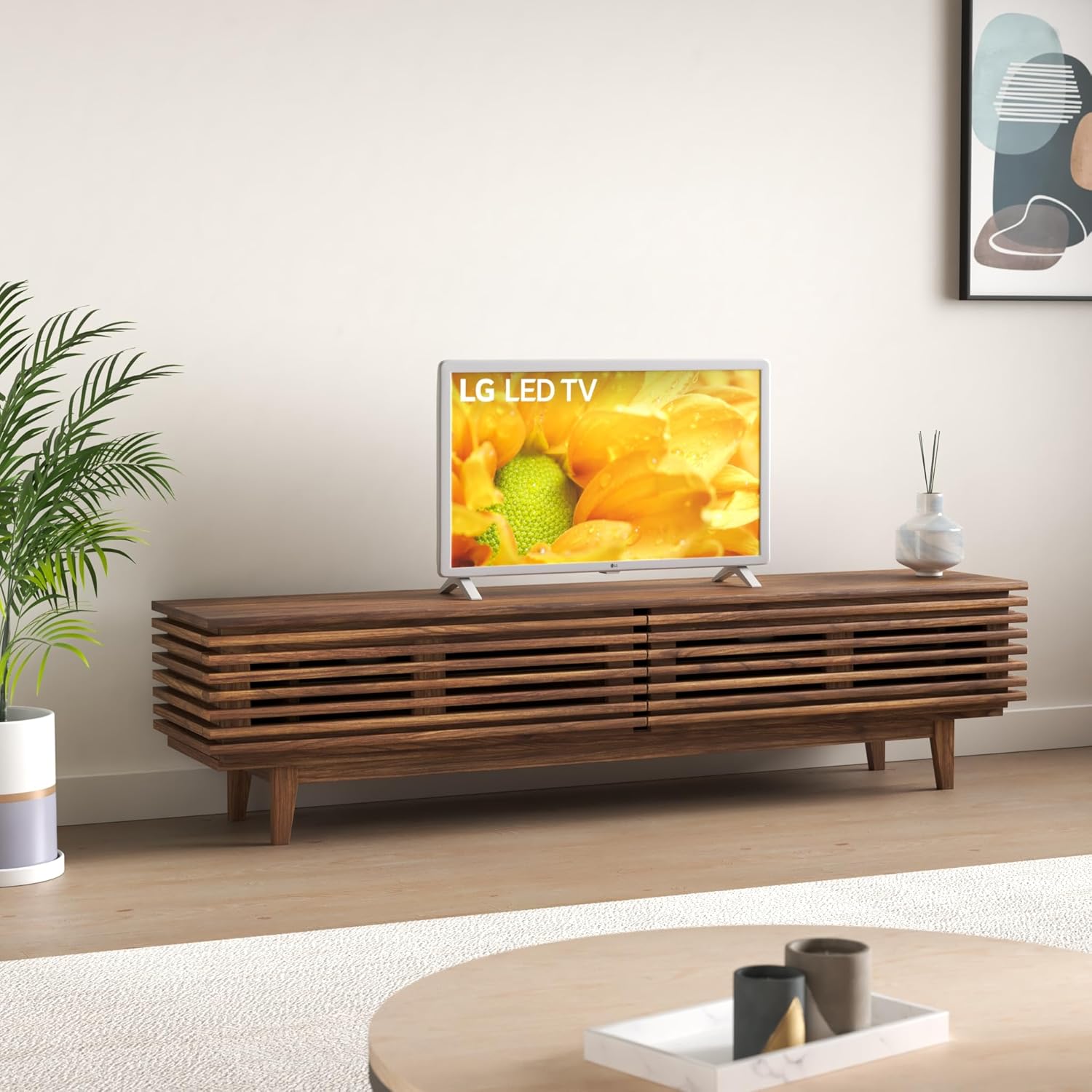
Image: The LG 32LM620BPUA TV, featuring a white bezel, displayed on a wooden media console in a living room setting. This illustrates the TV's appearance when placed on its stand.
3. Насценнае мацаванне (неабавязкова)
If you choose to wall-mount your TV, use a VESA-compatible wall mount kit (sold separately). Refer to the wall mount kit's instructions for proper installation. Ensure the wall can support the weight of the TV.
4. Падключэнне перыферыйных прылад
Падключыце знешнія прылады да партоў тэлевізара:
- HDMI: Для Blu-ray прайгравальнікаў, гульнявых прыставак, кабельных/спадарожнікавых прыставак.
- USB: Для USB-назапашвальнікаў view фота, відэа ці слухаць музыку.
- Антэна/кабель: Падключыце антэну або кабельнае тэлебачанне для прагляду тэлеканалаў.
5. Пачатковае ўключэнне і першая налада
Plug the power cord into an electrical outlet. Press the power button on the remote control or the TV. Follow the on-screen instructions to complete the initial setup, including language selection, network connection, and channel scanning.
Аперацыйная
1. Функцыі дыстанцыйнага кіравання
The included remote control allows you to navigate the TV's features. Common buttons include Power, Volume Up/Down, Channel Up/Down, Input Selection, Home (for Smart TV menu), and Navigation (arrow keys, OK).
2. Навігацыя WebАС Smart TV
Ваш тэлевізар LG працуе на WebOS operating system. Press the Home button on your remote to access the Launcher Bar, which displays your installed apps, inputs, and settings. Use the arrow keys to navigate and the OK button to select.

Выява: буйны план view of the LG 32LM620BPUA TV screen, showcasing its vibrant display with rich colors. This highlights the visual quality of the television.
3. Падключэнне да Wi-Fi
To access Smart TV features, connect your TV to a wireless network:
- Press the Home button on the remote.
- Navigate to the Settings icon (gear icon).
- Select 'Network' > 'Wi-Fi Connection'.
- Выберыце сваю сетку Wi-Fi са спісу і ўвядзіце пароль.
4. Using Smart Features and Voice Control
Once connected to the internet, you can access pre-installed apps like Netflix and Amazon Prime Video. The TV also supports voice control; press the microphone button on your remote (if available) and speak commands.
5. Налады выявы і гуку
Adjust picture and sound to your preference:
- Рэжымы выявы: Select from modes like Standard, Vivid, Cinema, Game, or adjust individual settings (brightness, contrast, color).
- Рэжымы гуку: Choose from Standard, Cinema, Music, Sports, or customize equalizer settings.
Тэхнічнае абслугоўванне
1. Ачыстка экрана і вонкавага корпуса
Каб ачысціць экран, акуратна працярыце яго мяккай, сухой тканінай без ворса. Для выдалення ўстойлівых плям злёгкуampen the cloth with water or a specialized screen cleaner. Avoid harsh chemicals. For the exterior, use a soft, dry cloth.
2. Абнаўленне праграмнага забеспячэння
Your TV may receive software updates to improve performance and add features. Ensure your TV is connected to the internet. You can check for updates manually via Settings > General > About This TV > Check for Updates.
3. Захоўванне
If storing the TV for an extended period, unplug it, remove the stand (if applicable), and pack it in its original packaging in a dry, dust-free environment.
Ліквідацыю непаладак
Refer to the following for common issues:
- Няма харчавання: Праверце, ці шнур сілкавання надзейна падключаны да тэлевізара і разеткі. Паспрабуйце іншую разетку.
- Няма выявы/гуку: Пераканайцеся, што выбрана правільная крыніца ўваходнага сігналу. Праверце ўсе кабельныя злучэнні (HDMI, антэна).
- Пульт дыстанцыйнага кіравання не працуе: Замяніце батарэйкі. Пераканайцеся, што паміж пультам дыстанцыйнага кіравання і датчыкам тэлевізара няма перашкод.
- Праблемы з падключэннем Wi-Fi: Restart your router and the TV. Re-enter the Wi-Fi password in the TV's network settings.
- Праграмы Smart TV не загружаюцца: Праверце падключэнне да Інтэрнэту. Паспрабуйце перазагрузіць тэлевізар.
Скід да заводскіх налад
If problems persist, a factory reset may resolve them. This will erase all personalized settings and data. Navigate to Settings > General > Reset to Initial Settings.
Тэхнічныя характарыстыкі
| Асаблівасць | Спецыфікацыя |
|---|---|
| Нумар мадэлі | 32LM620BPUA |
| Памер экрана | 32 цалі |
| Тэхналогія адлюстравання | ВК |
| дазвол | 720p |
| Частата абнаўлення | 60 Гц |
| Аперацыйная сістэма | WebOS |
| Падтрымліваецца фармат HDR | HDR10, HLG |
| Тэхналогія падлучэння | Wi-Fi |
| Аўдыё ўваход | HDMI, USB |
| Усяго партоў USB | 2 (USB 2.0) |
| Viewing кут | 170 градусаў |
| Вага прадмета | 11.2 фунта |
| Мадэльны год | 2019 |
Інфармацыя аб гарантыі
Your LG 32LM620BPUA TV comes with a limited manufacturer's warranty. Please refer to the warranty card included in your product packaging or visit the official LG webпадрабязныя ўмовы, у тым ліку тэрмін пакрыцця і працэдуры абслугоўвання, глядзіце на сайце. Захоўвайце пацвярджэнне пакупкі для прэтэнзій па гарантыі.
Падтрымка
For technical assistance, product registration, or further inquiries, please contact LG Customer Support:
- Webсайт: Наведайце www.lg.com/us/support для часта задаваных пытанняў, загрузак і запытаў на абслугоўванне.
- тэлефон: Звярніцеся ў службу падтрымкі LG webсайт, каб знайсці найбольш актуальныя кантактныя нумары для вашага рэгіёна.