Уводзіны
This manual provides detailed instructions for the Superior Electronics Ready5 Smart Universal Remote Control, Model SUPTRB019. This remote is designed for immediate use with a wide range of LG, Samsung, Sony, Philips, and Panasonic televisions, eliminating the need for complex programming.
Асноўныя функцыі ўключаюць у сябе:
- Universal compatibility with major TV brands (LG, Samsung, Sony, Philips, Panasonic).
- Ready-to-use functionality; no programming required.
- Full Smart TV compatibility for enhanced control.
- Dedicated quick access buttons for popular streaming services like Netflix and Prime Video.
- Ergonomic design with intuitive button layout for comfortable and immediate operation.
- Выраблены з трывалых матэрыялаў для працяглай працы.

Image: The Superior Electronics Ready5 Smart Universal Remote Control shown in its retail packaging, highlighting its "Ready to Use" feature and compatibility with various TV brands.
Настройка
1. Устаўка батарэек
The remote control requires two (2) AAA batteries (not included). Follow these steps to insert them correctly:
- Знайдзіце крышку батарэйнага адсека на задняй частцы пульта дыстанцыйнага кіравання.
- Зрушыце вечка ўніз або націсніце на зашчапку (калі ёсць), каб адкрыць адсек.
- Insert two AAA batteries, ensuring that the positive (+) and negative (-) terminals align with the indicators inside the compartment. Incorrect polarity can prevent the remote from functioning.
- Засуньце вечка батарэйнага адсека на месца, пакуль яна надзейна не зашчоўкне.

Выява: Задняя частка view of the remote control, illustrating the location of the battery compartment for easy access and battery insertion.
2. Першапачатковае выкарыстанне
The Superior Electronics Ready5 Smart remote control is designed for immediate use with compatible LG, Samsung, Sony, Philips, and Panasonic TVs. Once the batteries are correctly inserted, the remote is ready to operate your television without any additional programming or setup. Simply point the remote at your TV and begin using its functions.
Інструкцыя па эксплуатацыі
This section details the primary functions of the buttons on your Ready5 Smart remote control.

Выява: спераду view of the Superior Electronics Ready5 Smart remote control, displaying all buttons and their layout for easy identification.
Функцыі кнопак скончаныview
| Кнопка | Функцыя |
|---|---|
| Магутнасць (●) | Уключае або выключае тэлевізар. |
| Увод | Выбірае крыніцу ўваходнага сігналу (HDMI, AV і г.д.). |
| Smart Video / NET.TV | Direct access to Smart TV features or specific streaming apps. |
| 3D | Уключае або выключае рэжым 3D (калі падтрымліваецца тэлевізарам). |
| Кіраўніцтва | Адлюстроўвае электронны тэлегід. |
| Меню | Адкрывае галоўнае меню тэлевізара. |
| Падп. | Уключае або выключае субтытры. |
| Выбраны | Доступ да спісу абраных каналаў. |
| Інфармацыя | Адлюстроўвае інфармацыю пра бягучую праграму або ўваход. |
| Навігацыя (Уверх, Уніз, Улева, Управа, ОК) | Навігацыя па меню і пацвярджэнне выбару. |
| Назад | Вяртанне да папярэдняга экрана або меню. |
| Выхад | Выхад з бягучага меню або праграмы. |
| Гучнасць +/- | Рэгулюе гучнасць уверх ці ўніз. |
| Адключыць гук | Уключае або выключае гук тэлевізара. |
| Ch +/- | Змяняе канал уверх ці ўніз. |
| Нумары (0-9) | Непасрэдны ўвод нумароў каналаў або лічбавых дадзеных. |
| Спіс | Displays a list of channels or media. |
| Netflix | Непасрэдна запускае праграму Netflix. |
| Prime Video | Directly launches the Amazon Prime Video application. |
| Каляровыя кнопкі (чырвоны, зялёны, жоўты, сіні) | Functions vary depending on the TV model and current menu/application. |
| Media Control (Play, Pause, Stop, Rewind, Fast Forward, Record) | Controls media playback (e.g., USB, streaming apps). |
Smart TV and Streaming Access
The Ready5 Smart remote is designed to seamlessly integrate with your Smart TV's functionalities. Use the navigation buttons to browse Smart TV menus and applications. The dedicated Netflix and Prime Video buttons provide instant access to these popular streaming platforms, allowing you to start watching your favorite content with a single press.
Тэхнічнае абслугоўванне
Ачыстка пульта дыстанцыйнага кіравання
To ensure optimal performance and longevity of your remote control, follow these cleaning guidelines:
- Заўсёды вымайце батарэйкі перад чысткай.
- Выкарыстоўвайце мяккую, сухую тканіну, каб праціраць паверхню пульта дыстанцыйнага кіравання.
- Для ўстойлівага бруду злёгку ачысціцеampПрацярыце тканіну вадой або мяккім неабразіўным ачышчальнікам. Пазбягайце празмернай вільготнасці.
- Не выкарыстоўвайце агрэсіўныя хімікаты, абразіўныя ачышчальнікі або растваральнікі, бо яны могуць пашкодзіць пакрыццё пульта дыстанцыйнага кіравання або ўнутраныя кампаненты.
- Ensure the remote is completely dry before reinserting batteries.
Сыход за батарэяй і яе замена
Replace batteries when the remote's response becomes sluggish or it stops functioning. Always replace both batteries at the same time with new AAA batteries. Do not mix old and new batteries, or different types of batteries. Dispose of used batteries responsibly according to local regulations.
Ліквідацыю непаладак
If you encounter issues with your Ready5 Smart remote control, refer to the following common problems and solutions:
Пульт не адказвае
- Праверце батарэі: Пераканайцеся, што батарэйкі ўстаўлены правільна з захаваннем палярнасці (+/-) і не разраджаныя. Пры неабходнасці замяніце іх новымі батарэйкамі тыпу AAA.
- Лінія візавання: Make sure there are no obstructions between the remote control and the TV's infrared receiver. Point the remote directly at the TV.
- Адлегласць: Пераканайцеся, што вы знаходзіцеся ў межах эфектыўнай рабочай адлегласці (да 10 метраў).
- Магутнасць тэлевізара: Confirm that your TV is powered on and not in standby mode.
Пэўныя кнопкі не працуюць
- Агульная функцыянальнасць: If most buttons work but a few do not, it might indicate a specific TV model's lack of support for that particular function via universal remote, or a dirty contact under the button.
- Smart TV/Streaming Buttons: Ensure your TV is a Smart TV and has the respective applications (Netflix, Prime Video) installed and updated.
Праблемы сумяшчальнасці
The Ready5 Smart remote is pre-programmed for LG, Samsung, Sony, Philips, and Panasonic TVs manufactured from 2000 onwards. If your TV is from a different brand or an older model, full functionality may not be guaranteed. No programming is required for the listed compatible brands.
Тэхнічныя характарыстыкі
| Асаблівасць | Дэталь |
|---|---|
| Назва мадэлі | Ready5 Smart |
| Нумар мадэлі | SUPTRB019 |
| Марка | Superior Electronics |
| Сумяшчальныя прылады | LG, Samsung, Sony, Philips, Panasonic Televisions (models from 2000 onwards) |
| Тэхналогія падлучэння | Інфрачырвоны (ВК) |
| Крыніца харчавання | 2 х ААА батарэі (не ўключаны) |
| Максімальны дыяпазон | 10 метраў (прыблізна 33 футаў) |
| Памеры прадукту | 5 х 1.5 х 19 см (прыблізна 1.97 х 0.59 х 7.48 цалі) |
| Вага | 100 грамаў (прыблізна 3.53 унцыі) |
| Колер | Чорны |
| Асаблівасць | Universal, immediately ready for use (no programming) |
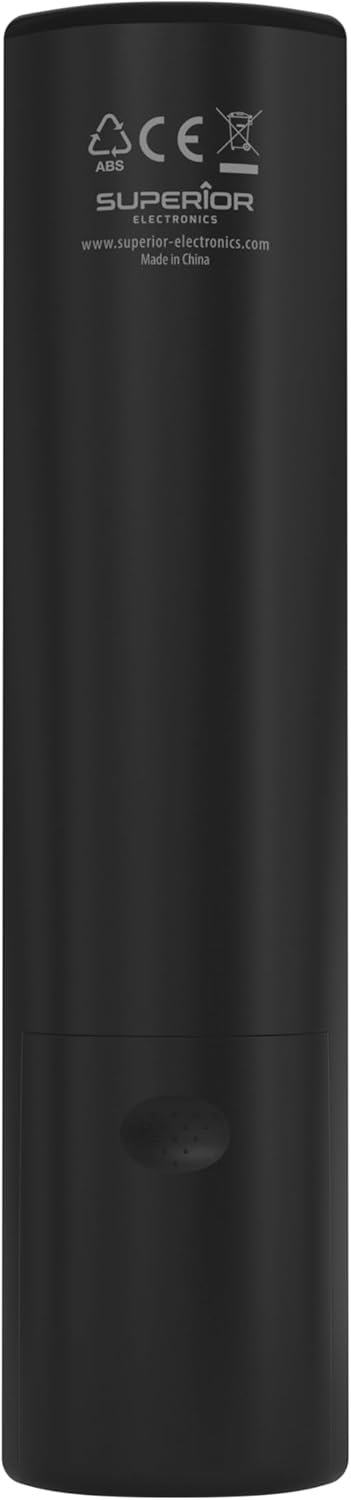
Image: The remote control with its approximate dimensions (4.8 cm width, 19.5 cm length) highlighted for reference.
Інфармацыя аб гарантыі
Specific warranty details for the Superior Electronics Ready5 Smart Universal Remote Control are typically provided with your purchase documentation or can be found on the official Superior Electronics website. Please refer to these resources for comprehensive information regarding warranty coverage, terms, and conditions.
Падтрымка
For further assistance, technical support, or additional product information, please visit the official Superior Electronics website or contact their customer service department. Contact details are usually available on the product packaging or the manufacturer's webсайт.
Manufacturer: Superior Electronics
Для атрымання дадатковай інфармацыі вы можаце наведаць Superior Electronics Store on Amazon.


