Уводзіны
This manual provides instructions for the Speedlink PIAVO Wireless Ergonomic Vertical Mouse (Model SL-630019-BK-01). This ergonomic mouse is designed to promote a natural, relaxed wrist posture, reducing strain on the hand, arm, shoulder, and neck during extended computer use. It features 5 buttons, adjustable DPI settings, and wireless 2.4 GHz connectivity.

Малюнак 1: Speedlink PIAVO Wireless Ergonomic Vertical Mouse, front view. This image shows the overall ergonomic design of the mouse.
Змест пакета
Калі ласка, пераканайцеся, што ўсе прадметы прысутнічаюць у камплекце:
- Speedlink PIAVO Wireless Ergonomic Vertical Mouse
- Прыёмнік USB-A
- Battery (pre-installed or included separately)
- Інструкцыя па эксплуатацыі (гэты дакумент)

Малюнак 2: Packaging of the Speedlink PIAVO Wireless Ergonomic Vertical Mouse. The box indicates "Wireless Vertical Mouse" and "10m Range".
Настройка
- Устаўце батарэю: If the battery is not pre-installed, open the battery compartment on the underside of the mouse and insert the included battery, ensuring correct polarity.
- Падключыце USB-рэсівер: Locate an available USB-A port on your computer or laptop. Insert the USB-A receiver into the port.
- Уключэнне мышы: Знайдзіце перамыкач уключэння/выключэння на ніжняй частцы мышы. Перасуньце перамыкач у становішча «Уключана».
- Ўстаноўка драйвера: The mouse is designed for plug-and-play operation. Your operating system (e.g., Windows) should automatically detect and install the necessary drivers. This process typically takes a few seconds.
- Тэставанне: Once installed, move the mouse to test cursor movement. If the cursor does not respond, ensure the mouse is powered on and the USB receiver is securely connected.

Малюнак 3: Underside of the mouse, illustrating the battery compartment and the On/Off switch. Ensure the switch is in the 'On' position for operation.
Інструкцыя па эксплуатацыі
The Speedlink PIAVO mouse features 5 buttons and adjustable DPI settings for optimal control.
- Левая кнопка мышы: Стандартная функцыя асноўнага кліку.
- Правая кнопка мышы: Стандартная функцыя другаснага кліку.
- Кола пракруткі: Для пракруткі дакументаў і web pages. Can also be pressed for a middle-click function.
- Кнопка пераключэння DPI: Located near the scroll wheel. Press this button to cycle through the available DPI settings (800, 1200, 1600 DPI). This adjusts the cursor speed and sensitivity.
- Кнопкі наперад/назад: Located on the side of the mouse, typically used for navigation in web браўзэры або file даследчыкі.
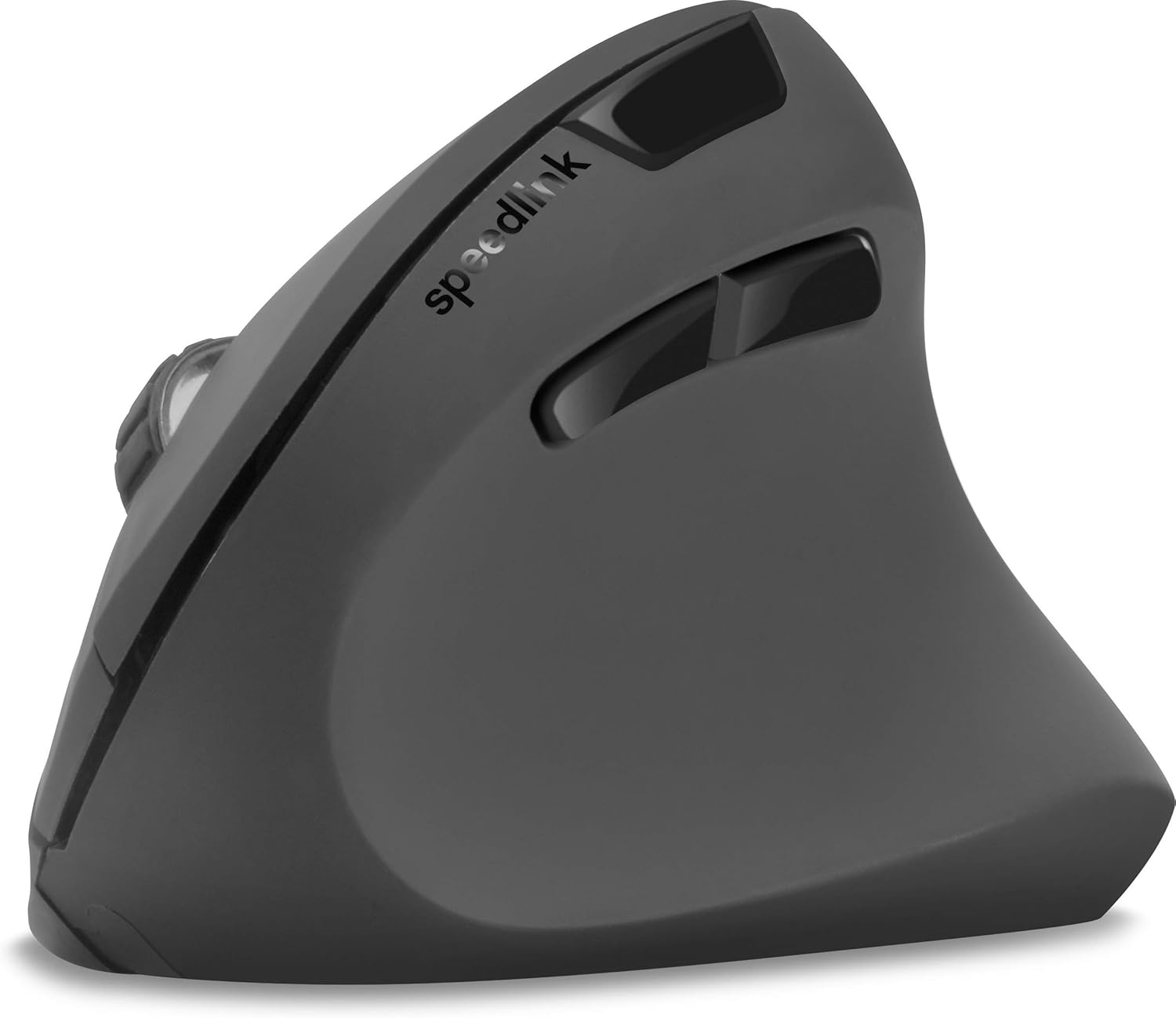
Малюнак 4: Зверху ўніз view of the mouse, highlighting the left/right click buttons, scroll wheel, and DPI switch button.

Малюнак 5: Збоку view of the mouse, illustrating the ergonomic grip and the forward/backward navigation buttons.
энергазахавальны рэжым
The mouse features an energy-saving mode to conserve battery life. If the mouse is inactive for a period, it will enter a sleep state. To wake it up, simply move the mouse or press any button.
Тэхнічнае абслугоўванне
To ensure the longevity and optimal performance of your Speedlink PIAVO mouse, follow these maintenance guidelines:
- Уборка: Для чысткі вонкавага боку мышы выкарыстоўвайце мяккую сухую тканіну. Для выдалення ўстойлівага бруду злёгкуamp cloth can be used, but ensure no moisture enters the mouse. Avoid using harsh chemicals or abrasive cleaners.
- Ачыстка датчыка: Occasionally, dust or debris may accumulate around the optical sensor on the underside of the mouse. Use a soft brush or compressed air to gently clean the sensor area.
- Замена батарэі: When the mouse performance degrades or it stops responding, it may be time to replace the battery. Open the battery compartment, remove the old battery, and insert a new one of the same type, observing polarity.
- захоўванне: When not in use for extended periods, it is recommended to switch off the mouse using the On/Off switch to conserve battery life. Store the mouse and USB receiver in a dry, dust-free environment.
Ліквідацыю непаладак
| праблема | Магчымая прычына | Рашэнне |
|---|---|---|
| Мышка не рэагуе / Курсор не рухаецца. |
|
|
| Няправільны рух курсора. |
|
|
| DPI setting resets after sleep/reboot. | This is a known characteristic for some mice; the DPI setting may revert to default. | Press the DPI switch button to select your preferred sensitivity after waking the mouse or restarting the computer. |
Тэхнічныя характарыстыкі
| Нумар мадэлі | SL-630019-BK-01 |
| Сувязь | Wireless 2.4 GHz via USB-A Receiver |
| Выяўленне руху | Аптычны |
| Колькасць кнопак | 5 |
| Налады DPI | 800, 1200, 1600 DPI (рэгуляванае) |
| Рука арыентацыі | Правша |
| Далёкасць бесправадной сувязі | Да 10 метраў |
| Крыніца харчавання | Battery-powered (Battery included) |
| Сумяшчальныя аперацыйныя сістэмы | вокны |
| Вага | 106 грам |
| Колер | Чорны |
Гарантыя і падтрымка
Information regarding specific warranty terms and customer support contact details is not available in the provided product data. Please refer to the product packaging or the manufacturer's official webсайт, каб атрымаць найбольш актуальную інфармацыю аб гарантыі і варыянтах падтрымкі.
Каб атрымаць дадатковую дапамогу, вы можаце наведаць Speedlink official webсайт.


