1. Прадукт скончыўсяview
The TP-Link Archer TX50E is a high-performance AX3000 Wi-Fi 6 Bluetooth 5.3 PCIe Adapter designed for desktop PCs. It leverages the latest Wi-Fi 6 standard to deliver extreme speeds, ultra-low latency, and uninterrupted connectivity, making it suitable for demanding applications like immersive gaming and VR. The adapter features a customized heat sink and gold-plated contactors for enhanced stability and longevity.
Асноўныя характарыстыкі:
- Wi-Fi 6 Performance: Delivers speeds up to 2.4 Gbps (2402 Mbps on 5 GHz + 574 Mbps on 2.4 GHz) with 1024-QAM and 160 MHz bandwidth.
- Ультранізкая затрымка: Revolutionary OFDMA and MU-MIMO technologies reduce lag for responsive gaming and VR experiences.
- Bluetooth 5.3: Achieves 2× faster speeds and 4× broader coverage than Bluetooth 4.2, enabling seamless connection with various peripherals.
- Шырокі ахоп: Equipped with two high-gain antennas to extend Wi-Fi range.
- Прэміум зборка: Features a customized heat sink for efficient thermal dissipation and gold-plated contactors for improved stability and oxidation resistance.
- Палепшаная бяспека: Supports WPA3, the latest network security standard, for enhanced network protection.
2. Змесціва ўпакоўкі
Праверце, ці ёсць усе прадметы ў вашай упакоўцы:

Image: TP-Link Archer TX50E retail box showing the adapter and included accessories.
- TP-Link Archer TX50E Wi-Fi 6 Bluetooth 5.3 PCIe Adapter
- Дзве антэны з высокім каэфіцыентам узмацнення
- USB-кабель Bluetooth
- Рэсурсны кампакт-дыск
- Кіраўніцтва па хуткай ўстаноўцы
- Нізкі-Profile Кранштэйн
3. Устаноўка абсталявання
Перш чым пачаць:
- Ensure your computer is powered off and unplugged from the power source.
- Ground yourself to discharge any static electricity before handling components.
- Refer to your computer's manual for specific instructions on opening the case.
Пакрокавая ўстаноўка:
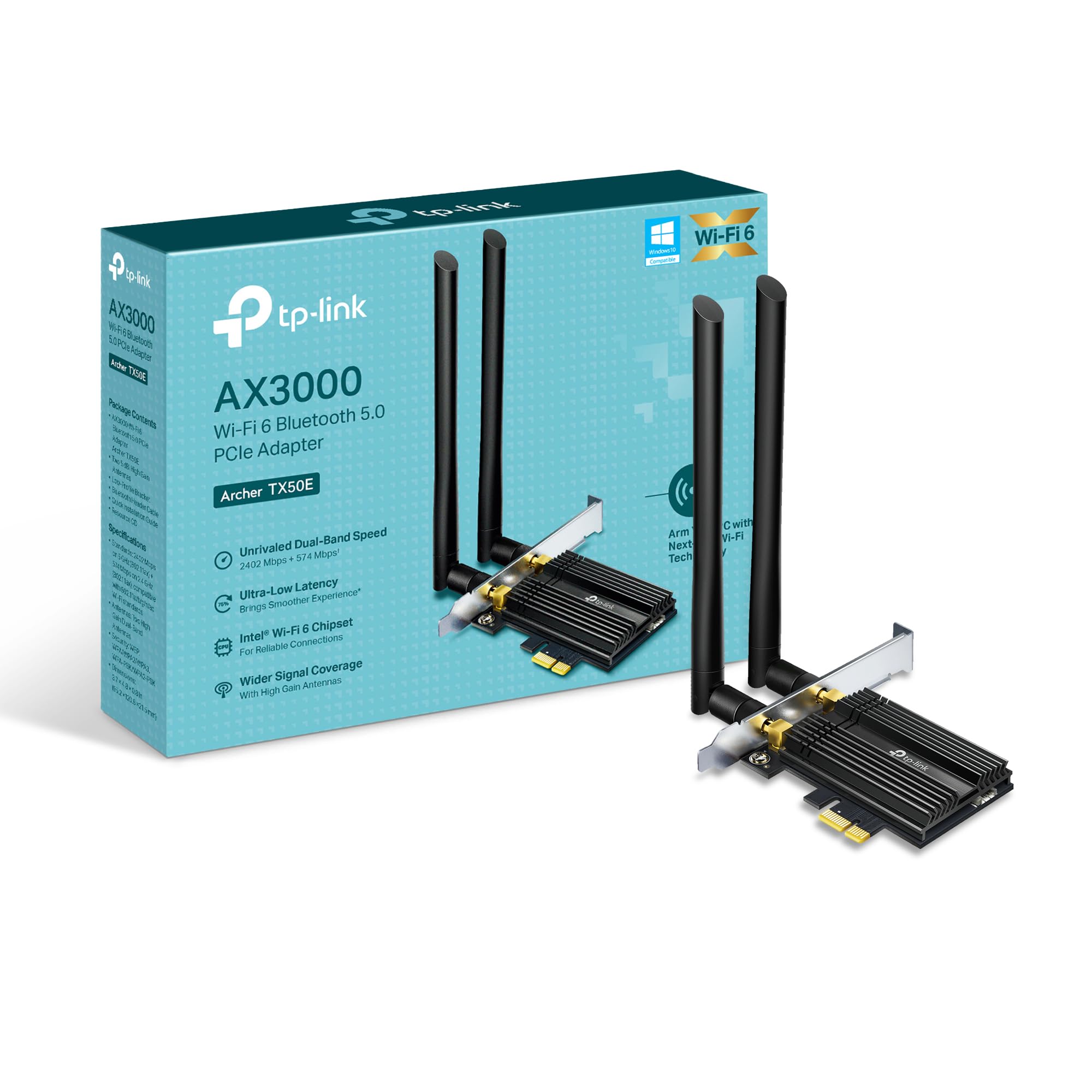
Выява: спераду view of the TP-Link Archer TX50E adapter with antennas.
- Выключэнне і адключэнне: Выключыце камп'ютар і адключыце кабель харчавання ад разеткі.
- Адкрыць корпус ПК: Каб атрымаць доступ да матчынай платы, зніміце бакавую панэль корпуса кампутара.
- Падключыце кабель Bluetooth USB: Connect the provided Bluetooth USB cable to the adapter's Bluetooth header.
- Locate Slots: Identify an available PCI Express X1 slot on your motherboard and an F_USB connector (usually labeled USB910 or similar).
- Устаўце адаптар: Carefully insert the Archer TX50E adapter into the chosen PCIe X1 slot. Ensure it is seated firmly.
- Падключыце кабель USB: Connect the other end of the Bluetooth USB cable to the F_USB connector on your motherboard. This connection is essential for Bluetooth functionality.
- Secure Adapter and Antennas: Secure the adapter with a screw to the computer case. Then, connect the two high-gain antennas to the adapter's connectors. Adjust their position for optimal signal reception.
- Зачыніць корпус ПК: Заменіце бакавую панэль корпуса кампутара.
- Уключэнне: Plug the power cable back into the wall outlet and turn on your computer.
Visual Installation Guide:
Video: A step-by-step guide demonstrating the physical installation of the TP-Link Archer TX50E PCIe adapter into a desktop computer.
4. Ўстаноўка драйвера
After hardware installation, you need to install the Wi-Fi and Bluetooth drivers for the adapter to function correctly. Заўвага: Do NOT run the Bluetooth and Wi-Fi driver installers at the same time.
Step-by-Step Driver Installation:
- Insert CD or Download Drivers: Insert the provided resource CD into your computer's CD/DVD drive. If your computer does not have a CD/DVD drive, download the latest drivers from the official TP-Link website (search for Archer TX50E).
- Run Autorun: Once the CD is inserted, an Autorun window should appear. Click to run `Autorun.exe`. If it doesn't appear, navigate to 'This PC' or 'My Computer', open your CD/DVD drive, and manually run `Autorun.exe`.
- Install Wi-Fi Drivers: In the TP-Link driver installation utility, select the option to install the Wi-Fi drivers. Follow the on-screen instructions to complete the installation. You may need to restart your computer after this step.
- Install Bluetooth Drivers: After the Wi-Fi drivers are installed and your computer has restarted (if prompted), run the `Autorun.exe` again or manually launch the Bluetooth driver installer. Follow the on-screen instructions to complete the Bluetooth driver installation. Another restart may be required.
For a visual guide on driver installation, please refer to the setup video provided in the Hardware Installation section.
5. Інструкцыя па эксплуатацыі
Падключэнне да Wi-Fi:
- After successful driver installation, click the Wi-Fi icon in your system tray (usually in the bottom-right corner of your screen).
- З'явіцца спіс даступных бесправадных сетак. Выберыце патрэбную сетку.
- Націсніце «Падключыцца» і ўвядзіце ключ бяспекі сеткі (пароль), калі будзе прапанавана.
- Цяпер ваш камп'ютар павінен быць падлучаны да сеткі Wi-Fi.
Спалучэнне прылад Bluetooth:
- Пераканайцеся, што ваша прылада Bluetooth знаходзіцца ў рэжыме спалучэння (гл. інструкцыю да вашай прылады).
- На камп'ютары перайдзіце ў раздзел «Налады» > «Прылады» > «Bluetooth і іншыя прылады».
- Уключыце Bluetooth, калі ён яшчэ не ўключаны.
- Націсніце «Дадаць Bluetooth або іншую прыладу» і выберыце «Bluetooth».
- Выберыце сваю прыладу са спісу і выконвайце падказкі на экране, каб завяршыць працэс спалучэння.
6. Выпраўленне непаладак
If you encounter issues with your Archer TX50E adapter, try the following common troubleshooting steps:
- Няма падключэння да Wi-Fi:
- Пераканайцеся, што адаптар правільна ўсталяваны ў слот PCIe.
- Праверце, ці надзейна падключаны антэны.
- Check Device Manager to ensure Wi-Fi drivers are installed and the device is recognized without errors.
- Try updating or reinstalling the Wi-Fi drivers.
- Перазагрузіце камп'ютар і бесправадны маршрутызатар.
- Bluetooth не працуе:
- Confirm the Bluetooth USB cable is properly connected to both the adapter and the motherboard's F_USB header.
- Check Device Manager to ensure Bluetooth drivers are installed and the device is recognized without errors.
- Verify that Bluetooth is enabled in your computer's settings.
- Try updating or reinstalling the Bluetooth drivers.
- Slow Speeds or Intermittent Connection:
- Пераканайцеся, што ваш маршрутызатар падтрымлівае Wi-Fi 6 (802.11ax) для аптымальнай прадукцыйнасці.
- Adjust the position of the antennas for better signal reception.
- Move your computer closer to the router or reduce obstacles between them.
- Праверце наяўнасць перашкод ад іншых электронных прылад.
- Абнавіце прашыўку вашага маршрутызатара.
If these steps do not resolve your issue, please contact TP-Link Technical Support.
7. Тэхнічныя характарыстыкі
| Асаблівасць | Спецыфікацыя |
|---|---|
| мадэль | Лучнік TX50E |
| бесправадной стандарт | Wi-Fi 6 (802.11ax/ac/b/g/n) |
| Версія Bluetooth | Bluetooth 5.3 |
| Інтэрфейс | PCI Express |
| Хуткасць перадачы даных | Да 2402 Мбіт/с (5 ГГц), 574 Мбіт/с (2.4 ГГц) |
| Падтрымка аперацыйнай сістэмы | Windows 11, 10 (64-разрадная версія) |
| Бяспека | WPA3 |
| Памеры (Д х Ш х У) | 9.53 х 12.09 х 2.16 см |
| Вага прадмета | 90.72 г (0.2 фунта) |
| Абсталяванне інтэрфейсу | Bluetooth |
| Сумяшчальныя прылады | Настольны кампутар, ноўтбук |
8. Гарантыя і тэхнічная падтрымка
TP-Link прапануе Гарантыя 2 год for this product. Additionally, free Тэхнічная падтрымка 24/7 гатовы дапамагчы вам з любымі пытаннямі або праблемамі, з якімі вы можаце сутыкнуцца.
Каб атрымаць дадатковую дапамогу, звярніцеся ў афіцыйную службу падтрымкі TP-Link. webсайт або звярніцеся непасрэдна ў службу падтрымкі кліентаў.


