Уводзіны
Thank you for choosing the Haylou Solar LS05 Smartwatch. This manual provides essential information for setting up, operating, maintaining, and troubleshooting your device. Please read it carefully to ensure proper use and to maximize the benefits of your smartwatch. The Haylou Solar LS05 is designed to enhance your daily life with features like fitness tracking, heart rate monitoring, and smart notifications, compatible with both Android and iOS devices.
Што ў скрынцы
- Haylou Solar LS05 Smartwatch (with black rubber strap)
- Зарадны кабель
- Кіраўніцтва карыстальніка
Настройка
1. Зарадка разумнага гадзінніка
Before first use, fully charge your Haylou Solar LS05. Connect the charging cable to the charging contacts on the back of the watch and to a USB power source. The watch display will show the charging status.
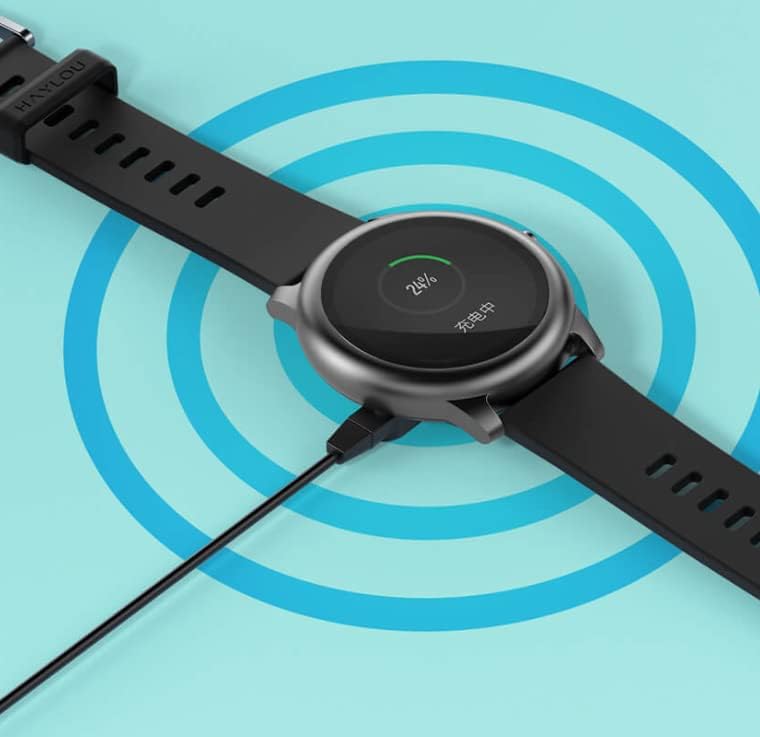
Image: The Haylou Solar LS05 Smartwatch connected to its charging cable, displaying a 24% charge level.
2. Уключэнне
Press and hold the side button for a few seconds until the Haylou logo appears on the screen.
3. Installing the Haylou Fit App
Download the official Haylou Fit app from your smartphone's app store (Google Play Store for Android or Apple App Store for iOS). Пошук "Haylou Fit".
4. Спалучэнне са смартфонам
- Пераканайцеся, што Bluetooth уключаны на вашым смартфоне.
- Open the Haylou Fit app and follow the on-screen instructions to create an account or log in.
- In the app, select "Add Device" and choose the Haylou Solar LS05 from the list of available devices.
- Пацвердзіце запыт на спалучэнне як на смартфоне, так і на разумным гадзінніку.
Once paired, your smartwatch will synchronize data with the app and receive notifications.
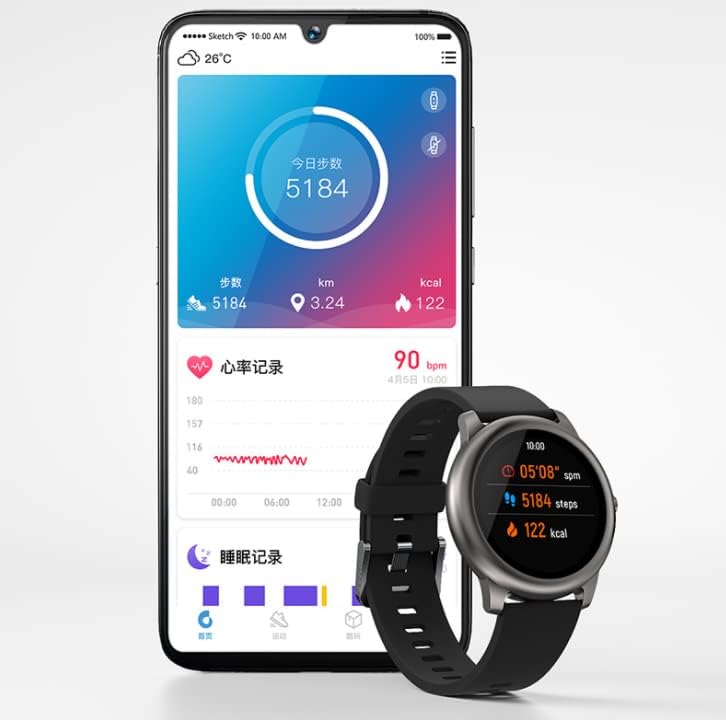
Image: The Haylou Solar LS05 Smartwatch displaying steps and calories, alongside a smartphone showing the Haylou Fit app interface with daily activity and sleep records.
Інструкцыя па эксплуатацыі
Базавая навігацыя
- Сэнсарны экран: Swipe up, down, left, or right to navigate through menus and features. Tap to select.
- Бакавая кнопка: Press to return to the home screen or wake the device. Press and hold to power off or restart.
Асноўныя характарыстыкі
- Адсочванне актыўнасці: Адсочвае крокі, адлегласць і спаленыя калорыі на працягу дня.
- Маніторынг сардэчнага рытму: Continuously tracks your heart rate. Access detailed data in the Haylou Fit app.
- Маніторынг сну: Адсочвае вашы рэжымы сну, у тым ліку глыбокі сон, лёгкі сон і час абуджэння.
- Спартыўныя рэжымы: Select from various sports modes (e.g., running, cycling) to track specific workout data.
- Разумныя апавяшчэнні: Атрымлівайце апавяшчэнні аб званках, паведамленнях і праграмах непасрэдна на запясце.
- Кіраванне музыкай: Кіруйце прайграваннем музыкі на смартфоне непасрэдна з гадзінніка.
- Прагноз надвор'я: View current weather conditions and forecasts for the coming days.
- Трэніроўка дыхання: Дыхальныя практыкаванні пад кіраўніцтвам, якія дапамогуць вам расслабіцца.
- Таймер і секундамер: Неабходныя прылады для заняткаў па адсочванні часу.
- Знайсці тэлефон: Use your watch to locate your paired smartphone.
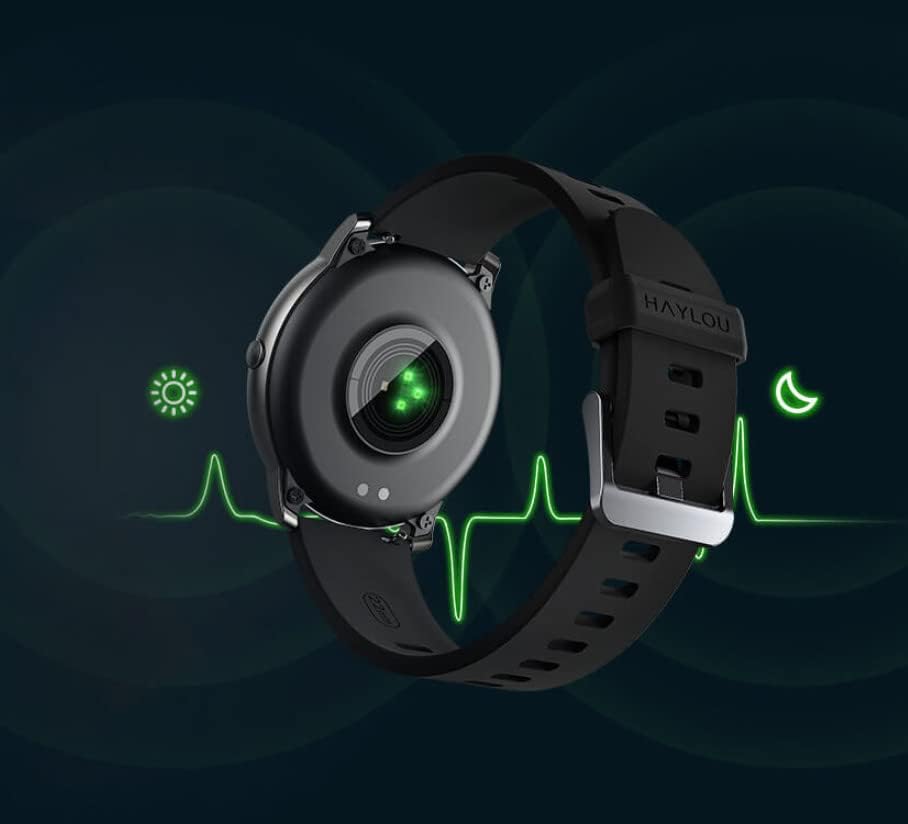
Image: The back of the Haylou Solar LS05 Smartwatch, highlighting the optical heart rate sensor with a green light, indicating active monitoring.

Image: A collage of Haylou Solar LS05 watch faces demonstrating various functions: 'Take a break' for breathing training, 'Find phone' for locating a device, 'Timer and stopwatch', 'Music Control', and 'Weather Forecast'.

Image: The Haylou Solar LS05 Smartwatch worn on a wrist, displaying the current time (00:15:18), heart rate (90 bpm), steps (3.24k), and distance, indicating active use during an activity.
Тэхнічнае абслугоўванне
Уборка
Regularly clean your smartwatch and strap to prevent skin irritation and maintain device functionality. Use a soft, damp тканінай для працірання экрана і раменьчыка. Пазбягайце выкарыстання агрэсіўных хімічных рэчываў або абразіўных матэрыялаў.
Воданепранікальнасць
The Haylou Solar LS05 is water-resistant. It can withstand splashes, rain, and brief immersion. However, it is not suitable for hot showers, saunas, or diving. Avoid prolonged exposure to water and ensure the watch is dry before charging.

Image: The Haylou Solar LS05 Smartwatch partially submerged in water, with water splashing around it, illustrating its water-resistant capabilities.
Практыка зарадкі
Use only the provided charging cable. Do not charge the watch in wet conditions. Avoid exposing the watch to extreme temperatures during charging.
Ліквідацыю непаладак
- Гадзіннік не ўключаецца: Ensure the watch is fully charged. Press and hold the side button for at least 10 seconds to force a restart.
- Немагчыма спалучыць прыладу са смартфонам: Make sure Bluetooth is enabled on your phone and the watch is within range. Restart both devices and try pairing again through the Haylou Fit app.
- Inaccurate heart rate/activity data: Пераканайцеся, што гадзіннік шчыльна прылягае да запясця, не занадта туга і не занадта свабодна. Ачысціце датчык на задняй панэлі гадзінніка.
- Апавяшчэнні не з'яўляюцца: Check notification settings in the Haylou Fit app and your phone's system settings to ensure permissions are granted for the app to display notifications.
- Кароткі тэрмін службы батарэі: Reduce screen brightness, disable continuous heart rate monitoring if not needed, and limit background app refresh.
Тэхнічныя характарыстыкі
| Асаблівасць | Дэталь |
|---|---|
| Назва мадэлі | LS05 |
| Марка | Сенажаць |
| Аперацыйная сістэма | Wear OS |
| Памеры | 7 х 1 х 6 см |
| Вага | 57 грамаў |
| акумулятар | 1 літый-палімерны (у камплекце) |
| Сувязь | Bluetooth |
| GPS | няма |
| Асаблівасці | Манітор сардэчнага рытму |
| Тып дысплея | Сэнсарны экран |
| Памер экрана | 1.28 цаляў |
| дазвол | 240 х 240 |
| Колер | Чорны |
| Матэрыял папружкі | Гумавая |
| Ёмістасць захоўвання | 512 Мб |
Гарантыя і падтрымка
For warranty information, please refer to the documentation provided at the time of purchase or contact your retailer. Specific warranty terms may vary by region and seller.
For technical support, software updates, and frequently asked questions, please refer to the official Haylou website or the Haylou Fit application. The app often provides troubleshooting tips and direct support options.


