1. Уводзіны
Thank you for choosing the ZEBRONICS Zeb-Buds C2 Type C Wired Earphones. This manual provides essential information for the proper setup, operation, maintenance, and troubleshooting of your new earphones. Please read this guide thoroughly before use to ensure optimal performance and longevity of your device.
2. Прадукт скончыўсяview
Асноўныя характарыстыкі:
- Type C Connector for broad compatibility.
- Убудаваны мікрафон для размоў у рэжыме hands-free.
- Durable 1.2-meter braided cable.
- Metallic design for enhanced durability.
- Comfortable in-ear fit.
- Equipped with 10mm drivers for clear audio.
- In-line remote for call function and volume/media control.
Змест пакета:
- 1 x ZEBRONICS Zeb-Buds C2 Earphone
- Дадатковыя амбушуры (розныя памеры)

Image: ZEBRONICS Zeb-Buds C2 earphones, showcasing the Type C connector, in-line remote with volume and call controls, and the braided cable leading to the metallic earbuds.

Image: A visual representation highlighting the key design elements and accessories of the Zeb-Buds C2, such as comfortable fit, in-ear design, in-line microphone, included extra eartips, and the 1.2-meter cable length.
3. Настройка
Connecting Your Earphones:
The Zeb-Buds C2 earphones are designed for plug-and-play functionality with most devices featuring a Type C audio output. Simply insert the Type C connector into your device's Type C port.

Выява: Падрабязны view of the Type-C connector, which is used to connect the earphones to compatible devices.
Mobile Phone Compatibility & User Guide:
Most phones work with Type-C wired earphones without any setup. However, if the audio still plays through the phone speaker after plugging in the earphones, try one of the following solutions:
ВАРЫЯНТ 1
- Перайсці да Налады > Пра тэлефон і ўключыць Параметры распрацоўніка (tap "Build Number" 7 times).
- In Developer Options, turn off the "Disable USB audio routing" setting.
- Plug in your earphones and enjoy your music.
ВАРЫЯНТ 2
- Enable Developer Options as described above.
- In Developer Options, turn on the "OTG connection" setting.
- Plug in your earphones and start listening.
Заўвага: For Option 2, if the earphones are unused for over 10 minutes, the OTG connection may turn off automatically. You'll need to re-enable it manually.
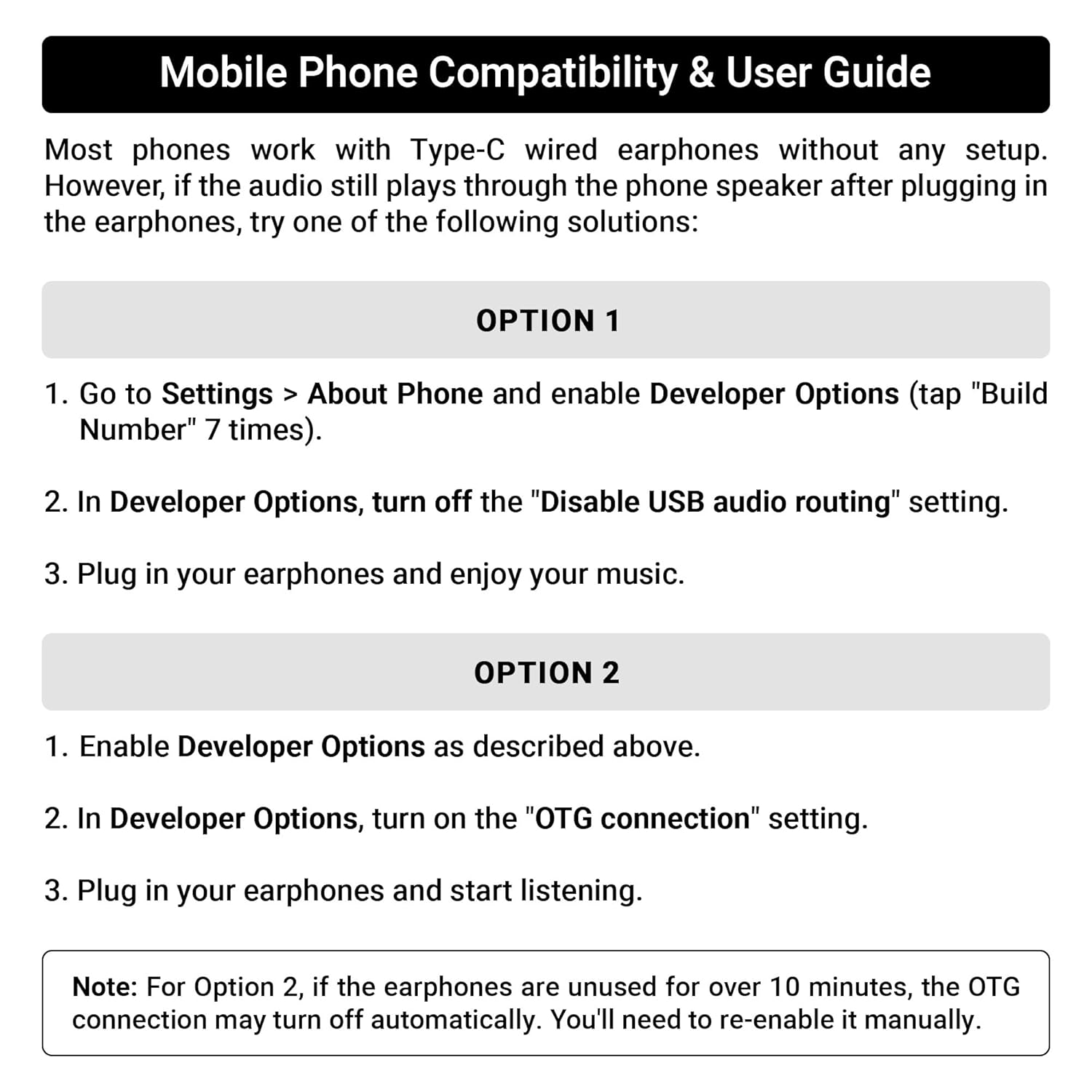
Image: A guide detailing compatibility and troubleshooting steps for connecting Type C earphones to mobile phones, including instructions for Developer Options and OTG settings.
4. Інструкцыя па эксплуатацыі
In-line Remote Control:
The Zeb-Buds C2 features an in-line remote control for convenient management of audio playback and calls.
- Павялічыць гучнасць (+): Press to increase audio volume.
- Памяншэнне гучнасці (-): Press to decrease audio volume.
- Шматфункцыянальная кнопка (цэнтральная):
- Адзін прэс: Прайграванне/прыпыненне музыкі, адказ/завяршэнне выклікаў.
- Падвойнае націск: Перайсці да наступнага трэка.
- Тройны націск: Перайсці да папярэдняга трэка.
- Доўгі націск: Reject incoming calls, Activate voice assistant (if supported by device).

Image: A user demonstrating the in-line volume and media control remote on the Zeb-Buds C2 earphones.
5. Тэхнічнае абслугоўванне
Каб забяспечыць даўгавечнасць і аптымальную працу вашых навушнікаў, выконвайце наступныя рэкамендацыі па абслугоўванні:
- Уборка: Акуратна працярыце навушнікі і кабель мяккай сухой тканінай. Не выкарыстоўвайце агрэсіўныя хімічныя рэчывы або абразіўныя матэрыялы.
- захоўванне: When not in use, store the earphones in a clean, dry place, preferably in a protective pouch to prevent tangling and damage.
- Сыход за кабелем: Avoid sharp bends or excessive pulling on the cable, especially near the connectors, to prevent internal wire damage. The braided cable is designed for durability, but proper handling is still recommended.
- Вушныя наканечнікі: Regularly check and clean the eartips. Replace them if they become worn or damaged to maintain sound quality and comfort.
6. Выпраўленне непаладак
If you encounter issues with your Zeb-Buds C2 earphones, refer to the following common solutions:
- Няма гуку:
- Ensure the Type C connector is fully inserted into your device.
- Праверце налады гучнасці вашай прылады.
- Verify that your device's audio output is set to the Type C port (refer to Section 3: Setup for specific mobile phone settings).
- Праверце навушнікі з іншай сумяшчальнай прыладай, каб выключыць праблему, характэрную для гэтай прылады.
- Мікрафон не працуе:
- Ensure the earphones are fully connected.
- Праверце налады ўваходу мікрафона вашай прылады.
- Пераканайцеся, што мікрафон нічым не перакрыты.
- Скажэнне гуку:
- Зменшце гучнасць на прыладзе.
- Пераканайцеся, што крыніца гуку добрай якасці.
- Check for any physical damage to the cable or earbuds.
7. Тэхнічныя характарыстыкі
| Асаблівасць | Спецыфікацыя |
|---|---|
| Назва мадэлі | Zeb-Buds C2 |
| Тэхналогія падлучэння | Правадная |
| Тып раздыма | USB тыпу C |
| Памер драйвера | 10 мм |
| Дыяпазон частот | 20 Гц-20 кГц |
| Даўжыня кабеля | 1.2 метр |
| Функцыя кабеля | Плётка, не блытаецца |
| Матэрыял | Plastic (earbuds with metallic design elements) |
| Вага прадмета | 16 грам |
| Тып кіравання | Call Control, Volume/Media Control |
| Сумяшчальныя прылады | Laptops, Mobile Phones, Tablets, PC, Audio Devices with Type C Input Port |
8. Гарантыя і падтрымка
Інфармацыя аб гарантыі:
The ZEBRONICS Zeb-Buds C2 earphones come with a 6 Months Carry Into Service Centre warranty from the date of purchase. Please retain your purchase receipt for warranty claims. The warranty covers manufacturing defects under normal use conditions.
Падтрымка кліентаў:
For any support queries, technical assistance, or warranty claims, please contact ZEBRONICS customer service through their official webсайт або кантактную інфармацыю, указаную на ўпакоўцы вашага прадукту.