1. Уводзіны
Thank you for choosing the boAt Airdopes 641 Truly Wireless Earbuds. This manual provides essential information for setting up, operating, and maintaining your earbuds to ensure optimal performance and longevity. Please read this guide carefully before using the product.
2. Прадукт скончыўсяview
The boAt Airdopes 641 are designed for a seamless audio experience, featuring advanced connectivity and intuitive controls.

выява: Key features of the Airdopes 641, highlighting RGB LEDs, Instant Wake N' Pair (IWP) technology, Bluetooth 5.0 connectivity, 6mm Dual Drivers for audio, and a Capacitive Touch Panel for controls.
2.1 Кампаненты
- Навушнікі: Left and Right truly wireless earbuds with in-ear design.
- Чахол для зарадкі: Партатыўны футляр для зарадкі і захоўвання навушнікаў.
- Кабель USB Type-C: Для зарадкі чахол.
- Кіраўніцтва карыстальніка: Гэты дакумент.
2.2 Асаблівасці
- Bluetooth 5.0: Для стабільнага і эфектыўнага бесправаднога падключэння.
- IWP (Instant Wake N' Pair): Enables quick pairing with your device once the case lid is opened.
- Capacitive Touch Panel: For easy control of music, calls, and voice assistant.
- 6mm Dual Drivers: Delivers immersive audio experience.
- RGB-святлодыёды: Indicator lights for status.
- Рэжым BEAST: Low latency mode for gaming.
- IPX5 Water & Sweat Shield: Забяспечвае абарону ад пырскаў і поту.
- Да 30 гадзін прайгравання: Combined battery life of earbuds and charging case.
- Зарадка USB Type-C: Сучасны і зручны порт зарадкі.
3. Настройка
3.1 Зарадка навушнікаў і футляра
Перад першым выкарыстаннем пераканайцеся, што і навушнікі, і зарадны футляр цалкам зараджаны.
- Place both earbuds into the charging case, ensuring they are correctly seated. The earbuds will automatically begin charging.
- Connect the USB Type-C charging cable to the charging port on the case and plug the other end into a compatible USB power adapter (not included).
- The LED indicators on the case will show the charging status. Once fully charged, the indicators may change or turn off.
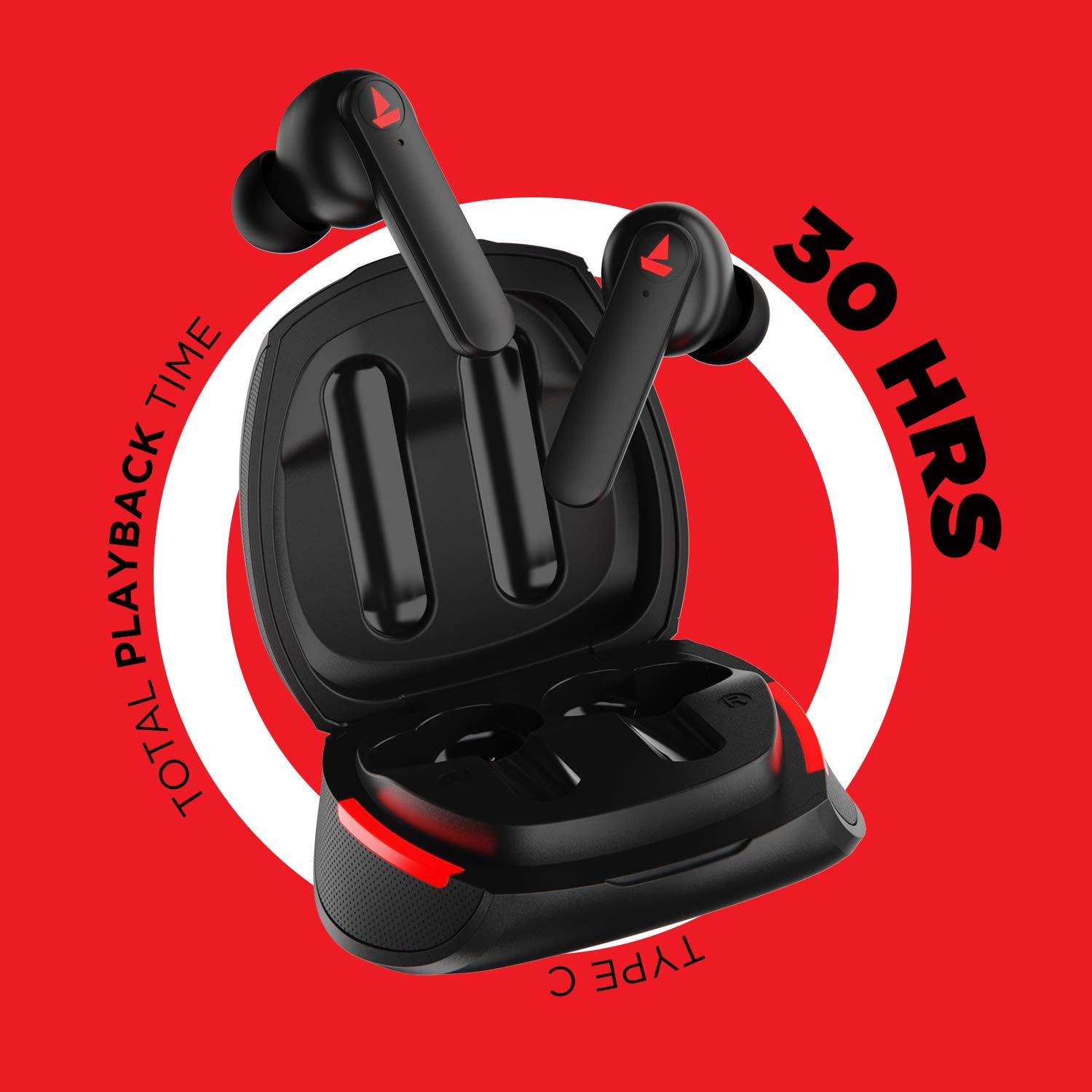
выява: The Airdopes 641 earbuds resting in their charging case, illustrating the Type-C charging capability and the impressive 30 hours of total playback time.
3.2 Initial Pairing (IWP Technology)
The Airdopes 641 feature Instant Wake N' Pair (IWP) technology for quick and effortless connection.
- Адкрыйце вечка зараднай скрынкі. Навушнікі-ўкладышы аўтаматычна ўключацца і пяройдуць у рэжым спалучэння.
- On your smartphone or Bluetooth-enabled device, enable Bluetooth.
- Пошук "Airdopes 641" in the list of available devices and select it to pair.
- Пасля спалучэння вы пачуеце гукавое паведамленне, і навушнікі будуць гатовыя да выкарыстання.
- The earbuds will automatically connect to the last paired device when the case lid is opened, provided Bluetooth is enabled on the device.
4. Інструкцыя па эксплуатацыі
4.1 Уключэнне/выключэнне сілкавання
- Уключэнне: Open the charging case lid. The earbuds will power on automatically. Alternatively, long-press the Capacitive Touch Control (CTC) on both earbuds for 3 seconds.
- Выключэнне: Place the earbuds back into the charging case and close the lid. They will power off automatically. Alternatively, long-press the CTC on both earbuds for 5 seconds.
4.2 Capacitive Touch Controls (CTC)
The Airdopes 641 feature intuitive touch controls on each earbud.
- Прайграванне/Паўза: Single tap on either earbud's CTC.
- Наступны трэк: Double tap on the right earbud's CTC.
- Папярэдні трэк: Double tap on the left earbud's CTC.
- Адказ/завяршэнне выкліку: Single tap on either earbud's CTC.
- Адхіліць выклік: Long press on either earbud's CTC for 2 seconds.
- Актываваць галасавы памочнік: Triple tap on either earbud's CTC.
- Павялічыць гучнасць: Long press the right earbud's CTC.
- Паменшыць гучнасць: Long press the left earbud's CTC.
4.3 BEAST Mode (Low Latency Gaming)
Activate BEAST Mode for a low-latency audio experience, ideal for gaming.

выява: The Airdopes 641 earbuds and their sleek charging case, emphasizing the "BEAST Mode" feature designed to provide a low-latency audio experience for gamers.
- Activate BEAST Mode: Triple tap on the right earbud's CTC.
- Дэактываваць рэжым BEAST: Triple tap on the right earbud's CTC again.
5. Тэхнічнае абслугоўванне
Proper care ensures the longevity and performance of your Airdopes 641.
5.1 Ачыстка
- Акуратна працярыце навушнікі і зарадны футляр мяккай, сухой тканінай без ворса.
- Не выкарыстоўвайце абразіўныя ачышчальнікі, спірт або хімічныя растваральнікі.
- Regularly clean the ear tips and mesh to prevent wax buildup, which can affect sound quality.
5.2 Воданепранікальнасць і потаўстойлівасць (IPX5)

выява: The Airdopes 641 earbuds and their charging case surrounded by water splashes, illustrating their IPX5 rating for water and sweat resistance.
The Airdopes 641 are rated IPX5, meaning they are protected against low-pressure water jets from any direction. This makes them suitable for workouts and light rain.
- Не апускайце навушнікі ў ваду.
- Do not expose them to high-pressure water or steam.
- Перад тым, як змясціць навушнікі назад у зарадны футляр, пераканайцеся, што яны сухія, каб пазбегнуць пашкоджанняў.
5.3 Захоўванне
Захоўвайце навушнікі-ўкладышы ў зарадным чахле, калі яны не выкарыстоўваюцца, каб абараніць іх і падтрымліваць зарад.
6. Выпраўленне непаладак
If you encounter issues with your Airdopes 641, try the following solutions.
6.1 Навушнікі не спалучаюцца/не падключаюцца
- Пераканайцеся, што абодва навушнікі зараджаны.
- Make sure Bluetooth is enabled on your device and the earbuds are within range.
- Try forgetting "Airdopes 641" from your device's Bluetooth list and re-pairing.
- Perform a factory reset as described below.
6.2 Скід да заводскіх налад
A factory reset can resolve many common issues by restoring the earbuds to their original settings.

выява: A visual guide detailing the steps for a factory reset of the Airdopes 641. It emphasizes clearing the device from pairing history first, then long-pressing the Capacitive Touch Control (CTC) on both earbuds inside the case for 10 seconds until a green LED flashes three times, followed by closing and reopening the case.
- крок 1: Before performing the reset, clear "Airdopes 641" from your pairing device history by forgetting the device on your phone/tablet.
- крок 2: Place both earbuds back inside the charging case in the correct orientation.
- крок 3: Long press the Capacitive Touch Control (CTC) on both earbuds inside the case for up to 10 seconds. The successful reset will be indicated by the flashing of a green LED three times.
- крок 4: Зачыніце крышку футляра для зарадкі, а затым зноў адкрыйце яе.
- крок 5: Once you take the earbuds out from the charging case, they automatically restart and are ready for a new pairing.
Note: Please make sure the case is charged before performing a factory reset.
6.3 Няма гуку/нізкая гучнасць
- Праверце ўзровень гучнасці як на прыладзе, так і ў навушніках.
- Пераканайцеся, што навушнікі правільна размешчаны ў вушах.
- Ачысціце сетку навушнікаў ад смецця.
- Паспрабуйце зноў спалучыць навушнікі.
7. Тэхнічныя характарыстыкі
| Назва мадэлі | 641 |
| Тэхналогія падлучэння | Бесправадная сувязь (Bluetooth) |
| Тэхналогія бесправадной сувязі | Bluetooth 5.0 |
| Тып кіравання | Сэнсарнае кіраванне, галасавое кіраванне |
| Тып аўдыё драйвера | Дынамічны драйвер (6 мм) |
| Размяшчэнне вушэй | У вуха |
| Формаў-фактар | У вуха |
| Матэрыял | Пластыкавыя |
| Рэйтынг воданепранікальнасці | IPX5 |
| Порт для зарадкі | USB Type-C |
| Сумяшчальныя прылады | Tablets, Cellphones, Laptops, Desktops, Smart Speaker, Television |
8. Гарантыя і падтрымка
For warranty information and customer support, please refer to the warranty card included with your product or visit the official boAt webсайт. Захоўвайце чэк аб пакупцы на выпадак прэтэнзій па гарантыі.
вытворца: Imagine Marketing Pvt Ltd


