1. Уводзіны
This manual provides essential information for setting up, operating, and maintaining your VIZIO 32-inch D-Series Full HD 1080p Smart TV (Model D32f4-J01). This television features a Full Array LED backlight for enhanced contrast and uniformity, brilliant 1080p Full HD resolution, and an ultra-fast VIZIO IQ processor. It supports immersive audio pass-through for Dolby Atmos and DTS:X. The D-Series also includes the V-Gaming Engine for optimized gaming performance and the SmartCast platform with built-in apps, Apple AirPlay 2, and Chromecast.
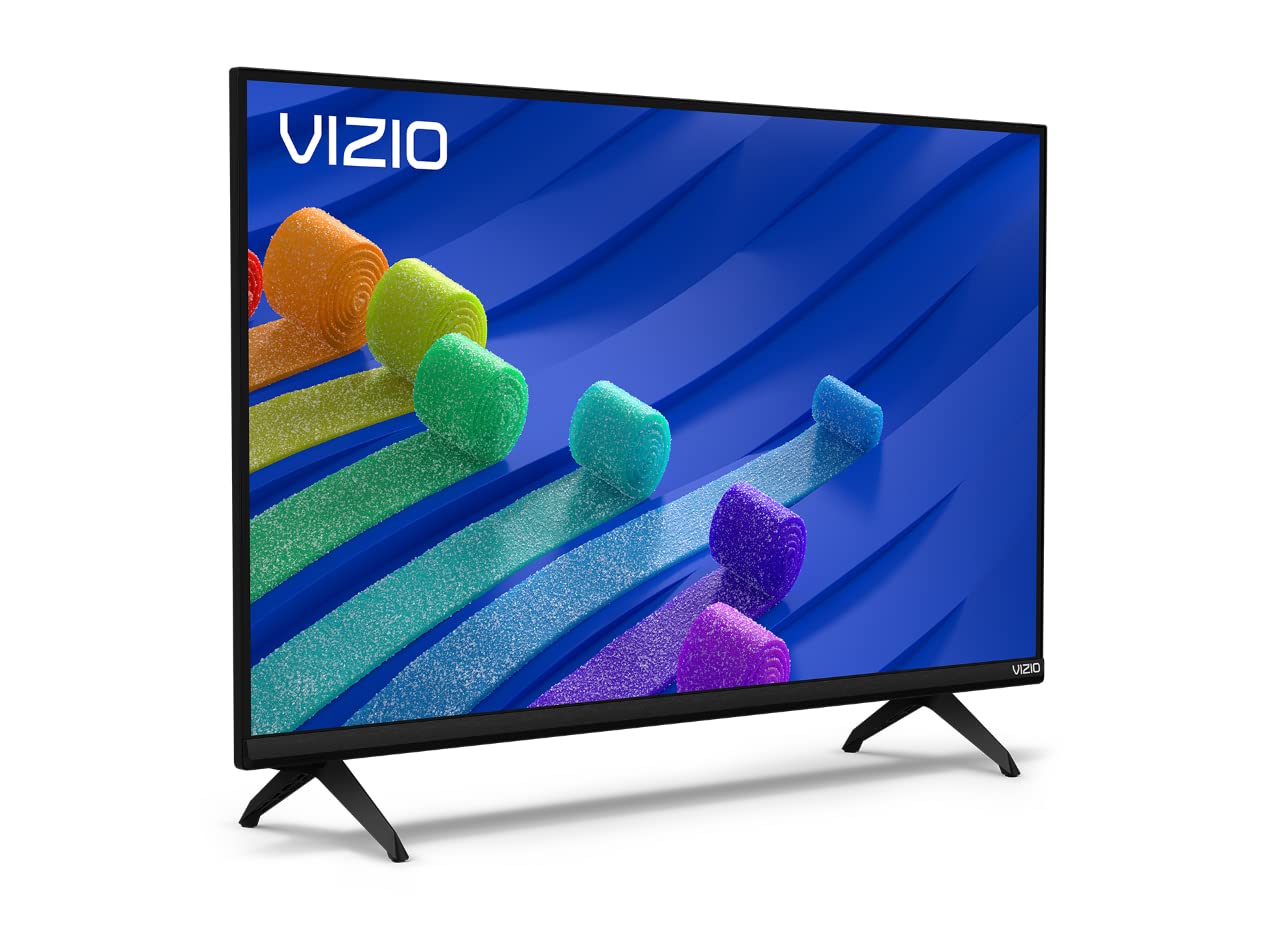
Figure 1: VIZIO 32-inch D-Series Full HD 1080p Smart TV.
2. Што ў скрынцы
Upon unboxing your VIZIO D-Series TV, ensure all components are present:
- VIZIO D-Series Full HD Smart TV
- Сілавы кабель
- Пульт дыстанцыйнага кіравання
- TV Stand (2 feet)

Figure 2: Included accessories with your VIZIO D-Series TV.
3. Настройка
3.1 Мацаванне падстаўкі для тэлевізара
If you plan to place your TV on a flat surface, attach the included stand feet. Ensure the TV is placed face down on a soft, clean surface to prevent screen damage.
- Carefully align each stand foot with the corresponding slots on the bottom of the TV.
- Secure each foot using the provided screws. Tighten firmly but do not overtighten.
Video 1: VIZIO D-Series Unboxing and Stand Assembly. This video demonstrates the unboxing process and how to attach the stand feet to your VIZIO D-Series TV.
3.2 Падключэнне харчавання
Connect the power cable to the TV's power input and then to a wall outlet. The power cable is typically attached to the rear of the TV.
3.3 Пачатковая налада
Once powered on, follow the on-screen instructions to complete the initial setup, including language selection, network connection, and channel scanning.
4. Інструкцыя па эксплуатацыі
4.1 Пульт дыстанцыйнага кіравання
The included remote control provides full functionality for navigating your VIZIO Smart TV. Insert the provided batteries into the remote control.

Figure 3: The VIZIO Mobile App can also serve as a remote control.
4.2 Асноўная навігацыя
- Магутнасць: Press the power button on the remote or TV to turn the TV on/off.
- Увод: Use the 'Input' button to switch between connected devices (HDMI, USB, etc.).
- Аб'ём: Adjust volume using the +/- buttons.
- SmartCast Home: Press the 'Home' button to access the SmartCast platform.
5. SmartCast Features
VIZIO SmartCast provides instant access to a wide selection of built-in apps and streaming services.
5.1 Built-in Apps
Access popular streaming services like Netflix, Disney+, YouTube, HBO Max, and many more directly from your TV's home screen.

Figure 4: The VIZIO SmartCast platform offers a wide array of streaming applications.
5.2 WatchFree+
Enjoy free access to live TV and hundreds of free channels right out of the box with WatchFree+.

Figure 5: WatchFree+ provides free live TV and on-demand content.
5.3 Apple AirPlay 2 & Chromecast Built-in
Mirror content from your Apple or Android devices directly to your TV for seamless sharing of photos, videos, and apps.

Figure 6: Stream or mirror content using Apple AirPlay 2 and Chromecast.
5.4 Сумяшчальнасць з галасавым памочнікам
The VIZIO D-Series TV is compatible with popular voice assistants like Alexa, Google Assistant, and Apple HomeKit, allowing for convenient voice control.

Figure 7: VIZIO D-Series TVs integrate with various smart home ecosystems.
6. Гульнявыя функцыі
The VIZIO D-Series is equipped with the V-Gaming Engine to enhance your gaming experience.
- V-Gaming Engine: Automatically optimizes picture mode for gaming.
- Variable Refresh Rate (VRR) with AMD FreeSync: Ensures smooth, tear-free gameplay.
- Аўтаматычны рэжым гульні: Reduces input lag for more responsive gaming.
Video 2: VIZIO V-Gaming Engine. This video highlights the gaming features of VIZIO TVs, including low input lag and Auto Game Mode.

Figure 8: VIZIO Gaming TVs offer features like Auto Game Mode and low input lag.
7. Сувязь
Your VIZIO D-Series TV offers various ports for connecting external devices.
- Парты HDMI: Connect high-definition devices such as gaming consoles, Blu-ray players, and cable boxes.
- Порт USB: Для прайгравання медыяфайлаў з USB-назапашвальнікаў.
- Уваход для антэны/кабеля: Для падключэння антэны або кабельнага тэлебачання.
- Кампазітны ўваход: Для старых прылад, якія выкарыстоўваюць кабелі RCA.
- Аўдыявыхад: Для падлучэння знешніх аўдыёсістэм.

Малюнак 9: Варыянты падключэння задняй панэлі.
8. Тэхнічнае абслугоўванне
To ensure the longevity and optimal performance of your VIZIO TV, follow these maintenance guidelines:
- Ачыстка экрана: Акуратна працярыце экран мяккай тканінай без ворса. Для выдалення ўстойлівых плям выкарыстоўвайце спецыяльны раствор для чысткі экранаў, нанесены на тканіну, а не непасрэдна на экран.
- Уборка шафы: Для чысткі корпуса тэлевізара выкарыстоўвайце мяккую сухую тканіну. Пазбягайце выкарыстання абразіўных ачышчальнікаў або растваральнікаў.
- Вентыляцыя: Пераканайцеся, што вентыляцыйныя адтуліны тэлевізара не заблакаваныя, каб пазбегнуць перагрэву.
- Шнур харчавання: Рэгулярна правярайце шнур харчавання на наяўнасць пашкоджанняў. Не выкарыстоўвайце пашкоджаны шнур.
9. Выпраўленне непаладак
If you encounter issues with your VIZIO D-Series TV, refer to the following common solutions:
- Няма харчавання: Пераканайцеся, што кабель сілкавання надзейна падключаны як да тэлевізара, так і да спраўнай разеткі. Паспрабуйце іншую разетку.
- Няма выявы/гуку: Verify the correct input source is selected. Check all cable connections (HDMI, antenna, etc.) are secure.
- Пульт не працуе: Замяніце батарэйкі ў пульце дыстанцыйнага кіравання. Пераканайцеся, што паміж пультам дыстанцыйнага кіравання і ІЧ-датчыкам тэлевізара няма перашкод.
- Праблемы з падключэннем да сеткі: Restart your router and modem. Check the TV's network settings to ensure it's connected to the correct Wi-Fi network.
- Праблемы з якасцю выявы: Adjust picture settings (brightness, contrast, sharpness) in the TV menu. Ensure the content source is high quality.
10. Тэхнічныя характарыстыкі
| Асаблівасць | Дэталь |
|---|---|
| Марка | VIZIO |
| Нумар мадэлі | D32F4-J01 |
| Памер экрана | 32 цаляў |
| Тэхналогія адлюстравання | LCD with Full Array LED Backlight |
| дазвол | 1080p Full HD |
| Частата абнаўлення | 60 Гц |
| Асаблівасці | Flat, SmartCast, Apple AirPlay 2, Chromecast Built-in, Alexa Compatibility, V-Gaming Engine, IQ Picture Processor |
| Тэхналогія падлучэння | HDMI, USB |
| Падтрымліваюцца інтэрнэт-сэрвісы | Apple TV+, Crackle, Discovery+, Disney+, Fandango, fuboTV, HBO Max, Hulu, iHeartRadio, Netflix, Pandora, Paramount+, Peacock, Prime Video, Redbox, Sling TV, Tubi, Vudu, XUMO, YouTube, YouTube TV |
| Вага прадмета | 8.5 фунта |
| Памеры прадукту | 28.09 х 7.1 х 16.59 цалі |
| Колер | Чорны |
11. Гарантыя і падтрымка
For warranty information and technical support, please refer to the VIZIO Quick Start Guide included with your product or visit the official VIZIO support website. You may also find additional support resources and FAQs online.


