1. Уводзіны
Thank you for choosing the Bontempi HarmonyKeys 61-Key Digital Keyboard. This instrument is designed to provide a versatile and engaging musical experience for users of various skill levels. This manual provides essential information for the proper setup, operation, maintenance, and troubleshooting of your new digital keyboard. Please read this manual thoroughly before use to ensure optimal performance and longevity of your instrument.
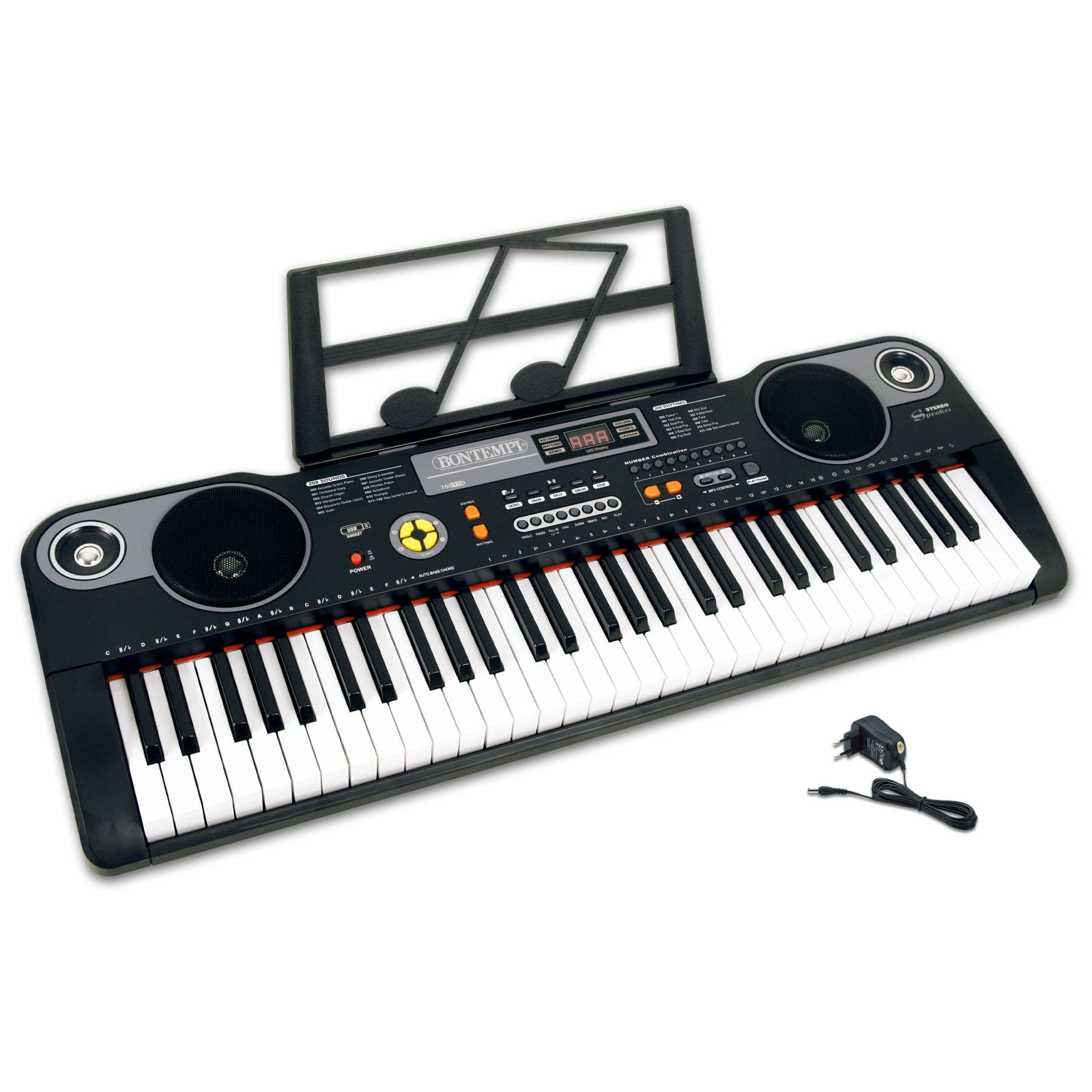
Малюнак 1: Верх view of the Bontempi HarmonyKeys 61-Key Digital Keyboard, showing the keys, control panel, and speakers.
2. Інфармацыя па бяспецы
To prevent damage to the instrument or injury to yourself or others, please observe the following safety precautions:
- Крыніца харчавання: Use only the specified power adapter or a compatible USB power source. Ensure the voltagе адпавядае патрабаванням прыбора.
- Вада і вільгаць: Do not expose the instrument to water or moisture. Avoid placing liquids near the keyboard.
- Крыніцы цяпла: Keep the instrument away from heat sources such as radiators, heat registers, stoves, or other heat-producing appliances.
- Вентыляцыя: Do not block any ventilation openings. Ensure adequate airflow around the instrument.
- Уборка: Чысціце толькі сухой анучай. Не выкарыстоўвайце вадкія і аэразольныя ачышчальнікі.
- Абслугоўванне: Не спрабуйце самастойна абслугоўваць гэты прадукт. Звярніцеся да ўсіх абслугоўванняў кваліфікаванага абслуговага персаналу.
- Размяшчэнне: Place the instrument on a stable, flat surface to prevent it from falling.
3. Змесціва ўпакоўкі
Праверце наяўнасць усіх прадметаў у камплекце:
- Bontempi HarmonyKeys 61-Key Digital Keyboard
- Адаптар сілкавання
- Інструкцыя па эксплуатацыі (гэты дакумент)
- Music Stand (if included with your specific model)
Заўвага: Batteries are not included and must be purchased separately if you intend to use the keyboard without the power adapter.

Image 2: The Bontempi HarmonyKeys 61-Key Digital Keyboard shown with its music stand and power adapter.
4. Настройка
4.1 Падключэнне харчавання
Your HarmonyKeys keyboard can be powered in two ways:
- Выкарыстанне адаптара пераменнага току: Connect the included power adapter to the DC IN jack on the back of the keyboard. Plug the other end into a standard wall outlet.
- Using Batteries (not included): For portable use, insert the required number of D-size batteries (refer to the battery compartment for specifications) into the battery compartment on the underside of the keyboard. Ensure correct polarity.
4.2 Пачатковае размяшчэнне
Place the keyboard on a stable, flat surface. If using a keyboard stand, ensure it is properly assembled and secure. Attach the music stand to the designated slot on the keyboard, if applicable.
4.3 Падключэнне навушнікаў
To practice privately, connect standard 3.5mm stereo headphones to the HEADPHONE jack on the keyboard. The internal speakers will automatically mute when headphones are connected.
5. Інструкцыя па эксплуатацыі
5.1 Уключэнне/выключэнне
Націсніце УЛАДА button to turn the keyboard on. The display will light up. Press the УЛАДА зноў націсніце кнопку, каб выключыць клавіятуру.
5.2 Асноўная гульня
Once powered on, you can immediately begin playing the 61 keys. The default sound is typically a piano tone. Use the volume controls to adjust the output level.
5.3 Selecting Sounds and Rhythms
Your HarmonyKeys keyboard features 60 demo songs, 200 sounds, and 200 rhythms. Use the dedicated buttons and the numeric keypad to select different instrument sounds (Tones) and rhythmic accompaniments (Rhythms). The digital display will show your current selection.
5.4 Спецыяльныя функцыі
- Сустэйн: Націсніце УСТОЙКА button to make notes linger longer after the key is released.
- Вібрата: Актываваць ВІБРАТА function to add a slight pitch modulation to the sound.
- Запіс і прайграванне: Выкарыстоўвайце ЗАПІС button to record your performance and the ГУЛЬНЯ button to listen back.
- паліфанія: The keyboard supports 8-note polyphony, allowing up to 8 notes to sound simultaneously.
- Learning Function (OKON): Utilize the OKON function for guided learning, which helps users practice songs. Refer to the on-screen prompts or specific instructions for this feature.
5.5 USB-злучэнне
The USB connection allows you to connect the keyboard to a computer or other compatible devices for expanded functionality, such as using it as a MIDI controller with general-purpose music software (e.g., GarageBand, FL Studio, Logic Pro) or playing MP3 songs from a USB flash drive.
5.6 Відэа пра прадукты
Video 1: Demonstration of various sounds and features of the digital keyboard.
Відэа 2: Скончанаview of the keyboard's design and key layout.
Video 3: Short clip showcasing a specific musical style or rhythm.
Video 4: Detailed look at the control panel and button functions.
Video 5: Demonstration of the USB connectivity feature.
Video 6: Quick demonstration of the record and playback function.
Video 7: Showcase of the learning function (OKON).
Video 8: Comprehensive overview of the keyboard's musical capabilities.
6. Тэхнічнае абслугоўванне
Proper maintenance ensures the longevity and performance of your digital keyboard.
- Уборка: Wipe the surface of the keyboard with a soft, dry cloth. For stubborn dirt, slightly dampen the cloth with water and then wipe dry immediately. Avoid using abrasive cleaners, solvents, or waxes.
- захоўванне: When not in use for extended periods, store the keyboard in a cool, dry place, away from direct sunlight and extreme temperatures. If using batteries, remove them to prevent leakage.
- Апрацоўка: Avoid dropping the keyboard or subjecting it to strong impacts. Do not place heavy objects on the keys or control panel.
7. Выпраўленне непаладак
Калі ў вас узнікнуць якія-небудзь праблемы, звярніцеся да табліцы ніжэй, каб знайсці распаўсюджаныя праблемы і рашэнні.
| праблема | Магчымая прычына | Рашэнне |
|---|---|---|
| Няма ўлады | Power adapter not connected or faulty; batteries drained or incorrectly inserted. | Ensure power adapter is securely connected and plugged into a working outlet. Check battery orientation and replace if necessary. |
| Няма гуку | Volume too low; headphones connected; speaker malfunction. | Increase volume. Disconnect headphones. If problem persists, contact support. |
| Клавішы не адказваюць | Keyboard in a special mode; internal malfunction. | Try restarting the keyboard. Check if any learning or demo modes are active. |
| Скажоны гук | Volume too high; faulty connection. | Reduce volume. Check all cable connections. |
8. Тэхнічныя характарыстыкі
Technical details of the Bontempi HarmonyKeys 61-Key Digital Keyboard:
| Асаблівасць | Дэталь |
|---|---|
| Назва мадэлі | HarmonyKeys |
| Колькасць ключоў | 61 |
| Памеры (Д х Ш х У) | 860 х 295 х 90 мм (33.86 х 11.61 х 3.54 цалі) |
| Вага | 3.89 кг (8.58 фунтаў) |
| Матэрыял корпуса | Пластыкавыя |
| Сувязь | USB |
| Раз'ём для навушнікаў | 3.5 мм |
| Крыніца харчавання | AC Power Adapter (included), Batteries (not included) |
| Праграмнае забеспячэнне, якое падтрымліваецца | General purpose music software (e.g., GarageBand, FL Studio, Logic Pro) |
| GTIN (UPC) | 047663557144 |
9. Гарантыя і падтрымка
Bontempi products are manufactured to high-quality standards. For information regarding warranty coverage, please refer to the warranty card included with your product or visit the official Bontempi website. If you require technical assistance or have questions not covered in this manual, please contact Bontempi customer support through their official channels.


