1. Уводзіны
The BirdDog PF120 is a high-performance Full HD NDI box camera designed for professional video production environments. It features an Exmor R back-illuminated sensor, 20x optical zoom, and a full color matrix, all housed within a durable all-metal chassis. This manual provides essential information for the proper setup, operation, and maintenance of your PF120 camera.
2. Змесціва ўпакоўкі
Please verify that all items listed below are included in your package. If any items are missing or damaged, contact your vendor immediately.
- BirdDog PF120 Full HD NDI 20x Box Camera
- Адаптар харчавання (пастаянны ток 12 В)
- Cap аб'ектыў
- Дакументацыя (Кіраўніцтва па хуткім запуску, Інфармацыя аб бяспецы)
3. Прадукт скончыўсяview
The BirdDog PF120 is engineered for versatility and robust performance. Key features include:
- Full NDI support for seamless integration into IP workflows.
- 20x optical zoom for detailed close-ups.
- Exmor R back-illuminated sensor for superior low-light performance.
- Durable all-metal housing.
- Multiple connectivity options including HDMI, NDI/PoE, RS-232, and USB2.0.
3.1 Камера Viewі кампаненты

Малюнак 3.1: Франтальны бок view of the BirdDog PF120 camera, showcasing the lens and the BirdDog logo on the side panel.
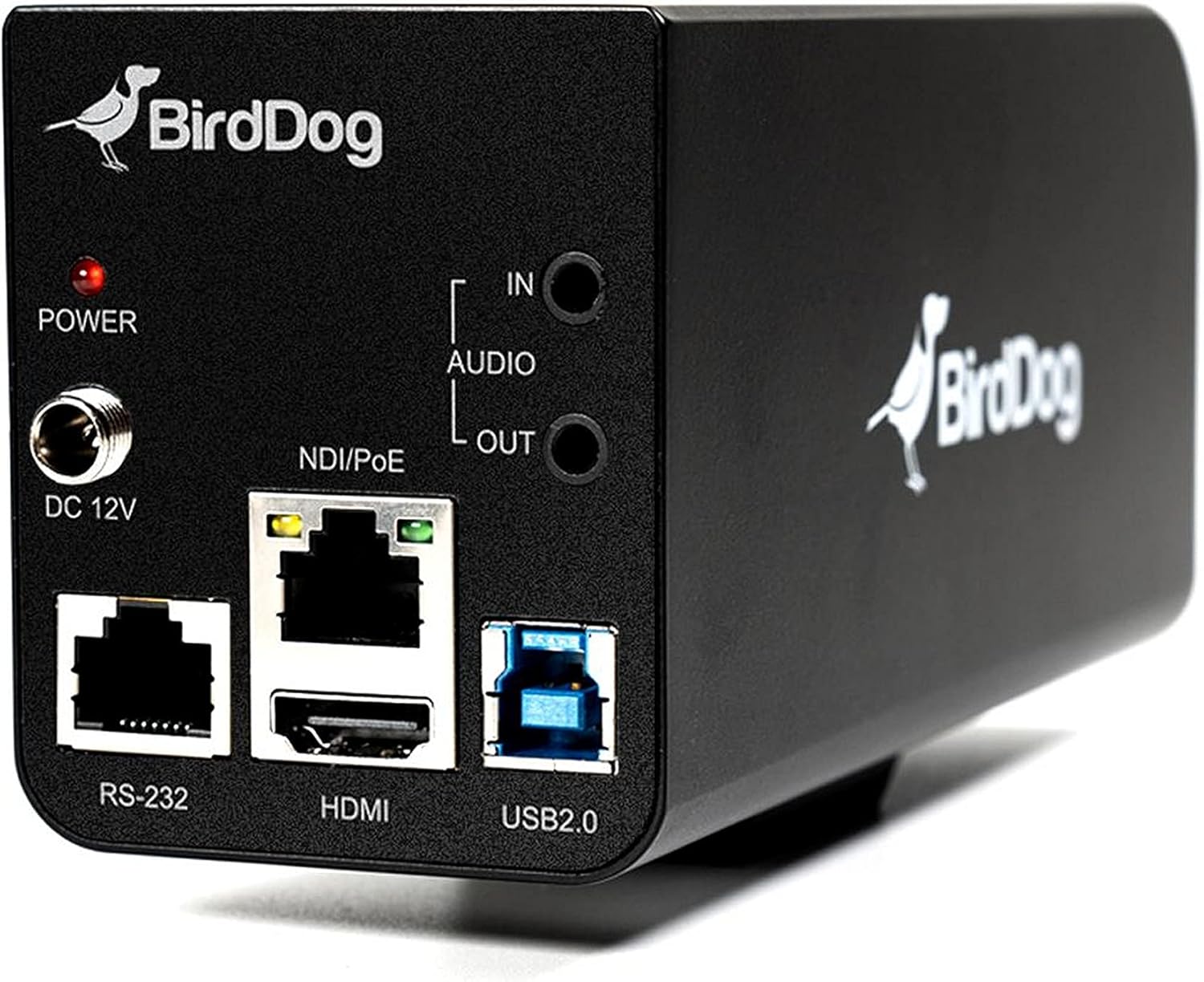
Малюнак 3.2: Rear panel of the BirdDog PF120, displaying the power input (DC 12V), audio input/output, NDI/PoE port, HDMI output, RS-232 port, and USB2.0 port.
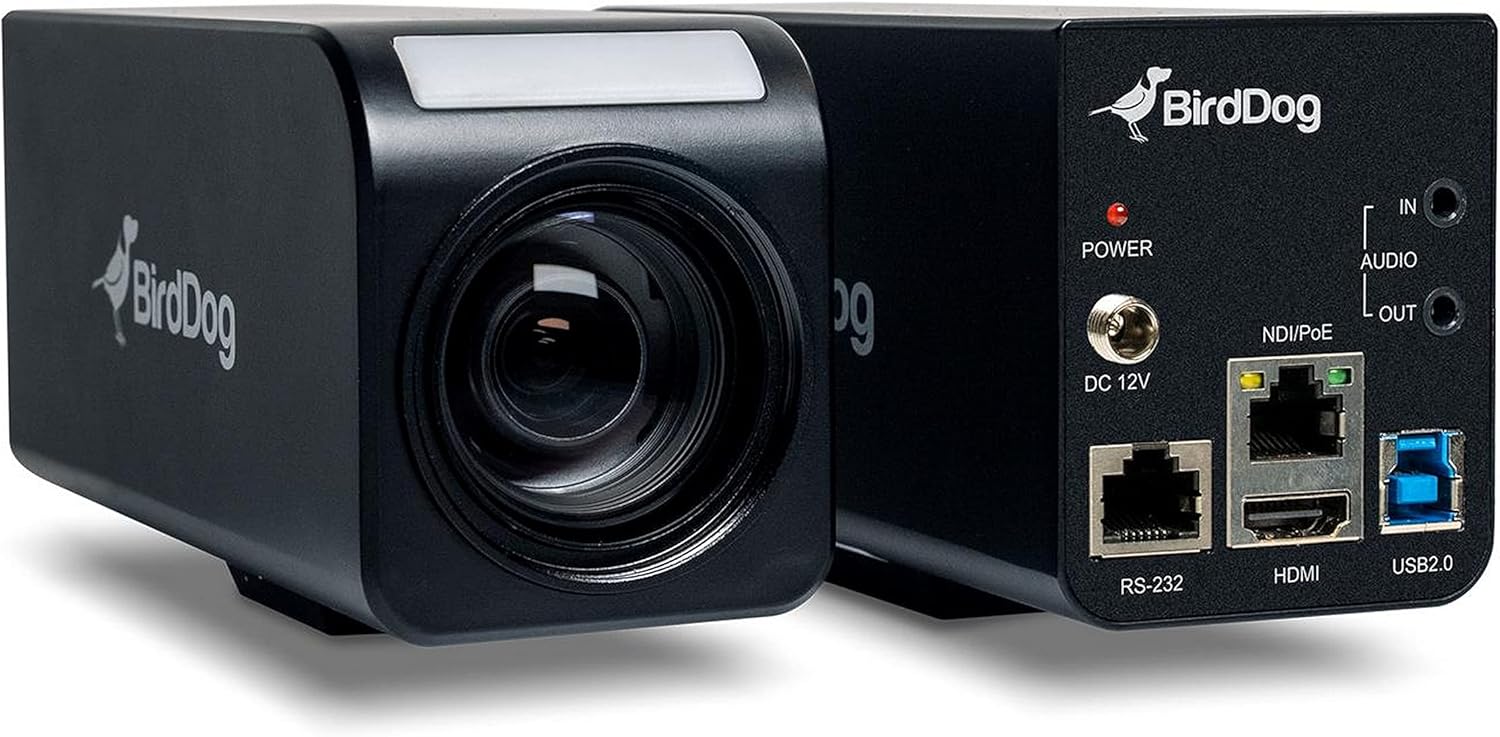
Малюнак 3.3: Камбінаваныя view of the BirdDog PF120, showing both the front lens assembly and the rear connectivity panel.

Малюнак 3.4: Топ view of the BirdDog PF120 camera, highlighting the sleek design and BirdDog branding.
4. Настройка
4.1 Уключэнне
- Connect the supplied DC 12V power adapter to the "DC 12V" port on the rear of the camera.
- Падключыце адаптар сілкавання да адпаведнай разеткі.
- Alternatively, if using a PoE-enabled network switch, connect an Ethernet cable to the "NDI/PoE" port. The camera will power on via Power over Ethernet.
4.2 Network Connection (NDI)
- Connect an Ethernet cable from the "NDI/PoE" port on the camera to your network switch or router.
- Ensure your network is configured to support NDI protocols.
- The camera will obtain an IP address automatically via DHCP. For static IP configuration, refer to the BirdDog Central application or web інтэрфейс.
4.3 Відэавыхад
- NDI Output: The primary video output is via NDI over the Ethernet connection.
- Выхад HDMI: Connect an HDMI cable from the "HDMI" port on the camera to a monitor or video switcher for direct video monitoring.
5. Кіраванне камерай
5.1 Доступ да Web Інтэрфейс
- Once connected to the network, use the BirdDog Central application or an IP scanner to discover the camera's IP address.
- Адкрыйце a web браўзер і ўвядзіце IP-адрас камеры, каб атрымаць доступ да яе web інтэрфейс.
- Ад ст web interface, you can configure video settings, network parameters, and control camera functions.
5.2 Кіраванне камерай
The PF120 can be controlled via:
- NDI Tools: Utilize NewTek NDI Tools (e.g., NDI Studio Monitor) for basic control.
- BirdDog Central / Cam Control: BirdDog's dedicated software provides comprehensive control over camera settings, including zoom, focus, iris, and color matrix.
- RS-232: Connect a compatible serial controller to the RS-232 port for hardware control.
- Пульт дыстанцыйнага кіравання: The camera supports remote control methods as specified in the product documentation.
5.3 Маштабаванне і фокус
The PF120 features a 20x optical zoom lens. Zoom and focus adjustments are typically made through the web interface or compatible control software.
6. Тэхнічнае абслугоўванне
- Уборка: Use a soft, dry cloth to clean the camera body. For the lens, use a specialized lens cleaning solution and microfiber cloth. Avoid abrasive cleaners.
- Абнаўленні прашыўкі: Periodically check the BirdDog website for firmware updates. Keeping the firmware updated ensures optimal performance and access to new features.
- захоўванне: Калі камера не выкарыстоўваецца працяглы час, захоўвайце яе ў прахалодным, сухім месцы, удалечыні ад прамых сонечных прамянёў і экстрэмальных тэмператур.
7. Выпраўленне непаладак
7.1 Няма харчавання
- Пераканайцеся, што адаптар сілкавання надзейна падключаны як да камеры, так і да спраўнай разеткі.
- If using PoE, verify that the Ethernet cable is connected to a PoE-enabled port on your switch and that the switch is providing power.
7.2 No NDI Signal
- Праверце падключэнне кабеля Ethernet.
- Verify that the camera has obtained an IP address (check your router's DHCP client list or use BirdDog Central).
- Ensure your network firewall is not blocking NDI traffic.
- Confirm that NDI tools or software on your receiving device are correctly configured to discover NDI sources.
7.3 Праблемы з якасцю выявы
- Check lens for smudges or dust and clean if necessary.
- Adjust focus settings via the web interface or control software.
- Review exposure, white balance, and color matrix settings in the camera's web інтэрфейс.
8. Тэхнічныя характарыстыкі
| Асаблівасць | Дэталь |
|---|---|
| Нумар мадэлі | BD-BDPF120 |
| Дазвол відэазахопу | 1080p |
| Эфектыўнае дазвол відэа | 720 пікселя |
| Аптычны зум | 20x |
| Тып маштабавання | Digital Zoom, Optical Zoom |
| Тэхналогія падлучэння | Правадная |
| Пратакол злучэння | Wi-Fi (for control/management, NDI is primary video) |
| Метад кантролю | Remote, Iris, RS-232 |
| Крыніца харчавання | AC/DC, PoE |
| Ватtage | 5 ват |
| Матэрыял | Метал |
| Памеры прадмета (Д х Ш х У) | 9.9 х 9 х 3.6 цалі |
| Вага прадмета | 2.94 фунта |
| Тып мацавання | Wall Mount (as per spec, but typically box cameras are versatile) |
| Міжнародны рэйтынг абароны | IP65 |
| Тэхналогія нізкай асветленасці | Начны колер |
9. Гарантыя і падтрымка
For warranty information and technical support, please refer to the official BirdDog website or contact your authorized BirdDog reseller. Keep your proof of purchase for warranty claims.
BirdDog Official Webсайт: www.bird-dog.tv


