Уводзіны
This manual provides essential information for the safe and efficient operation of your BALLU Apollo Portable Convection Panel Space Heater. Please read all instructions carefully before use and retain this manual for future reference.

Image: The BALLU Apollo Portable Convection Panel Space Heater, showcasing its sleek white design and freestanding feet.
Настройка і ўстаноўка
The BALLU Apollo heater offers versatile installation options: freestanding or wall-mounted. No additional tools are required for assembly.
Аўтаномная ўстаноўка
- Асцярожна дастаньце абагравальнік з упакоўкі.
- Attach the provided caster wheels to the base of the heater. Ensure they are securely fastened.
- Place the heater on a stable, level surface, ensuring adequate clearance from walls and flammable materials.
Ўстаноўка насценнага мацавання
- Remove the caster wheels if they are already attached.
- Identify a suitable wall location. The wall must be heat-resistant and capable of supporting the heater's weight.
- Use the provided wall-mounting brackets and hardware to secure the heater to the wall. Follow the detailed instructions in the included wall-mount guide for proper installation.
Video: Demonstrates the assembly of the freestanding feet and highlights the wall-mounting bracket on the rear of the heater.
Інструкцыя па эксплуатацыі
The BALLU Apollo heater features a TFT Digital Display control panel for easy operation.

Image: Close-up of the heater's TFT Digital Display control panel, showing temperature, mode, and power buttons.
Панэль кіравання скончыласяview
- Кнопка харчавання: Націсніце і ўтрымлівайце 2 секунды, каб уключыць або выключыць прыладу.
- Рэгуляванне тэмпературы: Use the arrow buttons to set the desired temperature between 41°F and 95°F.
- Выбар рэжыму: Cycle through available modes: Comfort, Eco, and Anti-frost.
- Функцыя таймера: Program the heater to operate for specific durations or at scheduled times (7 days, 24 hours).
- Блакіроўка ад дзяцей: Activate to prevent accidental changes to settings.
- Выяўленне адкрытага акна: The heater automatically adjusts temperature if a sudden drop is detected, optimizing energy use.
Heating Efficiency and Comfort
The Apollo heater utilizes a patented hedgehog heating element for 100% conversion of electrical energy to thermal energy, resulting in rapid heating (within 30 seconds) and even room temperature distribution. It operates silently, without consuming oxygen or moisture, which helps maintain comfortable air quality.
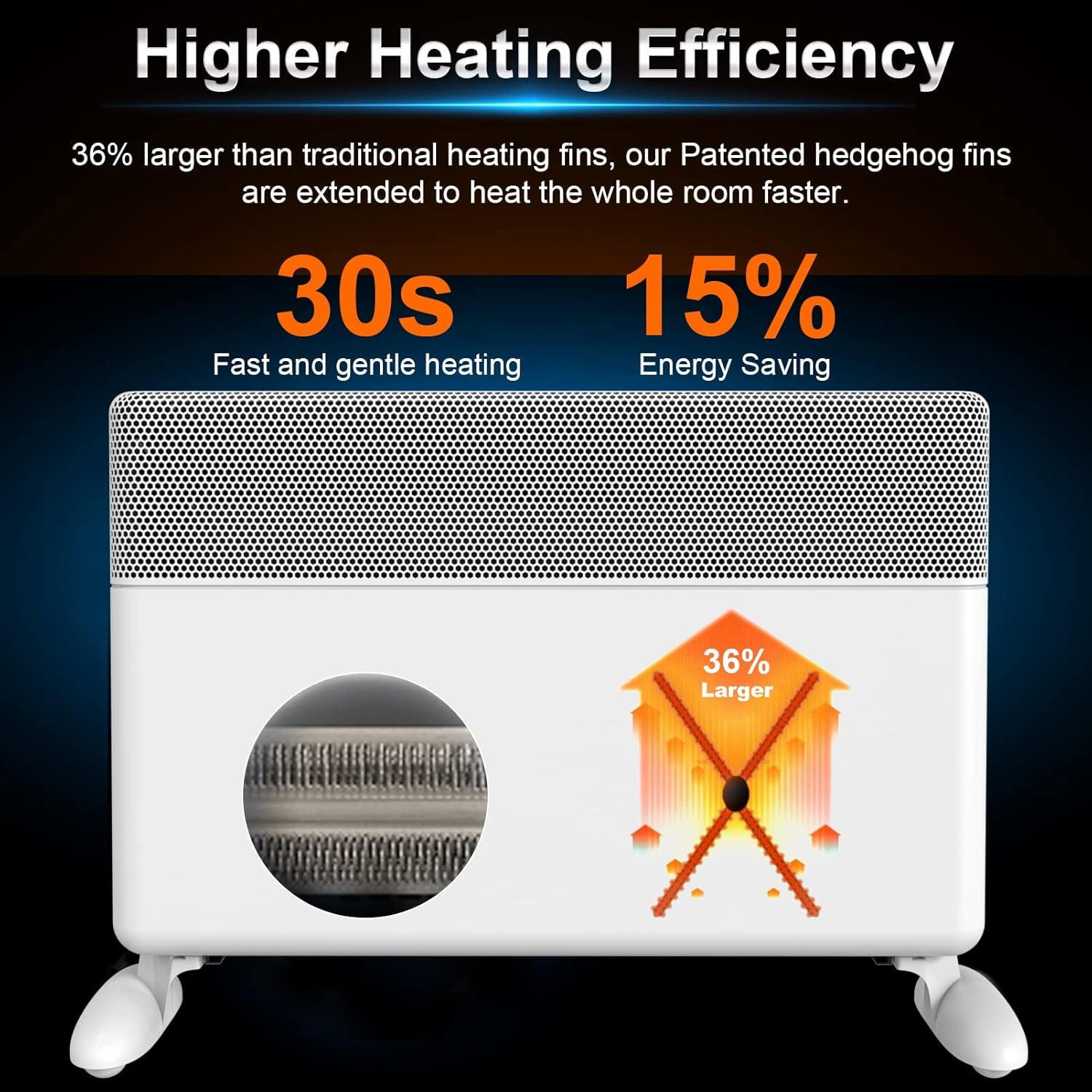
Image: Diagram illustrating the heater's high heating efficiency and rapid warm-up time.

Image: Illustration showing how the BALLU Apollo heater effectively warms a room up to 300 sq ft through natural convection.

Image: Depiction of the heater's silent operation, emphasizing no fan, no dry air, and no dazzling light for a comfortable environment.
Функцыі бяспекі
Your BALLU Apollo heater is equipped with multiple safety mechanisms to ensure secure operation:
- Абарона ад перакульвання: Automatically shuts off the unit if it is accidentally knocked over.
- Абарона ад перагрэву: The heater will power down if internal components reach an unsafe temperature.
- Блакіроўка ад дзяцей: Prevents unauthorized access to the control panel settings.
- Вогнеўстойлівыя матэрыялы V0: Constructed with high-quality, flame-retardant power cord and plug.

Image: Icons representing the heater's safety features: Tip-over protection, Child lock, and Overheat protection.
Тэхнічнае абслугоўванне
To ensure optimal performance and longevity of your heater, follow these maintenance guidelines:
- Заўсёды адключайце абагравальнік ад сеткі і дайце яму цалкам астыць перад чысткай.
- Працярыце вонкавыя паверхні мяккай, damp тканіна. Не выкарыстоўвайце абразіўныя ачышчальнікі або растваральнікі.
- Ensure the air intake and exhaust grilles are free from dust and debris. Use a vacuum cleaner with a brush attachment to gently clean these areas.
- Не апускайце абагравальнік у ваду або іншую вадкасць.
- Калі абагравальнік не выкарыстоўваецца, захоўвайце яго ў прахалодным сухім месцы.
Ліквідацыю непаладак
If you encounter issues with your BALLU Apollo heater, please refer to the following common solutions:
- Абагравальнік не ўключаецца: Ensure the power cord is securely plugged into a functional outlet. Check if the main power switch (if applicable) is in the 'ON' position. Verify that the child lock is not activated.
- Няма цеплавой магутнасці: Confirm the desired temperature setting is higher than the current room temperature. Check the selected operating mode.
- Абагравальнік нечакана адключаецца: This may indicate activation of the overheat or tip-over protection. Ensure the heater is on a stable surface and not obstructed. Allow the unit to cool down before restarting.
- Display shows an error or locked symbol: Consult the detailed troubleshooting section in the full user manual or contact customer support for assistance.
Тэхнічныя характарыстыкі
| Асаблівасць | Дэталь |
|---|---|
| Марка | Баллу |
| мадэль | Апалон |
| Асаблівасць | Energy Efficient, Noiseless, Portable |
| Колер | Белы |
| Формаў-фактар | П'едэстал |
| Выкарыстанне ў памяшканні/на вуліцы | У памяшканні |
| Тып мацавання | Насценнае мацаванне |
| Тып нумара | Спальня, хатні офіс, кабінет |
| Пакрыццё ацяплення | 300 квадратных футаў |
| Тып гарэлкі | Прамяністы |
| Цеплааддача | 1500 ват |
| Памеры прадукту | 25.2 х 4 х 15.9 цалі |
| Вага прадмета | 17.56 фунта |
| Дата першай даступнасці | 17 верасня 2021 г |
Гарантыя і падтрымка
For warranty information, technical support, or service inquiries, please refer to the contact details provided with your product packaging or visit the official Ballu webсайт. Захоўвайце чэк аб куплі як пацверджанне пакупкі.


