Уводзіны
This manual provides essential information for setting up, operating, maintaining, and troubleshooting your Apple iPhone 12 Mini (PRODUCT)RED 64GB. This device is a renewed premium product, ensuring full functionality and a high standard of quality.
Key features of your iPhone 12 Mini include:
- Unlocked for compatibility with any GSM and CDMA network carrier (e.g., AT&T, T-Mobile, Sprint, Verizon).
- Guaranteed battery health exceeding 90% of original capacity.
- Minimal cosmetic damage, not noticeable at arm's length.
- Includes a certified MFi charging cable and a UL certified wall plug.
- Backed by a one-year satisfaction guarantee.
1. Усталёўка і першае выкарыстанне
1.1 Што ў камплекце
Your renewed iPhone 12 Mini package includes the following items:
- Apple iPhone 12 Mini (PRODUCT)RED 64GB
- USB-C to Lightning Cable (generic, MFi certified)
- Wall Plug (generic, UL certified)
- SIM Tray Removal Tool
Note: Headphones and a SIM card are not included.

Image: The iPhone 12 Mini and its included USB-C to Lightning charging cable.
1.2 Устаўка SIM-карты
- Locate the SIM tray on the side of your iPhone.
- Insert the SIM tray removal tool into the small hole next to the tray and press firmly until the tray ejects.
- Устаўце карту Nano-SIM у латок залатымі кантактамі ўніз.
- Carefully reinsert the SIM tray into the iPhone.
1.3 Уключэнне і пачатковая налада
- Націсніце і ўтрымлівайце бакавую кнопку, пакуль не з'явіцца лагатып Apple.
- Выконвайце інструкцыі на экране, каб выбраць мову і рэгіён.
- Падключыцеся да сеткі Wi-Fi.
- Наладзьце Face ID для бяспечнай аўтэнтыфікацыі.
- Create a passcode.
- Restore data from a backup (iCloud or computer) or set up as a new iPhone.
- Увайдзіце з дапамогай свайго Apple ID або стварыце новы.
- Complete the remaining setup steps, including location services and Siri.
2. Operating Your iPhone 12 Mini
2.1 Асноўная навігацыя
Your iPhone 12 Mini operates on iOS 16, providing an intuitive touchscreen interface.
- Галоўны экран: Swipe up from the bottom edge to go to the Home screen.
- Пераключальнік праграм: Правядзіце пальцам уверх ад ніжняга краю і спыніцеся пасярэдзіне экрана, каб view адкрытыя праграмы.
- Цэнтр кіравання: Правядзіце пальцам уніз ад верхняга правага кута, каб атрымаць доступ да хуткіх налад.
- Апавяшчэнні: Правядзіце пальцам уніз ад верхняга левага кута да view апавяшчэнні.
2.2 Уключэнне/выключэнне сілкавання
- Каб уключыць: Націсніце і ўтрымлівайце бакавую кнопку, пакуль не з'явіцца лагатып Apple.
- Каб выключыць: Press and hold the Side button and either Volume button simultaneously until the power off slider appears. Drag the slider to power off.
2.3 Face ID
Face ID uses facial recognition for secure unlocking, purchases, and app authentication. Ensure your face is clear and directly facing the screen for optimal performance.

Image: Detail of the iPhone 12 Mini's front display and notch, housing the Face ID system.
2.4 Выкарыстанне камеры
Your iPhone 12 Mini features a dual-camera system on the rear and a single front camera. Open the Camera app to capture photos and videos. Tap on the screen to focus, and use the zoom options for different perspectives.

Image: Detail of the iPhone 12 Mini's dual rear camera system.
3. Тэхнічнае абслугоўванне і догляд
3.1 Сыход за акумулятарам
Your renewed iPhone 12 Mini is guaranteed to have a battery capacity exceeding 90% of its original. To maximize battery lifespan:
- Avoid extreme ambient temperatures (below 0°C/32°F or above 35°C/95°F).
- Charge your iPhone using the provided MFi certified cable and UL certified wall plug.
- Enable Optimized Battery Charging in Settings > Battery > Battery Health.
- Пазбягайце частай поўнай разрадкі акумулятара.
3.2 Ачыстка вашага iPhone
To clean your iPhone, use a soft, lint-free cloth. Avoid abrasive materials, aerosols, solvents, or ammonia-based cleaners. Do not submerge your iPhone in water.
3.3 Абнаўленне праграмнага забеспячэння
Regularly update your iPhone's software to the latest iOS version to ensure optimal performance, security, and access to new features. Go to Settings > General > Software Update.
4. Ліквідацыю распаўсюджаных праблем
4.1 Прылада не адказвае
If your iPhone becomes unresponsive, perform a force restart:
- Націсніце і хутка адпусціце кнопку павелічэння гучнасці.
- Націсніце і хутка адпусціце кнопку памяншэння гучнасці.
- Націсніце і ўтрымлівайце бакавую кнопку, пакуль не з'явіцца лагатып Apple.
4.2 Праблемы з падключэннем да сеткі
- No Service/Poor Signal: Check your SIM card insertion. Go to Settings > Cellular and ensure Cellular Data is enabled. Try toggling Airplane Mode on and off.
- Праблемы з падключэннем Wi-Fi: Go to Settings > Wi-Fi. Ensure Wi-Fi is on and you are connected to the correct network. Try forgetting the network and rejoining.
4.3 Хуткая разрадка батарэі
While your renewed iPhone has a healthy battery, usage patterns can affect battery life. If you experience rapid battery drain:
- Check Battery Usage in Settings > Battery to identify apps consuming the most power.
- Паменшыць яркасць экрана.
- Disable Background App Refresh for non-essential apps (Settings > General > Background App Refresh).
- Limit location services for apps (Settings > Privacy > Location Services).
5. Тэхнічныя характарыстыкі прадукту
| Асаблівасць | Спецыфікацыя |
|---|---|
| Марка | яблык |
| Назва мадэлі | iPhone 12 міні |
| Аперацыйная сістэма | iOS 16 |
| Ёмістасць памяці | 64 ГБ |
| Мадэль працэсара | Apple A14 Bionic |
| Хуткасць працэсара | 3 ГГц |
| Памер экрана | 6.1 цалі |
| Тып дысплея | OLED |
| дазвол | 2340 х 1080 |
| Частата абнаўлення | 60 Гц |
| Колер | (PRODUCT) RED |
| Пастаўшчык бесправадной сувязі | Разблакіравана для ўсіх аператараў |
| Сотавая тэхналогія | 5G, 4G LTE |
| Тэхналогія падлучэння | Wi-Fi |
| Біяметрычная функцыя бяспекі | Распазнаванне твараў |
| Тып раздыма | Маланка |
| Апісанне батарэі | Літый-іённы |
| Сярэдні тэрмін службы батарэі | 14 гадзін |
| Вага прадмета | 1.5 грам |
| Мадэльны год | 2020 |
6. Інфармацыя аб гарантыі
Your Apple iPhone 12 Mini (Renewed Premium) is backed by a one-year satisfaction guarantee. This warranty covers any functional defects and ensures the device meets the described renewed premium condition.
For specific details regarding coverage and claims, please refer to the documentation provided with your purchase or contact the seller directly.
7. Падтрымка кліентаў
If you encounter any issues or have questions not covered in this manual, please contact the seller, Hybrid IT, through your Amazon order details. For general Apple support resources, visit support.apple.com/iphone.
For information regarding Amazon Renewed Premium products and their conditions, please refer to the Amazon Renewed program details.
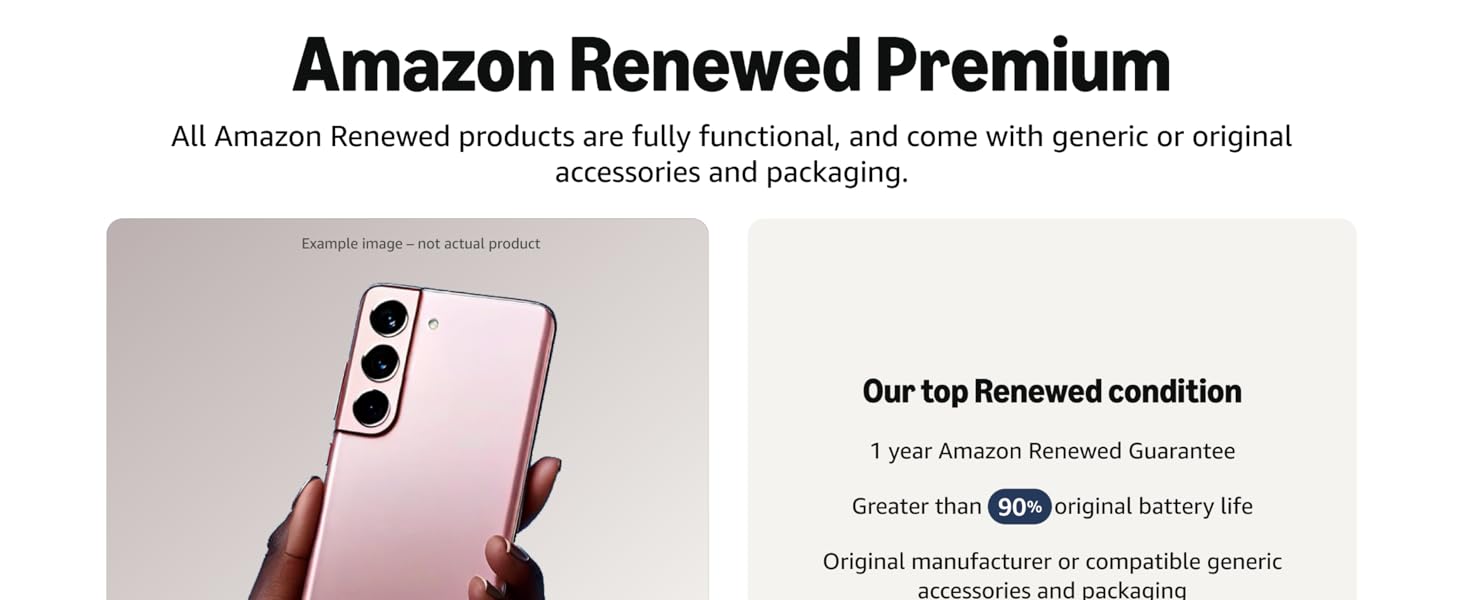
Выява: Зверхуview of Amazon Renewed Premium standards.
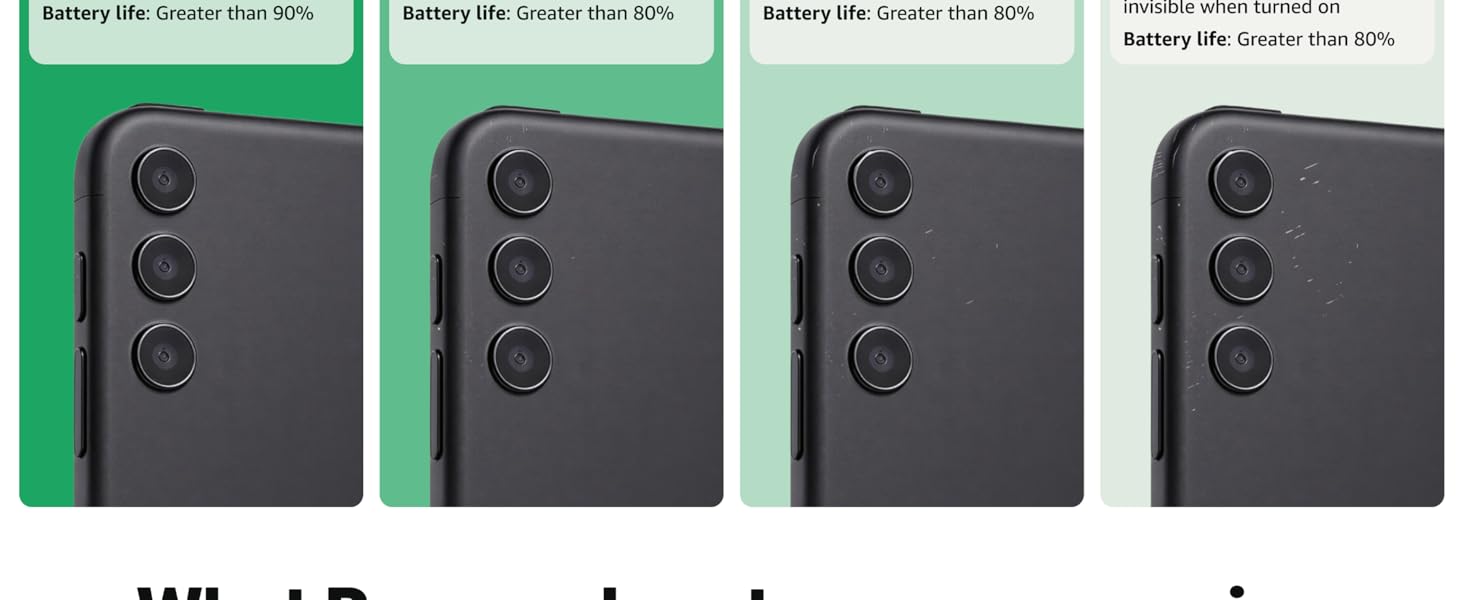
Image: Detailed comparison of Amazon Renewed product conditions.


