1. Уводзіны
The TP-Link UB5A is a compact Bluetooth 5.0 Nano USB Adapter designed to provide Bluetooth connectivity to your desktop or laptop computer. This adapter allows you to connect various Bluetooth-enabled devices such as headphones, speakers, keyboards, mice, and game controllers wirelessly. Its nano size ensures a low-profile fit, making it ideal for permanent installation in a USB port.
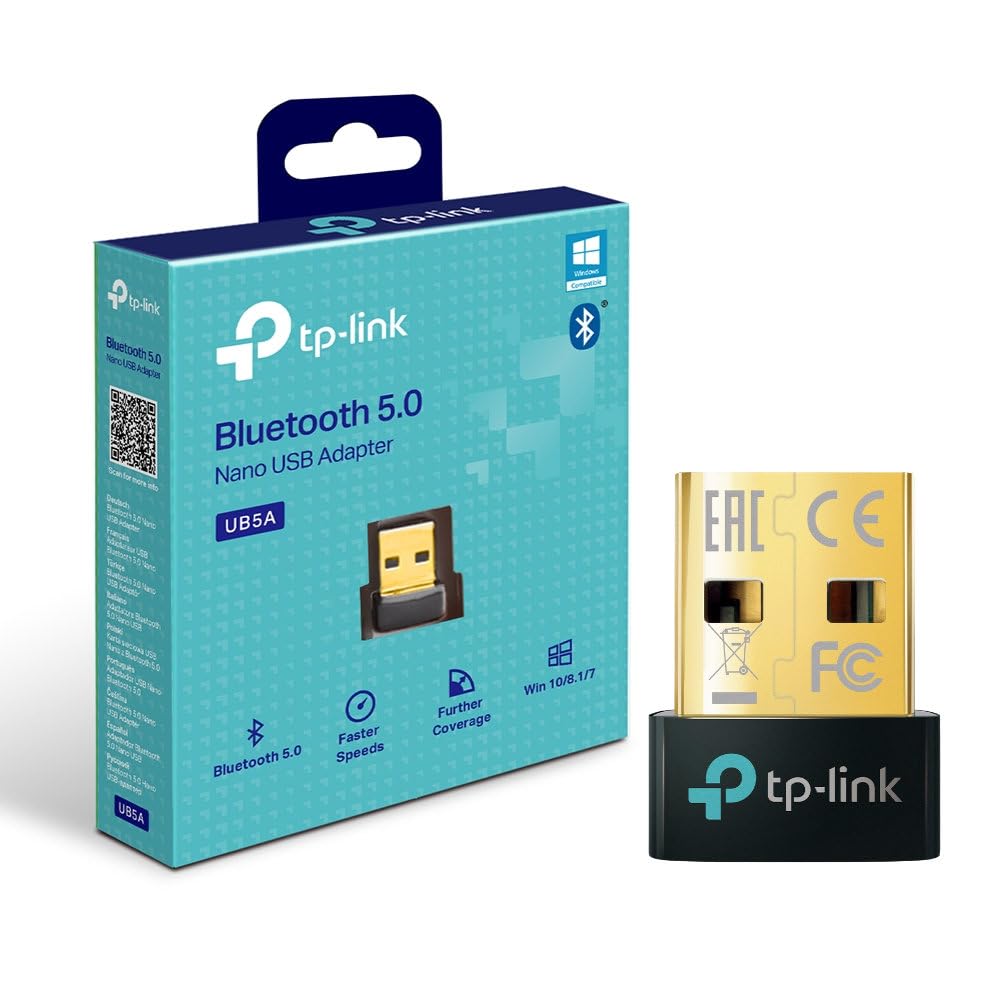
Фронт view of the TP-Link UB5A Bluetooth 5.0 Nano USB Adapter, showcasing its compact design and TP-Link branding.
2. Настройка і ўстаноўка
Follow these steps to install your TP-Link UB5A Bluetooth 5.0 Nano USB Adapter:
- Устаўце адаптар: Plug the UB5A adapter into an available USB 2.0 port on your desktop or laptop computer.
- Ўстаноўка драйвера: For most modern operating systems (Windows 10/8.1/7), the necessary drivers should install automatically upon connection. If the adapter is not recognized or Bluetooth functionality is not available, you may need to manually install drivers.
- Ручная ўстаноўка драйвера (пры неабходнасці):
- Звярніцеся ў афіцыйную службу падтрымкі TP-Link webсайт: www.tp-link.com/support.
- Пошук 'UB5A' and download the latest drivers compatible with your operating system.
- Run the downloaded driver installer and follow the on-screen instructions.

The TP-Link UB5A adapter discreetly plugged into a laptop's USB port, demonstrating its nano size and low-profile падыходзяць.
3. Інструкцыя па эксплуатацыі
Once the adapter is installed and recognized by your system, you can begin pairing Bluetooth devices:
- Уключыць Bluetooth: Ensure Bluetooth is enabled on your computer. This can usually be done through the Windows Settings (Settings > Devices > Bluetooth & other devices) or the system tray icon.
- Перавядзіце прыладу ў рэжым спалучэння: Place your Bluetooth device (e.g., headphones, speaker, mouse) into pairing mode. Refer to your device's manual for specific instructions on how to do this. Typically, this involves holding down a power or Bluetooth button until an indicator light flashes.
- Дадаць прыладу: On your computer, click "Add Bluetooth or other device" and select "Bluetooth." Your computer will scan for nearby Bluetooth devices.
- Выберыце і падключыце: From the list of discovered devices, select your device and follow any on-screen prompts to complete the pairing process. You may be asked to enter a PIN or confirm a code.
- Праверце злучэнне: Once paired, your device should appear as "Connected" in your computer's Bluetooth settings.

The retail packaging for the TP-Link UB5A adapter, highlighting key features like Bluetooth 5.0 and Windows compatibility.
4. Тэхнічнае абслугоўванне
The TP-Link UB5A adapter requires minimal maintenance. To ensure optimal performance and longevity:
- Keep the adapter plugged into a USB port to avoid misplacement, as its small size can make it easy to lose.
- Пазбягайце ўздзеяння на адаптар экстрэмальных тэмператур, вільгаці або прамых сонечных прамянёў.
- Clean the adapter gently with a dry, soft cloth if necessary. Do not use liquid cleaners.
5. Выпраўленне непаладак
If you encounter issues with your TP-Link UB5A adapter, try the following troubleshooting steps:
- Адаптар не выяўлены:
- Паспрабуйце падключыць адаптар да іншага USB-порта на вашым кампутары.
- Перазагрузіце кампутар.
- Ensure the drivers are correctly installed (refer to Section 2).
- Немагчыма спалучыць прылады:
- Пераканайцеся, што ваша прылада Bluetooth знаходзіцца ў рэжыме спалучэння.
- Ensure the device is within range (typically up to 10 meters or 33 feet).
- Turn off and on Bluetooth on your computer.
- Выдаліце ўсе раней спалучаныя экзэмпляры прылады з налад Bluetooth вашага кампутара і паспрабуйце зноў спалучыць прыладу.
- Unstable Connection or Poor Audio Quality:
- Ensure there are no physical obstructions or sources of interference (e.g., Wi-Fi routers, microwaves) between the adapter and your Bluetooth device.
- Update your Bluetooth drivers to the latest version from the TP-Link support webсайт.
- Try moving the computer or the Bluetooth device to a different location.
6. Тэхнічныя характарыстыкі
| Нумар мадэлі | UB5A |
| Абсталяванне інтэрфейсу | Bluetooth, USB |
| Пратакол перадачы дадзеных | Bluetooth, USB |
| Хуткасць перадачы даных | 12 гігабіт у секунду |
| Памеры прадукту | 4.76 х 3.43 х 3.54 цаляў (або 7.87"Д х 5.91"Ш х 5.91"В) |
| Вага прадмета | 0.952 унцыі (27 грама) |
| Сумяшчальныя прылады | Настольны кампутар, ноўтбук |
| Minimum Required Operating System | Windows 10, Mac OS 10.12 Sierra |
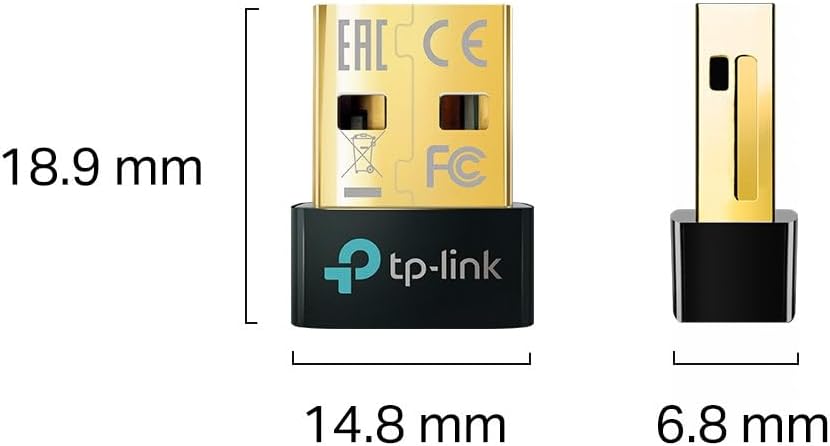
Diagram illustrating the compact dimensions of the TP-Link UB5A adapter: 18.9 mm length, 14.8 mm width, and 6.8 mm height.
7. Гарантыя і падтрымка
Інфармацыя аб гарантыі: The TP-Link UB5A Bluetooth 5.0 Nano USB Adapter comes with a трохгадовая гарантыя against manufacturing defects, ensuring reliability and peace of mind.
Тэхнічная падтрымка: For further assistance, technical support, or warranty claims, please visit the official TP-Link support webсайт або звярніцеся ў службу падтрымкі кліентаў:
- Падтрымка TP-Link Webсайт: www.tp-link.com/support
- Падтрымка па электроннай пошце: support.usa@tp-link.com
- Падтрымка па тэлефоне: 866.225.8139
Please have your product model (UB5A) and purchase information ready when contacting support.