1. Уводзіны
Welcome to the Staniot H501-WiFi Home Alarm System. This comprehensive security kit is designed to provide reliable and intelligent protection for your home or office. Featuring an intuitive touch screen panel, seamless app control, and compatibility with smart home assistants, this system offers enhanced security and peace of mind. This manual will guide you through the setup, operation, and maintenance of your new security system.

Figure 1: Staniot H501-WiFi Home Alarm System components including the main panel, door/window sensors, SOS button, motion detector, and remote controls.
2. Важная інфармацыя па бяспецы
Please read all safety instructions carefully before installing and operating the system. Failure to follow these instructions may result in damage to the device or personal injury.
- Ensure the system is installed in a dry environment, away from water and excessive humidity.
- Не спрабуйце разбіраць або рамантаваць прыладу самастойна. Звяртайцеся да кваліфікаванага персаналу па любыя паслугі па абслугоўванні.
- Use only the provided power adapter for the main panel.
- Keep small components and batteries out of reach of children.
- Verify that all sensors are securely mounted to prevent accidental detachment.
- Only connect to a 2.4 GHz WiFi network. 5 GHz networks are not supported.
3. Змесціва ўпакоўкі
Пасля распакавання пераканайцеся, што ўсе пералічаныя ніжэй прадметы ўваходзяць у камплект:
- 1 x Security Panel (Main Control Unit)
- 4 x Entry Sensors (Door/Window Sensors)
- 1 х кнопка SOS
- 2 х Пульты дыстанцыйнага кіравання
- 1 х правадная сірэна
- 1 х PIR-датчык руху
- 1 x Power Adapter for Main Panel
- Мантажныя элементы (шрубы, клейкія накладкі)
- Кіраўніцтва карыстальніка (гэты дакумент)

Figure 2: Visual representation of the 10-piece alarm kit contents.
4. Кіраўніцтва па наладцы
4.1. Усталёўка галоўнай панэлі
- Уключэнне: Connect the provided power adapter to the main security panel and plug it into a wall outlet. The panel will power on and display the Staniot Home UI 2.0 interface.
- Падключэнне да сеткі:
- On the panel, navigate to the Wi-Fi settings.
- Выберыце сетку Wi-Fi 2.4 ГГц і ўвядзіце пароль.
- Ensure the panel is connected to the internet for app control and updates.
- Загрузка прыкладання: Download the "Smart Life" app from your smartphone's app store (iOS App Store or Google Play Store). Register an account if you don't have one.
- Спалучэнне з праграмай:
- Open the Smart Life app and follow the on-screen instructions to add a new device.
- Select "Security & Video Surveillance" -> "Alarm (Wi-Fi)".
- Follow the app's guide to connect the panel. This usually involves putting the panel into pairing mode.

Figure 3: The sleek design of the Staniot security panel, highlighting its ultra-thin profile and connectivity ports.
4.2. Sensor and Accessory Installation
The system supports up to 200 accessories. Each accessory comes with adhesive pads or screws for easy installation.
- Entry Sensors (Door/Window):
- Mount the two parts of the entry sensor on a door or window frame, ensuring they are aligned and within 1 cm of each other when the door/window is closed.
- Use the provided adhesive or screws for secure mounting.
- Test by opening and closing the door/window; the sensor's indicator light should flash.

Figure 4: Proper placement and activation of an entry sensor.
- PIR-датчык руху:
- Install the motion detector in a corner or on a wall where it can cover the desired area without obstructions. Avoid direct sunlight or heat sources.
- Mount at a height of approximately 2.2-2.4 meters (7-8 feet) for optimal detection range.
- Test by walking through the detection area; the indicator light should activate.

Figure 5: The motion detector's 110-degree detection range.
- Кнопка SOS: Place the SOS button in an easily accessible location, such as a bedside table or near an exit.
- Пульты дыстанцыйнага кіравання: No installation needed. Keep them handy for quick arming/disarming.
- Правадная сірэна: Connect the wired siren to the designated siren port on the main panel. Mount it in a visible location for maximum deterrent effect.
4.3. Adding Accessories to the System
After physical installation, you need to add each accessory to the main panel and the Smart Life app.
- On the main panel, navigate to "Menu" -> "Accessories" -> "Add Accessory".
- Trigger the accessory (e.g., open an entry sensor, wave in front of the motion detector, press the SOS button). The panel will detect and add the accessory.
- You can customize the name of each accessory in the Smart Life app for easier identification (e.g., "Front Door Sensor", "Living Room Motion").
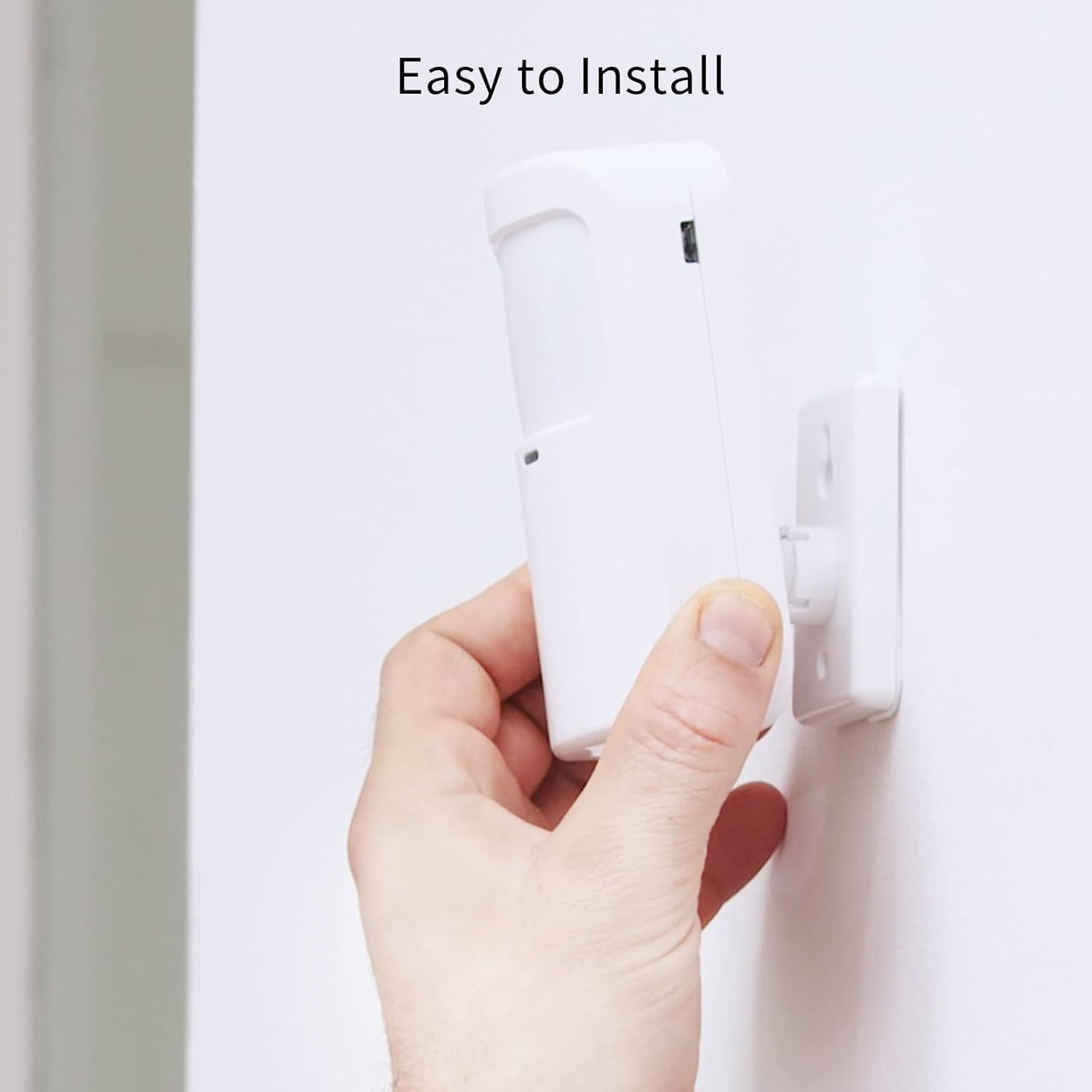
Figure 6: Simple installation process for the motion sensor.
5. Кіраванне сістэмай
5.1. Уключэнне і зняцце з аховы
The Staniot system offers multiple ways to arm and disarm your security system:
- Галоўная панэль: Use the touch screen to select "Away Arm" (full protection), "Stay Arm" (perimeter protection, internal sensors off), or "Disarm".
- Пульт дыстанцыйнага кіравання: Press the respective buttons on the remote control for quick arming/disarming.
- Прыкладанне Smart Life: Control the system remotely from your smartphone. You can set alarm modes and monitor accessory status.
- Галасавое кіраванне (Alexa/Google Assistant): Integrate with Amazon Alexa or Google Assistant for voice commands.
- Enable the "Smart Life" skill in your Alexa or Google Home app.
- Link your Smart Life account.
- Use commands like "Alexa, arm the security system" or "Hey Google, disarm the alarm."

Малюнак 7: Інтэграцыя галасавога кіравання з Alexa і Google Assistant.
5.2. Instant App Notifications
When an alarm is triggered, you will receive instant notifications on your smartphone via the Smart Life app. This allows you to monitor your home's security status in real-time, even when you are away.

Figure 8: Real-time alarm notifications on your mobile device.
5.3. Функцыя SOS
In case of an emergency, pressing the SOS button will immediately trigger the alarm and send alerts to pre-set emergency contacts via the app.

Figure 9: The SOS button provides immediate assistance in emergencies.
6. Тэхнічнае абслугоўванне
- Замена батарэі: Replace batteries in sensors and remote controls as needed. The Smart Life app may notify you of low battery levels.
- Уборка: Wipe the main panel and sensors with a soft, dry cloth. Avoid using abrasive cleaners or solvents.
- Абнаўленні прашыўкі (OTA): The system supports Over-The-Air (OTA) online upgrades. Regularly check for and install updates via the Smart Life app to ensure optimal performance and access to new features.

Figure 10: Seamless online firmware updates for continuous system improvement.
- Праверкі сістэмы: Periodically test all sensors and the siren to ensure they are functioning correctly.
7. Выпраўленне непаладак
| праблема | Магчымая прычына | Рашэнне |
|---|---|---|
| Panel not connecting to Wi-Fi. | Няправільны пароль Wi-Fi; выбрана сетка 5 ГГц; слабы сігнал. | Double-check password. Ensure you are connecting to a 2.4 GHz network. Move panel closer to router. |
| Датчыкі не спрацоўваюць сігналізацыяй. | Sensor battery low; sensor not paired; improper installation. | Replace sensor battery. Re-pair sensor with panel. Ensure proper alignment and proximity for entry sensors. |
| Няма апавяшчэнняў праграм. | App permissions not granted; phone's notification settings disabled; panel not connected to internet. | Check app permissions in phone settings. Enable notifications for Smart Life app. Verify panel's internet connection. |
| Галасавое кіраванне не працуе. | Smart Life skill not enabled/linked; incorrect voice commands. | Ensure Smart Life skill is enabled and linked in Alexa/Google Home app. Use precise commands. |
| Siren not sounding. | Siren not connected; siren volume set too low. | Check siren connection to the main panel. Adjust siren volume settings on the panel. |
Калі ў вас узнікнуць праблемы, якія не пералічаны тут, звярніцеся ў раздзел падтрымкі або звяжыцеся са службай падтрымкі кліентаў.
8. Тэхнічныя характарыстыкі
| Асаблівасць | Дэталь |
|---|---|
| Нумар мадэлі | H501-WiFi |
| Марка | Staniot |
| Памеры (панэль) | 21.59 х 16.51 х 7.37 см (8.5 х 6.5 х 2.9 цалі) |
| Вага | 912 грама (2.01 фунта) |
| Крыніца харчавання | Працуе ад батарэі (1 літый-іённая батарэя ў камплекце) |
| тtage | 5 вольт |
| Тэхналогія падлучэння | Wireless (2.4 GHz Wi-Fi only) |
| Метад кантролю | Application, Touch Screen, Remote Control, Voice Control |
| Сумяшчальныя прылады | Smartphone (Smart Life App), Amazon Alexa, Google Assistant |
| Max Accessories Supported | Да 200 |
| Матэрыял | АБС |
| Сертыфікаты | CE, UKCA, FCC |
9. Гарантыя і падтрымка
9.1. Інфармацыя аб гарантыі
Staniot products come with a standard manufacturer's warranty. Please refer to the warranty card included in your package or visit the official Staniot webпадрабязныя ўмовы гарантыі глядзіце на сайце. Захоўвайце чэк аб куплі як пацвярджэнне пакупкі для прэтэнзій па гарантыі.
9.2. Падтрымка кліентаў
For technical assistance, troubleshooting, or any questions regarding your Staniot Home Alarm System, please contact our customer support team. We are committed to providing prompt and helpful service.
- Інтэрнэт-падтрымка: Visit the Staniot official webсайт з часта задаванымі пытаннямі, артыкуламі падтрымкі і кантактнымі формамі.
- Падтрымка па электроннай пошце: Звярніцеся да ўпакоўкі прадукту або да афіцыйнай webсайт для адраса электроннай пошты службы падтрымкі кліентаў.
- Падтрымка па тэлефоне: Праверце афіцыйнага webсайт, каб даведацца пра даступныя нумары тэлефонаў падтрымкі і гадзіны працы.
Your satisfaction is our primary goal. If you encounter any problems, please contact us first, and we will resolve the issue for you as soon as possible.


