Уводзіны
This user manual provides detailed instructions for the installation, operation, and maintenance of your WALI Dual Monitor Stand (Model GSMP002W). This adjustable gas spring arm monitor mount is designed to enhance your workspace by providing ergonomic positioning for two monitors, freeing up valuable desk space.
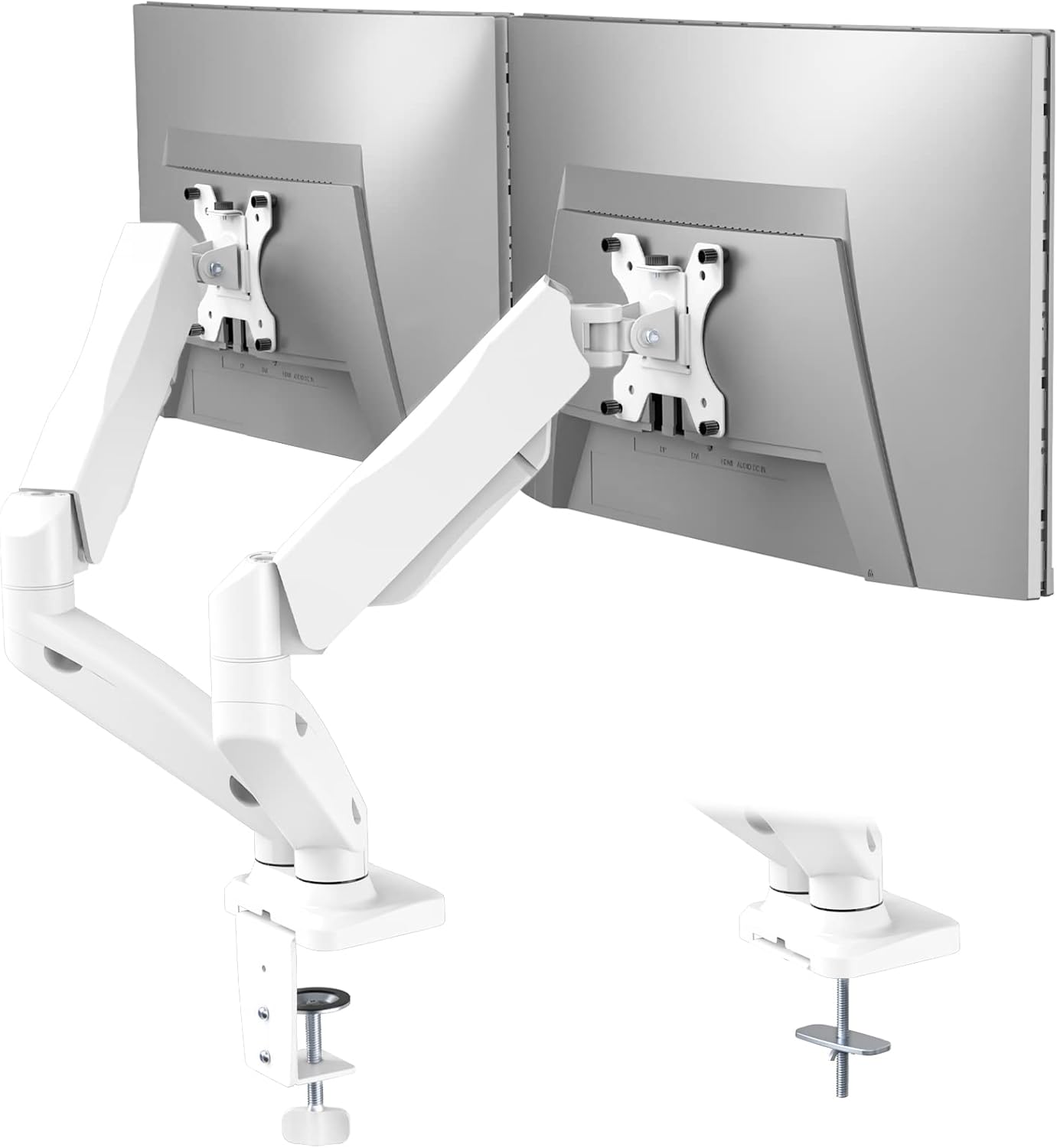
Image: The WALI Dual Monitor Stand (GSMP002W) in white, supporting two monitors on a desk.
Асноўныя характарыстыкі
- Сумяшчальнасць: Fits most flat or curved LCD/LED screens from 17 to 32 inches, supporting up to 19.8 lbs per arm. Compatible with 75x75mm and 100x100mm VESA mounting patterns.
- Універсальная ўстаноўка: Асаблівасці два-stage locking system for C-clamp and Grommet Base installations, suitable for desks 0.4 to 3.3 inches thick.
- Поўная рэгуляванасць: High-grade steel gas spring arms allow for extension, retraction, and precise positioning. Monitors can tilt +75°/-45°, swivel +90°/-90°, and rotate 360°.
- Эрганамічны дызайн: Height adjustable to raise monitors to eye level, promoting a comfortable and correct posture to reduce neck and eye strain.
- Эканомія месца: Frees up valuable desk space, contributing to a more organized and efficient work area.
Змест пакета
Калі ласка, пераканайцеся, што ўсе кампаненты наяўныя, перш чым пачаць усталёўку.
- WALI Dual Monitor Arm Gas Spring Mount (White) x 1
- Камплект мантажнага абсталявання
- Кіраўніцтва карыстальніка
Тэхнічныя характарыстыкі
| Спецыфікацыя | Каштоўнасць |
|---|---|
| Сумяшчальнасць з памерам экрана | 17 - 32 цалі |
| Грузападымальнасць на руку | Да 19.8 фунтаў (9 кг) |
| Сумяшчальнасць VESA | 75х75 мм, 100х100 мм |
| Таўшчыня стала (C-Clamp/Люстэрка) | 0.4 - 3.3 цаляў (10-85 мм) |
| Дыяпазон нахілу | ад +75° да -45° |
| Дыяпазон павароту | ад +90° да -90° |
| Кручэнне | 360° |
| Макс вышыня | 16.5 цаляў (41.9 см) |
| Максімальнае пашырэнне | 19.6 цаляў (49.8 см) |
| Матэрыял | Легаваная сталь |
| Памеры прадукту | 5.83 х 11.14 х 16.46 цалі |
| Вага прадмета | 8.18 фунта |
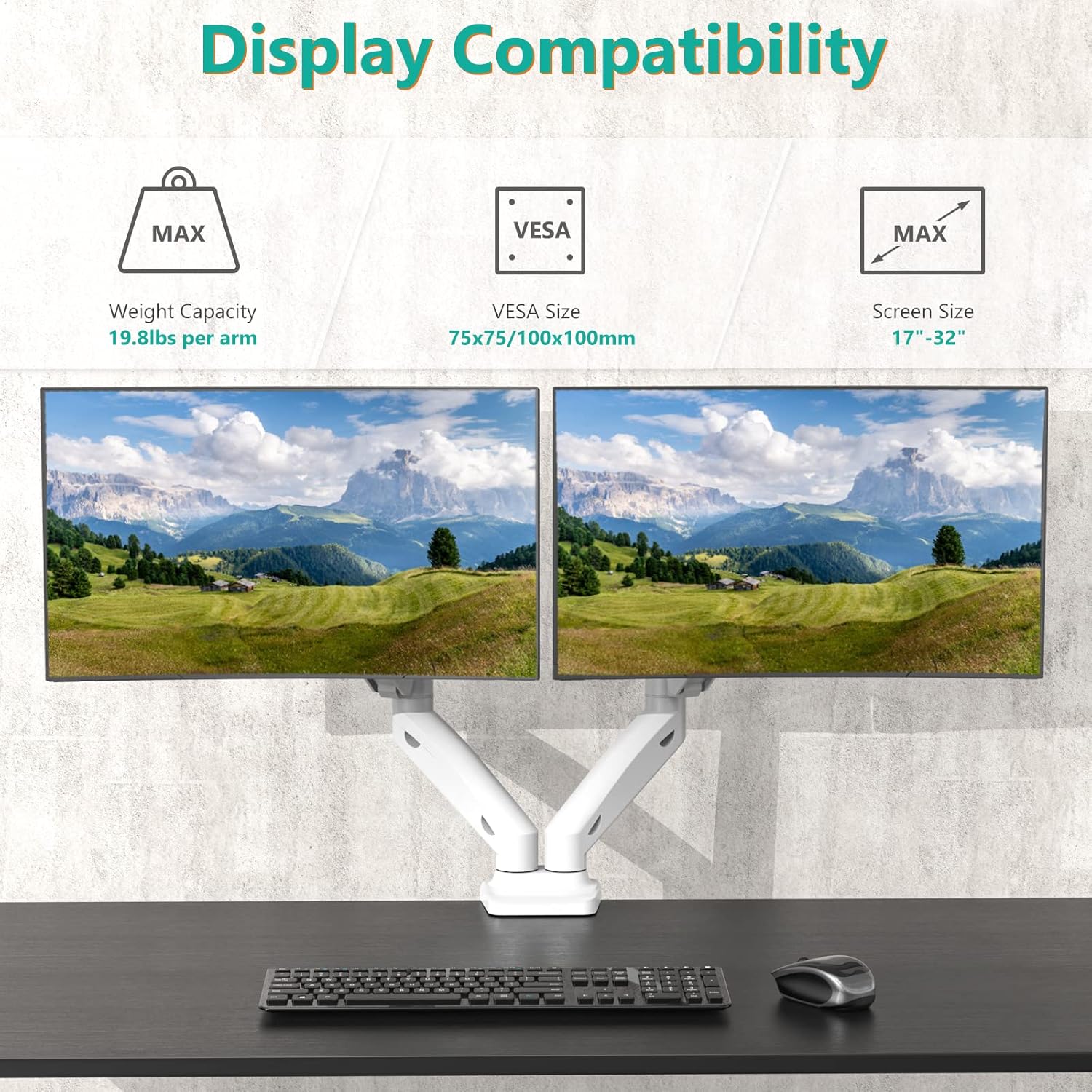
Image: Diagram illustrating the maximum height (16.5 inches) and maximum extension (19.6 inches) of the monitor arm.
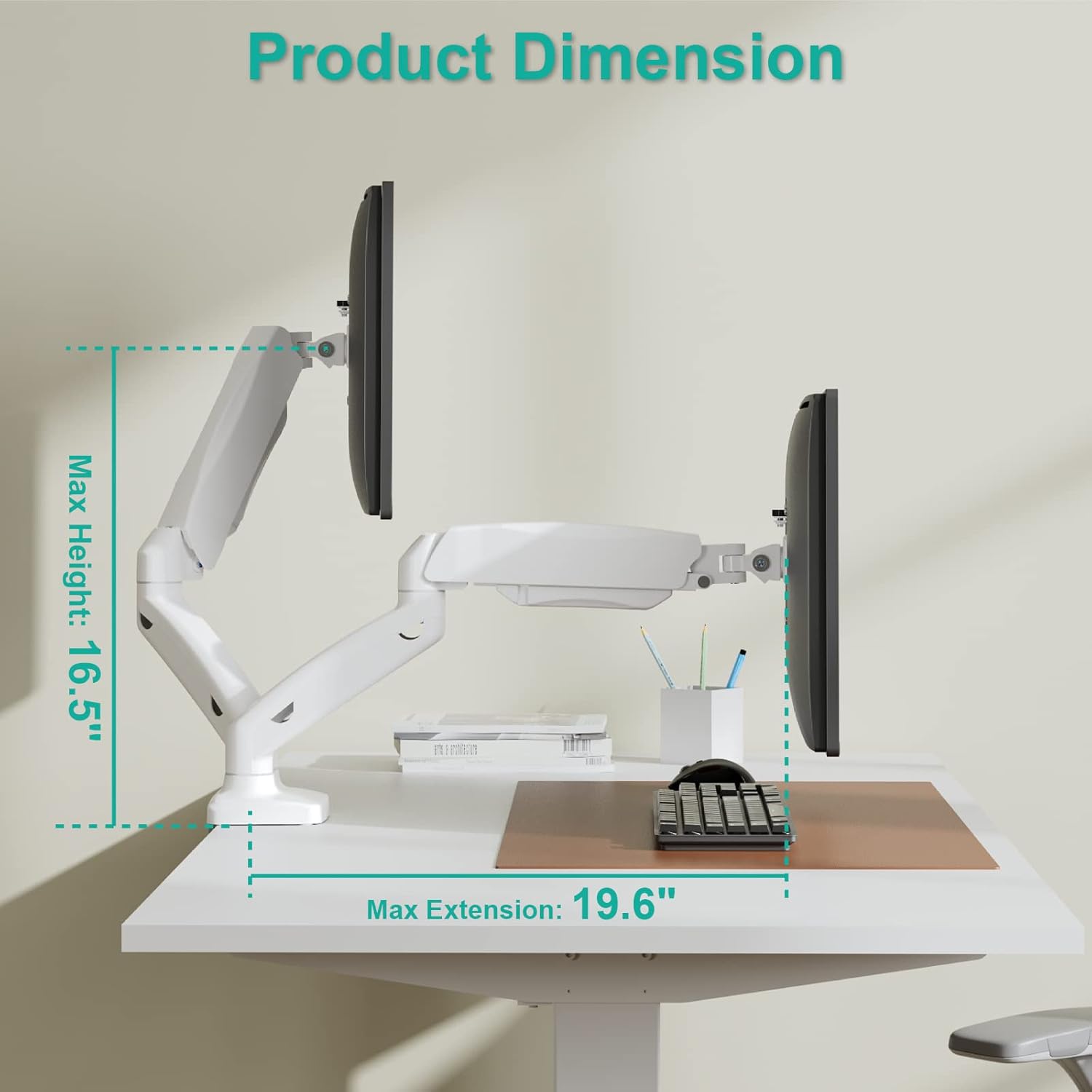
Image: Visual guide to display compatibility, indicating a maximum weight capacity of 19.8 lbs per arm, VESA sizes of 75x75mm and 100x100mm, and screen size compatibility from 17 to 32 inches.
Настройка і ўстаноўка
The WALI Dual Monitor Stand offers two installation options: C-Clamp and Grommet Base. Choose the method that best suits your desk.
1. C-Clamp Ўстаноўка
For desks with an edge, the C-clamp provides a secure attachment without needing to drill holes.
- Прымацуеце C-clamp to the base of the monitor arm.
- Размясціце C-clamp на краі вашага стала.
- Зацягніце шрубу, пакуль клamp is firmly secured to the desk. Ensure the desk thickness is between 0.4 and 3.3 inches.
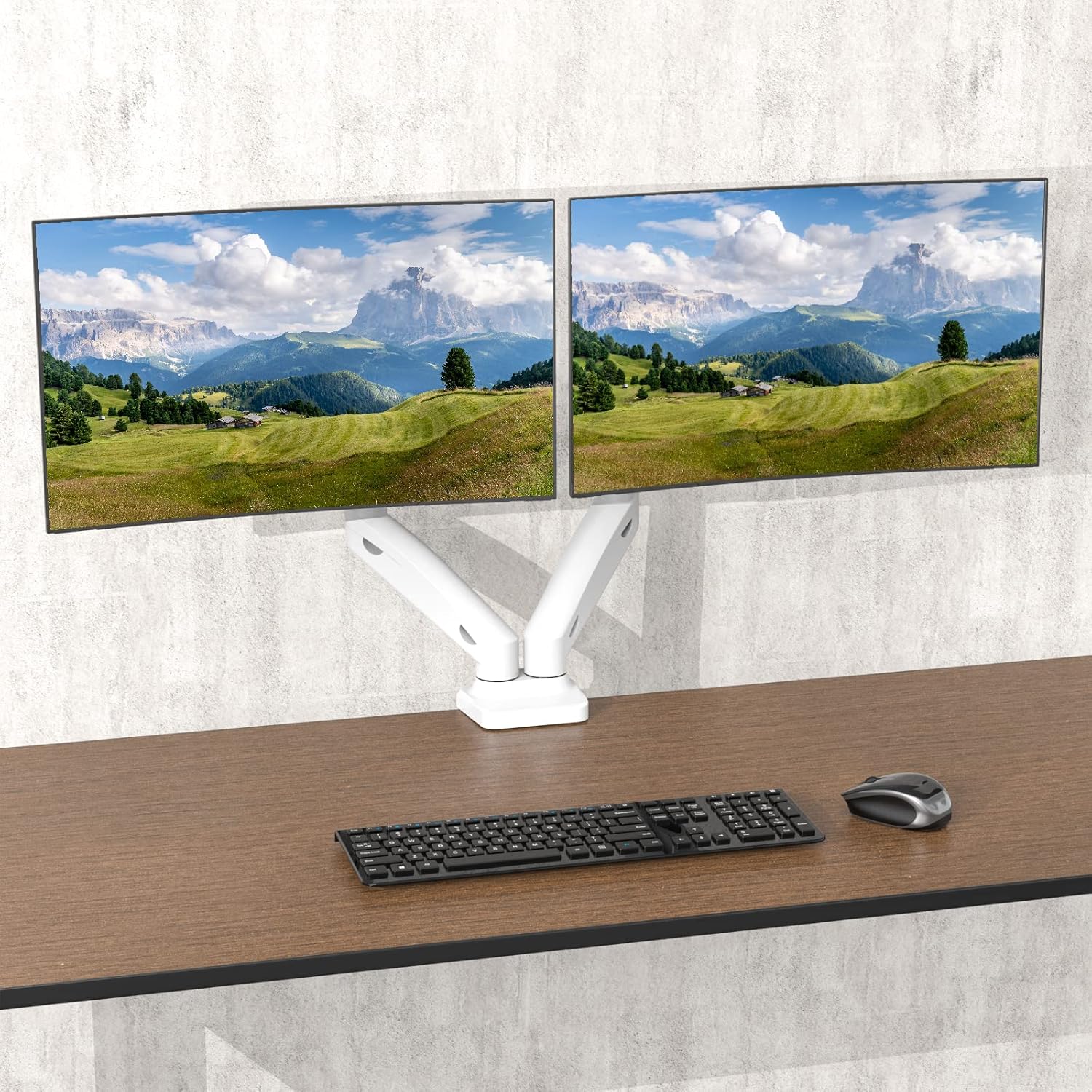
Image: Illustration of both C-clamp and grommet base installation methods for the monitor stand.
2. Grommet Base Installation
For desks with an existing grommet hole (cable management hole), this method provides a flush and stable mount.
- Разбярыце C-clamp components from the base.
- Insert the grommet bolt through the desk's grommet hole.
- Secure the grommet base plate and tighten the nut from underneath the desk. Ensure the desk thickness is between 0.4 and 3.3 inches and the hole diameter is suitable (typically up to 2.75 inches).
3. Падключэнне манітораў
Once the base is securely installed, attach your monitors to the VESA plates.
- Attach the VESA plates to the back of your monitors using the provided screws. Ensure the VESA pattern (75x75mm or 100x100mm) matches your monitor.
- Slide the monitor with the attached VESA plate onto the arm's mounting head until it clicks into place.
- Tighten any security screws on the VESA head to prevent accidental dislodgement.
Відэа кіраўніцтва па ўсталёўцы
Video: An official WALI video demonstrating the installation process for the dual monitor stand, including both C-clamp and grommet base options, and how to attach monitors.
Інструкцыі па эксплуатацыі і рэгуляванні
The WALI Dual Monitor Stand offers extensive adjustability to achieve your optimal viewвопыту.
1. Рэгуляванне нацяжэння газавай спружыны
Adjust the gas spring tension to match the weight of your monitors. This ensures smooth and stable height adjustments.
- Locate the tension adjustment screw on the arm joint (usually covered by a plastic cap).
- Use the provided Allen key to turn the screw: turn clockwise to increase tension (for heavier monitors) or counter-clockwise to decrease tension (for lighter monitors).
- Adjust until the monitor stays at the desired height when released.
2. Рэгуляванне вышыні
Once the gas spring tension is set, you can easily raise or lower your monitors to your preferred ergonomic height.
- Gently push or pull the monitor up or down. The gas spring will assist in holding the position.
3. Tilt Adjustment (+75°/-45°)
Adjust the vertical angle of your monitors to reduce glare and optimize viewз камфортам.
- Grasp the top or bottom edge of your monitor and gently tilt it forwards or backwards to the desired angle.

Image: Diagram illustrating the tilt range of the monitor, from +75 degrees upwards to -45 degrees downwards.
4. Swivel Adjustment (+90°/-90°)
Rotate your monitors horizontally to share your screen or adjust your viewкут нахілу.
- Gently pivot the monitor left or right from its mounting point.

Image: Diagram illustrating the swivel range of the monitor, allowing rotation up to 90 degrees left or right.
5. Rotation (360°)
Change your monitor's orientation from landscape to portrait mode or vice versa.
- Carefully rotate the entire monitor screen clockwise or counter-clockwise.

Image: Diagram illustrating the 360-degree rotation capability of the monitor, allowing for easy switching between landscape and portrait orientations.
6. Кіраванне кабелем
Utilize the integrated cable management clips on the arms to keep your cables organized and out of sight, contributing to a cleaner workspace.
- Route your monitor and power cables through the clips along the underside of the arms.
- Close the clips to secure the cables.
Тэхнічнае абслугоўванне
Regular maintenance ensures the longevity and optimal performance of your WALI Dual Monitor Stand.
- Уборка: Працярыце падстаўку мяккай, damp тканінай. Пазбягайце абразіўных ачышчальнікаў або растваральнікаў, якія могуць пашкодзіць пакрыццё.
- Праверце злучэнні: Перыядычна правярайце ўсе шрубы і балты, каб пераканацца, што яны надзейна закручаныя. Пры неабходнасці падцягвайце.
- Рэгуляванне газавай спружыны: If your monitors begin to sag or are difficult to adjust, re-adjust the gas spring tension as described in the "Operating Instructions" section.
Ліквідацыю непаладак
If you encounter issues with your monitor stand, refer to the common problems and solutions below.
| праблема | Магчымая прычына / рашэнне |
|---|---|
| Манітор прагінаецца або не трымаецца на патрэбнай вышыні. | Gas spring tension is too low for the monitor's weight. Increase tension by turning the adjustment screw clockwise. |
| Monitor is difficult to move or push down. | Gas spring tension is too high for the monitor's weight. Decrease tension by turning the adjustment screw counter-clockwise. |
| Манітор хістаецца або адчуваецца няўстойлівым. | Пераканайцеся, што стол клamp/grommet base is securely tightened. Check that the VESA plate screws are tight and the monitor is properly seated on the arm. |
| Кабелі не акуратна пракладзены. | Ensure all cables are routed through the integrated cable management clips on the arms. |
| Monitor does not fit the VESA plate. | Verify your monitor's VESA pattern (75x75mm or 100x100mm) matches the stand's compatibility. |
Гарантыя і падтрымка кліентаў
WALI products are designed for durability and performance. For any questions, concerns, or assistance with your product, please contact WALI customer support.
- Падтрымка кліентаў: Experienced and friendly US-based customer support is available to assist 7 days a week. Refer to your product packaging or the official WALI webсайт для кантактных дадзеных.
- Інфармацыя аб гарантыі: Please retain your proof of purchase for warranty claims. Specific warranty terms and conditions can be found on the WALI official webсайт або звярнуўшыся ў службу падтрымкі.


