Уводзіны
This manual provides essential instructions for setting up, operating, and maintaining your Epson EcoTank L121 A4 Ink Tank Printer. Please read this guide thoroughly before using the printer to ensure correct operation and to maximize its lifespan.

Выява: спераду view of the Epson EcoTank L121 A4 Ink Tank Printer. This image shows the compact design and the front paper output tray.
1. Настройка
1.1 Распакаванне
Carefully remove the printer from its packaging. Ensure all protective tapes and materials are removed from the exterior and interior of the printer. Keep the packaging materials for future transport if needed.
1.2 Запаўненне чарнільных картрыджаў
The EcoTank L121 uses refillable ink tanks. Use only genuine Epson 664 series ink bottles (6641 Black, 6642 Cyan, 6643 Magenta, 6644 Yellow) for optimal performance and to prevent damage.
- Адкрыйце вечка блока чарнільных картрыджаў збоку прынтара.
- Open the cap for the corresponding color ink tank you wish to fill.
- Carefully uncap the ink bottle and insert it into the filling port. The ink will automatically start to fill the tank. Do not squeeze the bottle.
- Once the tank is full, remove the ink bottle and securely close the ink tank cap.
- Паўтарыце для ўсіх астатніх колераў.
- Зачыніце вечка блока чарнільных картрыджаў.
After filling, press and hold the Тэхнічнае абслугоўванне button (often depicted as a droplet or triangle with a lightning bolt) for 3 seconds to initiate ink charging. This process takes approximately 20 minutes. Do not turn off the printer during ink charging.
1.3 Падключэнне да кампутара
The Epson EcoTank L121 connects via USB 2.0.
- Ensure the printer is powered on and ink charging is complete.
- Падключыце адзін канец USB-кабеля да USB-порта прынтара.
- Падключыце іншы канец кабеля USB да вольнага порта USB на вашым кампутары.
1.4 Усталёўка праграмнага забеспячэння
Insert the provided software CD into your computer's CD-ROM drive. If the installer does not start automatically, browse the CD and run the setup file. Follow the on-screen instructions to install the printer drivers and utility software. If you do not have a CD drive, download the latest drivers from the official Epson support webсайт.
2. Кіраванне прынтарам
2.1 Загрузка паперы
The printer supports A4 paper size.
- Open the paper support and pull it up.
- Slide the edge guides to the width of your paper.
- Load paper print-side up into the rear paper feeder. Ensure the stack is even and does not exceed the maximum load line.
- Adjust the edge guides against the sides of the paper.
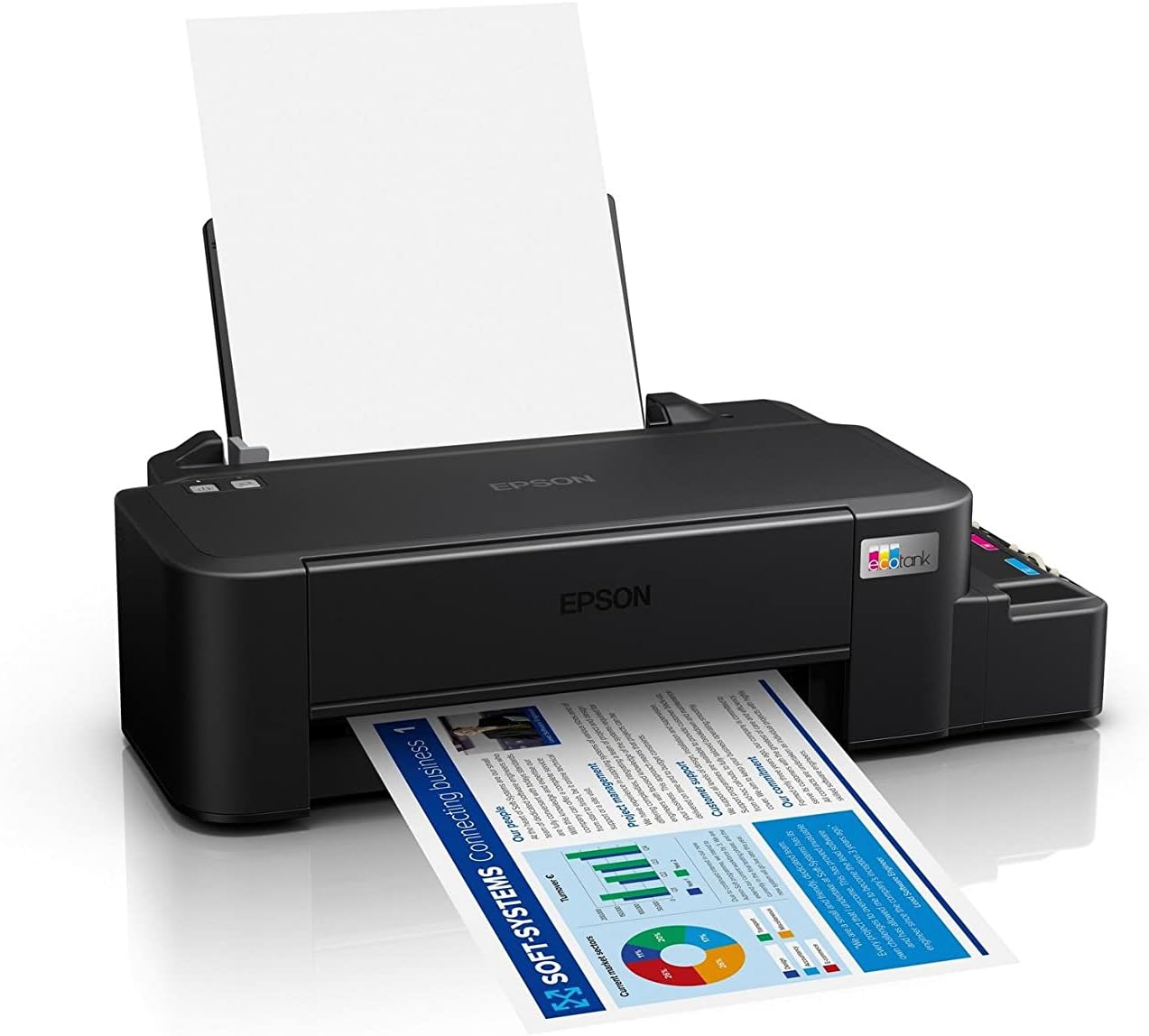
Image: The Epson EcoTank L121 printer actively printing a document. This illustrates paper being fed from the rear tray and exiting the front output tray.
2.2 Базавы друк
To print a document or image from your computer:
- Адкрыйце дакумент або малюнак, які вы хочаце раздрукаваць.
- Выберыце Друк з меню праграмы (напрыклад, File > Друк).
- Choose your Epson EcoTank L121 printer from the list of available printers.
- Пры неабходнасці адрэгулюйце параметры друку, такія як памер паперы, якасць друку і колькасць копій.
- Націсніце Друк.
3. Тэхнічнае абслугоўванне
3.1 Праверка ўзроўню чарнілаў
Visually inspect the ink tanks on the side of the printer. The transparent tanks allow you to monitor ink levels. Refill ink when levels approach the lower line to prevent air from entering the system, which can affect print quality.

Выява: Пад вуглом view of the Epson EcoTank L121 printer, highlighting the external ink tanks. This view clearly shows the four color ink reservoirs.
3.2 Ачыстка друкавальнай галоўкі
If print quality declines (e.g., missing lines, incorrect colors), perform a print head cleaning. This can be done through the printer utility software on your computer:
- Open the Epson printer utility on your computer.
- Перайдзіце да Тэхнічнае абслугоўванне or Карыснасць укладка.
- Выберыце Уборка галавы і выконвайце інструкцыі на экране.
Alternatively, you can perform a head cleaning by holding down the Тэхнічнае абслугоўванне button on the printer for 3 seconds until the power light starts flashing. Release the button and wait for the cleaning cycle to complete.
3.3 Праверка фарсунак
After a head cleaning, or if you suspect print quality issues, perform a nozzle check to verify if all nozzles are firing correctly. This can also be done via the printer utility software or by holding the Тэхнічнае абслугоўванне button for a shorter duration (e.g., 1 second) to print a nozzle check pattern.
4. Выпраўленне непаладак
У гэтым раздзеле разглядаюцца распаўсюджаныя праблемы, з якімі вы можаце сутыкнуцца пры выкарыстанні прынтара Epson EcoTank L121.
- Прынтар не адказвае:
- Пераканайцеся, што прынтар уключаны і надзейна падключаны праз USB.
- Праверце, ці правільна ўсталяваныя драйверы прынтара на вашым кампутары.
- Перазагрузіце прынтар і камп'ютар.
- Дрэнная якасць друку:
- Праверце фарсункі, каб вызначыць забітыя фарсункі.
- Run a print head cleaning cycle if nozzles are clogged.
- Праверце ўзровень чарнілаў і пры неабходнасці даліце іх.
- Пераканайцеся, што вы выкарыстоўваеце арыгінальныя чарніла Epson.
- Захрасанне паперы:
- Выключыце прынтар і асцярожна выдаліце захраслую паперу з уваходнага латка, выходнага латка або ўнутры прынтара.
- Пераканайцеся, што папера загружана правільна, не сагнутая і неurlрэд.
- Не перагружайце латок для паперы.
- Ink Light Flashing:
- This usually indicates low ink. Check the ink tanks and refill any low colors.
- After refilling, press the Тэхнічнае абслугоўванне button to reset the ink level indicator.
Для атрымання больш падрабязнай інфармацыі аб ліквідацыі непаладак звярніцеся ў службу падтрымкі Epson webсайт або поўнае электроннае кіраўніцтва.
5. Тэхнічныя характарыстыкі
| Асаблівасць | Дэталь |
|---|---|
| Марка | Epson |
| Назва мадэлі | EcoTank L121 |
| Тэхналогія друку | Струйны |
| Тэхналогія падлучэння | USB 2.0 |
| Вывад на прынтэр | Колер |
| Максімальнае разрозненне друку (каляровы) | 720 x 720 dpi |
| Максімальная хуткасць друку (чорна-белы) | 9 праміле (ISO) |
| Максімальная хуткасць друку (каляровая) | 4.8 праміле (ISO) |
| Асаблівасці | Refillable Ink Tank |
| Вага прадмета | 2.4 кілаграма |
| Памеры прадмета (Д х Ш х У) | 21.5 Г х 46.1 Ш х 13 У сантыметраў |
| Максімальны памер носьбіта | A4 |
| Сумяшчальныя чарніла | Epson 664 series (6641/6642/6643/6644) |
| Двухбаковая друк | Дапаможнік |
6. Інфармацыя аб гарантыі
The Epson EcoTank L121 printer comes with a warranty of 2-years or 20,000 pages, whichever comes first. Please retain your proof of purchase for warranty claims. For full terms and conditions, refer to the official Epson warranty documentation included with your product or visit the Epson support webсайт.
7. Падтрымка
For further assistance, driver downloads, FAQs, and additional support resources, please visit the official Epson support webсайт:
Пры звароце ў службу падтрымкі падрыхтуйце мадэль прынтара (L121) і серыйны нумар.


