1. Уводзіны
This manual provides comprehensive instructions for the proper use, setup, and maintenance of your boAt Immortal IM 300 Over-Ear Wired Gaming Headphones. Please read this manual thoroughly before using the product to ensure optimal performance and longevity.

Image 1.1: The boAt Immortal IM 300 Over-Ear Wired Gaming Headphones, showcasinяго дызайн і RGB-падсветка.
2. Змесціва ўпакоўкі
Праверце, ці ёсць ва ўпакоўцы вашага прадукту ўсе пералічаныя ніжэй элементы:
- boAt Immortal IM-300 Gaming Headphones
- Кабель Type-C - Type-A
- Кабель Type-C - Type-C
- Кіраўніцтва карыстальніка (гэты дакумент)
- Гарантыйны талон
3. Прадукт скончыўсяview
The boAt Immortal IM 300 headphones are designed for an immersive audio experience, featuring advanced drivers, dual microphone options, and customizable settings.
3.1. Асноўныя магчымасці
- 50-міліметровыя драйверы: Engineered for a powerful and immersive auditory experience.
- Рэжымы падвойнага эквалайзера: Switch between 3D Spatial Sound for gaming and boAt Signature Sound for music and movies.
- RGB-святлодыёды: Integrated RGB lighting for visual customization.
- Падвойныя мікрафоны: Includes a detachable boom mic for clear communication and a passive mic for general use.
- Настройка: Audio and mic driver settings can be adjusted via boAt Plugin Labz software.
- Зручны дызайн: Lightweight, over-ear design with soft earmuffs for extended wear.
- Правадное падключэнне: USB Type-C connection for reliable audio transmission.
- Мультыплатформенная сумяшчальнасць: Designed for use with PCs, laptops, smartphones, and gaming consoles.

Малюнак 3.1: Выбухнутае view illustrating the 50mm audio drivers within the headphone earcups.
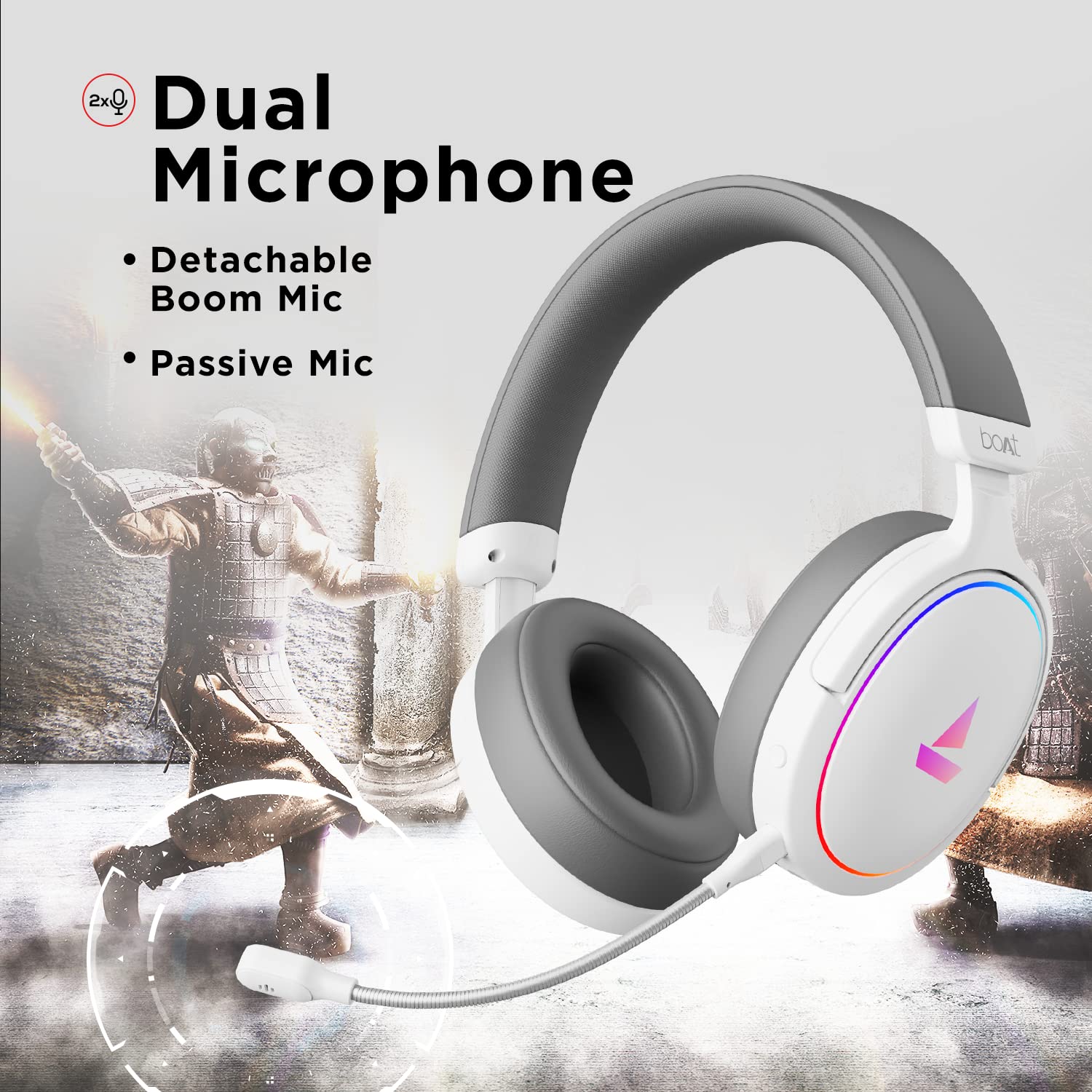
Image 3.2: The headphones featuring the detachable boom microphone, highlighting the dual microphone system.
4. Настройка
4.1. Падключэнне да вашай прылады
The Immortal IM 300 headphones connect via USB. Use the appropriate cable for your device:
- Для ПК/ноўтбука: Use the provided Type-C to Type-A cable. Connect the Type-C end to the headphone and the Type-A end to an available USB port on your computer.
- For Smartphones/Other Type-C Devices: Use the provided Type-C to Type-C cable. Connect one end to the headphone and the other to your device's Type-C port.
Once connected, your device should automatically detect the headphones. You may need to select the "Immortal IM-300" as the audio output and input device in your system's sound settings.
4.2. Attaching the Boom Microphone
The boom microphone is detachable. To attach it, align the microphone's connector with the port on the left earcup and gently push until it clicks into place. Ensure it is securely connected for optimal voice pickup.
Каб адлучыць, акуратна выцягніце мікрафон прама з порта.
5. Інструкцыя па эксплуатацыі
5.1. Audio Modes (Dual EQ)
The headphones feature two distinct audio equalization (EQ) modes:
- 3D Spatial Sound Mode: Optimized for gaming, providing enhanced directional audio cues.
- Music Mode (boAt Signature Sound): Збалансаваны прафесійны гукfile suitable for listening to music and watching movies.
Refer to the inline remote control or the boAt Plugin Labz software for instructions on switching between these modes.

Image 5.1: Illustration of the Dual EQ Modes, highlighting the 3D Spatial Audio and Music Mode functionalities.
5.2. Кіраванне RGB-святлодыёдамі
The headphones are equipped with RGB LEDs. These lights can be customized or turned off. Specific controls for RGB lighting are typically located on the inline remote or accessible through the boAt Plugin Labz software.

Image 5.2: The headphones showcasing their RGB lighting, indicating customization options via boAt Plugin Labz.
5.3. Выкарыстанне мікрафона
The Immortal IM 300 offers two microphone options:
- Мікрафон-штамб: For clear and focused voice communication, especially during gaming. Ensure it is positioned correctly near your mouth.
- Passive Microphone: An integrated microphone for casual use when the boom mic is detached.
Use the inline remote to mute/unmute the microphone as needed.
6. Customization via boAt Plugin Labz
For advanced audio and microphone settings, download and install the boAt Plugin Labz software. This application allows you to fine-tune your listening experience and microphone performance.
Please visit the official boAt website for download instructions and compatibility information for the Plugin Labz software.
7. Тэхнічнае абслугоўванне
7.1. Уборка
- Працярыце навушнікі мяккай сухой тканінай.
- Не выкарыстоўвайце агрэсіўныя хімічныя рэчывы, ачышчальныя растваральнікі або моцныя мыйныя сродкі.
- Keep the earcups clean to prevent debris buildup.
7.2. Захоўванне
- Захоўвайце навушнікі ў прахалодным, сухім месцы, удалечыні ад прамых сонечных прамянёў і экстрэмальных тэмператур.
- Пазбягайце класці цяжкія прадметы на навушнікі.
- When not in use, consider storing them in a protective case to prevent damage.
8. Выпраўленне непаладак
| праблема | Магчымая прычына | Рашэнне |
|---|---|---|
| Няма гуку з навушнікаў. |
|
|
| Не працуе мікрафон. |
|
|
| RGB LEDs are not lighting up. |
|
|
9. Тэхнічныя характарыстыкі
| Асаблівасць | Дэталь |
|---|---|
| Назва мадэлі | Immortal IM-300 |
| Тэхналогія падлучэння | Правадной (USB Type-C) |
| Памер аўдыё драйвера | 50 мм |
| Форма навушніка | Накладныя на вушы |
| Фармат мікрафона | Boom (detachable) & Passive |
| Кантроль шуму | Пасіўнае падаўленне шуму |
| Дыяпазон частот | 50-10 кГц |
| Вага прадмета | 260 грам |
| Памеры прадукту (ДxШxВ) | 20 х 18 х 8 см |
| Сумяшчальныя прылады | Smartphones, Laptops, Desktops, Gaming Consoles |
| Матэрыял | Пластыкавыя |
| Метад кантролю | Дыстанцыйнае |

Выява 9.1: Канецview of key features including multi-platform compatibility, lightweight construction, wired connection, and passive noise isolation.
10. Гарантыя і падтрымка
Your boAt Immortal IM 300 headphones come with a Гарантыя 1 год з даты пакупкі. Калі ласка, захавайце чэк аб куплі для прэтэнзій па гарантыі.
For technical support, warranty claims, or further assistance, please contact boAt customer service through their official webсайт або кантактную інфармацыю, указаную ў гарантыйным талоне.
Для атрымання дадатковай інфармацыі наведайце афіцыйны сайт boAt Store.


