1. Уводзіны
This manual provides comprehensive instructions for setting up, operating, maintaining, and troubleshooting your Logitech M170 Wireless Mouse. Designed for reliability and comfort, this mouse offers seamless connectivity across various operating systems.
2. Што ў скрынцы
- Бесправадная мыш Logitech M170
- USB-прыёмнік
- 1 батарэйка тыпу АА (папярэдне ўсталяваная або ў камплекце)
- Дакументацыя карыстальніка (гэтае кіраўніцтва)
3. Інструкцыі па ўсталёўцы
3.1. Устаноўка батарэі
The Logitech M170 mouse operates on a single AA battery. The battery is typically pre-installed with a pull tab to prevent discharge during shipping. If not, or for replacement, follow these steps:
- Flip the mouse over.
- Знайдзіце вечка адсека для батарэй на ніжняй частцы мышы.
- Slide the cover off to reveal the battery slot.
- Устаўце адну батарэйку тыпу АА, сачыце за правільнай палярнасцю (+/-).
- Замяніце крышку батарэйнага адсека.

Figure 1: Underside of the mouse with battery compartment and receiver storage.
3.2. Падключэнне USB-прыёмніка
The Logitech M170 uses a plug-and-play USB receiver for wireless connectivity. No software installation is typically required.
- Locate the USB receiver. It is often stored inside the battery compartment of the mouse for convenience during travel.
- Асцярожна выміце USB-прыёмнік з адсека для захоўвання.
- Plug the USB receiver into an available USB port on your computer (PC, Mac, Laptop).
- The mouse should automatically connect to your computer within a few seconds.

Figure 2: Logitech M170 mouse in use with its USB receiver.
Video 1: This video demonstrates how to locate and connect the USB receiver for Logitech M170, M185, and M317 mice.
4. Інструкцыя па эксплуатацыі
4.1. Асноўныя функцыянальныя магчымасці
The M170 mouse features standard left and right-click buttons and a scroll wheel for navigation.
- Клік левай кнопкай мышы: Першасны выбар і актывацыя.
- Пстрыкніце правай кнопкай мышы: Доступ да кантэкстных меню.
- Кола пракруткі: Пракручвае вертыкальна дакументы і web pages. The scroll wheel also functions as a middle-click button.
4.2. Optical Tracking and Movement
The mouse utilizes optical tracking for smooth and accurate cursor control on most surfaces. Its ambidextrous design ensures comfortable use for both left and right-handed users.
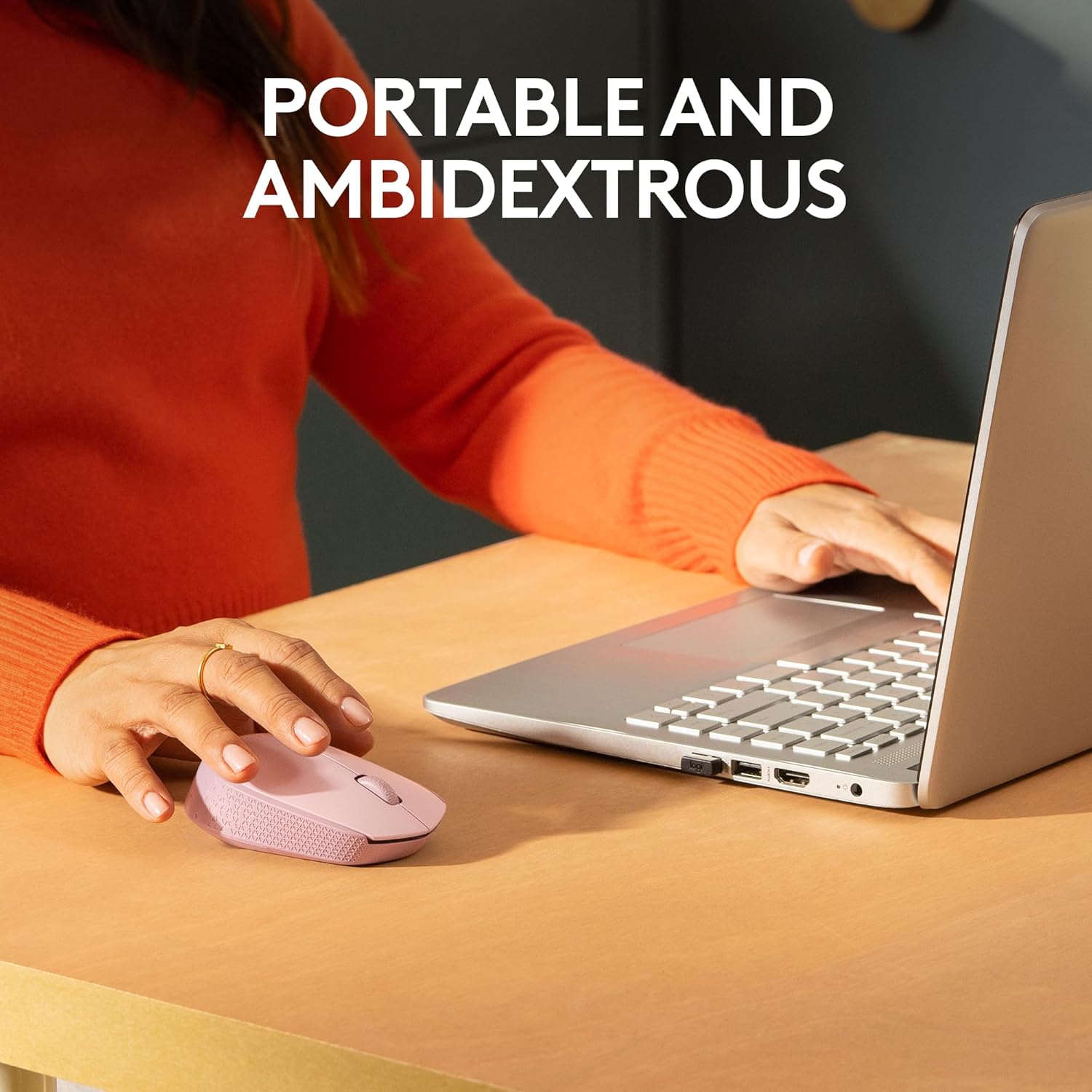
Figure 3: Portable and ambidextrous design for comfortable use.
4.3. Сумяшчальнасць
The M170 Wireless Mouse is compatible with a wide range of operating systems:
- вокны
- macOS
- Linux
- Chrome OS
- iPadOS
- Android

Figure 4: Multi-platform compatibility of the M170 mouse.
4.4. Бесправадны дыяпазон
The mouse maintains a reliable 2.4 GHz wireless connection up to 10 meters (33 feet) from your computer. Actual wireless range may vary based on use, settings, and environmental conditions.
5. Тэхнічнае абслугоўванне
5.1. Замена батарэі
The M170 mouse boasts a 12-month battery life, which may vary based on user and computing conditions. When the mouse stops responding or the cursor becomes erratic, it's likely time to replace the AA battery. Refer to Section 3.1 for battery installation steps.
5.2. Уборка
Каб пачысціць мыш, акуратна працярыце яе мяккай губкайamp cloth. Avoid using harsh chemicals or abrasive materials that could damage the surface or internal components.
6. Выпраўленне непаладак
6.1. No Cursor Movement or Response
- Праверце акумулятар: Пераканайцеся, што батарэйка тыпу АА ўсталявана правільна і мае дастатковы зарад. Пры неабходнасці замяніце яе.
- Праверце USB-прыёмнік: Make sure the USB receiver is securely plugged into a working USB port on your computer. Try a different USB port if available.
- Выключальнік сілкавання: Verify that the mouse's power switch (located on the underside) is in the "ON" position.
- Паверхня: Ensure you are using the mouse on a suitable surface. Optical mice may not track well on highly reflective or transparent surfaces.
6.2. Intermittent Connectivity
- Адлегласць: Reduce the distance between the mouse and the USB receiver. The optimal range is within 10 meters.
- Перашкоды: Перамясціце мыш і прыёмнік далей ад іншых бесправадных прылад або буйных металічных прадметаў, якія могуць выклікаць перашкоды.
7. Тэхнічныя характарыстыкі
| Асаблівасць | Дэталь |
|---|---|
| Марка | Logitech |
| Серыя мадэляў | М170 |
| Нумар мадэлі тавару | 910-006862 |
| Тэхналогія падлучэння | Бесправадная сувязь (2.4 ГГц з міні-прыёмнікам USB) |
| Тэхналогія выяўлення руху | Аптычны |
| Колькасць кнопак | 2 (plus scroll wheel) |
| Тып скролера | Кола пракруткі |
| Эрганамічная форма мышы | Symmetrical (Ambidextrous) |
| Далёкасць бесправадной сувязі | Да 10 метраў (33 футаў) |
| Крыніца харчавання | Battery Powered (1 AA battery) |
| Сярэдні тэрмін службы батарэі | 12 months (may vary) |
| Памеры (ДхШхВ) | 3.8 х 2.4 х 1.4 цалі (97.7 х 61.5 х 35.2 мм) |
| Вага прадмета | 2.49 унцыі (79.5 г з батарэяй) |
| Апаратная платформа | Мак, ПК |
| Сумяшчальнасць аперацыйнай сістэмы | Chrome OS, Linux, Windows, macOS, iPadOS, Android |
| Колер | Rose (for this specific variant) |
| Змест перапрацаванага пластыку | 38% for Rose and Blue Gray variants |
| Вугляродны след прадукту | 4.05 кг CO2-экв |
8. Гарантыя і падтрымка
For detailed warranty information, product support, and additional assistance, please visit the official Logitech support page:
Logitech is committed to providing reliable products and customer service. Please refer to the website for the most up-to-date information regarding your M170 Wireless Mouse.


