1. Уводзіны
This manual provides essential instructions for the safe and efficient operation of your RONGTA SE4770 Rugged PDA Barcode Scanner. This device is a high-performance mobile handheld terminal designed for various applications including retail, warehouse management, logistics, and inventory control. It combines the functionality of an Android 11 smartphone with an integrated Zebra SE4770 barcode scanner, offering robust performance and durability.
Калі ласка, уважліва прачытайце гэтую інструкцыю перад выкарыстаннем прылады і захавайце яе для далейшага выкарыстання.
2. Прадукт скончыўсяview
2.1 Кампаненты прылады
The RONGTA SE4770 features a rugged design with a 6-inch HD touch screen and an integrated barcode scanner. Key components include:
- Пярэдні дысплей: 6-inch FHD+ 1080P HD screen for clear visual interaction.
- Задняя панэль: Integrated Zebra SE4770 barcode scanner, camera, and battery compartment.
- Бакавыя кнопкі: Power button, volume controls, and dedicated scan buttons.
- парты: Порт USB-C для зарадкі і перадачы дадзеных.

Малюнак 2.1: Пярэдняя і задняя часткі view of the RONGTA SE4770 PDA Barcode Scanner, showing the display and rear scanner module.
2.2 Асноўныя магчымасці
- Аперацыйная сістэма: Android 11 for a familiar and versatile user experience.
- Працэсар: Octa-core 2.0GHz CPU for high performance and stability.
- Памяць і захоўванне: 4GB RAM + 64GB ROM, expandable via microSD card (not included).
- Дысплей: 6-inch FHD+ (1080P) HD touch screen, visible in strong outdoor light, supports multi-touch with gloves or wet hands.
- Сканер штрых-кода: Integrated Zebra SE4770 for fast and accurate scanning of 1D, 2D, and QR barcodes, even if blurred, dirty, or worn.
- Трываласць: IP68 rated for water and dust resistance, and 1.5m drop resistance.
- акумулятар: 5000mAh large capacity battery with QC3.0 18W fast charging. Features a SuperCap power change solution for seamless battery swaps without shutdown.
- Падключэнне: 2.4G/5G Dual-band Wi-Fi, 4G Full Network support, and Bluetooth 5.1.
- Камера: 1600W+500W Pixel Camera (details on usage in Operating Instructions).
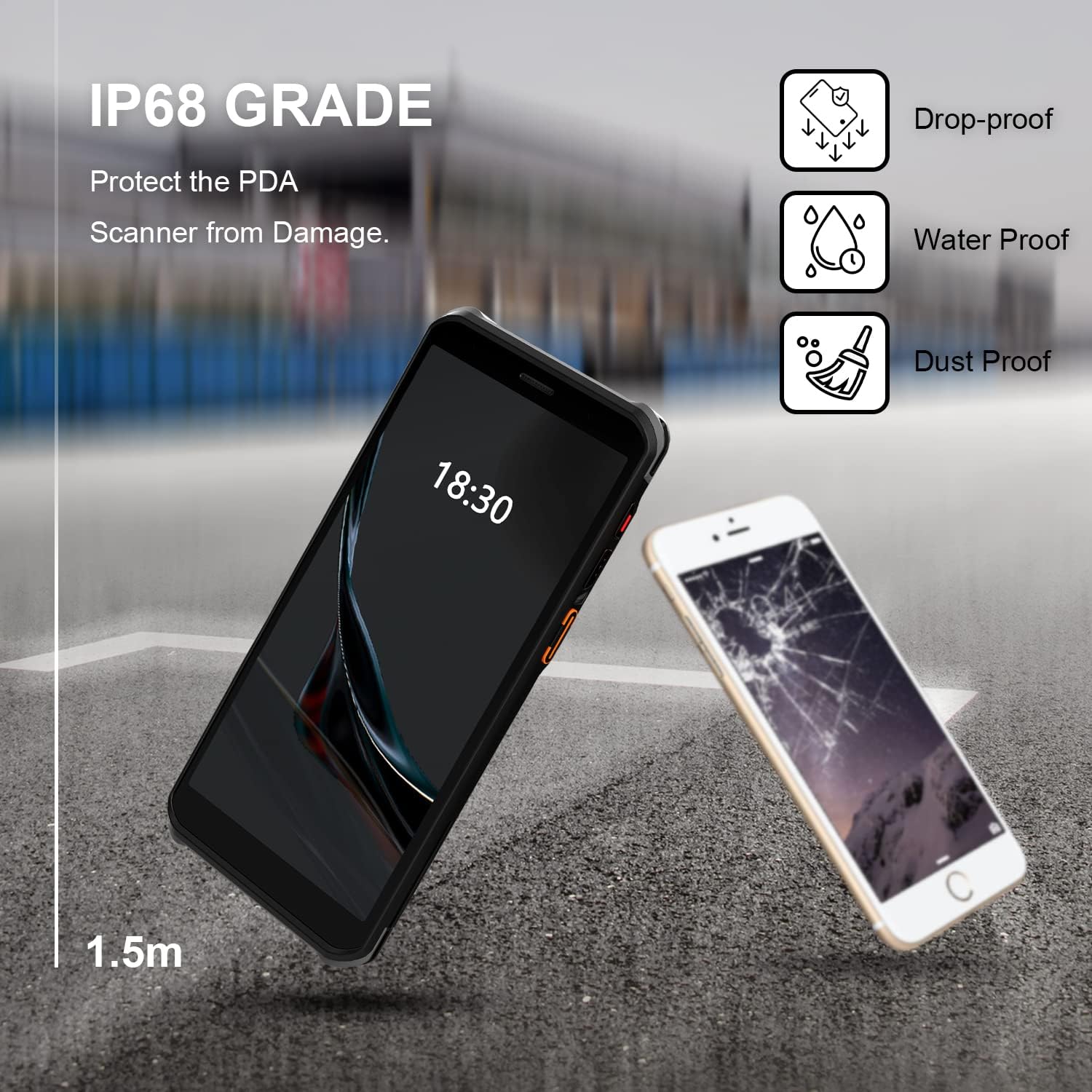
Figure 2.2: The RONGTA SE4770 PDA is designed with IP68 water and dust resistance and 1.5m drop protection, ensuring durability in demanding environments.

Figure 2.3: The device supports 2.4G/5G Dual-band WIFI and Bluetooth 5.1 for reliable wireless connectivity.
3. Настройка
3.1 Распакоўка і першапачатковы агляд
Carefully remove all components from the packaging. Verify that all items are present and undamaged. The package should include the RONGTA SE4770 PDA, a USB-C cable, a power adapter, and a hand-strap belt.
3.2 Усталёўка і зарадка акумулятара
- Знайдзіце адсек для батарэі на задняй панэлі прылады.
- If the battery is not pre-installed, insert the 5000mAh Lithium-Ion battery, ensuring correct orientation.
- Надзейна зачыніце батарэйны адсек.
- Connect the USB-C cable to the device's charging port and the other end to the power adapter. Plug the adapter into a power outlet.
- Allow the device to charge fully before first use. The 18W fast charging feature will expedite this process.

Figure 3.1: The device charging, indicating battery status.
3.3 Уключэнне/выключэнне
- Каб уключыць: Press and hold the Power button on the side of the device until the RONGTA logo appears on the screen.
- Каб выключыць: Націсніце і ўтрымлівайце кнопку харчавання, пакуль не з'явіцца меню параметраў харчавання. Выберыце «Выключыць харчаванне».
- Каб перазапусціць: Press and hold the Power button until the power options menu appears. Select 'Restart'.
3.4 Пачатковая налада Android
Upon first power-on, follow the on-screen prompts to complete the initial Android 11 setup. This typically includes selecting your language, connecting to a Wi-Fi network, setting up a Google account (optional), and configuring security settings.
4. Інструкцыя па эксплуатацыі
4.1 Выкарыстанне сканера штрых-кодаў
The RONGTA SE4770 is equipped with a high-performance Zebra SE4770 scanner capable of reading various 1D, 2D, and QR barcodes.
- Open an application that requires barcode input (e.g., inventory management software, POS application).
- Point the scanner window, located on the top rear of the device, towards the barcode.
- Press one of the dedicated scan buttons on the side of the device. A red aiming beam will appear.
- Align the aiming beam with the center of the barcode. The device will emit a beep or vibrate upon successful scan, and the data will be entered into the active field of your application.

Figure 4.1: A user scanning a package barcode using the RONGTA SE4770 PDA.

Figure 4.2: The SE4770 Zebra scanner in use, demonstrating fast and accurate scanning in a warehouse environment.
4.2 Навігацыя па Android 11
The device operates on Android 11, providing a familiar interface. Use touch gestures to navigate:
- Націсніце: Каб выбраць элемент або адкрыць праграму.
- Правядзіце пальцам: Для пракруткі спісаў або пераключэння паміж галоўнымі экранамі.
- Звядзенне пальцамі для павелічэння: Каб павялічыць або паменшыць маштаб малюнкаў і web старонкі.
- Апавяшчэнні: Правядзіце пальцам уніз ад верхняй часткі экрана, каб атрымаць доступ да апавяшчэнняў і хуткіх налад.
4.3 Падключэнне
Прылада падтрымлівае розныя варыянты падключэння:
- Wi-Fi: Go to Settings > Network & internet > Wi-Fi to connect to available wireless networks. Supports 2.4GHz and 5GHz bands.
- Bluetooth: Go to Settings > Connected devices > Connection preferences > Bluetooth to pair with Bluetooth-enabled devices like headsets or printers.
- Мабільная сувязь (4G): If equipped with a SIM card slot (check device specifications), insert a compatible SIM card to access mobile data.
4.4 Выкарыстанне камеры
The device includes a camera for capturing images or videos. Open the Camera application from the home screen or app drawer. Tap the screen to focus and press the shutter button to take a photo or start/stop video recording.
5. Тэхнічнае абслугоўванне
5.1 Ачыстка прылады
Каб падтрымліваць аптымальную прадукцыйнасць і знешні выгляд:
- Wipe the screen and device body with a soft, lint-free cloth.
- Для ўстойлівых плям злёгкуampПрацярыце тканіну вадой або сродкам для чысткі экранаў. Пазбягайце агрэсіўных хімічных рэчываў або абразіўных матэрыялаў.
- Ensure the scanner window is clean and free of dust or debris for accurate scanning.
5.2 Сыход за акумулятарам
Правільны догляд за батарэяй падаўжае тэрмін службы вашай прылады:
- Charge the battery regularly using the provided charger.
- Пазбягайце частай поўнай разрадкі акумулятара.
- If storing the device for an extended period, charge the battery to approximately 50% and store in a cool, dry place.
- The SuperCap power change solution allows for hot-swapping batteries without device shutdown, ensuring continuous operation.
5.3 Абнаўленне праграмнага забеспячэння
Periodically check for software updates to ensure your device has the latest features and security patches. Go to Settings > System > System update.
6. Выпраўленне непаладак
This section addresses common issues you might encounter with your RONGTA SE4770 PDA.
| праблема | Магчымая прычына | Рашэнне |
|---|---|---|
| Прылада не ўключаецца | Low or depleted battery; device malfunction. | Charge the device for at least 30 minutes. If it still doesn't power on, contact support. |
| Сканер не чытае штрых-коды | Dirty scanner window; incorrect aiming; unsupported barcode type; application issue. | Clean the scanner window. Ensure the aiming beam covers the entire barcode. Verify the barcode type is supported. Restart the scanning application or the device. |
| Праблемы з падключэннем да Wi-Fi/Bluetooth | Out of range; incorrect password; interference. | Move closer to the Wi-Fi router or Bluetooth device. Re-enter the password. Restart Wi-Fi/Bluetooth on the device. |
| Прылада павольна працуе або не рэагуе | Занадта шмат запушчаных праграм; мала памяці; праграмны збой. | Close unnecessary applications. Clear cache. Restart the device. Consider a factory reset if issues persist (backup data first). |
7. Тэхнічныя характарыстыкі
Detailed technical specifications for the RONGTA SE4770 PDA Barcode Scanner:
- Памеры прадукту: 3.03 х 0.51 х 6.41 цалі
- Вага прадмета: 10.6 унцыі
- батарэі: Патрабуецца 1 літый-іённы акумулятар (у камплекце)
- Крыніца харчавання: Харчаванне ад батарэі
- вытворца: РОНГТА
- Сумяшчальныя прылады: Desktop, Laptop, Smartphone (for data transfer/management)
- Тэхналогія падключэння: Bluetooth, Wi-Fi (2.4G/5G Dual-band), 4G
- Аперацыйная сістэма: Android 11
- Працэсар: Васьмі'ядравы 2.0 ГГц
- Памяць: 4 ГБ аператыўнай памяці
- захоўванне: 64 ГБ ПЗУ
- Памер экрана: 6 inches FHD+ (1080P) HD Touch Screen
- сканер: Zebra SE4770 (1D, 2D, QR)
- Трываласць: IP68 Water and Dust Resistant, 1.5m Drop Protection
- Ёмістасць батарэі: 5000 мАг
- Зарадка: QC3.0 18W Fast Charge
8. Гарантыя і падтрымка
For warranty information and technical support, please refer to the documentation included with your purchase or visit the official RONGTA website. If you encounter any issues not covered in this manual, please contact RONGTA customer service for assistance.