Уводзіны
This manual provides essential information for setting up, operating, maintaining, and troubleshooting your Dell Latitude Rugged Extreme 7330 Laptop. Designed for demanding environments, this rugged laptop offers robust performance and durability. Please read this manual thoroughly to ensure proper use and to maximize the lifespan of your device.
Настройка
1. Распакаванне і першапачатковы агляд
Carefully remove the laptop and all accessories from the packaging. Inspect the device for any signs of damage during transit. Retain the packaging for future transport or service needs.
2. Падключэнне сілкавання
Connect the AC adapter to the power port on your laptop and then plug it into a wall outlet. The laptop is designed to operate on AC power and charge the battery simultaneously. Ensure the power indicator light illuminates.
3. Першая загрузка і ўстаноўка аперацыйнай сістэмы
Press the power button to turn on the laptop. The device comes pre-installed with Windows 11 Pro. Follow the on-screen prompts to complete the initial setup, including language selection, network connection, and user account creation.
4. Бесправадное падключэнне
- Wi-Fi: During the initial setup or via Windows settings, select your preferred Wi-Fi network and enter the password to connect to the internet.
- Bluetooth: To connect Bluetooth devices, navigate to Windows Settings > Bluetooth & devices, and follow the instructions to pair your accessories.
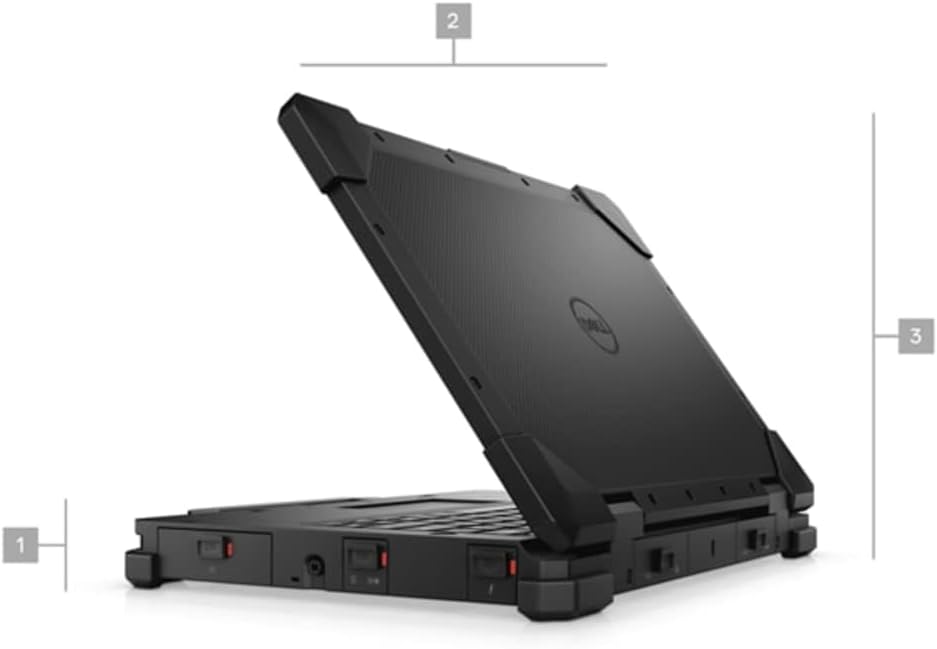
Малюнак 1: бок view of the Dell Latitude Rugged Extreme 7330 Laptop, illustrating its robust design and approximate dimensions.
Аперацыйная
1. Асноўныя элементы кіравання
- Клавіятура: The backlit QWERTY keyboard allows for comfortable typing in various lighting conditions.
- Сэнсарная панэль: Выкарыстоўвайце ўбудаваную сэнсарную панэль для кіравання курсорам і жэстаў мультытач.
- Сэнсарны экран: The 13.3-inch Full HD (1920x1080) capacitive touch screen supports direct interaction with the display.
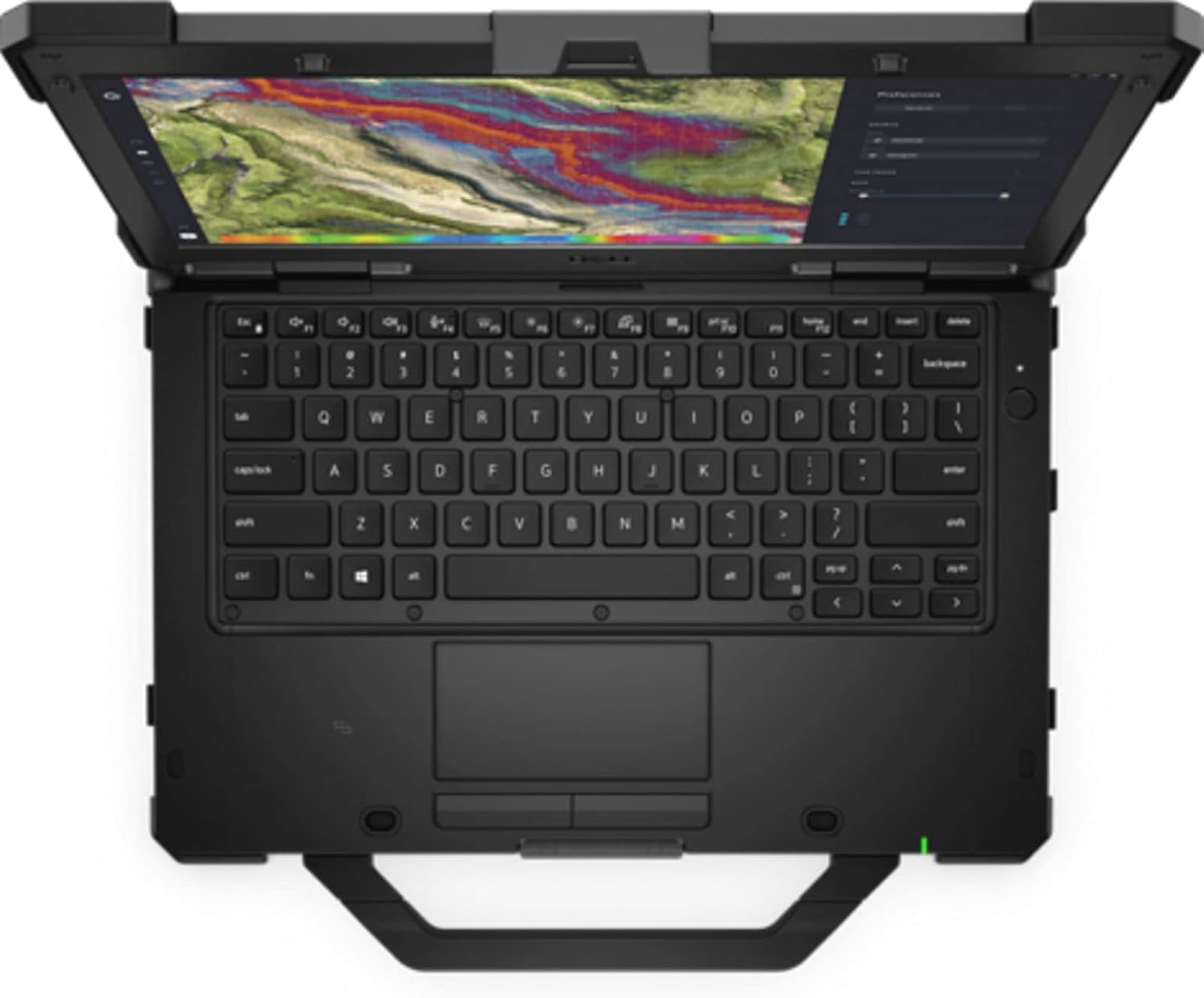
Малюнак 2: Зверху ўніз view of the Dell Latitude Rugged Extreme 7330 Laptop, highlighting the keyboard and touchpad layout.
2. Парты і раздымы
The Latitude Rugged Extreme 7330 is equipped with various ports for connectivity and expansion. Refer to the image below for port locations.
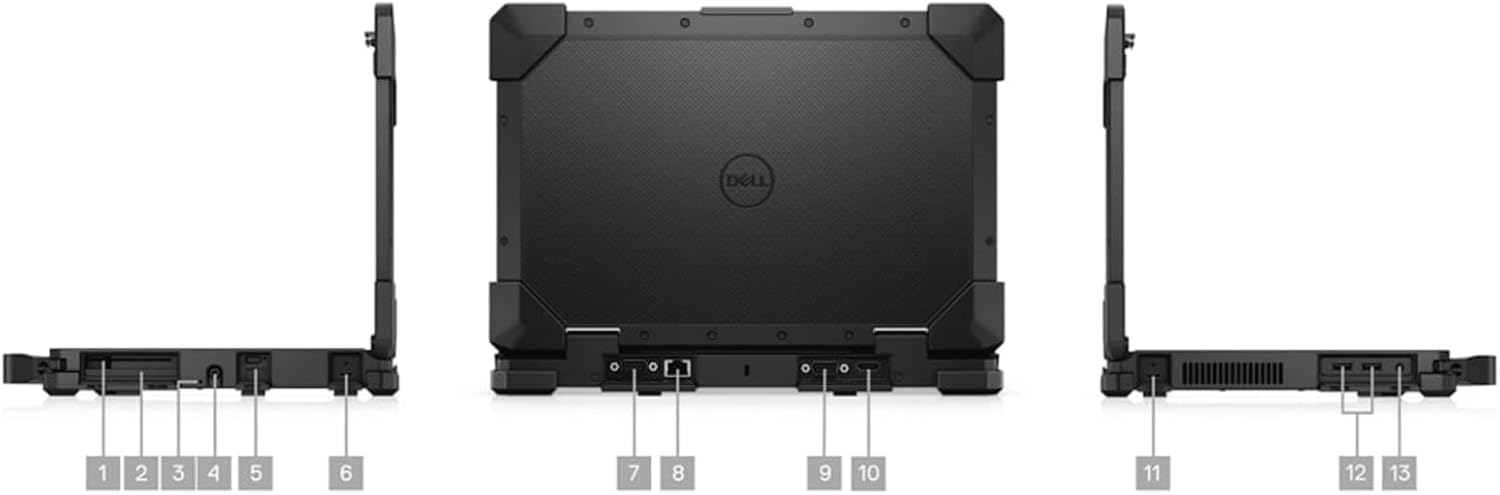
Малюнак 3: Множныя views of the Dell Latitude Rugged Extreme 7330 Laptop, detailing the locations of its various ports and connectors.
- Парты USB: Multiple USB ports (Total 3) are available for connecting peripherals such as external drives, keyboards, and mice.
- Выхад HDMI: Connect to external displays or projectors using the HDMI port.
- Ethernet порт: Для правадных сеткавых злучэнняў.
- Аўдыёраз'ём: Для навушнікаў або знешніх дынамікаў.
- Счытвальнік смарт-карт: For secure authentication (if equipped).
3. Operating System Features
Your laptop runs Windows 11 Pro, offering advanced features for security, management, and productivity. Explore the Start Menu, Taskbar, and Settings app to customize your experience. Features like BitLocker device encryption are included for enhanced data security.
4. Webкамера
The integrated front-facing webcam allows for video conferencing and capturing images. Access it through applications like Camera or video communication software.
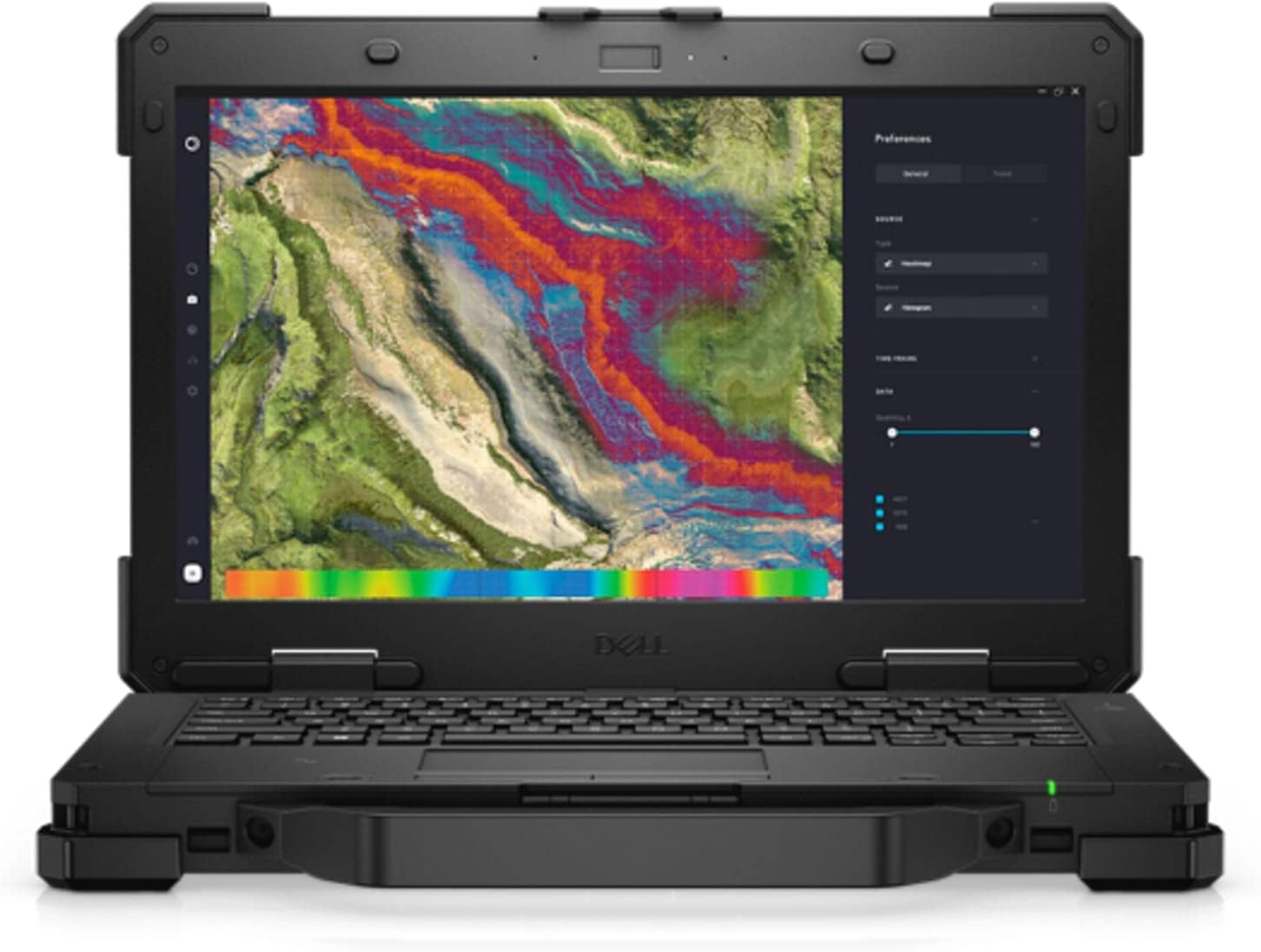
Малюнак 4: Спераду view of the Dell Latitude Rugged Extreme 7330 Laptop with the screen open, displaying a detailed map interface.
Тэхнічнае абслугоўванне
1. Чыстка ноўтбука
- экран: Выкарыстоўвайце мяккую тканіну без ворса. dampвадой або сродкам для чысткі экранаў. Пазбягайце агрэсіўных хімічных рэчываў.
- Клавіятура і корпус: Wipe surfaces with a soft cloth. For stubborn dirt, a slightly damp можна выкарыстоўваць тканіну, змочаную ў мяккім мылам, сачыце за тым, каб вадкасць не трапляла ў адтуліны.
- парты: Трымайце парты чысцінёй ад пылу і смецця. Пры неабходнасці выкарыстоўвайце сціснутае паветра асцярожна.
2. Сыход за батарэяй
- Зарадка: Charge the battery fully before first use. For optimal battery life, avoid frequently discharging the battery completely.
- захоўванне: If storing the laptop for an extended period, ensure the battery is charged to approximately 50% to prevent deep discharge.
3. Абнаўленне праграмнага забеспячэння
Regularly update your Windows operating system and Dell drivers to ensure optimal performance, security, and compatibility. Windows updates can be managed through the Settings app.
Ліквідацыю непаладак
This section addresses common issues you might encounter with your Dell Latitude Rugged Extreme 7330 Laptop.
1. Праблемы з харчаваннем
- Ноўтбук не ўключаецца: Ensure the AC adapter is securely connected to both the laptop and a working power outlet. Check the power indicator light. If using battery, ensure it is charged.
- Акумулятар не зараджаецца: Verify the AC adapter is functioning correctly. Try a different outlet.
2. Праблемы з дысплеем
- Няма выявы на экране: Пераканайцеся, што ноўтбук уключаны. Калі падключаны знешні манітор, паспрабуйце адключыць яго або націснуць клавішу пераключэння дысплея (часта Fn + F8 або падобную), каб пераключыць выхады дысплея.
- Сэнсарны экран не рэагуе: Перазагрузіце ноўтбук. Пераканайцеся, што драйверы дысплея абноўленыя.
3. Праблемы з падключэннем
- Wi-Fi не падключаецца: Check if Wi-Fi is enabled in Windows settings. Restart your router and the laptop. Verify the Wi-Fi password.
- Прылада Bluetooth не спалучаецца: Пераканайцеся, што прылада Bluetooth знаходзіцца ў рэжыме спалучэння і знаходзіцца ў зоне дзеяння. Праверце налады Bluetooth на ноўтбуку.
4. Агульныя парады
For many issues, a simple restart of the laptop can resolve temporary glitches. If problems persist, consult the Dell support webсайт або звярніцеся ў службу тэхнічнай падтрымкі.
Тэхнічныя характарыстыкі
Below are the key technical specifications for the Dell Latitude Rugged Extreme 7330 Laptop:
| Асаблівасць | Спецыфікацыя |
|---|---|
| Марка | Dell |
| Назва мадэлі | Latitude Rugged Extreme 7330 |
| Памер экрана | 13.3 цалі |
| дазвол | 1920x1080 (FHD) |
| Тып дысплея | LCD, Touch Screen |
| Мадэль працэсара | Intel Core i5-1145G7 (11-га пакалення) |
| Хуткасць працэсара | 2.6 GHz (up to 4.4 GHz with Turbo Boost) |
| Аператыўная памяць | 16 GB DDR4 @ 3200 MHz |
| Памер жорсткага дыска | Цвёрдацельны назапашвальнік 256 ГБ (PCIe NVMe M.2) |
| Аперацыйная сістэма | Windows 11 Pro |
| Графічная карта | Убудаваная графіка Intel |
| Сувязь | Wi-Fi, Bluetooth, USB |
| Парты | 3x USB, HDMI |
| Webкамера | Yes (Front) |
| Клавіятура | Backlit QWERTY |
| Тып батарэі | Літый-іённы (4 ячэек) |
| Мадэльны год | 2022 |
Гарантыя і падтрымка
1. Гарантыя на прадукт
Your Dell Latitude Rugged Extreme 7330 Laptop comes with a limited warranty. The terms and conditions of this warranty are provided with your purchase documentation. Please retain your proof of purchase for warranty claims.
2. Тэхнічная падтрымка
For further assistance, technical support, or detailed warranty information, please visit the official Dell support website. You can find drivers, manuals, and troubleshooting guides specific to your model.
- Падтрымка Dell Webсайт: www.dell.com/support