Уводзіны
Thank you for choosing the ZEBRONICS Zeb-Rainbow 400 Multimedia Speaker. This manual provides essential information for the proper setup, operation, and maintenance of your speaker system. Please read it carefully before use and retain it for future reference.
Інструкцыі па тэхніцы бяспекі
- Не падвяргайце прыладу ўздзеянню дажджу або вільгаці, каб пазбегнуць пажару або паражэння электрычным токам.
- Не адкрывайце корпус дынаміка. Звяртайцеся да кваліфікаванага персаналу па ўсё абслугоўванне.
- Забяспечце належную вентыляцыю вакол прылады. Не блакуйце вентыляцыйныя адтуліны.
- Абараніце сеткавы шнур ад наступання або заціскання.
- Адключайце прыладу ад сеткі падчас навальніцы або калі яна не выкарыстоўваецца на працягу доўгага часу.
- Keep the product away from direct sunlight, heat sources, and strong magnetic fields.
Змест пакета
Калі ласка, пастаўце галачку для наступных пунктаў:
- Сабвуфер
- Сатэлітныя дынамікі (4 адзінкі)
- Пульт дыстанцыйнага кіравання
- Аўдыёкабель (3.5 мм - RCA)
- Кіраўніцтва карыстальніка
Прадукт скончаныview
The ZEBRONICS Zeb-Rainbow 400 is a 4.1 channel multimedia speaker system designed for versatile audio playback. It features multiple connectivity options including Bluetooth, AUX, USB, and FM radio. The system includes a powerful subwoofer and four satellite speakers for an immersive audio experience, complemented by integrated RGB lighting.
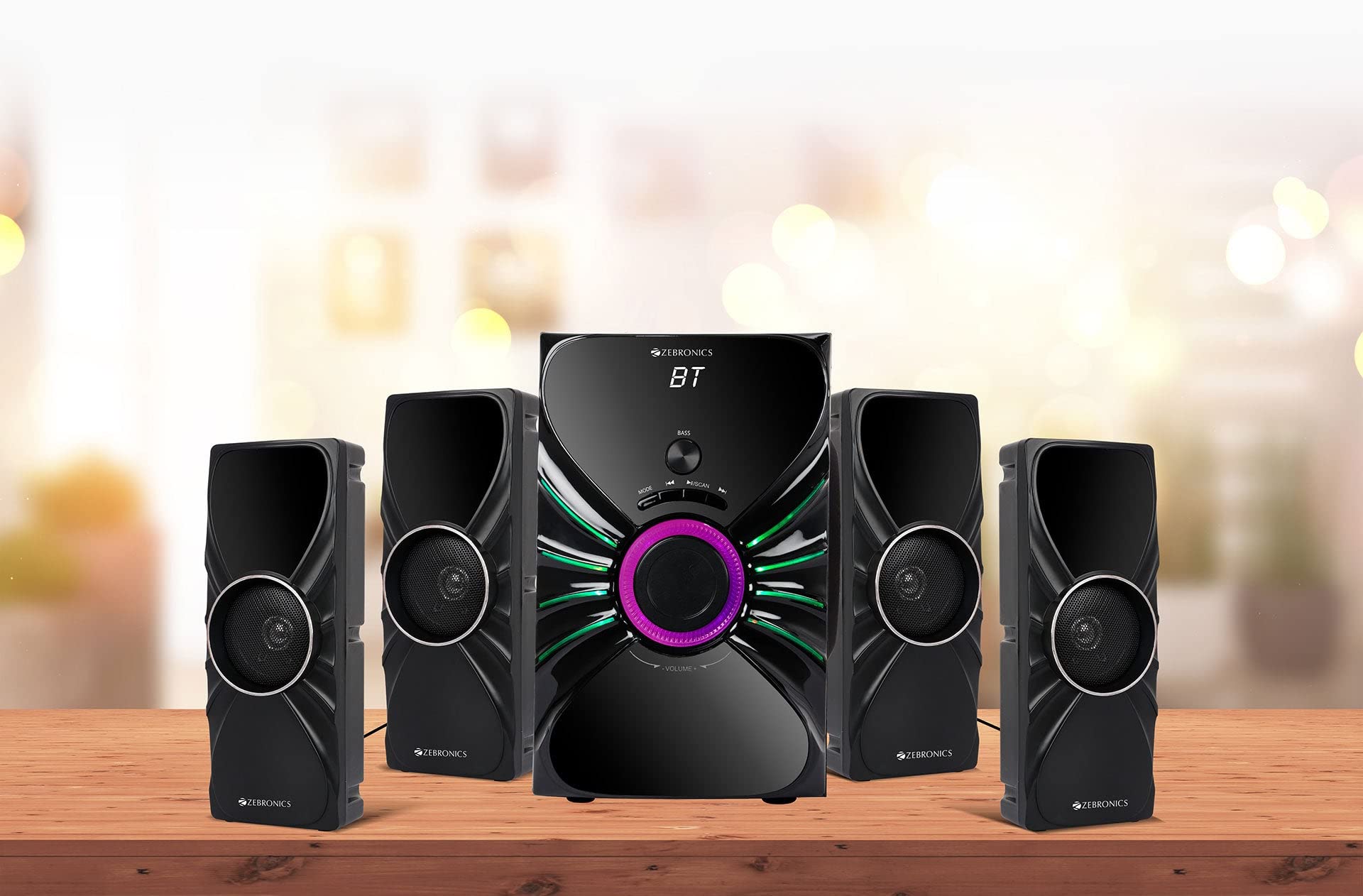
Image: The complete ZEBRONICS Zeb-Rainbow 400 multimedia speaker system, showing the subwoofer, four satellite speakers, and remote control.
Настройка
1. Распакаванне
Асцярожна выміце ўсе кампаненты з упакоўкі. Захавайце ўпаковачныя матэрыялы для наступнай транспарціроўкі або захоўвання.
2. Размяшчэнне дынамікаў
Place the subwoofer on a stable, flat surface, preferably on the floor for optimal bass response. Position the four satellite speakers around your listening area for a balanced sound field. Ensure adequate space for ventilation.

Image: A visual representation of the 4.1 speaker setup, illustrating the subwoofer and four satellite speakers.
3. Connecting Satellite Speakers
Connect each of the four satellite speakers to the corresponding output ports on the rear panel of the subwoofer unit. Ensure the connections are secure.
4. Падключэнне крыніц гуку
- Уваход AUX: Use the provided 3.5mm to RCA cable to connect your audio device (e.g., smartphone, tablet, PC) to the AUX input ports on the subwoofer.
- USB ўвод: Устаўце флэш-назапашвальнік USB з аўдыёфайлам у фармаце MP3 fileда порта USB на сабвуферы.
5. Падключэнне сілкавання
Падключыце кабель харчавання да сабвуфера, а затым падключыце яго да стандартнай разеткі пераменнага току.
Інструкцыя па эксплуатацыі
1. Уключэнне/выключэнне харчавання
Press the Power button on the front panel of the subwoofer or on the remote control to turn the speaker system on or off.
2. Выбар рэжыму
Press the 'MODE' button on the front panel or remote control to cycle through the available input modes: Bluetooth (BT), AUX, USB, and FM Radio.

Image: Close-up of the subwoofer's front panel, showing the control buttons (Mode, Play/Pause, Next/Previous, Bass, Volume) and the integrated RGB lighting.
3. Рэгулятар гучнасці
Rotate the 'VOLUME' knob on the front panel of the subwoofer or use the Volume Up/Down buttons on the remote control to adjust the overall sound level. The 'BASS' knob can be used to adjust the bass intensity.
4. Рэжым Bluetooth
- Switch the speaker to Bluetooth mode using the 'MODE' button. The display will show 'BT'.
- Уключыце Bluetooth на мабільнай прыладзе або камп'ютары.
- Пошук available devices and select "Zeb-Rainbow 400" to pair.
- Once paired, you can play audio from your device through the speakers.
5. AUX рэжым
Connect your audio source using the 3.5mm to RCA cable. Switch the speaker to AUX mode. Audio from your connected device will play automatically.
6. Рэжым USB
Insert a USB flash drive into the USB port. The speaker will automatically switch to USB mode and begin playing MP3 files from the drive. Use the Play/Pause, Next, and Previous buttons to control playback.
7. Рэжым FM-радыё
- Пераключыце калонку ў рэжым FM.
- Press and hold the 'SCAN' button (often combined with Play/Pause) to automatically scan and save available FM stations.
- Use the Next/Previous buttons to navigate through the saved stations.
8. Пульт дыстанцыйнага кіравання
The included remote control provides full functionality for power, mode selection, volume, track control, and FM station tuning. Ensure the remote has working batteries and is pointed towards the subwoofer's sensor.

Image: The ZEBRONICS Zeb-Rainbow 400 subwoofer unit shown with its remote control, highlighting the main controls.
9. RGB ліхтары
The subwoofer features integrated RGB lights. These lights typically cycle through various colors and patterns automatically. Refer to the remote control for any specific buttons to change light modes, if available.
Тэхнічнае абслугоўванне
1. Уборка
Працірайце паверхню дынамікаў мяккай сухой тканінай. Не выкарыстоўвайце абразіўныя ачышчальнікі, воск або растваральнікі, бо яны могуць пашкодзіць пакрыццё. Пазбягайце распылення вадкасцей непасрэдна на дынамікі.
2. Захоўванне
If storing the speakers for an extended period, unplug them from the power outlet and store them in a cool, dry place, away from direct sunlight and extreme temperatures.
Ліквідацыю непаладак
| праблема | Магчымая прычына | Рашэнне |
|---|---|---|
| Няма ўлады | Power cable not connected; Power outlet faulty; Unit switched off | Ensure power cable is securely connected. Check power outlet with another device. Press the Power button. |
| Няма гуку | Volume too low; Incorrect input mode; Audio cable loose/faulty; Device volume low | Increase volume. Select correct input mode. Check audio cable connections. Increase volume on connected device. |
| Bluetooth не падключаецца | Speaker not in BT mode; Device not in pairing mode; Interference | Switch speaker to BT mode. Ensure device Bluetooth is on and searching. Move devices closer. Restart both devices. |
| Пульт дыстанцыйнага кіравання не працуе | Batteries depleted; Obstruction; Remote not pointed at sensor | Replace batteries. Remove any obstructions. Point remote directly at the subwoofer's IR sensor. |
| Дрэнны прыём FM | Слабы сігнал; становішча антэны | Adjust the position of the FM antenna. Rescan for stations. |
Тэхнічныя характарыстыкі
| Асаблівасць | Спецыфікацыя |
|---|---|
| Марка | ЗЕБРОНІКА |
| Нумар мадэлі | Zeb Rainbow 400 |
| Памеры прадукту (ДxШxВ) | 21 х 39 х 32 сантыметраў |
| Вага прадмета | 9 кг 350 г |
| Тэхналогія падлучэння | Auxiliary, Bluetooth, USB, Wireless |
| Крыніца харчавання | AC |
| Сумяшчальныя прылады | Смартфон, планшэт |
| Subwoofer Drive Size | 16.51 см |

Image: A visual highlighting the 16.51 cm subwoofer drive of the ZEBRONICS Zeb-Rainbow 400.
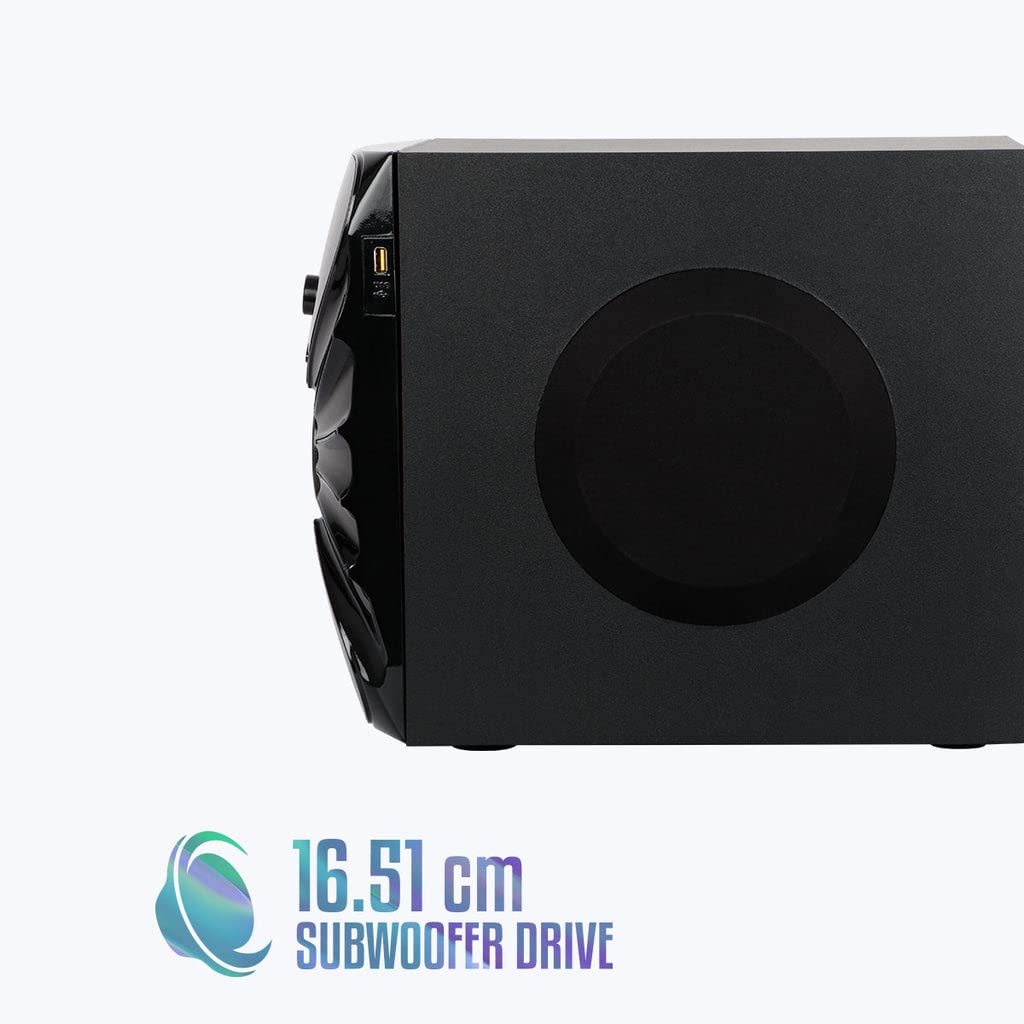
Выява: Збоку view of the ZEBRONICS Zeb-Rainbow 400 subwoofer, showing the USB port and overall dimensions.
Гарантыя і падтрымка
This product comes with a minimum six-month seller warranty. For any issues or support, please contact your seller or refer to the official ZEBRONICS support channels. Keep your purchase receipt for warranty claims.


