Уводзіны
This manual provides essential information for the setup, operation, maintenance, and troubleshooting of your Korg NAUTILUS88AT 88-Key Keyboard Production Station. The NAUTILUS88AT is a flagship workstation designed for musical expression, featuring Aftertouch capabilities and a comprehensive sound library.
Please read this manual thoroughly to ensure proper use and to fully utilize the advanced features of your instrument.

Выява: спераду view of the Korg NAUTILUS88AT 88-Key Keyboard Production Station, showcasing the full 88-key layout, central display, and control panel.
Настройка
Распакоўка і пачатковае размяшчэнне
Carefully remove the NAUTILUS88AT from its packaging. Ensure all components are present. Place the workstation on a stable, flat surface. Due to its weight (approximately 50.9 pounds), it is recommended to have assistance during placement.
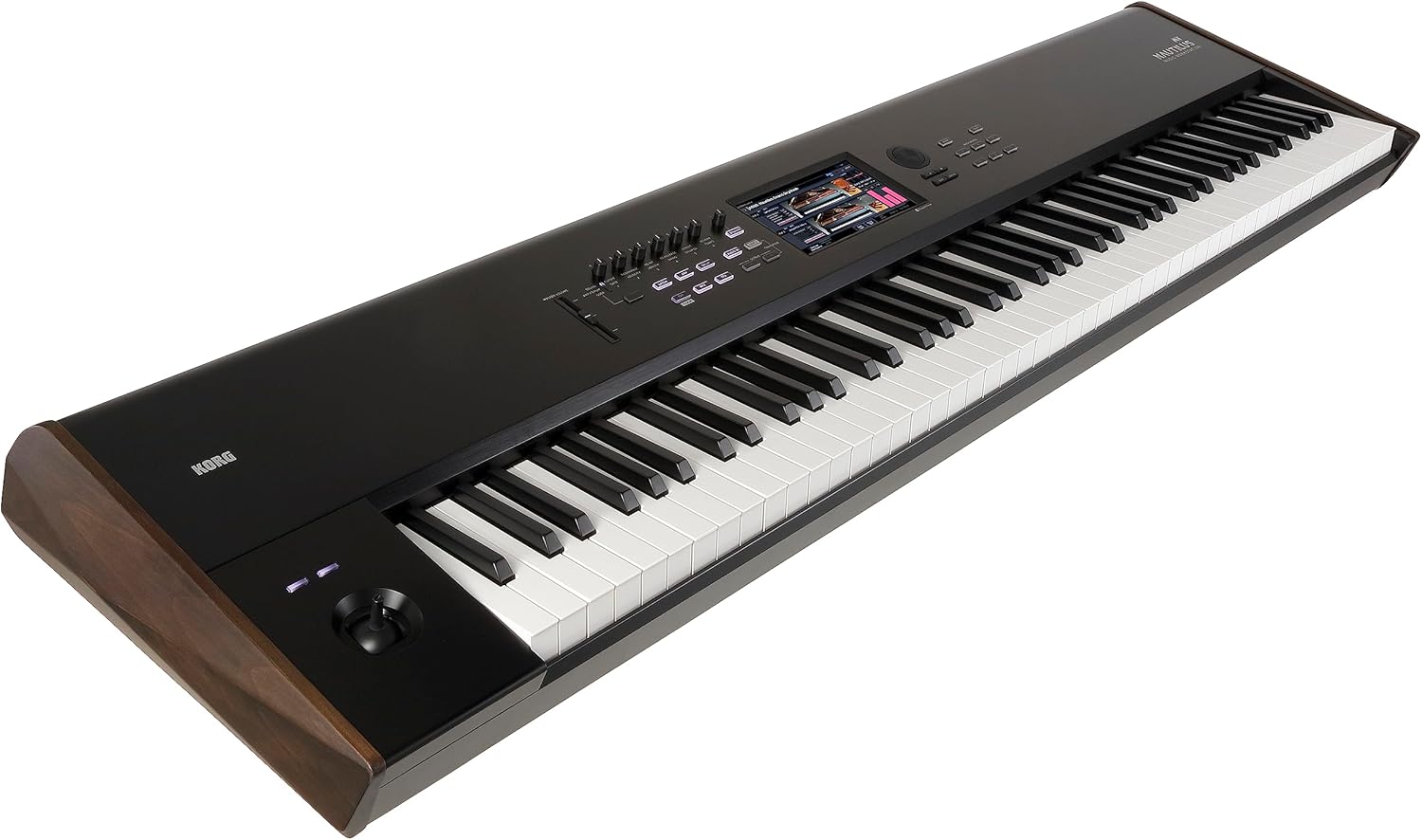
Выява: Пад вуглом view of the Korg NAUTILUS88AT, highlighting its sleek design and wooden side panels.
Connecting Power and Peripherals
Connect the provided power cord to the power input on the rear panel of the NAUTILUS88AT and then to a suitable power outlet. The workstation operates on a corded electric power source with a wattage 40 ват.
For audio output, connect to an amplifier, mixer, or headphones using the 6.35mm Jack outputs. MIDI USB, USB Type A, and USB Type B connectors are available for connecting to computers or other MIDI devices.

Выява: Задняя частка view of the Korg NAUTILUS88AT, displaying the power input, 6.35mm audio jacks, MIDI USB, USB Type A, and USB Type B ports.

Image: Close-up of the power input and serial number label on the Korg NAUTILUS88AT, important for product identification and support.
Інструкцыя па эксплуатацыі
Уключэнне і карыстальніцкі інтэрфейс
Press the power button to turn on the workstation. The NAUTILUS88AT features a modern user interface with a streamlined design, providing fast access to thousands of sounds. The central display is touch-sensitive for intuitive navigation.

Image: Close-up of the Korg NAUTILUS88AT's control panel, showing the central touchscreen display and various buttons and knobs for sound manipulation.
Sound Engines and Aftertouch
The NAUTILUS88AT incorporates nine powerful sound engines and class-leading effects. The 88-key version features a premium four-stage weighted hammer action with Aftertouch, offering an ultra-realistic piano playing experience and enhanced expressive control.
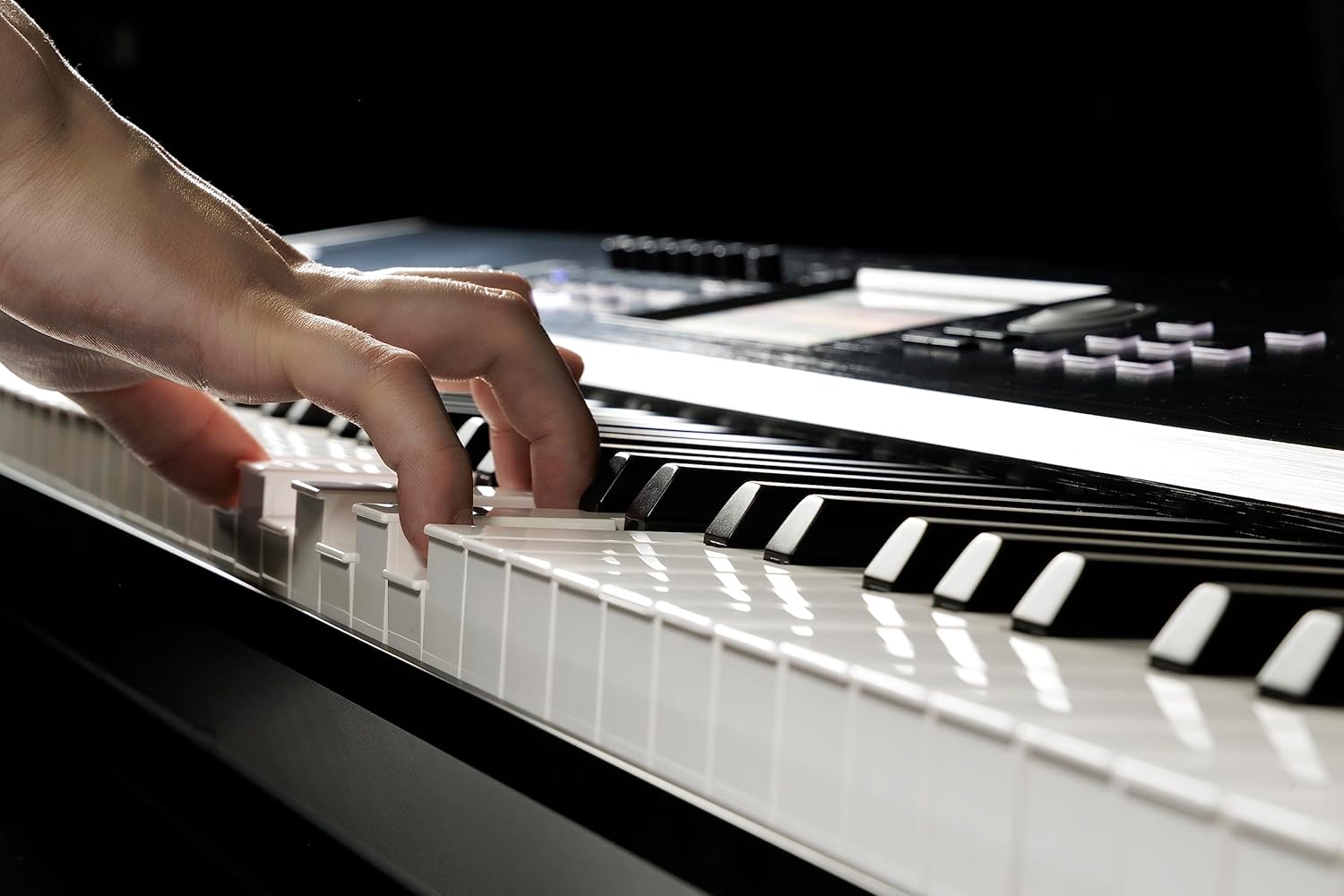
Image: Hands positioned on the keys of the Korg NAUTILUS88AT, demonstrating the playing experience on the weighted hammer action keyboard.
Dynamics Knob and Set List Mode
Utilize the Dynamics Knob to instantly control the sensitivity of the keyboard. This allows for consistent playability regardless of the performance context.
The intuitive Set List Mode enables organization of sounds and sequences required for a performance. Color-coded touch-screen buttons facilitate quick recall of Programs, Combinations, or Sequences during live use.

Image: Close-up of the Korg NAUTILUS AT Music Workstation branding on the instrument's brushed metal finish, indicating the model and series.
Тэхнічнае абслугоўванне
Уборка
To clean the exterior of your NAUTILUS88AT, use a soft, dry cloth. For stubborn dirt, a slightly damp cloth with mild soap can be used, followed by a dry cloth. Avoid abrasive cleaners, solvents, or waxes, as these can damage the finish and electronic components.
Захоўванне
When not in use, store the workstation in a dust-free environment. If transporting, use a dedicated case to protect it from physical damage and environmental factors.
Ліквідацыю непаладак
Няма вываду гуку
- Пераканайцеся, што кабель харчавання надзейна падключаны, і прылада ўключана.
- Verify that audio cables are correctly connected to the output jacks and to your ampLifier/міксер.
- Check the volume settings on the NAUTILUS88AT and any connected audio equipment.
- Калі вы карыстаецеся навушнікамі, пераканайцеся, што яны цалкам падключаны да раздыма 6.35 мм.
Клавіятура не адказвае
- Confirm the unit is powered on.
- Check if any local control or MIDI settings are preventing sound generation.
- If connected via MIDI, ensure MIDI cables are correctly connected and MIDI channels match.
For further assistance, refer to the comprehensive online resources or contact Korg customer support.
Тэхнічныя характарыстыкі
| Асаблівасць | Дэталь |
|---|---|
| Назва мадэлі | NAUTILUS88AT |
| Марка | KORG |
| Колькасць ключоў | 88 |
| Ключавое дзеянне | Чатыры-сtage weighted hammer action with Aftertouch |
| Вага прадмета | 50.9 фунта (23.09 кг) |
| Памеры прадукту | 56.57 х 15.24 х 5.47 цалі (143.7 х 38.7 х 13.9 см) |
| Колер | Чорны |
| Тып матэрыялу | Метал |
| Крыніца харчавання | Правадная электрычная |
| Ватtage | 40 ват |
| Тэхналогія падлучэння | USB |
| Тып раздыма | 6.35mm Jack, MIDI USB, USB Type A, USB Type B |
| Гняздо для навушнікаў | Гняздо 6.35 мм |
| Аперацыйная сістэма | NAUTILUS System Version 1.0 |
| Асаблівасці | Advanced Sequencer, Digital Display, Digital Effects, Hammer Action |
Гарантыя і падтрымка
Інфармацыя аб гарантыі
For detailed warranty information, please refer to the warranty card included with your product or visit the official Korg website. Protection plans are available for purchase separately, offering extended coverage beyond the standard manufacturer's warranty.
Падтрымка кліентаў
Should you require technical assistance, parts, or service, please contact Korg customer support. You can find contact information and additional resources on the official Korg webсайт: KORG Store on Amazon.


