Уводзіны
The Samsung HW-Q600F 3.1.2 Channel Q Series Soundbar with Wireless Subwoofer is designed to elevate your home audio experience. Featuring True 3.1.2 channel sound, Dolby Atmos, and DTS Virtual:X support, it delivers immersive, multidimensional audio. Q-Symphony technology allows for synchronized sound with compatible Samsung TVs, while Adaptive Sound optimizes audio based on content. This manual provides essential information for setting up, operating, and maintaining your soundbar system.
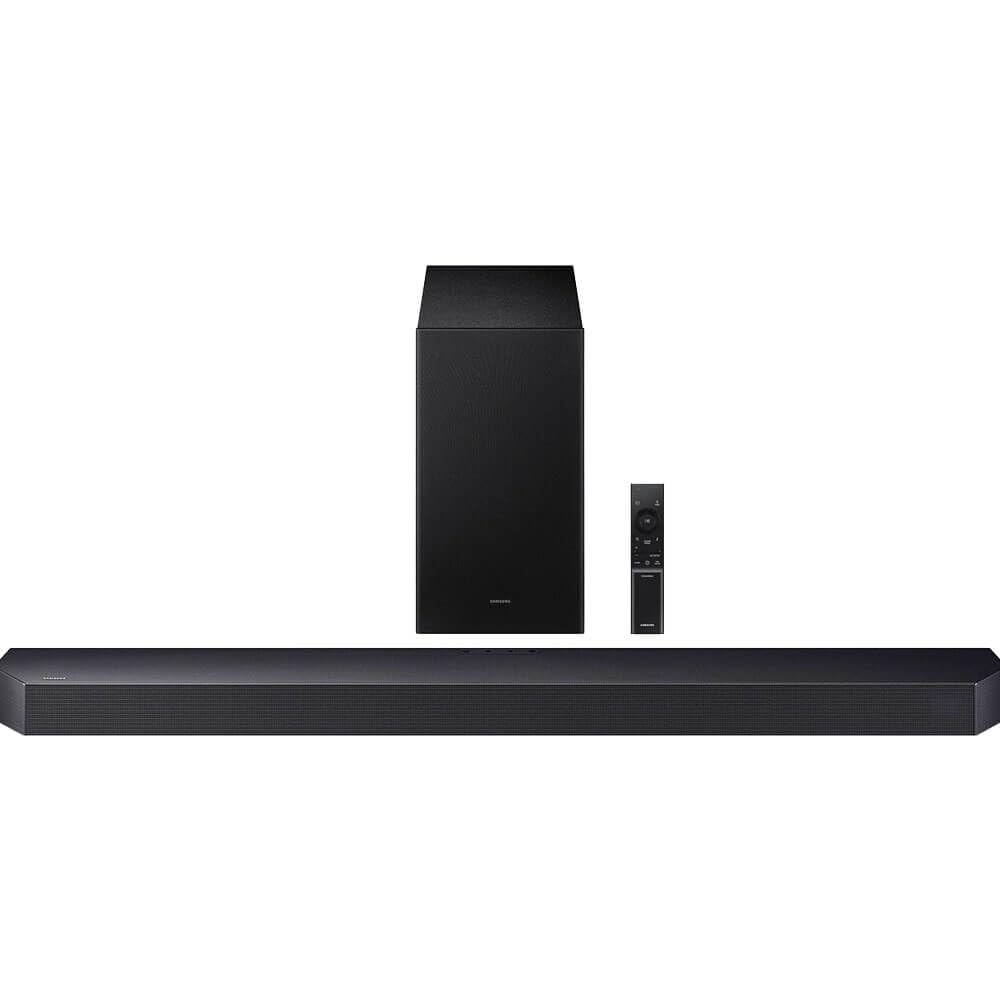
Image: The Samsung HW-Q600F Soundbar and its accompanying wireless subwoofer, showcasinг элегантны чорны дызайн.
Што ў скрынцы
Upon unboxing your Samsung HW-Q600F Soundbar, you should find the following components:
- Саўндбар (HW-Q600F)
- Бесправадны сабвуфер
- Кабель HDMI
- Набор для мацавання на сцяну
- Пульт дыстанцыйнага кіравання з батарэйкамі
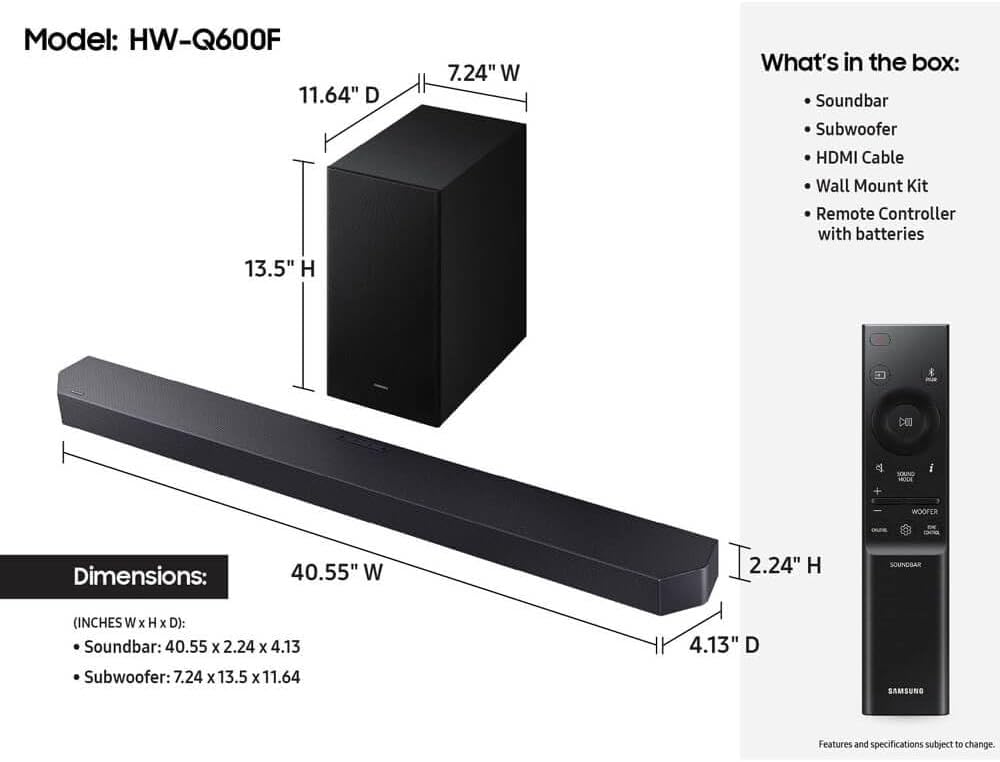
Image: A visual representation of the soundbar, subwoofer, remote, HDMI cable, and wall mount kit, along with product dimensions.
Кіраўніцтва па ўстаноўцы
Фізічнае размяшчэнне
For optimal audio performance, place the soundbar centrally below your television. The wireless subwoofer can be placed anywhere in the room, ideally in a corner or near a wall to enhance bass response. Ensure both units have adequate ventilation and are not obstructed.
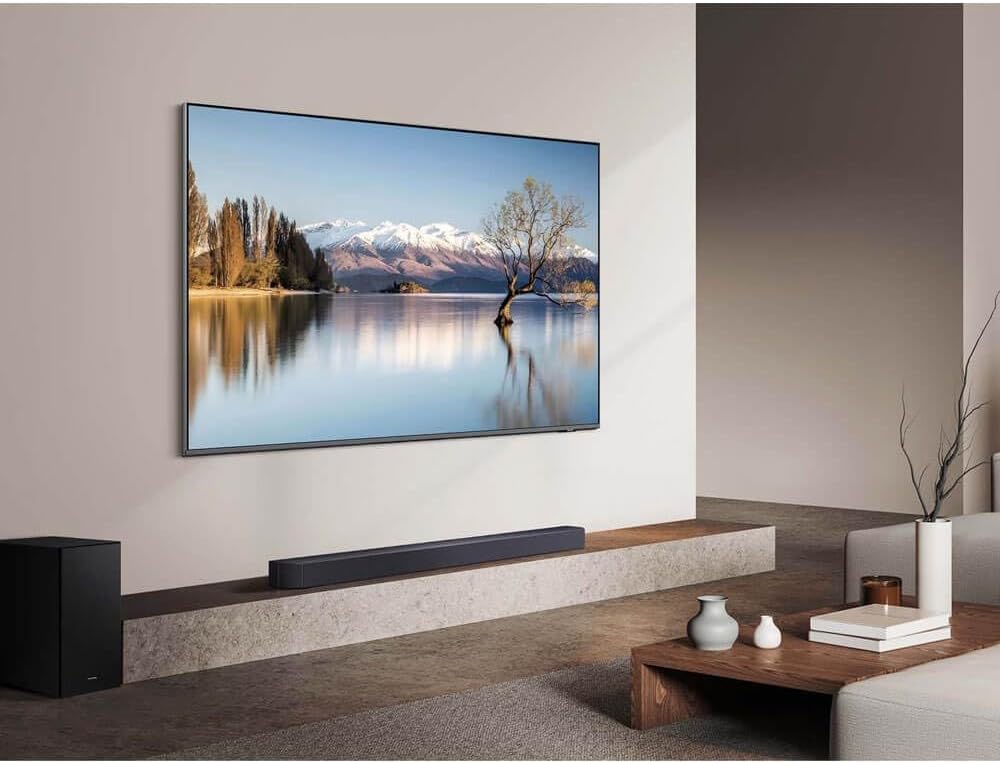
Image: The soundbar positioned below a wall-mounted TV, with the subwoofer placed to the left, demonstrating a typical home theater setup.
Сувязі
Connect your soundbar to your TV and other devices using the available ports:
- HDMI eARC/ARC: For the best audio quality and control, connect an HDMI cable from the soundbar's HDMI eARC/ARC port to your TV's HDMI eARC/ARC port. This allows for two-way communication, enabling TV remote control of the soundbar.
- УХОД HDMI: Connect external devices like a Blu-ray player or gaming console to the soundbar's HDMI IN port.
- Digital Audio In (Optical): If your TV does not support HDMI ARC, use an optical cable to connect the TV's optical digital audio out port to the soundbar's DIGITAL AUDIO IN (OPTICAL) port.
- USB (for Service): This port is primarily for firmware updates.
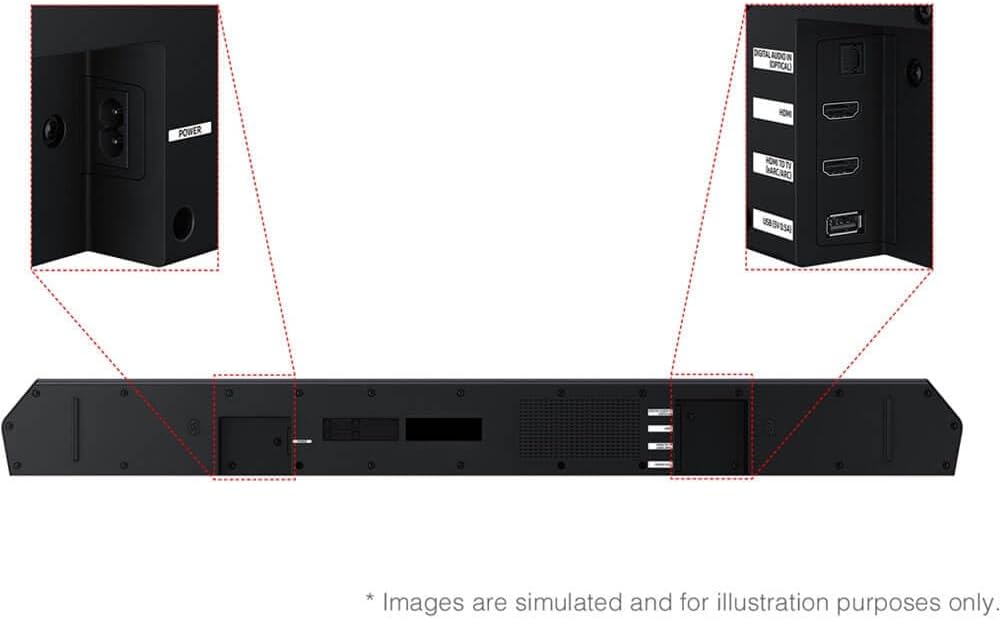
Image: Close-up of the soundbar's rear panel, highlighting the various input and output ports for connectivity.
Спалучэнне бесправаднога сабвуфера
The wireless subwoofer should automatically connect to the soundbar when both are powered on. If the connection is not established:
- Ensure both the soundbar and subwoofer are plugged into power outlets.
- Check the LED indicator on the back of the subwoofer. If it's blinking, it's searching for a connection.
- On the back of the subwoofer, press and hold the ID SET button for at least 5 seconds. The LED indicator will blink quickly.
- With the soundbar powered off, press and hold the Up button on the soundbar's remote control for 5 seconds. The soundbar will display "ID SET" and then power on.
- The LED indicator on the subwoofer should turn solid blue, indicating a successful connection.
Інструкцыя па эксплуатацыі
Пульт дыстанцыйнага кіравання
Use the included remote control to manage your soundbar's functions. The remote allows you to power on/off, adjust volume, change sound modes, control subwoofer levels, and switch input sources.
Гукавыя рэжымы
The HW-Q600F offers various sound modes to optimize your listening experience:
- стандартны: Забяспечвае арыгінальны гук без спецыяльных эфектаў.
- Акружэнне: Provides an expanded soundstagе для больш захапляльнага вопыту.
- Гульня: Optimizes audio for gaming, enhancing sound effects and dialogue.
- Адаптыўны гук: Analyzes content and automatically adjusts sound settings for optimal clarity.
- Dolby Atmos / DTS Virtual:X Provides object-based audio for a three-dimensional sound experience.
Злучэнне Bluetooth
Connect your mobile devices wirelessly to the soundbar via Bluetooth to stream music. To pair:
- Press the Source button on the soundbar or remote until "BT" appears on the display.
- На мабільнай прыладзе ўключыце Bluetooth і знайдзіце даступныя прылады.
- Select "[AV] Samsung Soundbar HW-Q600F" from the list.
- Пасля падключэння вы можаце перадаваць аўдыё з прылады на саўндбар.
Q-Symphony Feature
When connected to a compatible Samsung QLED TV, Q-Symphony allows the soundbar and TV speakers to operate simultaneously, creating a richer and more expansive soundstage. This feature is automatically enabled when the soundbar is connected via HDMI eARC/ARC to a compatible TV.
Кіраванне дадаткам SmartThings
For enhanced control and customization, download the Samsung SmartThings app on your smartphone. The app allows you to adjust sound settings, switch modes, and manage other smart features of your soundbar.
Тэхнічнае абслугоўванне
Каб забяспечыць даўгавечнасць і аптымальную прадукцыйнасць вашай гукавой панэлі:
- Падтрымлівайце чысціню саўндбара і сабвуфера, праціраючы іх мяккай сухой тканінай.
- Пазбягайце выкарыстання вадкіх ачышчальнікаў або абразіўных матэрыялаў.
- Забяспечце належную вентыляцыю вакол абодвух прылад, каб прадухіліць перагрэў.
- Do not block the speaker grilles.
Ліквідацыю непаладак
If you encounter issues with your soundbar, try the following:
- Няма гуку: Check all cable connections (HDMI, optical). Ensure the correct input source is selected on the soundbar and TV. Verify that the soundbar and TV volumes are not muted or set too low.
- Сабвуфер не падключаецца: Follow the pairing instructions in the "Setup Guide" section. Ensure the subwoofer is powered on and within range of the soundbar.
- Пульт дыстанцыйнага кіравання не працуе: Замяніце батарэйкі. Пераканайцеся, што паміж пультам дыстанцыйнага кіравання і саўндбарам няма перашкод.
- Скажоны гук: Check audio settings on both the soundbar and TV. Ensure cables are securely connected and not damaged. Try resetting the soundbar to factory settings if issues persist.
Тэхнічныя характарыстыкі
| Асаблівасць | Дэталь |
|---|---|
| Нумар мадэлі | CRT2SAMHWQ600F |
| Колькасць аўдыёканалаў | 3.1.2 |
| Максімальная выхадная магутнасць дынаміка | 380 ват |
| АЧХ | 20 Гц |
| Тэхналогія падлучэння | Bluetooth |
| Бесправадныя тэхналогіі | Bluetooth |
| Тэхналогія падлучэння сабвуфера | Бесправадная сувязь |
| Рэжым выхаду гуку | Акружаць |
| Тып мацавання | Насценнае мацаванне |
| Дадатковыя магчымасці | Adaptive Sound Technology, Dolby Atmos and DTS Virtual:X Support, Q-Symphony Functionality, True 3.1.2-Channel Speaker Configuration, Wireless Surround Sound Compatible |
| Метад кантролю | Дыстанцыйнае |
| Памер дынаміка | 6.5 цалі |
| Памеры прадмета (Д х Ш х У) | 4.13" Г x 40.55" Ш x 2.24" У |
| Вага прадмета | 20.1 фунта |
| Сумяшчальныя прылады | Тэлебачанне |
| Крыніца харчавання | Правадная электрычная |
| UPC | 724129193367 |
| GTIN | 724129193367 |
Гарантыя і падтрымка
The Samsung HW-Q600F Soundbar comes with a 90-дзённая абмежаваная гарантыя. For detailed warranty information, technical support, or service inquiries, please refer to the official Samsung support channels or the documentation included with your product.