Уводзіны
This manual provides essential information for the installation, operation, and maintenance of your Scanstrut SC-Multi-F1 Flip Pro Multi - Dual USB-C with 12V Power Socket. Please read these instructions carefully before use to ensure proper function and longevity of the product.
The Scanstrut Flip Pro Multi is designed to provide convenient power access with dual USB-C ports and a 12V power socket. Its robust, waterproof design makes it suitable for marine and outdoor environments, ensuring reliable charging for your devices.
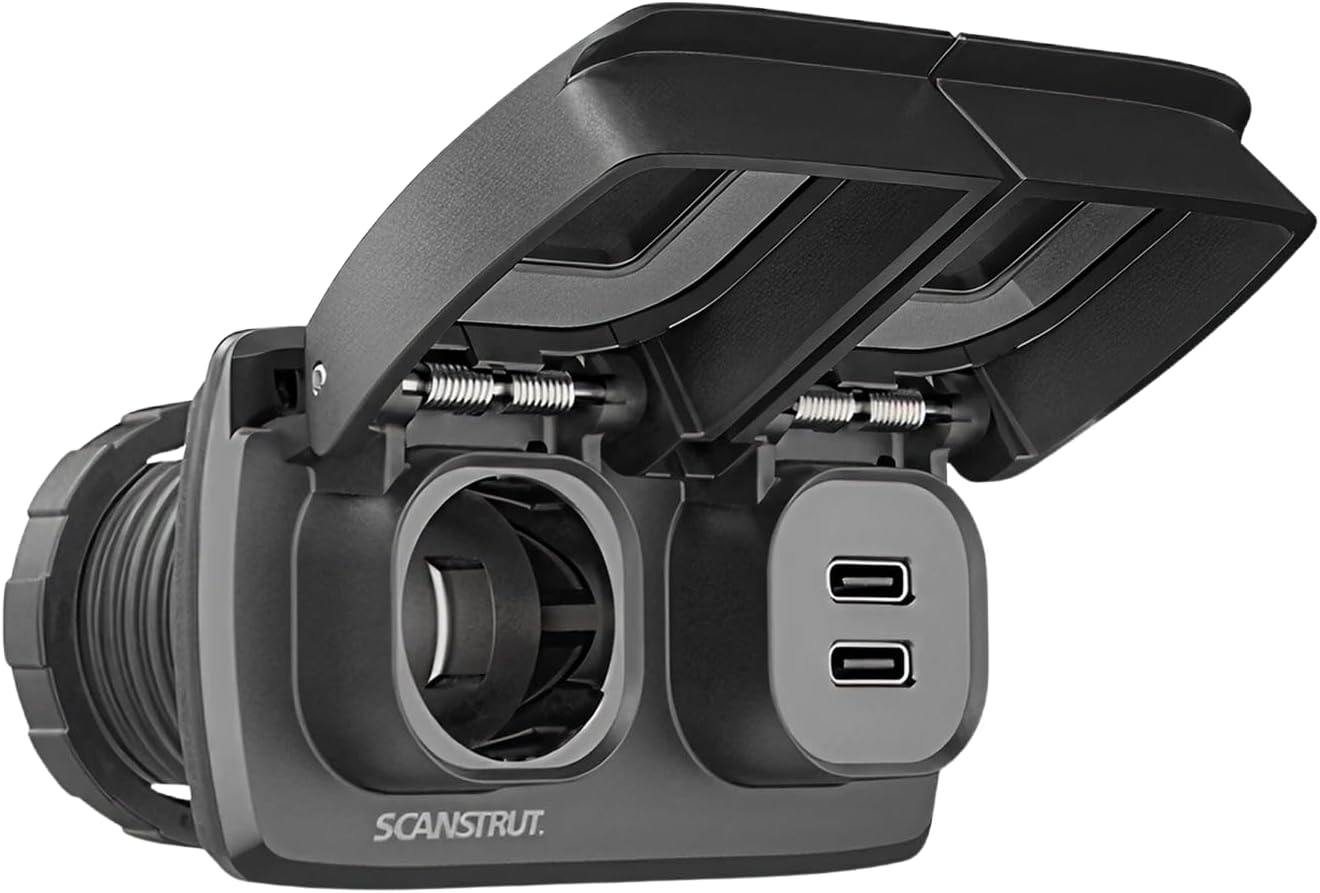
Image: The Scanstrut SC-Multi-F1 Flip Pro Multi unit with its protective covers closed, showcasing the compact and durable design. The unit features a 12V power socket and dual USB-C ports, each with its own flip-up cover for protection against the elements.

Выява: зверху ўніз view of the Scanstrut SC-Multi-F1 Flip Pro Multi, with its protective covers closed. Clearly visible are the icons indicating the 12V power socket and the dual USB-C charging ports, along with the "MAX 10A" rating for the 12V socket.
Што ў скрынцы
Перад пачаткам усталёўкі пераканайцеся, што ўсе кампаненты наяўныя:
- Scanstrut SC-MULTI-F1 Flip Pro Multi - Dual USB-C with 12V Power Socket
- Mounting hardware (screws, bezel, locking rings)

Image: The Scanstrut SC-Multi-F1 Flip Pro Multi unit displayed alongside its packaging and included accessories. This includes the main unit, mounting screws, a front-fit bezel, and two locking rings, illustrating all components necessary for installation.
Настройка і ўстаноўка
Proper installation is crucial for the performance and safety of your Scanstrut Flip Pro Multi. If you are unsure about any step, consult a qualified professional.
Неабходныя інструменты:
- Дрыль
- Hole saw (approximately 30.2mm / 1.19 inches diameter)
- Адвёртка
- Абціскальнікі дроту
- Appropriate electrical connectors (6.3x0.8mm spade connectors recommended)
Этапы ўстаноўкі:
- Выберыце месца ўстаноўкі: Select a flat surface with sufficient clearance behind for wiring. Ensure the panel thickness is between 3mm (0.11 inches) and 25mm (1 inch).
- Падрыхтоўка мантажнай адтуліны: Using a 30.2mm (1.19 inches) hole saw, carefully cut a circular hole in the chosen mounting surface. Refer to the dimensional drawing for precise measurements.
- Праводка: Connect the positive (+) and negative (-) wires from your 12V power source to the corresponding terminals on the back of the Flip Pro Multi. Ensure secure connections, preferably using 6.3x0.8mm spade connectors. Observe proper polarity to prevent damage.
- Insert Unit: Feed the wired Flip Pro Multi unit through the prepared hole from the front.
- Бяспечны блок: From the rear of the panel, thread the locking ring onto the unit and tighten it securely to hold the unit in place. If using the front-fit bezel, install it before securing the unit.
- Праверка функцыянальнасці: Once installed, apply power and test both the USB-C ports and the 12V socket to ensure they are functioning correctly.

Image: A detailed dimensional drawing of the Scanstrut SC-Multi-F1 Flip Pro Multi, providing precise measurements in both millimeters and inches for installation. It illustrates the required panel cutout diameter (30.2mm / 1.19 inches) and acceptable panel thickness (3mm to 25mm), along with the overall dimensions of the unit.
Інструкцыя па эксплуатацыі
The Scanstrut Flip Pro Multi is designed for straightforward operation.
Using the USB-C Ports:
- Gently lift the protective cover over the USB-C ports.
- Insert your USB-C charging cable into one of the available ports.
- Падключыце другі канец кабеля да прылады, каб пачаць зарадку.
- When not in use, close the protective cover to maintain waterproofing and protect the ports from debris.
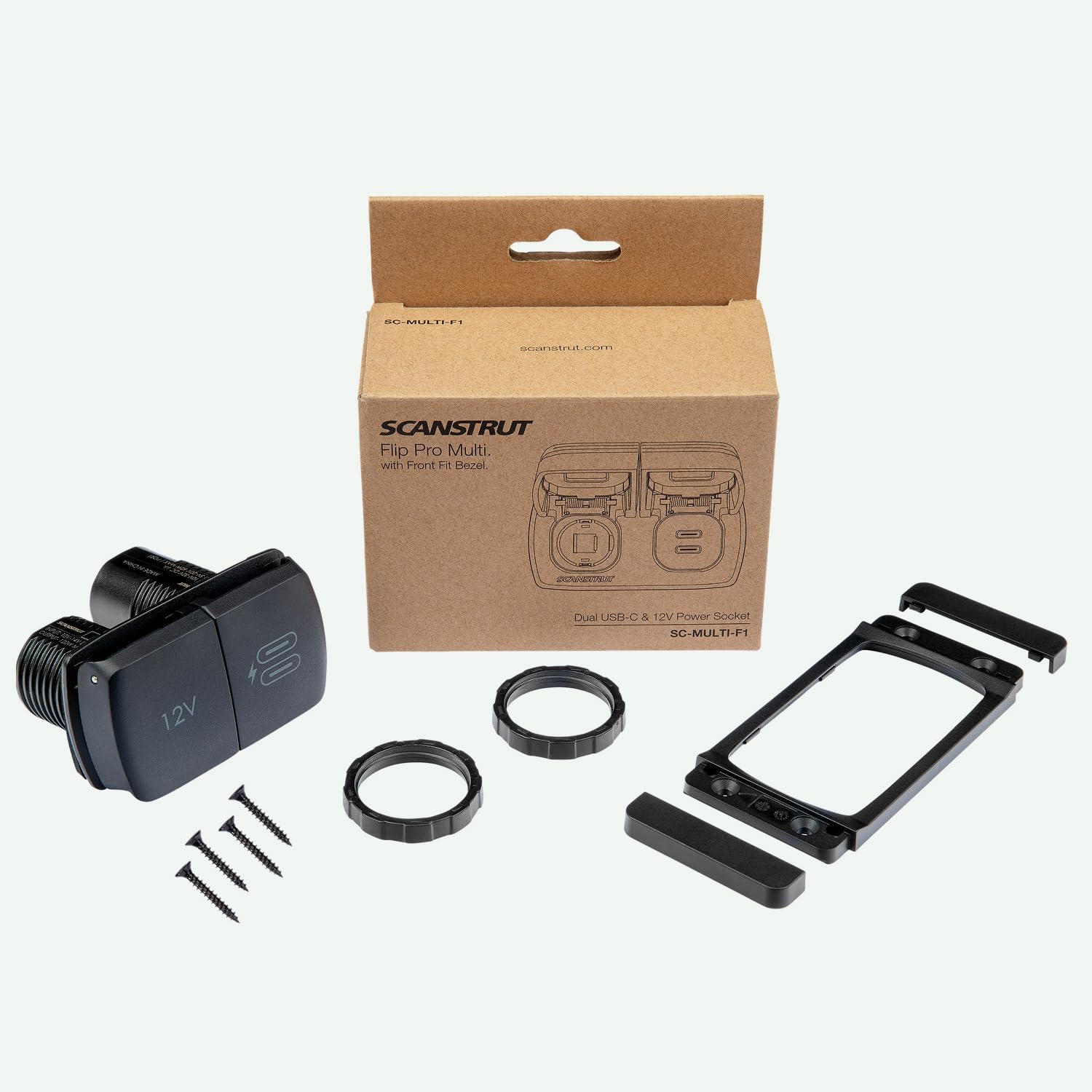
Image: A person is shown connecting a USB-C cable to the Scanstrut Flip Pro Multi, which is installed on a boat. The protective cover for the USB-C ports is open, and the user is actively charging a device, demonstrating the ease of access and use in an outdoor setting.

Image: A child is shown interacting with the Scanstrut Flip Pro Multi, connecting a charging cable to one of the USB-C ports. The unit is flush-mounted on a surface, highlighting its integrated appearance and accessibility for various users.
Using the 12V Power Socket:
- Gently lift the protective cover over the 12V power socket.
- Insert your 12V compatible plug into the socket.
- When not in use, close the protective cover to maintain waterproofing and protect the socket from debris.

Image: The Scanstrut Flip Pro Multi is shown installed in the interior of a vehicle, likely an off-road or utility vehicle, demonstrating its robust integration into a demanding environment. Both the 12V socket and USB-C ports are visible with their covers closed, indicating readiness for use while protected.
Тэхнічнае абслугоўванне
To ensure optimal performance and longevity of your Scanstrut Flip Pro Multi, follow these simple maintenance guidelines:
- Уборка: Перыядычна працірайце прыладу ад рэкламыamp cloth to remove dirt, salt, or grime. Avoid using abrasive cleaners or solvents.
- Inspect Covers: Regularly check the protective flip covers for any signs of damage or wear. Ensure they close securely to maintain the waterproof seal.
- Праверце злучэнні: Occasionally inspect the wiring connections at the back of the unit to ensure they remain tight and free from corrosion.
- Ахова навакольнага асяроддзя: While designed for harsh environments, prolonged exposure to extreme conditions without proper care can affect performance. Ensure covers are closed when not in use, especially in wet or dusty conditions.
Ліквідацыю непаладак
If you encounter issues with your Scanstrut Flip Pro Multi, refer to the following common troubleshooting steps:
- Няма магутнасці:
- Check the main power supply to the unit. Ensure the 12V source is active.
- Verify all wiring connections are secure and correctly polarized (+ to +, - to -).
- Inspect any inline fuses in the power circuit and replace if blown.
- Прылада не зараджаецца праз USB-C:
- Ensure your device and cable are compatible with USB-C charging.
- Try a different USB-C cable or device to rule out cable/device issues.
- Confirm the unit is receiving power as described above.
- 12V Socket Not Functioning:
- Ensure the 12V plug is fully inserted and making good contact.
- Test the 12V accessory in another socket to confirm it is functional.
- Confirm the unit is receiving power.
If problems persist after following these steps, contact Scanstrut customer support for further assistance.
Тэхнічныя характарыстыкі
| Асаблівасць | Дэталь |
|---|---|
| Марка | Scanstrut |
| мадэль | SC-MULTI-F1 |
| Вага прадмета | 4.6 унцыі |
| Памеры прадукту | 3.62 х 3.42 х 2.28 цалі |
| Уваходны кнtage | 12V DC (nominal) |
| 12V Socket Output | Макс. 10 А |
| Выхад USB-C | Dual USB-C ports (specific output not detailed, assumes standard charging) |
| Panel Thickness (Min) | 3 мм (0.11 цалі) |
| Panel Thickness (Max) | 25 мм (1 цалі) |
| Тып раздыма | 6.3x0.8mm Spade connector |
Note: Specifications are subject to change without notice. For the most current information, please refer to the manufacturer's official webсайт.
Гарантыя і падтрымка
Scanstrut products are manufactured to high standards and come with a manufacturer's warranty against defects in materials and workmanship. The specific terms and duration of the warranty may vary by region and product.
For detailed warranty information, product support, or to register your product, please visit the official Scanstrut webсайт або звярніцеся непасрэдна ў службу падтрымкі кліентаў.
Scanstrut Official Webсайт: www.scanstrut.com


