Уводзіны
Thank you for choosing the FLINQ Smart Indoor Surveillance Camera. This device is designed to provide comprehensive indoor monitoring with advanced features such as 3MP HD video, automatic night vision, and intelligent motion and sound detection for people and pets. It offers flexible placement options and supports both local SD card storage and cloud storage via the convenient FlinQ app.

The FLINQ Smart Indoor Surveillance Camera, shown alongside its mobile application interface.
Прадукт скончаныview
The FLINQ Smart Indoor Surveillance Camera features a compact design with a spherical camera head mounted on a cylindrical base. It is equipped with a high-resolution lens, infrared sensors for night vision, and a microphone for sound detection. The base houses the power input and an SD card slot.

Розныя views of the camera, highlighting its design and ports.

The camera's dimensions: approximately 11 cm in height and 7 cm in width.
Настройка
1. Усталёўка прыкладання
Спампаваць бясплатна FlinQ app from your device's app store (iOS or Android). Create an account or log in if you already have one.
2. Уключэнне
Connect the camera to a power source using the provided power adapter. The camera will power on and indicate its status, usually with an LED light.
3. размяшчэнне
The camera offers flexible placement. It can be placed on any flat surface or mounted to a wall using appropriate hardware (not included). Choose a location that provides the desired viewпад вуглом агляду і знаходзіцца ў зоне дзеяння Wi-Fi.
4. Усталёўка SD-карты (неабавязкова)
For local storage, insert a microSD card (up to 128GB, not included) into the designated slot on the camera. Ensure the card is inserted correctly. The camera supports continuous recording or event-triggered recording to the SD card.
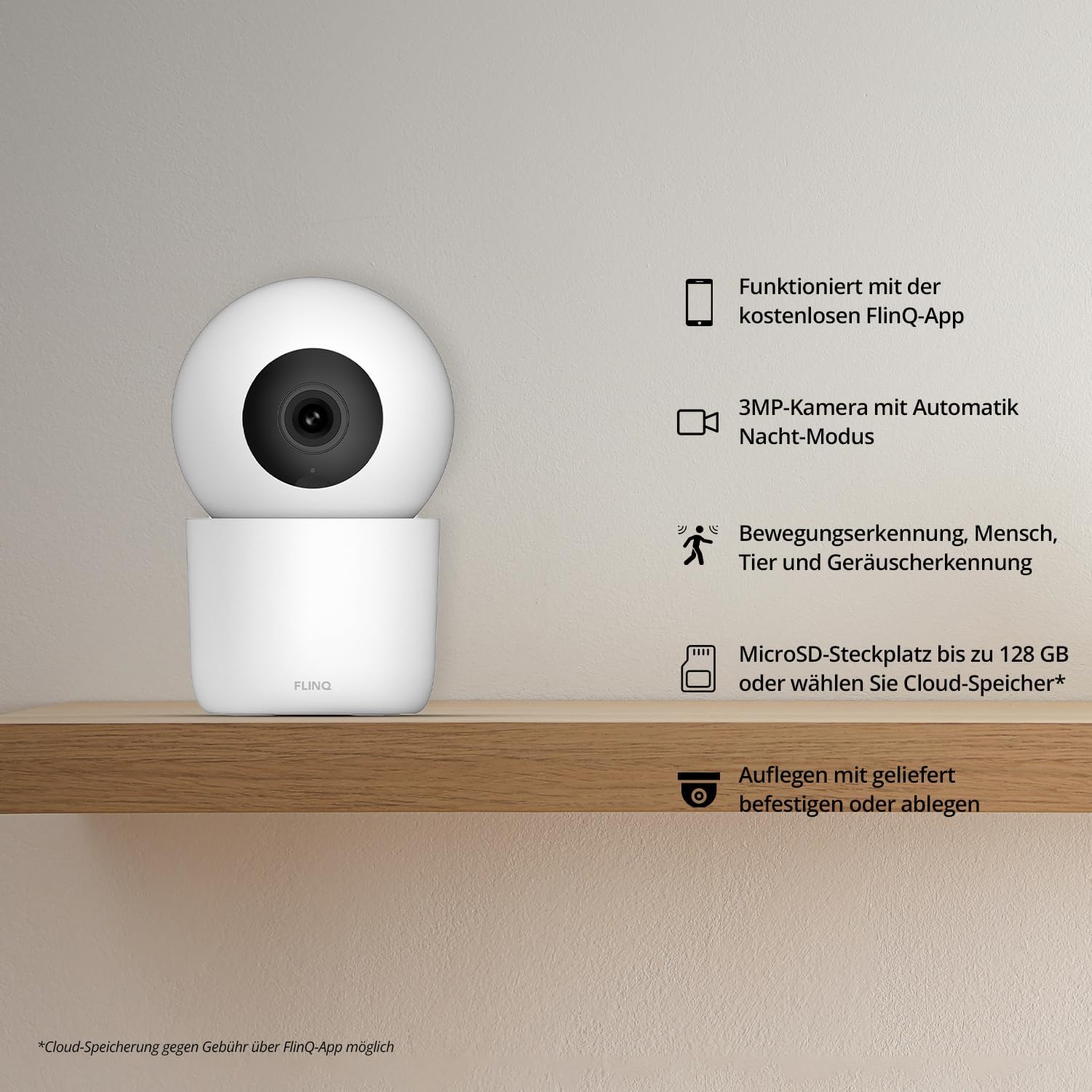
Скончанаview of the camera's main features, including app integration and storage options.
Аперацыйная
1. Падключэнне да Wi-Fi
Open the FlinQ app and follow the on-screen instructions to add your new camera. This typically involves selecting your Wi-Fi network and entering the password. Ensure your phone is connected to a 2.4GHz Wi-Fi network during setup.
2. Жыць View & Маніторынг
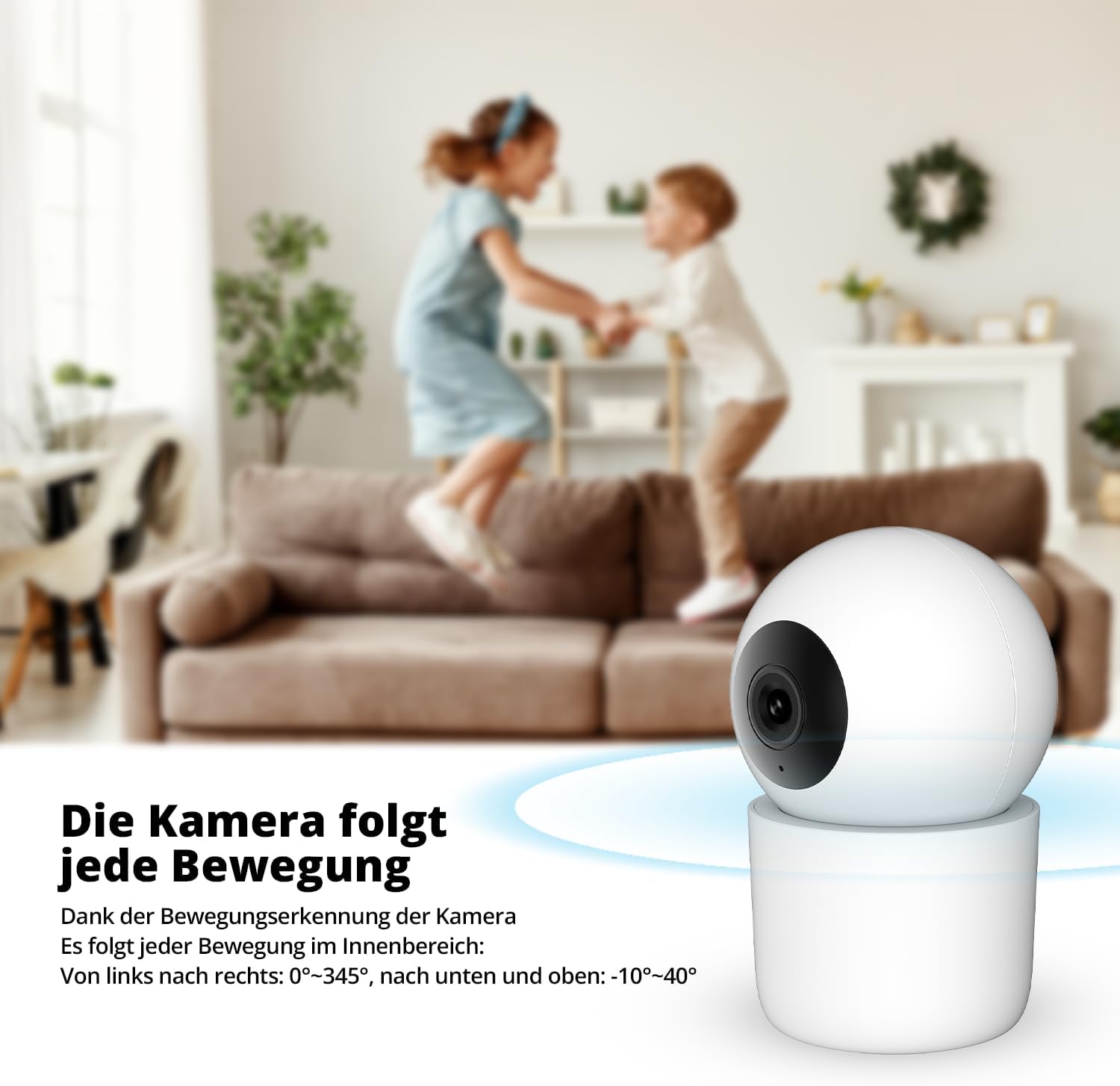
Once connected, you can access the live video feed from your camera through the FlinQ app from anywhere. The app allows you to pan and tilt the camera remotely to adjust the viewкут нахілу.

The camera's ability to follow movement within its field of view (0°-345° horizontally, -10°-40° vertically).
3. Выяўленне руху і гуку
The camera is equipped with intelligent detection capabilities for both motion and sound. You will receive instant notifications on your smartphone when activity is detected.
- Выяўленне асобы: Identifies human figures, reducing false alarms from other movements.
- Выяўленне хатніх жывёл: Specifically recognizes pets, allowing you to monitor your furry friends.
- Вызначэнне гуку: Alerts you to unusual noises, such as crying or loud sounds.
The camera's pet detection feature in action.

The camera's person detection feature in action.
4. Начное бачанне
The camera automatically switches to night vision mode in low-light conditions, providing clear 3MP video footage even in complete darkness. This ensures continuous monitoring day and night.

The camera's automatic day and night sensor for optimal viewінж.
5. Two-Way Audio / Baby Monitor Functionality
Utilize the camera's built-in microphone and speaker for two-way communication. This feature is particularly useful for checking in on pets or as a baby monitor, allowing you to hear and speak through the camera.

The camera can function as a baby monitor, alerting to sounds like crying.
6. Параметры захоўвання
Запісы можна захоўваць двума спосабамі:
- Лакальнае сховішча: On a microSD card (up to 128GB).
- Воблачнае сховішча: Via the FlinQ app (subscription may be required).
Тэхнічнае абслугоўванне
Уборка
To clean the camera, gently wipe the lens and body with a soft, dry cloth. Do not use liquid cleaners or abrasive materials, as they may damage the device.
Абнаўлення праграмнага забеспячэння
Periodically check the FlinQ app for available firmware updates. Keeping your camera's software up-to-date ensures optimal performance and access to new features.
Ліквідацыю непаладак
- Камера ў аўтаномным рэжыме: Ensure the camera is powered on and within range of your Wi-Fi router. Check your internet connection. Try restarting the camera and your router.
- Дрэнная якасць выявы: Ensure the lens is clean. Check your Wi-Fi signal strength; a weak signal can affect streaming quality.
- Няма апавяшчэнняў: Verify that notifications are enabled in the FlinQ app settings and in your phone's system settings for the app.
- SD-карта не запісвае: Ensure the SD card is inserted correctly and is not full. Format the SD card through the app if issues persist (this will erase all data).
- Не магу падключыцца да Wi-Fi: Ensure you are connecting to a 2.4GHz Wi-Fi network. Double-check your Wi-Fi password.
For further assistance, refer to the support section within the FlinQ app or contact customer support.
Тэхнічныя характарыстыкі
| Асаблівасць | Спецыфікацыя |
|---|---|
| Вытворца | FlinQ Commerce |
| Памеры | 18 х 8 х 8 см; 314 грамаў |
| Матэрыял | Метал |
| Асаблівасці | Night Vision, Motion Detection, Sound Detection |
| Тэхналогія падлучэння | Бесправадная сувязь (Wi-Fi) |
| Выкарыстанне ў памяшканні/на вуліцы | У памяшканні |
| Тып мацавання | Падтрымка для насценнага мацавання |
| Рэкамендуемае выкарыстанне | Дэтэктар руху |
| ASIN | B0CLB4W1CF |
Гарантыя і падтрымка
For information regarding warranty coverage and terms, please refer to the official FLINQ website or contact FLINQ customer support directly. Support contact details can typically be found within the FlinQ app or on the manufacturer's webсайт.
Manufacturer: FlinQ Commerce


