Уводзіны
Welcome to your EasyKeys Haworth HW254 replacement key manual. This guide provides essential information for identifying, using, and maintaining your new key. This key is a genuine original equipment part designed for Haworth office furniture locks with the HW254 code.

Image: The EasyKeys Haworth HW254 replacement key, made of brass.
Key Identification and Verification
Before using your new key, it is crucial to verify that it matches your lock. The Haworth HW254 key is specifically designed for locks bearing the HW254 code.
How to Find Your Lock Code
To ensure compatibility, locate the lock code on your office furniture. This code can typically be found in one of the following locations:
- On the Original Key: If you have an existing key, the code is often stamped directly on it.
- On the Lock Face: The code may be engraved or printed on the visible part of the lock cylinder.
- On a Label Inside/Behind the Lock: For some furniture, the code is on a sticker or label located inside a drawer or cabinet, or directly on the lock mechanism itself.
- On the Cabinet/Door Label: Occasionally, the lock code is part of a larger label on the furniture itself, often near the lock.
Важныя заўвагі:
- Order by Manufacturer: Lock codes are specific to the manufacturer. Ensure your lock is a Haworth lock.
- Key Cuts Differ: Even if codes appear similar, key cuts vary by brand and model. Always match the exact code and manufacturer.

Image: Visual guide showing common locations for lock codes on keys, lock faces, and labels.
Інструкцыя па эксплуатацыі
Inserting the Key
Gently insert the Haworth HW254 replacement key into the lock cylinder. Do not force the key. Ensure the key is oriented correctly to align with the keyway.
Блакаванне і разблакіроўка
Once fully inserted, turn the key clockwise to lock the furniture or counter-clockwise to unlock it. The key should turn smoothly without excessive resistance. If resistance is met, do not force the key; refer to the troubleshooting section.
Removing the Key
After locking or unlocking, return the key to its original vertical or horizontal position before gently pulling it out. Do not attempt to remove the key while the lock mechanism is engaged, as this can damage the key or the lock.
Тэхнічнае абслугоўванне
To ensure the longevity and smooth operation of your lock and key, follow these maintenance tips:
- змазка: If the lock mechanism feels stiff or the key is difficult to turn, apply a small amount of graphite lubricant into the keyway. Avoid using oil-based lubricants as they can attract dust and debris, potentially worsening the problem over time.
- Уборка: Keep the key clean and free from dirt or foreign objects. Wipe with a dry cloth if necessary. Avoid using harsh chemicals that could corrode the brass material.
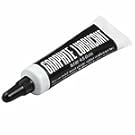
Image: A tube of graphite lubricant, recommended for lock maintenance.
Ліквідацыю непаладак
If you encounter any issues with your Haworth HW254 replacement key, refer to the table below for common problems and solutions:
| праблема | Магчымая прычына | Рашэнне |
|---|---|---|
| Key does not insert fully | Incorrect key or obstruction in lock. | Verify the key code matches your lock (HW254). Check the keyway for debris and gently try to remove it. Do not force the key. |
| Key turns but lock does not engage/disengage | Internal lock mechanism issue or worn key. | Ensure the key is fully inserted. If the issue persists, the lock mechanism may require professional inspection or replacement. |
| Key is stiff or hard to turn | Адсутнасць змазкі або нязначная абструкцыя. | Apply graphite lubricant to the keyway. Ensure the key is clean. Avoid oil-based lubricants. |
Тэхнічныя характарыстыкі прадукту
- Марка: EasyKeys
- Manufacturer (for compatible locks): Хаворт
- Назва мадэлі: HW254
- Нумар дэталі: HW254-haworth-key-494752
- Тып замка: камера
- матэрыял: Латунь
- Памеры (Д х Ш х У): Прыкладна 0.5 х 0.5 х 1 цалі
- Вага прадмета: Прыблізна 0.25 фунта (4 унцыі)
- Асаблівасці: Adjustable Fit, Durable, Genuine Original Equipment Part
- Уключаныя кампаненты: 1 Ключ
Гарантыя і падтрымка
EasyKeys products are designed for durability and reliability. For specific warranty information or support inquiries, please refer to the EasyKeys official webсайт або звярніцеся непасрэдна ў службу падтрымкі кліентаў.
You can visit the EasyKeys Store on Amazon for more information: EasyKeys Store