1. Уводзіны
This manual provides essential information for the safe and efficient use of your GOBOULT Y1 Wireless Ear Buds. Please read it thoroughly before using the product and retain it for future reference.
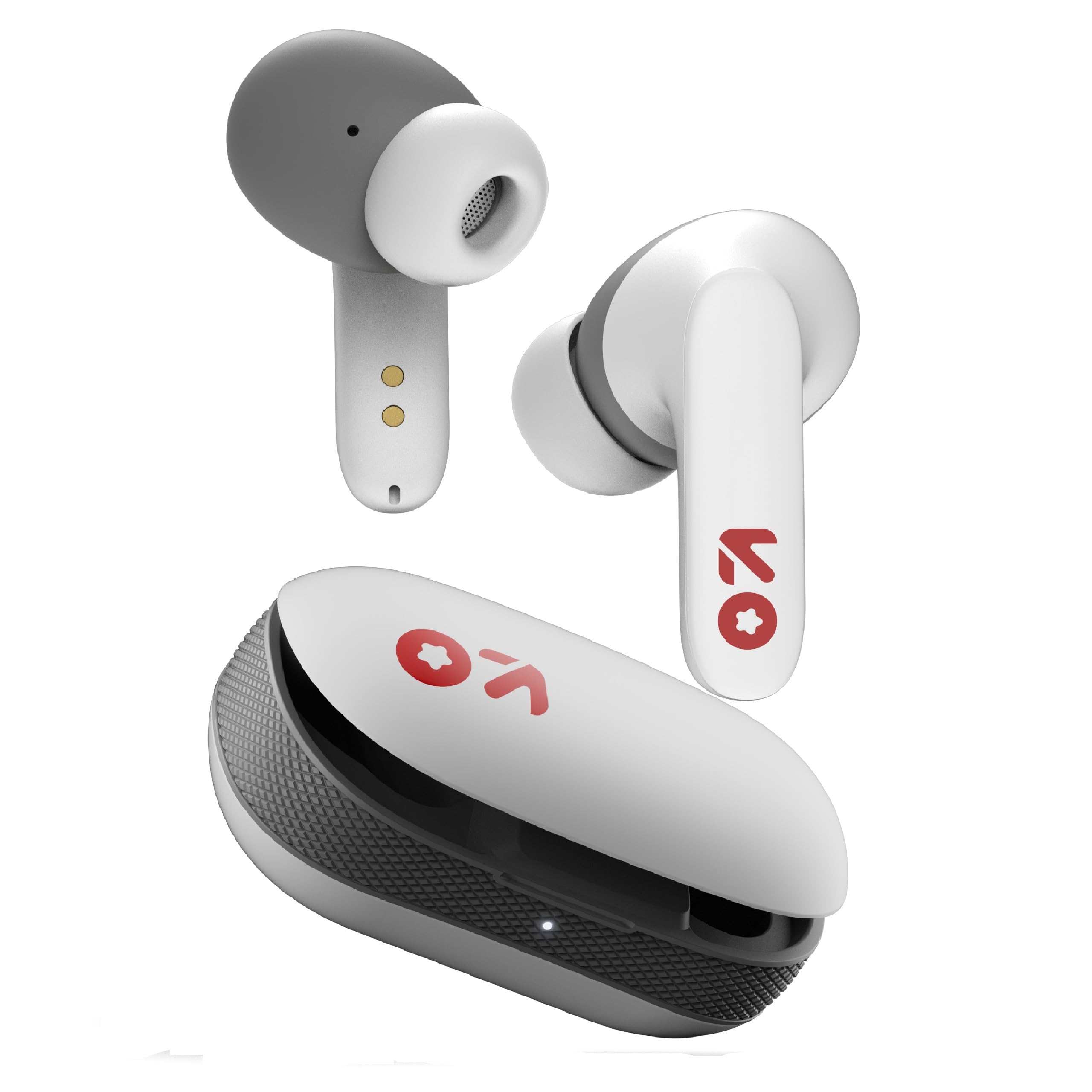
Image: GOBOULT Y1 Wireless Ear Buds and their charging case. The earbuds are white with grey tips and red GOBOULT logos, resting beside the matching white charging case.
2. Што ў скрынцы
Праверце наяўнасць усіх прадметаў ва ўпакоўцы:
- Y1 Earphones (Left and Right)
- Y1 Charging Case
- Зарадны кабель USB Type-C
- Дадатковыя амбушюры (розныя памеры)
- Кіраўніцтва карыстальніка (гэты дакумент)
3. Настройка
3.1 Першапачатковая зарадка
Before first use, fully charge the ear buds and the charging case.
- Place the ear buds into the charging case. Ensure they are correctly seated.
- Connect the provided USB Type-C cable to the charging port on the case and to a compatible USB power source (e.g., wall adapter, computer USB port).
- The indicator light on the charging case will show charging status. A full charge typically takes approximately 90 minutes.
- A 10-minute charge provides approximately 100 minutes of playtime.

Image: GOBOULT Y1 Ear Buds and their charging case, illustrating the Type-C fast charging port and cable connection. Text indicates "10 mins = 100 mins playtime".
3.2 Спалучэнне па Bluetooth
The GOBOULT Y1 Ear Buds feature Blink & Pair™ Bluetooth 5.3 for fast and stable connection.
- Ensure the ear buds are charged.
- Open the lid of the charging case. The ear buds will automatically enter pairing mode, indicated by flashing LED lights.
- На вашай прыладзе (смартфоне, планшэце, ноўтбуку) уключыце Bluetooth.
- Пошук "GOBOULT Y1" in the list of available Bluetooth devices.
- Select "GOBOULT Y1" to connect. Once connected, a voice prompt will confirm successful pairing, and the LED lights on the ear buds will stop flashing.
- For subsequent use, the ear buds will automatically connect to the last paired device when removed from the case.

Image: GOBOULT Y1 Ear Buds and case with a smartphone displaying music, highlighting Bluetooth v5.3, Blink & Pair, Stable Connection, and Power efficient features.
4. Інструкцыя па эксплуатацыі
4.1 Сэнсарнае кіраванне
The GOBOULT Y1 Ear Buds feature intuitive touch controls on each ear bud. The specific functions are as follows:

Image: A detailed diagram showing the touch control functions for the GOBOULT Y1 Ear Buds. It illustrates single taps, double taps, triple taps, and long presses for various actions like music playback, call management, and voice assistant activation.
- Single Tap (Left/Right Bud): Прайграванне/прыпыненне музыкі, адказ на выклік
- Double Tap (Left Bud): Папярэдняя песня
- Double Tap (Right Bud): Наступная песня
- Triple Tap (Left Bud): Памяншэнне гучнасці
- Triple Tap (Right Bud): Павялічыць гучнасць
- Long Press (Left/Right Bud): Activate Voice Assistant (Google Assistant/Siri), Reject Call, End Call
- Four Taps (Left/Right Bud): Activate Combat Mode (Low Latency Gaming)
4.2 Галасавы памочнік
Activate your device's voice assistant (Google Assistant or Siri) by long-pressing either ear bud.
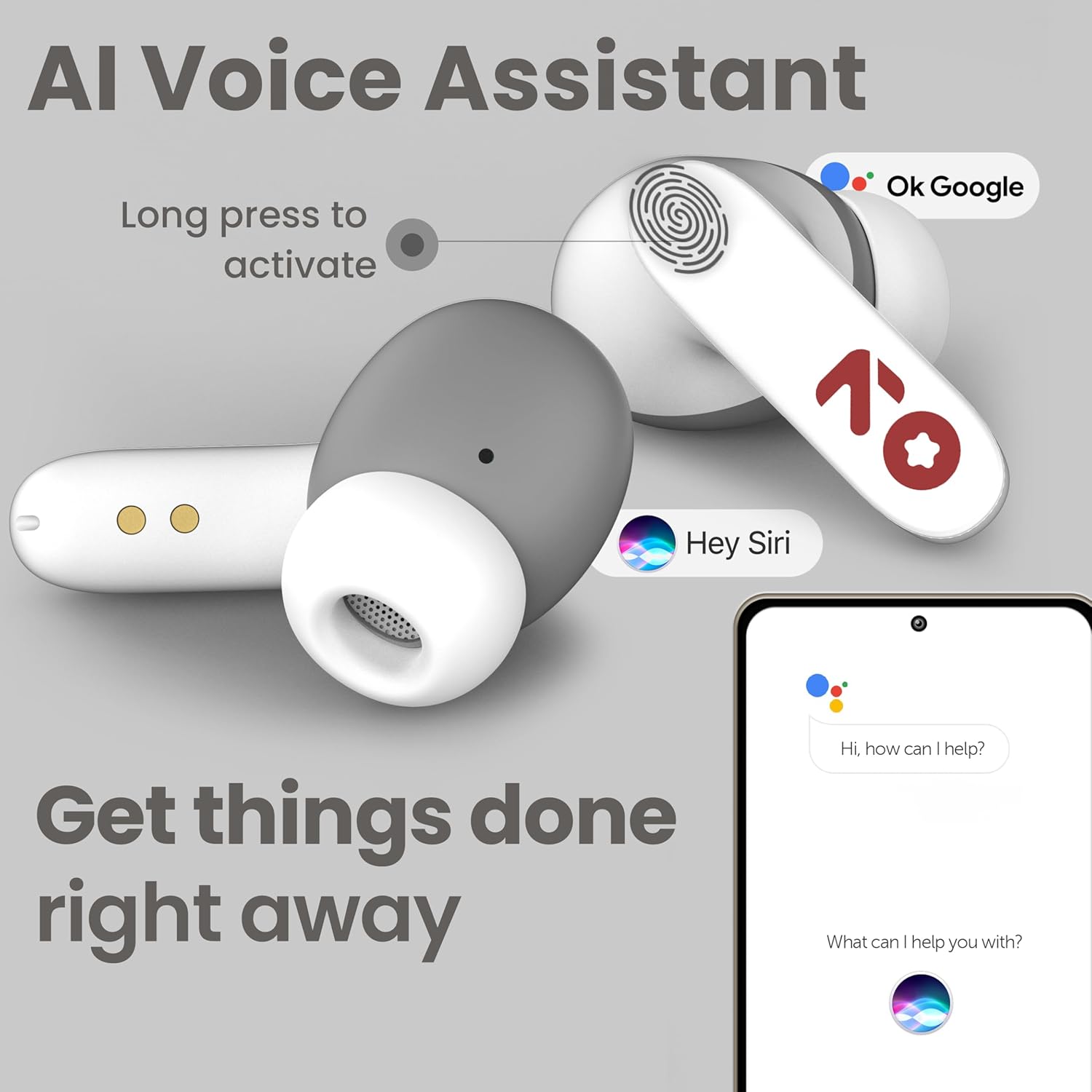
Image: GOBOULT Y1 Ear Buds with an illustration of a long press gesture activating a voice assistant like Google Assistant or Siri on a smartphone.
4.3 Calling with Zen ENC Mic
The GOBOULT Y1 Ear Buds are equipped with a Zen ENC (Environmental Noise Cancellation) microphone for clear call quality.
- Адказаць на званок: Single tap either ear bud.
- Адхіліць выклік: Long press either ear bud.
- Завяршыць выклік: Long press either ear bud during a call.

Image: A diagram illustrating how Environmental Noise Cancellation (ENC) works, showing a user's voice being filtered from environmental noise for clear communication. A detailed view of an earbud highlights the ENC microphone.
4.4 Гульнявы рэжым з нізкай затрымкай
Activate Combat Mode for a low-latency gaming experience, ensuring audio sync with minimal delay.
- Актываваць гульнявы рэжым: Four taps on either ear bud.
- Deactivate Gaming Mode: Four taps on either ear bud again.
5. Тэхнічнае абслугоўванне
5.1 Ачыстка
Для падтрымання аптымальнай прадукцыйнасці і гігіены:
- Gently wipe the ear buds and charging case with a soft, dry, lint-free cloth.
- Не выкарыстоўвайце абразіўныя ачышчальнікі, растваральнікі або аэразольныя спрэі.
- Зніміце вушныя насадкі і пры неабходнасці памыйце іх асобна мяккім мылам і вадой, пераканаўшыся, што яны цалкам сухія, перш чым прымацаваць іх назад.
- Clean the charging contacts on both the ear buds and the case periodically with a dry cotton swab.
5.2 Воданепранікальнасць (IPX5)
The GOBOULT Y1 Ear Buds are IPX5 water-resistant, meaning they are protected against low-pressure water jets from any direction. This makes them suitable for workouts and light rain.

Image: GOBOULT Y1 Ear Buds shown with water droplets, indicating IPX5 water resistance. Icons for sweatproof, rainproof, and splashproof are also displayed.
Важна:
- Do not submerge the ear buds in water.
- Чахол для зарадкі не воданепранікальны.
- Avoid exposing the ear buds to saltwater, chlorinated water, or other chemicals.
- If the ear buds get wet, dry them thoroughly before placing them back in the charging case.
6. Выпраўленне непаладак
| праблема | Магчымае рашэнне |
|---|---|
| Ear buds not pairing |
|
| Няма гуку альбо малая гучнасць |
|
| Ear buds not charging |
|
| Праблемы з якасцю званкоў |
|
7. Тэхнічныя характарыстыкі
| Асаблівасць | Дэталь |
|---|---|
| Марка | ГОБАЛТ |
| Назва мадэлі | Y1 (also referred to as Airbass) |
| Версія Bluetooth | 5.3 |
| Дыяпазон Bluetooth | Да 10 метраў (33 футаў) |
| Размяшчэнне вушэй | У вуха |
| Тып аўдыё драйвера | Dynamic Driver (10mm Bass Drivers) |
| Імпеданс | 32 Ом |
| АЧХ | 20 Гц |
| Адчувальнасць | 117 дБ |
| Кантроль шуму | Падаўленне экалагічнага шуму (ENC) |
| Тэрмін службы батарэі (агульны) | Да 51 гадзін (з зарадным футлярам) |
| Час зарадкі акумулятара | Прыблізна 90 хвілін |
| Порт для зарадкі | USB Type-C |
| Воданепранікальнасць | IPX5 (Ear Buds only) |
| Метад кантролю | Дотык, голас |
| Сумяшчальныя прылады | Android, Cellphones, Desktops, Laptops, Tablets |
| Матэрыял | Пластыкавыя |
| Weight (Carrying Case) | 65 грам |
| Краіна паходжання | Індыя |
8. Гарантыя і падтрымка
8.1 Гарантыя вытворцы
The GOBOULT Y1 Wireless Ear Buds come with a Гарантыя ад вытворцы 1 год з даты пакупкі. Гэтая гарантыя распаўсюджваецца на вытворчыя дэфекты. Калі ласка, захавайце пацвярджэнне пакупкі для прэтэнзій па гарантыі.
For warranty service or support, please contact the manufacturer or authorized service center.
8.2 Кантактная інфармацыя
вытворца: Экзатычная міля Прыват Лімітэд
Адрас: B-67 Wazirpur Industrial Area, New Delhi 110052, India
Імпарцёр: Exotic Mile Pvt. Ltd.
For further assistance, please refer to the contact details provided on the product packaging or the official GOBOULT webсайт.


