Уводзіны
This manual provides essential information for the safe and efficient operation, maintenance, and troubleshooting of your Samsung PowerBot-E Smart Robot Vacuum Cleaner, model VR05R5050WK/AX. Please read this manual thoroughly before using the appliance and retain it for future reference.
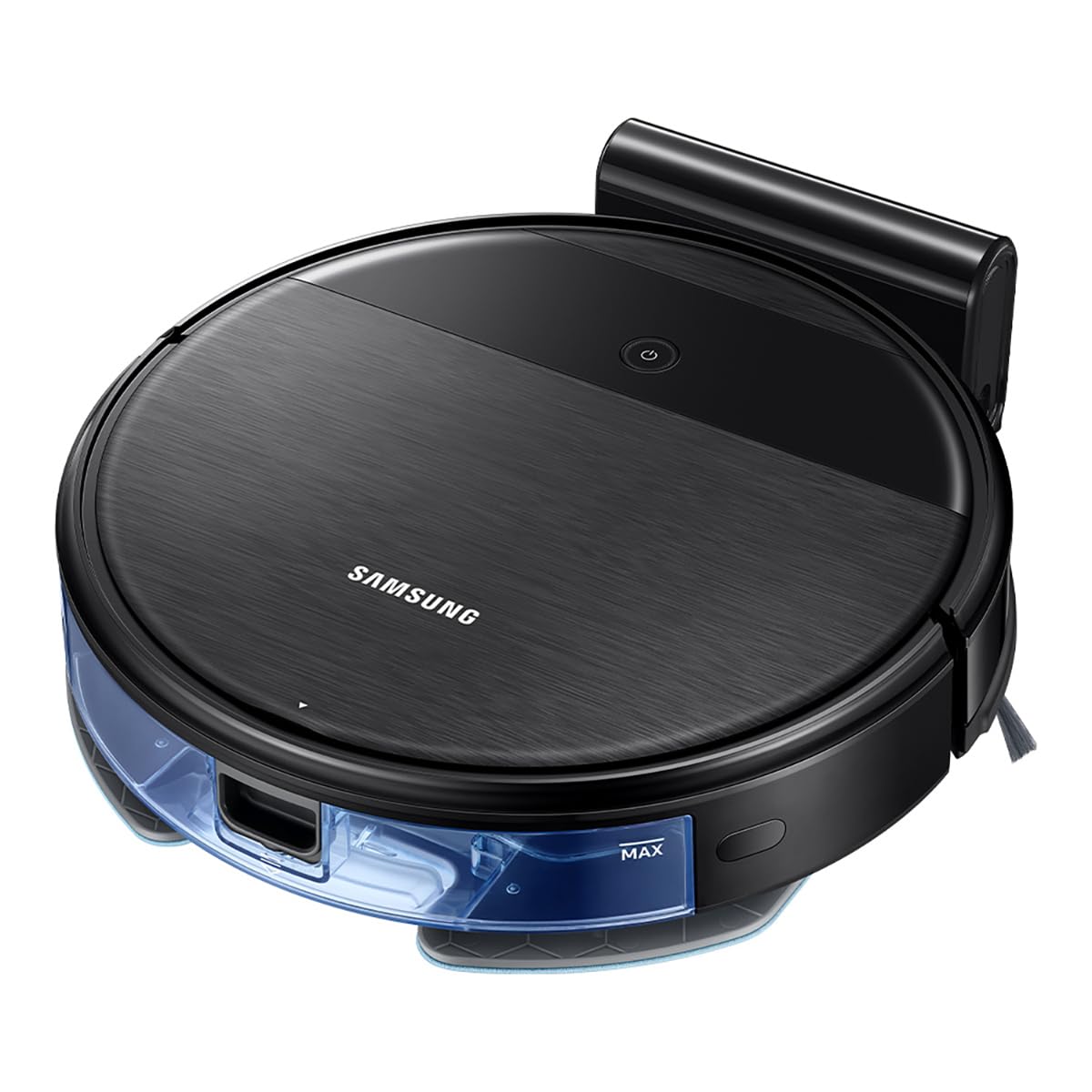
The Samsung PowerBot-E is designed to clean and mop floors simultaneously, offering a 2-in-1 cleaning system. It features Wi-Fi control for remote operation and a smart sensing system to prevent collisions and falls.
Змест пакета
Праверце наяўнасць усіх кампанентаў у камплекце:
- PowerBot-E Robot Vacuum Cleaner
- Док-станцыя
- Filter (1 installed, 1 extra)
- Mop (2 units)
- Пульт дыстанцыйнага кіравання
- Side Brush (1 installed, 1 extra)

Важная інфармацыя па бяспецы
Заўсёды выконвайце асноўныя меры бяспекі пры выкарыстанні электрапрыбораў, каб знізіць рызыку пажару, паражэння электрычным токам або траўмаў.
- Do not operate the vacuum cleaner near flammable materials or liquids.
- Ensure the charging dock is placed on a flat, stable surface away from water.
- Трымайце валасы, свабодную вопратку, пальцы і ўсе часткі цела далей ад адтулін і рухомых частак.
- Do not pick up large objects, sharp objects, or liquids with the vacuum.
- Supervise children and pets when the vacuum is operating.
- Выкарыстоўвайце толькі рэкамендаваныя вытворцам прыстасаванні і аксэсуары.
Настройка
1. Зарадка акумулятара
- Place the docking station against a wall in an open area, ensuring there are no obstacles within 0.5 meters to either side and 1.5 meters in front.
- Connect the power adapter to the docking station and plug it into a wall outlet.
- Place the PowerBot-E onto the docking station. Ensure the charging contacts on the vacuum align with those on the dock. The indicator light will show charging status.
- Allow the vacuum to fully charge before first use (approximately 4 hours). A full charge provides up to 150 minutes of cleaning time.

2. Installing Side Brushes and Mop Pad
- Перавярніце робат-пыласос дагары нагамі.
- Align the side brushes with the corresponding posts and press them down until they click into place.
- Attach a clean mop pad to the mop holder. Fill the water tank if using the mopping function.
- Slide the mop holder with the attached pad into the slot at the rear of the vacuum until it clicks.


3. Wi-Fi Connection (SmartThings App)
- Запампуйце праграму Samsung SmartThings з крамы праграм вашай прылады.
- Create a Samsung account or log in.
- Follow the in-app instructions to add your PowerBot-E device. This will enable remote control and scheduling features.
Інструкцыя па эксплуатацыі
Запуск цыклу ачысткі
- Ручной запуск: Press the Power button on the top of the vacuum. The vacuum will begin cleaning in Auto mode.
- Пульт дыстанцыйнага кіравання: Use the provided remote control to start, stop, or select cleaning modes.
- Праграма SmartThings: Use the app to start cleaning, set schedules, or choose specific cleaning modes from your smartphone.
Рэжымы ачысткі
- Аўтаматычны рэжым: The vacuum cleans systematically until the battery is low, then returns to the docking station.
- Кропкавы рэжым: Больш інтэнсіўна ачышчае пэўную зону.
- Рэжым Edge: Чысціць уздоўж сцен і па краях мэблі.
- Максімальны рэжым: Provides maximum suction power for deep cleaning.
2-in-1 Vacuuming and Mopping
The PowerBot-E can vacuum and mop simultaneously. When the mop pad is attached and the water tank is filled, the vacuum automatically detects the mop and adjusts water flow for optimal mopping.

Smart Sensing System
The integrated smart sensing system helps the vacuum navigate around obstacles and avoid falling down stairs. For optimal performance, ensure the floor is clear of small objects, cables, and thick rugs that could obstruct its path.
Тэхнічнае абслугоўванне
Рэгулярнае тэхнічнае абслугоўванне забяспечвае аптымальную прадукцыйнасць і падаўжае тэрмін службы вашага робата-пыласоса.
1. Апаражніць смеццевае вядро
- Націсніце кнопку вызвалення пылазборніка і выцягніце яго.
- Адкрыйце вечка пылазборніка і высыпце яго змесціва ў смеццевае вядро.
- Пры неабходнасці прамыйце пылазборнік вадой, пераканаўшыся, што ён цалкам высах, перш чым усталяваць яго назад.
2. Ачыстка фільтра
- Выміце фільтр з пылазборніка.
- Акуратна пастукайце па фільтры, каб выдаліць пыл. Не мыйце HEPA-фільтр вадой.
- Replace the filter every 3-6 months, or as needed, to maintain suction power.
3. Чыстка галоўнай шчоткі і бакавых шчотак
- Зніміце вечка асноўнай шчоткі і выміце асноўную шчотку.
- Use the cleaning tool (if provided) or scissors to cut and remove any hair or debris wrapped around the brush.
- Pull off the side brushes and remove any tangled hair or debris. Reattach them securely.

4. Ачыстка швабры і рэзервуара для вады
- Remove the mop pad after each use and wash it thoroughly. Allow it to air dry completely.
- Empty any remaining water from the water tank and rinse it. Ensure the tank is dry before storage.
5. Ачыстка датчыкаў і зарадных кантактаў
- Wipe the cliff sensors (located on the bottom of the vacuum) and charging contacts (on the vacuum and docking station) with a clean, dry cloth.
Ліквідацыю непаладак
| праблема | Магчымая прычына | Рашэнне |
|---|---|---|
| Vacuum does not start or respond. | Нізкі ўзровень зарада батарэі; Выключальнік харчавання; Перашкода. | Charge the vacuum; Ensure power switch is ON; Remove any obstructions. |
| Vacuum gets stuck frequently. | Cables, small objects, or thick rugs on the floor. | Clear the cleaning area of obstacles. Avoid using on very thick carpets. |
| Слабая эфектыўнасць уборкі. | Поўны пылазборнік; забіты фільтр; заблытаныя шчоткі. | Ачысціце пылазборнік; ачысціце або заменіце фільтр; ачысціце асноўную і бакавыя шчоткі. |
| Vacuum does not return to charging dock. | Docking station obstructed; Vacuum too far from dock; Dirty charging contacts. | Ensure clear path to dock; Manually place on dock; Clean charging contacts. |
| Функцыя мыцця падлогі не працуе. | Рэзервуар для вады пусты; швабра няправільна прымацаваная. | Напоўніце рэзервуар для вады; пераканайцеся, што швабра надзейна замацавана. |
If the problem persists, please refer to the Samsung support webсайт або звярніцеся ў службу падтрымкі.
Тэхнічныя характарыстыкі
| Асаблівасць | Дэталь |
|---|---|
| Назва мадэлі | Aspiradora Robot PowerBot-E (VR05R5050WK/AX) |
| Марка | Samsung |
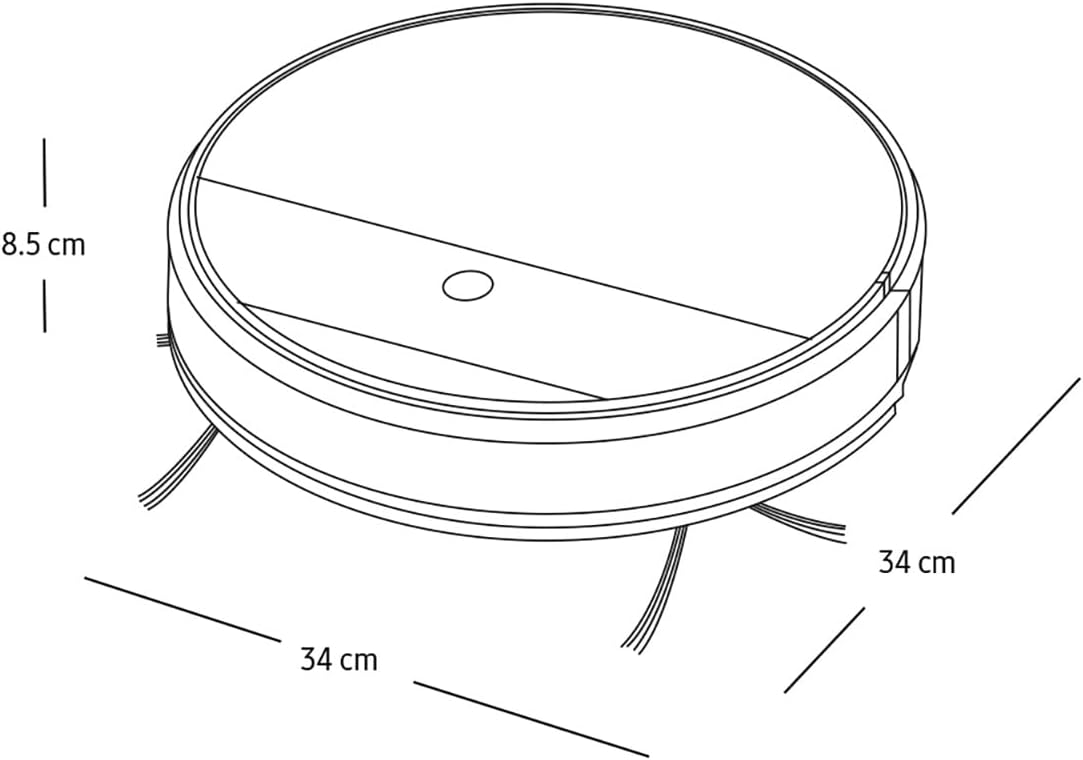
| Памеры (Д х Ш х У) | 34 Д х 34 Ш х 8.5 У сантыметраў |
| Вага | 3 кілаграма |
| Тэрмін службы батарэі | Да 150 хвілін |
| Метад кантролю | Remote Control, App Control (SmartThings) |
| Рэкамендацыя па паверхні | Усе тыпы падлог |
| Узровень шуму | 77 дэцыбел |
| Уключаныя кампаненты | Docking Station, Filter, Mop, Remote Control, Side Brush |
Гарантыя і падтрымка
Каб атрымаць інфармацыю пра гарантыю, звярніцеся да гарантыйнага талона, які пастаўляецца з вашым прадуктам, або наведайце афіцыйны сайт Samsung. webсайт. Захоўвайце чэк аб куплі як пацвярджэнне пакупкі для гарантыйных прэтэнзій.
For technical support, spare parts, or service inquiries, please contact Samsung Customer Service or visit their support portal:
- Афіцыйны Samsung Webсайт: www.samsung.com
- Падтрымка кліентаў: Звярніцеся да рэгіянальнага прадаўца Samsung webсайт з мясцовымі кантактнымі нумарамі.


