1. Уводзіны
Welcome to the user manual for your Jooeniok L81 Smart Watch. This guide provides detailed instructions on how to set up, operate, and maintain your device, ensuring you get the most out of its features. The Jooeniok L81 is designed to enhance your daily life with its communication, fitness tracking, and health monitoring capabilities.
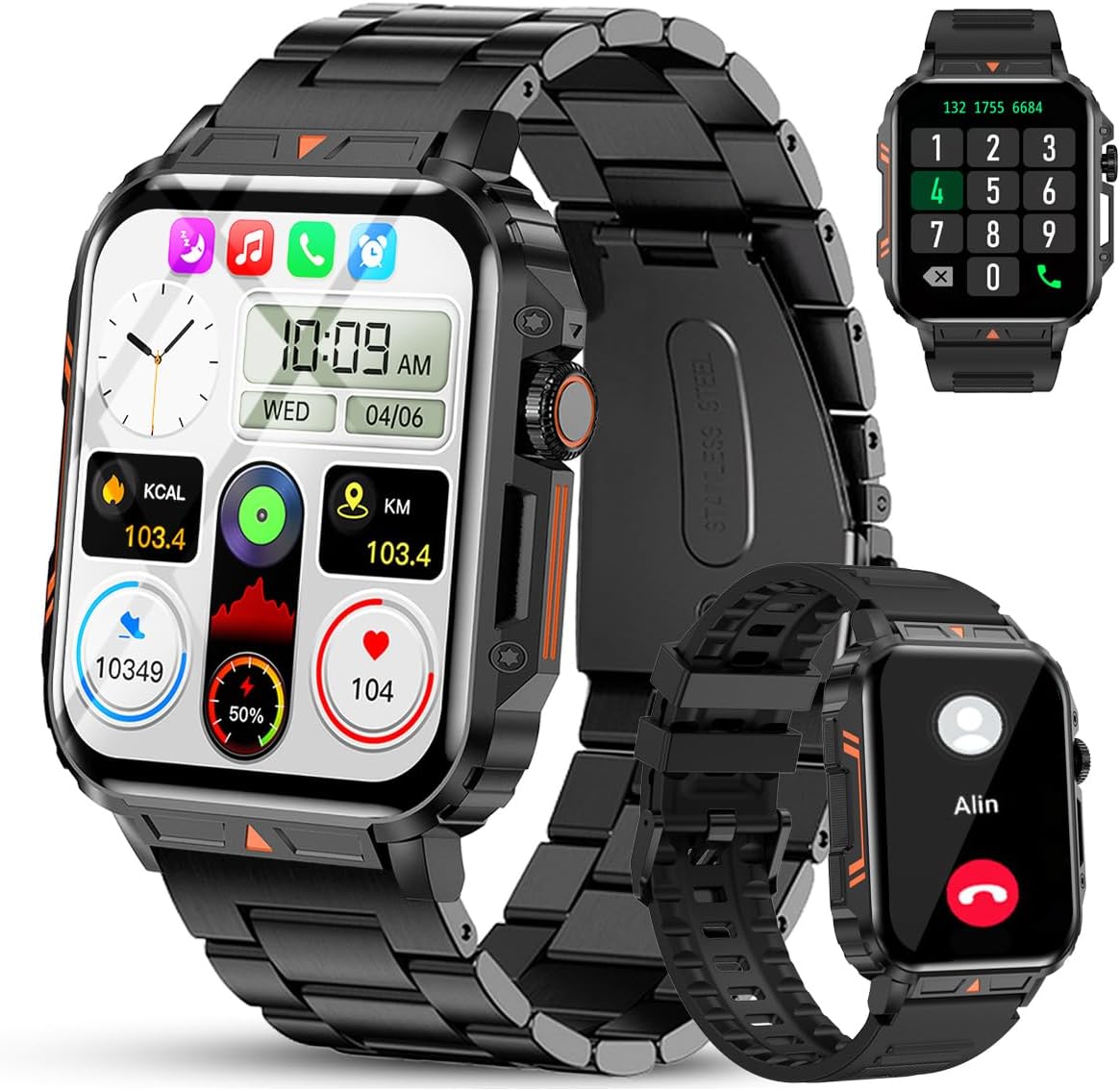
Image 1.1: The Jooeniok L81 Smart Watch, showcasing its main display and interchangeable straps.
2. Асноўныя магчымасці
- Bluetooth Calling & Message Alerts: Make and receive calls, read messages, and receive notifications from various apps directly on your watch.
- 1.95'' HD Touch Screen & DIY Dial: Enjoy a clear display and personalize your watch face.
- 112+ спартыўных рэжымаў: Track a wide range of activities including running, cycling, badminton, and hiking.
- Воданепранікальнасць IP68: Suitable for daily use, hand washing, and outdoor activities in rain. (Note: Not recommended for diving, showering, or sauna.)
- Маніторынг здароўя: Monitor heart rate, blood oxygen (SpO2), blood pressure, and sleep patterns.
- Працяглая батарэя: Абсталяваны акумулятарам ёмістасцю 340 мАг для працяглага выкарыстання.
- Шматфункцыянальны: Includes features like timer, alarm, stopwatch, weather, calendar, water reminder, sedentary reminder, and remote photo control.
3. Кіраўніцтва па наладцы
3.1. Зарадка разумнага гадзінніка
Before initial use, fully charge your Jooeniok L81 Smart Watch. Connect the magnetic charging cable to the charging contacts on the back of the watch and plug the USB end into a standard USB power adapter (not included) or a computer's USB port. The watch display will indicate charging status.

Image 3.1: Illustration of the watch dimensions and the location of the charging contacts.
3.2. Усталёўка праграмы і спалучэнне
- Спампаваць прыкладанне: Scan the QR code provided in the watch's quick start guide or search for the official companion app (e.g., "FitCloudPro" or similar, check packaging for exact name) in the Apple App Store (for iOS) or Google Play Store (for Android).
- Уключыць Bluetooth: Пераканайцеся, што Bluetooth уключаны на вашым смартфоне.
- Адкрыйце прыкладанне: Запусціце ўсталяваную праграму і выконвайце інструкцыі на экране, каб стварыць уліковы запіс або ўвайсці ў сістэму.
- Дадаць прыладу: Within the app, navigate to the "Device" or "Add Device" section. The app will search for available Bluetooth devices. Select "L81" or the corresponding device name when it appears.
- Пацвердзіць спалучэнне: На вашым гадзінніку і тэлефоне можа з'явіцца запыт на спалучэнне. Пацвердзіце спалучэнне на абедзвюх прыладах.
- Дазволы: Allow necessary permissions (e.g., notifications, location, contacts) for the app to function correctly.
The watch is compatible with Android 5.1 and above, and iOS 10.0 and above.
3.3. Initial Settings and Language
After successful pairing, the watch should automatically synchronize time and language settings with your phone. If the watch displays an incorrect language, navigate to the watch's settings menu (usually by swiping down from the main screen or pressing the side button to access the app list, then finding the 'Settings' icon). Look for 'Language' or 'System' settings to change it to English or your preferred language.
4. Інструкцыя па эксплуатацыі
4.1. Базавая навігацыя
- Сэнсарны экран: Правядзіце пальцам улева/управа, уверх/уніз, каб перамяшчацца па меню і функцыях. Націсніце, каб выбраць.
- Бакавая кнопка: Press to return to the main screen or access the app list. Long press for power options.
- Crown Button (if present): Rotate to scroll through lists or adjust settings, press to select.
4.2. Званкі і апавяшчэнні праз Bluetooth
Once paired, your watch can handle calls and display notifications. Ensure Bluetooth is connected and the companion app has the necessary permissions.
- Здзяйсненне званкоў: Каб здзяйсняць званкі, атрымлівайце доступ да панэлі набору нумара або спісу кантактаў на гадзінніку.
- Прыём званкоў: Калі паступае званок, вы можаце адказаць на яго або адхіліць яго непасрэдна з гадзінніка.
- Апавяшчэнні: Swipe down from the main screen or access the notification center to view incoming messages from SMS, WhatsApp, Facebook, and other apps.
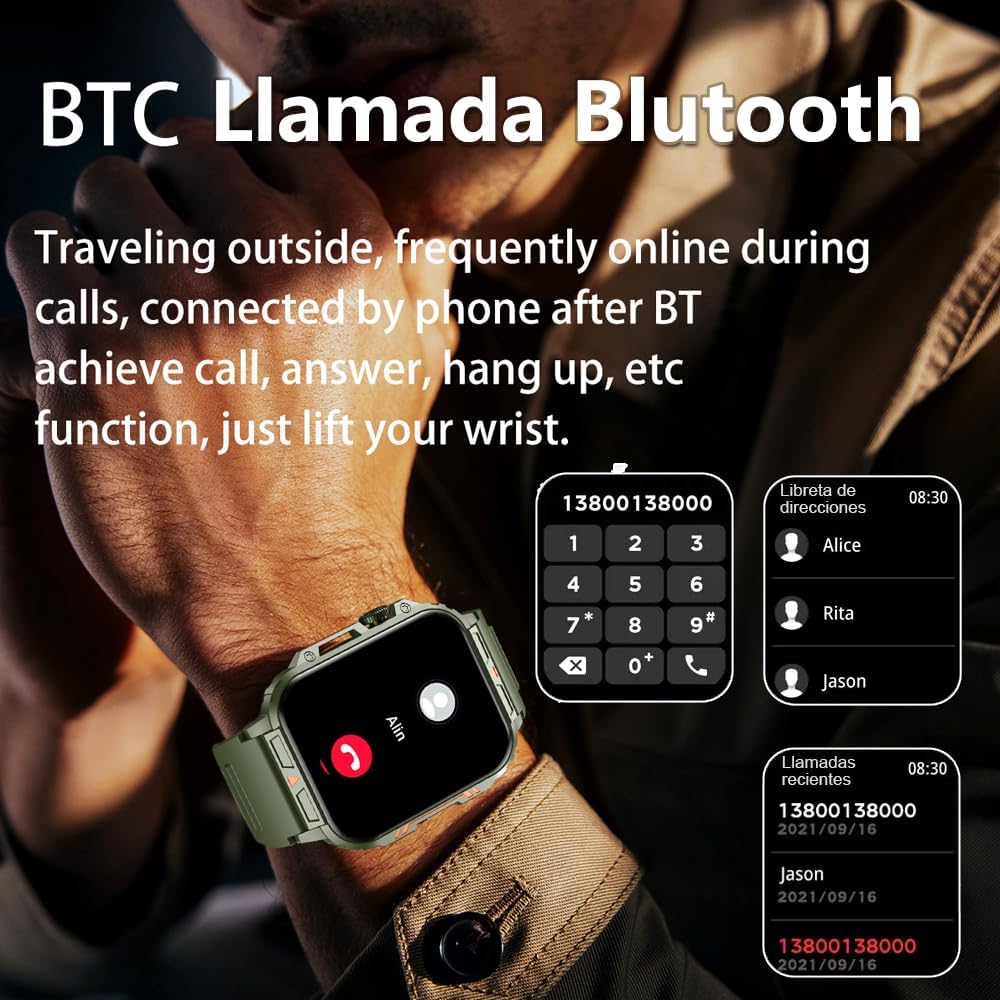
Image 4.1: The watch screen showing an incoming call and the dial pad for making calls.

Image 4.2: The watch displaying notifications from various social media and messaging applications.
4.3. Спартыўныя рэжымы
The watch supports over 112 sports modes. To access them, navigate to the 'Sports' or 'Workout' section on your watch. Select your desired activity to start tracking. The watch will record steps, distance, and calories.

Image 4.3: Icons representing various sports modes available on the watch.
4.4. Маніторынг здароўя
The Jooeniok L81 provides continuous monitoring of several health metrics. Access these features through the watch's menu or the companion app.
- Частата сардэчных скарачэнняў: The watch uses an optical sensor to monitor your heart rate. View дадзеныя ў рэжыме рэальнага часу на гадзінніку або падрабязныя тэндэнцыі ў дадатку.
- Blood Oxygen (SpO2) & Blood Pressure: Initiate a measurement from the watch. Results are displayed on the screen and recorded in the app for historical analysis.
- Маніторынг сну: Wear the watch to bed for automatic sleep tracking. It analyzes deep sleep, light sleep, and awake times, providing a comprehensive sleep quality report in the app.
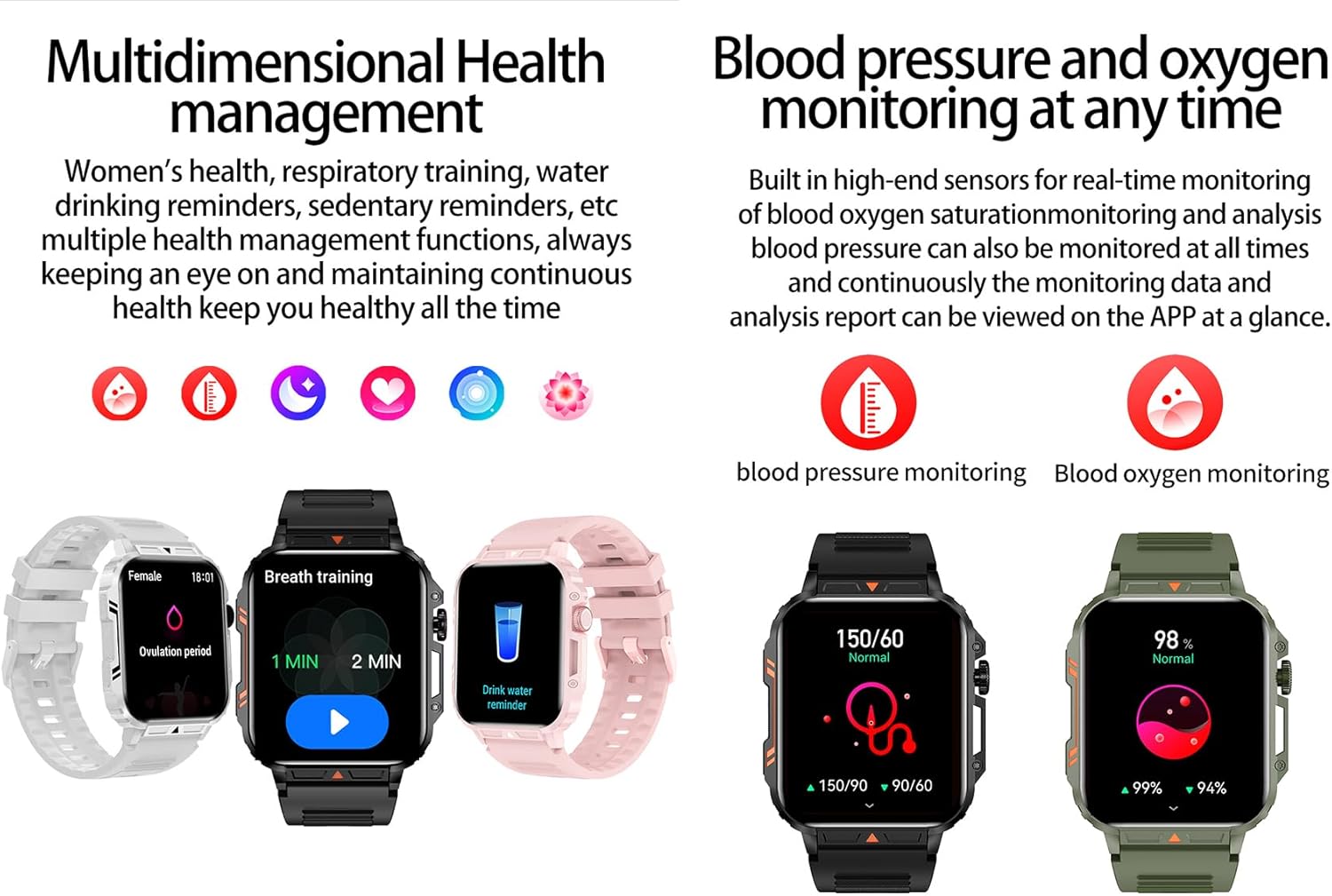
Image 4.4: Watch screens showing blood pressure and blood oxygen monitoring results.

Image 4.5: Watch screens showing real-time heart rate and a summary of sleep data.
4.5. AI Intelligent Voice Function
After connecting the watch to your phone via Bluetooth, activate the voice function on the watch. This allows you to use voice commands to open applications, check weather, make calls, or navigate, offering a hands-free experience.
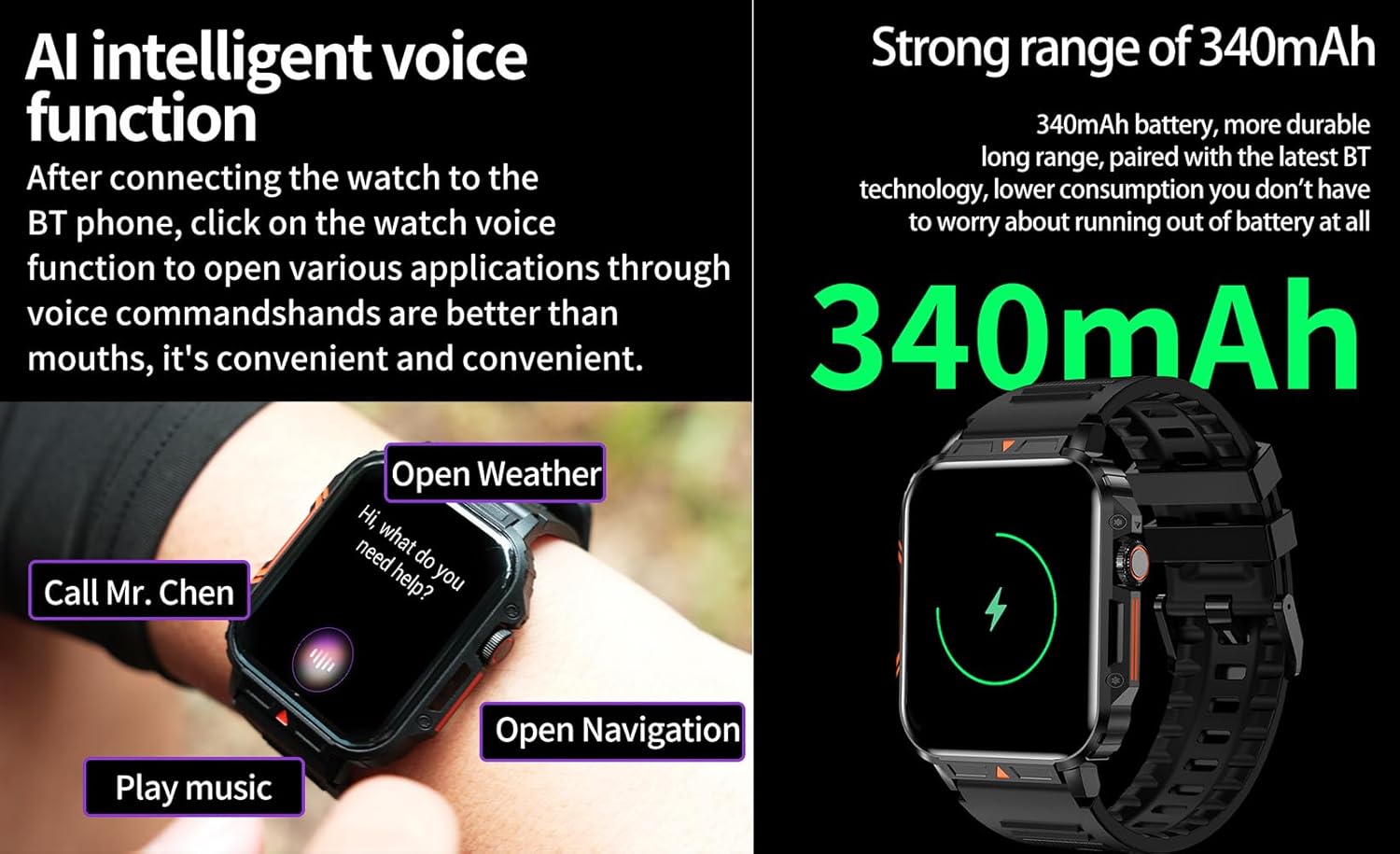
Image 4.6: The watch screen illustrating the AI voice assistant interface with exampкаманды.
4.6. DIY Dial
Personalize your watch face by using the DIY dial feature within the companion app. You can often upload custom images or choose from a variety of pre-designed watch faces.
5. Тэхнічнае абслугоўванне
5.1. Воданепранікальнасць
The Jooeniok L81 Smart Watch is IP68 waterproof and dustproof. This means it is resistant to dust and can withstand immersion in water up to 1.5 meters for up to 30 minutes. It is suitable for daily use, hand washing, and light rain.
Важна: Гадзіннік ёсць не recommended for diving, hot showers, or saunas, as steam and high water pressure can compromise the seals and cause damage.

Image 5.1: The watch shown with water splashes, indicating its water resistance.
5.2. Уборка
Рэгулярна чысціце гадзіннік і раменьчык, каб прадухіліць раздражненне скуры і захаваць працаздольнасць. Выкарыстоўвайце мяккую,amp cloth to wipe the screen and body. For the strap, follow the manufacturer's recommendations for the specific material (e.g., silicone, metal).
- Пазбягайце выкарыстання агрэсіўных хімікатаў або абразіўных матэрыялаў.
- Перад зарадкай або працяглым выкарыстаннем пераканайцеся, што гадзіннік цалкам сухі.
5.3. Сыход за батарэяй
Каб падоўжыць тэрмін службы батарэі:
- Пазбягайце экстрэмальных тэмператур.
- Не дапускайце частай поўнай разрадкі акумулятара.
- Зарадзіце гадзіннік з дапамогай кабеля, які ўваходзіць у камплект.
Image 5.2: The watch screen highlighting its 340mAh battery capacity.
6. Выпраўленне непаладак
| праблема | Магчымае рашэнне |
|---|---|
| Гадзіннік не ўключаецца. | Пераканайцеся, што гадзіннік цалкам зараджаны. Падключыце яго да зараднай прылады як мінімум на 30 хвілін. |
| Немагчыма спалучыць са смартфонам. |
|
| Incorrect language displayed. | Navigate to the watch's settings menu, find 'Language' or 'System' settings, and select your preferred language. If paired, the app might also have a language setting. |
| Touch screen unresponsive or intermittent. |
|
| Апавяшчэнні не атрыманы. |
|
| Health monitoring data seems inaccurate. |
|
7. Тэхнічныя характарыстыкі
| Асаблівасць | Дэталь |
|---|---|
| Назва мадэлі | L81 |
| Марка | Джуэньёк |
| Памер экрана | 1.95 цалі |
| Тэхналогія падлучэння | Bluetooth |
| Стандарт бесправадной сувязі | Bluetooth |
| Аперацыйная сістэма | Android (compatible with Android 5.1+ and iOS 10.0+) |
| Ёмістасць памяці | 128 Мб |
| акумулятар | 1 літый-палімерны акумулятар (340 мАг, у камплекце) |
| Воданепранікальнасць | IP68 |
| Асаблівасці | Activity Tracker, Notifications, Phone Call, Time Display, Heart Rate Monitor, Blood Oxygen Monitor, Sleep Monitor, 112+ Sports Modes, AI Voice Function |
| Памеры (прыбл.) | Watch face: 44mm (width) x 52mm (height); Thickness: 12mm; Strap length: 260mm |
8. Гарантыя і падтрымка
The Jooeniok L81 Smart Watch is backed by a Гарантыя 365 дзён з даты пакупкі. Гэтая гарантыя распаўсюджваецца на вытворчыя дэфекты і няспраўнасці пры нармальным выкарыстанні.
For technical support, warranty claims, or any questions regarding your product, please contact Jooeniok customer service through the retailer's platform or the contact information provided on the product packaging or official webсайт.
Калі ласка, захавайце пацвярджэнне пакупкі для пацверджання гарантыі.


