1. Уводзіны
The boAt Nirvana Space TWS Earbuds are designed to provide an immersive audio experience with advanced features. This manual provides detailed instructions for setup, operation, and maintenance to ensure optimal performance and longevity of your earbuds.

Image: boAt Nirvana Space TWS Earbuds (Pink Punch) and their charging case.
2. Змесціва ўпакоўкі
- boAt Nirvana Space Truly Wireless In-Ear Earbuds
- Чахол для зарадкі
- USB-кабель для зарадкі
- Кіраўніцтва карыстальніка
- Additional Eartips
3. Зарадка навушнікаў і чахла
Before first use, fully charge the earbuds and charging case. Connect the provided USB cable to the charging port on the case and a power source. The LED indicator on the case will show charging status. A full charge takes approximately 1.5 hours.
The earbuds feature ASAP Charge technology. A quick 15-minute charge provides up to 240 minutes (4 hours) of audio playback.

Image: Charging the boAt Nirvana Space earbuds case via USB-C.

Image: Illustration of ASAP Charge feature, highlighting 15 minutes of charge for 4 hours of playtime.
4. Спалучэнне і падключэнне
4.1 Пачатковае спалучэнне
- Адкрыйце зарадны кейс. Навушнікі аўтаматычна пяройдуць у рэжым спалучэння.
- На вашай прыладзе (смартфоне, планшэце, ноўтбуку) уключыце Bluetooth.
- Пошук 'Nirvana Space' in the list of available Bluetooth devices and select it to connect.
- Пасля падключэння вы пачуеце гукавое паведамленне, а святлодыёдны індыкатар на навушніках зменіцца.
4.2 Шматкропкавае падключэнне
The Nirvana Space earbuds support multipoint connection, allowing you to connect to two devices simultaneously. This enables seamless switching between devices, for example, watching a video on your tablet and answering a call on your phone without re-pairing.

Image: Multipoint Connectivity, showing earbuds connected to both a tablet and a smartphone.
4.3 Хуткае спалучэнне Google
For Android devices, Google Fast Pair allows for quick and effortless connection. Simply open the charging case near your Android device, and a pop-up notification will appear for instant pairing.
5. Інструкцыя па эксплуатацыі
5.1 Сэнсарнае кіраванне
The earbuds feature intuitive touch controls for managing music, calls, and features. Refer to the boAt Hearables App for customizable touch functions.
5.2 Выяўленне ўнутравушных навушнікаў
The earbuds automatically detect when they are in your ears. Music playback will pause when an earbud is removed and resume when re-inserted, providing a seamless listening experience.

Image: Instant In-Ear Detection feature, showing automatic play/pause functionality.
6. Аўдыёфункцыі
6.1 360 Spatial Audio
Experience an immersive soundscape with boAt 360 Spatial Audio. This feature creates a cinematic effect, enveloping you with sound from all directions, enhancing your movie and music experience.

Image: boAt 360 Spatial Audio feature banner.
6.2 Актыўнае падаўленне шуму (ANC)
The Nirvana Space earbuds offer up to 32dB Active Noise Cancellation, effectively reducing ambient sounds. This allows you to focus on your audio content without distractions from your surroundings.

Image: Active Noise Cancellation feature banner, highlighting 32dB noise reduction.
6.3 10mm Diamond-Like Carbon (DLC) Drivers
Equipped with 10mm Diamond-Like Carbon (DLC) drivers, these earbuds deliver crisp sound with outstanding balance and tonality, providing a rich audio experience with deep bass.
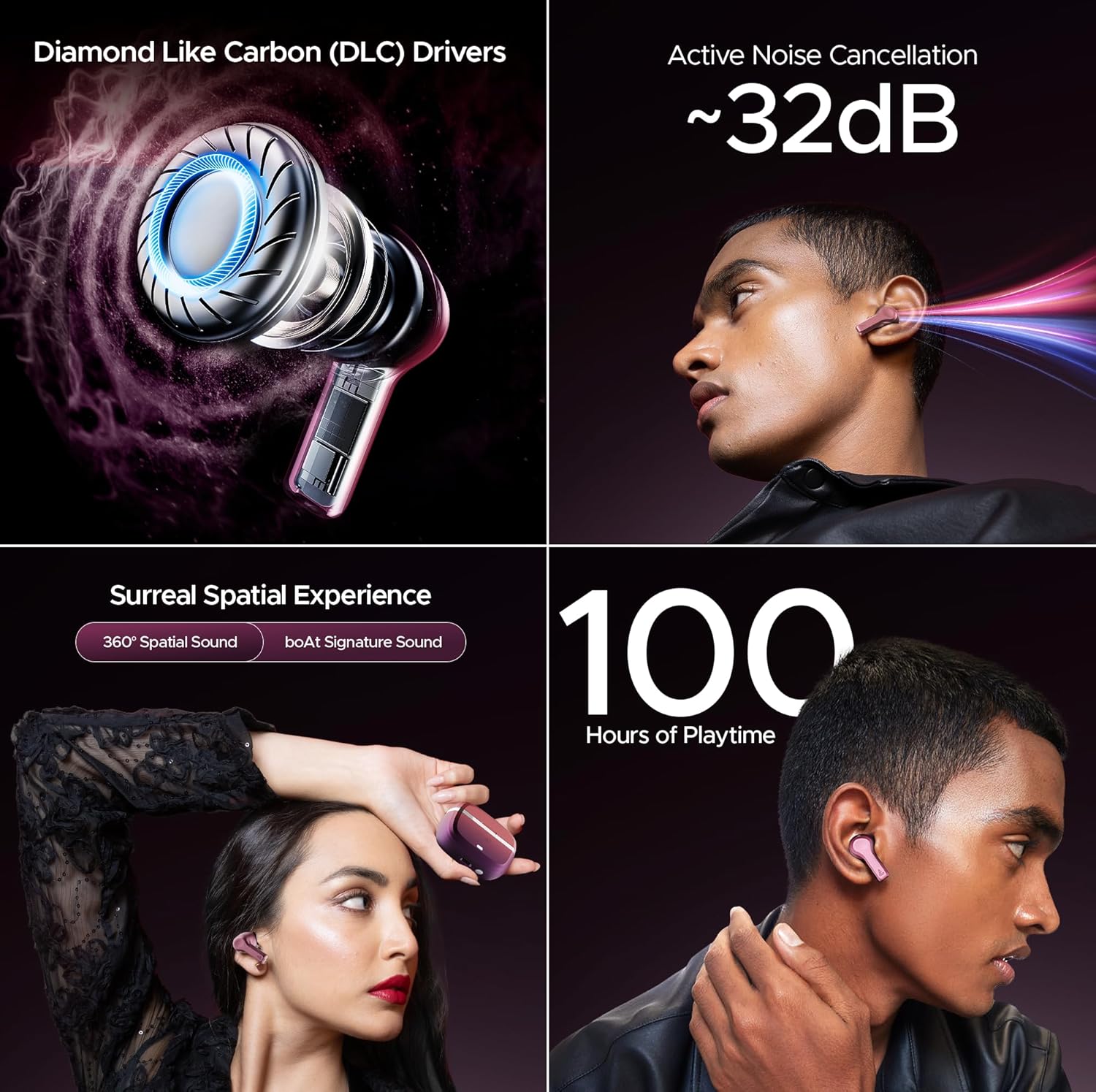
Выява: Зверхуview of key audio features including DLC Drivers, ANC, Spatial Audio, and battery life.
6.4 boAt Signature Sound
Enjoy the signature boAt sound profile, optimized for a powerful and dynamic listening experience across various genres.
6.5 BEAST Mode
Activate BEAST Mode for ultra-low latency (60ms), ideal for gaming and video streaming, ensuring synchronized audio and visuals.
6.6 Рэжым навакольнага асяроддзя
When you need to be aware of your surroundings, switch to Ambient Mode. This feature allows external sounds to pass through, keeping you connected to your environment without removing the earbuds.
7. Якасць званка
The Nirvana Space earbuds are equipped with 4 microphones and AI-ENx Technology. This technology enhances call clarity by isolating your voice and reducing background noise, ensuring clear conversations even in noisy environments.

Image: Quad Mics with AI-ENx Technology for enhanced call clarity.
8. Прыкладанне boAt Hearables
Download the boAt Hearables App to unlock the full potential of your Nirvana Space earbuds. The app allows for customization of touch controls, sound personalization with boAt Adaptive EQ, and access to various features and settings.

Image: boAt Hearables App interface for customizing settings and features. Download the app via this link: https://l.ead.me/bdAX6k
9. Тэрмін службы батарэі
The boAt Nirvana Space earbuds offer an impressive 100 hours of total playback time with the charging case. This extended battery life ensures long listening sessions without frequent recharging.

Image: 100 Hours of Playtime feature banner.
10. Тэхнічнае абслугоўванне
Каб падтрымліваць прадукцыйнасць і тэрмін службы вашых навушнікаў:
- Трымайце навушнікі і зарадны футляр чыстымі і сухімі.
- Пазбягайце ўздзеяння на іх экстрэмальных тэмператур або прамых сонечных прамянёў.
- Выкарыстоўвайце для чысткі мяккую сухую тканіну. Не выкарыстоўвайце абразіўныя ачышчальныя сродкі.
- Store in the charging case when not in use to protect them from dust and damage.
11. Выпраўленне непаладак
11.1 Навушнікі не спалучаюцца
- Пераканайцеся, што абодва навушнікі зараджаны.
- Змясціце навушнікі назад у чахол, зачыніце вечка, пачакайце некалькі секунд, а затым зноў адкрыйце яго, каб зноў увайсці ў рэжым спалучэння.
- Forget 'Nirvana Space' from your device's Bluetooth settings and attempt to pair again.
11.2 Адзін навушнік не працуе
- Праверце, ці зараджаны абодва навушнікі.
- Паспрабуйце скінуць налады навушнікаў (гл. поўнае кіраўніцтва карыстальніка для атрымання канкрэтных інструкцый па скідзе).
11.3 Нізкая якасць званка
- Пераканайцеся, што навушнікі правільна размешчаны ў вушах.
- Check for any obstructions around the microphone areas.
- If in a very noisy environment, try moving to a quieter location.
12. Тэхнічныя характарыстыкі
| Асаблівасць | Спецыфікацыя |
|---|---|
| Назва мадэлі | Nirvana Space |
| Кантроль шуму | Active Noise Cancellation (~32dB) |
| Тэхналогія падлучэння | Бесправадная сувязь (Bluetooth версіі 5.3) |
| Дыяпазон Bluetooth | 10 метраў |
| Тэрмін службы батарэі | 100 гадзін (з зарадным футлярам) |
| Час зарадкі | 1.5 гадзін |
| Тып аўдыё драйвера | Dynamic Driver (10mm DLC) |
| Мікрафоны | 4 мікрафонаў з тэхналогіяй AI-ENx |
| Узровень воданепранікальнасці | Водатрывалы |
| Метад кантролю | Праграма / Сэнсарны |
| Вага прадмета | 140 грам |
13. Гарантыя і падтрымка
Your boAt Nirvana Space TWS Earbuds come with a manufacturer's warranty. For detailed warranty information, service requests, or technical support, please visit the official boAt webсайт або звярніцеся ў службу падтрымкі кліентаў. Захоўвайце чэк аб куплі для прэтэнзій па гарантыі.
Visit the official boAt Store: boAt Store on Amazon


