Уводзіны
This manual provides detailed instructions for the QCOQ T60 Smart Watch. It covers setup, operation, maintenance, and troubleshooting to ensure optimal use of your device. The QCOQ T60 Smart Watch features a 1.91-inch display, Bluetooth call functionality, heart rate monitoring, and IP68 water resistance.
Змест пакета
Калі ласка, праверце ўпакоўку на наяўнасць наступных прадметаў:
- QCOQ T60 Smart Watch (1 unit)
- Зарадны кабель
- Кіраўніцтва карыстальніка
Настройка
1. Зарадка прылады
Before first use, fully charge the smart watch. Connect the magnetic charging cable to the charging contacts on the back of the watch and plug the USB end into a standard USB power adapter (not included).

Image: The QCOQ T60 Smart Watch connected to its magnetic charging cable, illustrating the charging process. The watch display shows an 80% battery level, indicating partial charge.
- Час зарадкі: прыблізна 2 гадзіны для поўнай зарадкі.
- Battery Life: Up to 7 days of typical usage on a full charge.
2. Усталёўка праграмы і спалучэнне
To utilize all features of your QCOQ T60 Smart Watch, download and install the companion application on your smartphone.
- Scan the QR code provided in the quick start guide or search for the app name (usually indicated in the watch's initial setup screen or manual) in your smartphone's app store (App Store for iOS, Google Play Store for Android).
- Пераканайцеся, што Bluetooth уключаны на вашым смартфоне.
- Open the installed app and follow the on-screen instructions to create an account or log in.
- Within the app, navigate to the device pairing section and select your QCOQ T60 Smart Watch from the list of available devices.
- Пацвердзіце запыт на спалучэнне як на смартфоне, так і на разумным гадзінніку.
Інструкцыя па эксплуатацыі
1. Базавая навігацыя
The QCOQ T60 Smart Watch features a touchscreen display and a side button for navigation.
- Правядзіце пальцам уверх/уніз: Пракручвайце меню і апавяшчэнні.
- Правядзіце пальцам улева/управа: Доступ да хуткіх функцый або розных віджэтаў.
- Націсніце: Выберыце элемент або пацвердзіце дзеянне.
- Бакавая кнопка: Націсніце, каб вярнуцца на галоўны экран або ўключыць прыладу. Доўгі націск для параметраў харчавання.
2. Функцыянальнасць званкоў праз Bluetooth
Once paired with your smartphone, the QCOQ T60 Smart Watch allows you to make and answer calls directly from your wrist.
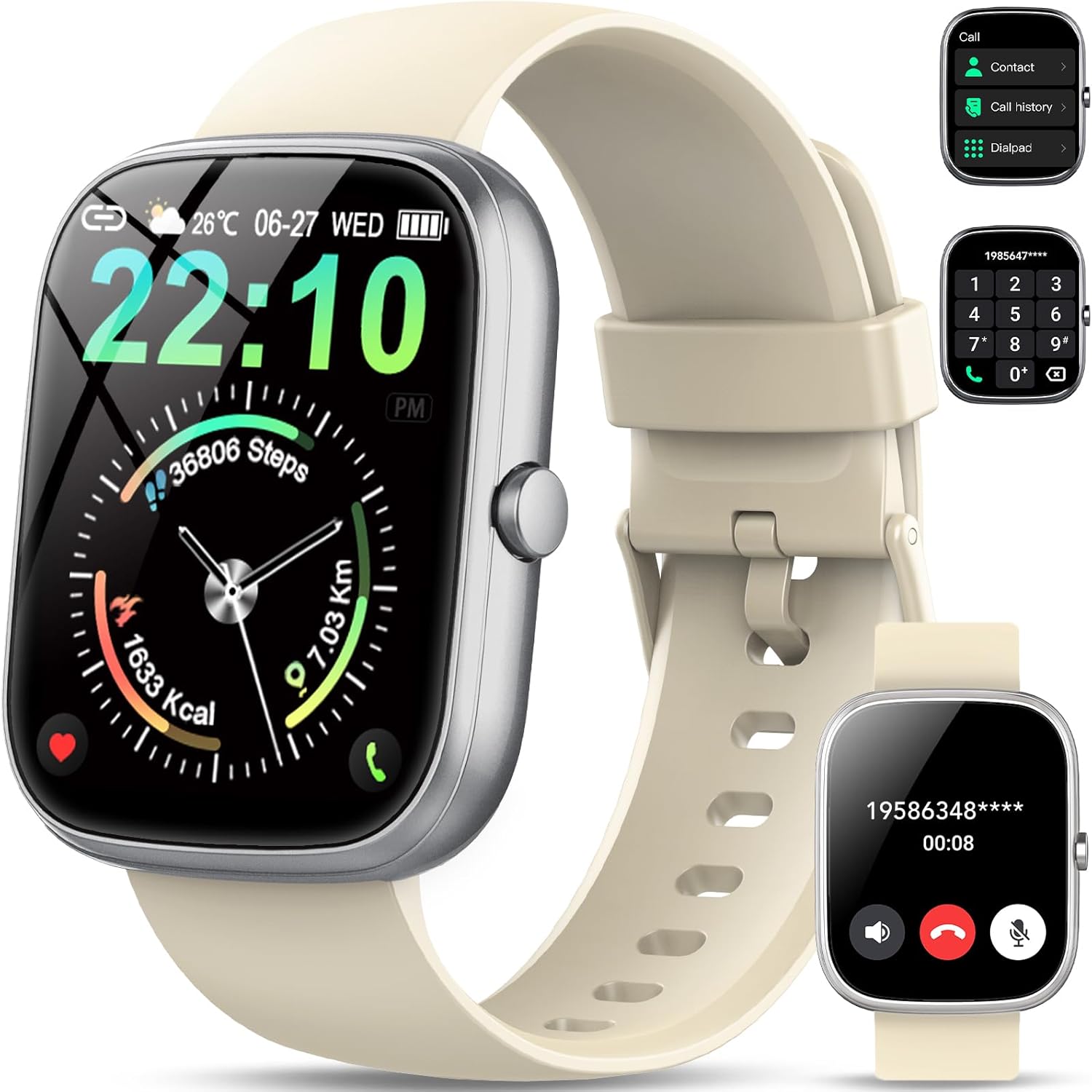
Image: The QCOQ T60 Smart Watch screen showing the call interface, including options to access contacts, view call history, and use a dialpad. A separate inset shows an incoming call notification.
- Адказ на званкі: Калі паступае ўваходны званок, націсніце зялёны значок адказу на экране гадзінніка.
- Здзяйсненне званкоў: Access the 'Call' menu on the watch, then select from contacts, call history, or use the dialpad to enter a number.
3. Апавяшчэнні
Атрымлівайце апавяшчэнні са свайго смартфона непасрэдна на гадзіннік.

Image: The QCOQ T60 Smart Watch screen showing notifications from various social media and messaging applications. Adjacent to it, a smartphone displays an incoming call, demonstrating the watch's Bluetooth call feature.
- Пераканайцеся, што дазволы на апавяшчэнні ўключаны для суправаджальнага прыкладання на вашым смартфоне.
- Правядзіце пальцам уніз ад верхняй часткі цыферблата, каб view нядаўнія апавяшчэнні.
4. Адсочванне фізічнай формы
The QCOQ T60 Smart Watch monitors various fitness metrics.

Image: A visual representation of the QCOQ T60 Smart Watch's fitness capabilities, highlighting over 110 sport modes, step counting, calorie expenditure tracking, IP68 water resistance, and comprehensive daily activity data.
- Маніторынг сардэчнага рытму: The watch provides real-time heart rate data. Access the heart rate function on the watch or through the app.
- Step Count & Calories: Tracks your daily steps, distance, and estimated calories burned.
- Спартыўныя рэжымы: Select from over 110 sport modes to track specific activities.
5. Маніторынг сну
The watch automatically monitors your sleep patterns.

Image: The QCOQ T60 Smart Watch screen showing detailed sleep monitoring data, including deep, light, and awake sleep stages. Another section displays a 7-day weather forecast.
- Wear the watch while sleeping for accurate data.
- View detailed sleep analysis in the companion app, including deep sleep, light sleep, and awake times.
6. Іншыя асаблівасці
- Прагноз надвор'я: View current weather and a 7-day forecast.
- Кіраванне музыкай: Кіруйце прайграваннем музыкі на вашым смартфоне (прайграванне, паўза, пераключэнне трэкаў).
- Пульт дыстанцыйнага кіравання камерай: Выкарыстоўвайце гадзіннік як пульт дыстанцыйнага кіравання затворам для камеры вашага смартфона.
- Галасавы памочнік: Атрымайце доступ да галасавога памочніка вашага смартфона.
- Сядзячы напамін: Атрымлівайце апавяшчэнні аб неабходнасці рухацца пасля перыядаў бяздзейнасці.
- Будзільнік: Усталёўвайце будзільнікі непасрэдна з гадзінніка.
- Маніторынг кіслароду ў крыві: Вымерайце ўзровень кіслароду ў крыві.
- Жаночае здароўе: Адсочвайце менструальныя цыклы і звязаныя з імі дадзеныя.
- калькулятар: Базавая функцыя калькулятара.
7. Налада цыферблатаў гадзінніка
Personalize your watch with various watch faces.

Image: A collage of various watch faces available for the QCOQ T60 Smart Watch, demonstrating the range of styles and information displays, including options for personalized backgrounds.
- Long press on the current watch face to enter the watch face selection menu.
- Swipe left or right to browse available watch faces. Tap to select.
- More watch faces and customization options (including custom backgrounds) are available through the companion app.
Тэхнічнае абслугоўванне
1. Уборка
- Працярыце экран і корпус гадзінніка мяккай тканінай без ворса.
- For the strap, use a mild soap and water solution if necessary, then rinse thoroughly and dry completely before wearing.
- Пазбягайце выкарыстання агрэсіўных хімікатаў або абразіўных матэрыялаў.
2. Воданепранікальнасць (IP68)
The QCOQ T60 Smart Watch is IP68 rated, meaning it is resistant to dust and can withstand immersion in water up to 1.5 meters for up to 30 minutes. It is suitable for daily use, such as hand washing or light rain.
- Do not use the watch for diving, hot showers, saunas, or in environments with high-pressure water.
- Воданепранікальнасць не з'яўляецца пастаянным станам і можа змяншацца з цягам часу пры нармальным зносе.
3. Сыход за батарэяй
- Пазбягайце экстрэмальных тэмператур, якія могуць пагоршыць прадукцыйнасць акумулятара.
- Рэгулярна зараджайце гадзіннік; не дапускайце поўнай разрадкі батарэі на працягу доўгага часу.
Ліквідацыю непаладак
- Гадзіннік не ўключаецца: Пераканайцеся, што гадзіннік цалкам зараджаны. Падключыце яго да зараднай прылады як мінімум на 10 хвілін.
- Немагчыма спалучыць прыладу са смартфонам:
- Пераканайцеся, што Bluetooth уключаны на вашым тэлефоне і гадзінніку.
- Пераканайцеся, што гадзіннік знаходзіцца ў зоне дзеяння вашага тэлефона.
- Перазагрузіце і гадзіннік, і тэлефон.
- Check if the companion app has necessary permissions.
- Апавяшчэнні не атрыманы:
- Verify that notifications are enabled in the watch's settings and the companion app.
- Пераканайцеся, што гадзіннік правільна падключаны праз Bluetooth.
- Check your phone's notification settings for the app.
- Inaccurate heart rate/activity data: Ensure the watch is worn snugly on your wrist, not too tight or too loose. Clean the sensor regularly.
Тэхнічныя характарыстыкі
| Асаблівасць | Спецыфікацыя |
|---|---|
| Марка | QCOQ |
| мадэль | Т60 |
| Памер дысплея | 1.91 цалі |
| Тэхналогія адлюстравання | ВК |
| дазвол | 240 х 240 |
| Сувязь | Bluetooth |
| Сумяшчальныя прылады | Смартфон |
| Воданепранікальнасць | IP68 |
| Асаблівасці | Heart Rate Monitor, Notifications, Camera Remote, Voice Assistant |
| Увод чалавечага інтэрфейсу | Сэнсарны экран |
| GPS | Няма GPS |
| Тып батарэі | Літый-іённы акумулятар (патрабуецца 1) |
| Памеры (пасылка) | 17.4 х 9.4 х 1.8 см |
| Вага (пасылкі) | 38.19 г |
| Колер | Крэмава-белы |
Інфармацыя па бяспецы
- Пракансультуйцеся з лекарам, перш чым пачынаць любы новы рэжым фізічных практыкаванняў або калі ў вас ёсць ранейшыя захворванні.
- Не спрабуйце разабраць або мадыфікаваць гадзіннік.
- Keep the device away from extreme heat or cold.
- Утылізуйце прыладу і яе акумулятар у адпаведнасці з мясцовымі правіламі.
Гарантыя і падтрымка
For warranty information and customer support, please refer to the documentation included with your purchase or visit the official QCOQ website. Ensure you have your purchase receipt and product model number (T60) available when contacting support.


